Notepad3 is flagged by Windows Defender SmartScreen
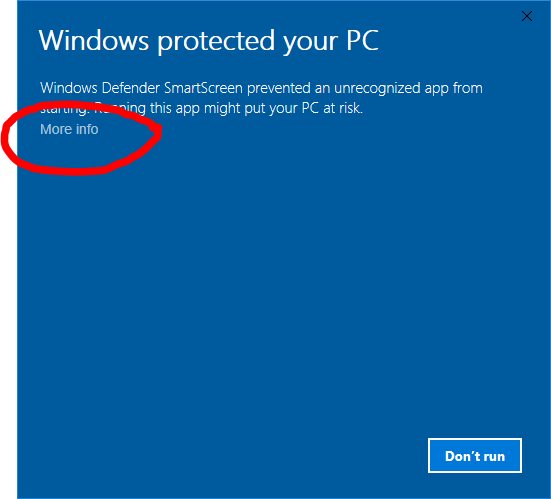
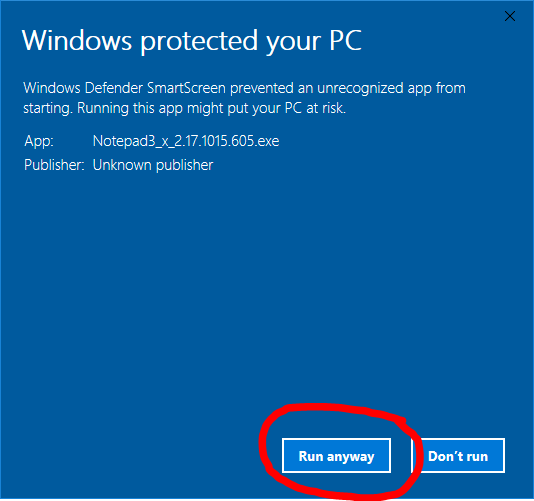
It came to our attention that Notepad3 is currently flagged by Windows Defender SmartScreen. We need to teach Windows Defender that Notepad3 is safe. Please do the following: On the SmartScreen dialog, click More Info and then the Run Anyway button. Hopefully this will make the warning disappear.
 rizonesoft
All 25 comments
This issue persists in buld 610
rizonesoft
on 16 Oct 2017
This issue still persists in build 632.
 RaiKoHoff
on 24 Oct 2017
RaiKoHoff
on 24 Oct 2017
Can we confirm this issue is past tense?
rizonesoft
on 23 Nov 2017
... if not, it can be reopened ;-)
RaiKoHoff
on 23 Nov 2017
Closing it... Will reopen if issue returns. Please let me know if the new version has this issue. #187
rizonesoft
on 23 Nov 2017
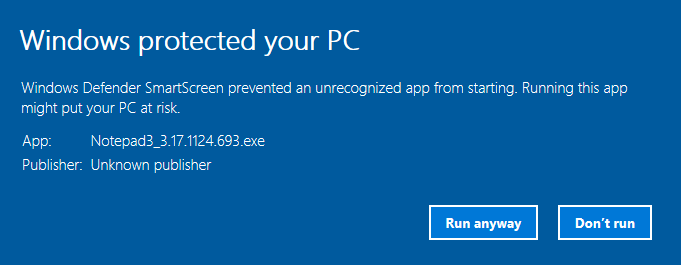
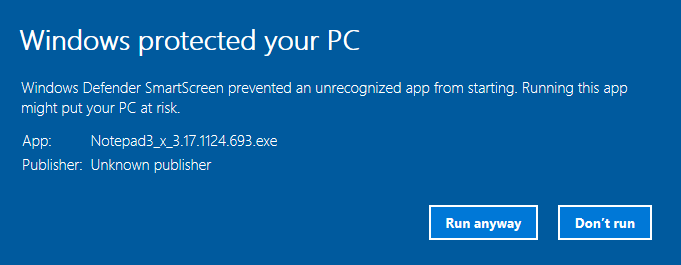
@rizonesoft, both the Setup and the Replace Notepad flavours of the newest stable release (3.17.1124.693) generate the Windows Defender SmartScreen message:
 craigo-
on 25 Nov 2017
craigo-
on 25 Nov 2017
Extremely strange. Take a look at the virus scan here: https://virusscan.jotti.org/en-GB/filescanjob/agx8dzaqhl
I wonder if the Notepad Replacement method is not being picked up as malicious?
rizonesoft
on 25 Nov 2017
VirusTotal also has nothing bad to say:
The "Replacement Method" theory sounds valid, but I'm getting the same result using the regular setup file too.
Is it related to the "Unknown publisher" message?
craigo-
on 25 Nov 2017
Maybe UPX compression? I will test it tomorrow.
rizonesoft
on 25 Nov 2017
This sounds relevant:
Sounds like if you have a regular signing certificate, you have to build up “reputation”. If you sign your executables with an EV certificate (more expensive, has prerequisite: hardware key/dongle?), this either gives the required reputation or bypasses the reputation requirement entirely.
It probably doesn’t help when people like me opt out of all the Microsoft app telemetry, on the grounds of data privacy...
craigo-
on 26 Nov 2017
Another reference:
https://www.ctrl.blog/entry/how-to-false-smartscreen-positive
RaiKoHoff
on 1 Dec 2017
In the new release, I removed the replace Windows Notepad build and changed the UPX compression level from --brute to --best in an attempt to better Notepad3's SmartScreen reputation #127. There was an issue with Rizonesoft.com's SSL certificate (broken chain). I fixed it, but not sure if this has anything to do with the SmartScreen issue. We just need to monitor it and see.
rizonesoft
on 2 Dec 2017
Hi, @rizonesoft -
Thanks for your efforts, Unfortunately, it doesn't seem to have helped, at least initially:
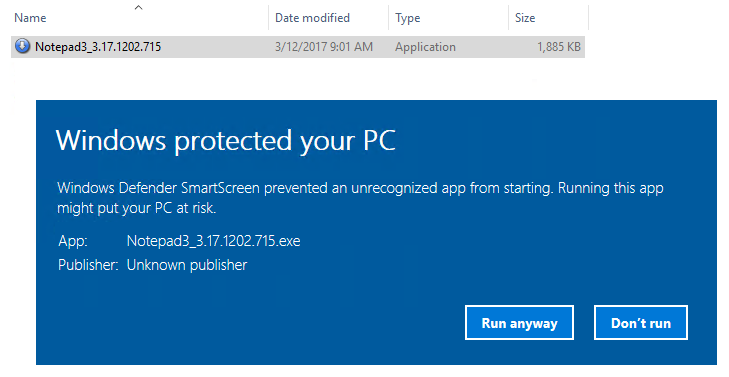
The executable is still listed as being from an "unknown publisher"... It looks like there may still be problems with the signing process.
For comparison purposes, here is the Notepad2-mod experience:

The executable is listed as being from a "verified publisher", and has a valid code signing certificate.
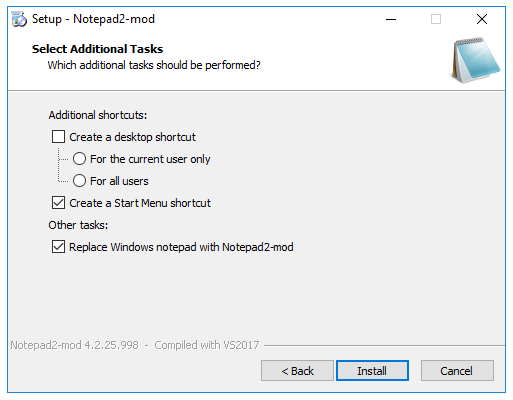
It also looks unlikely that the Notepad3 problem is due to the "Replace Notepad" functionality:
- The Notepad3 installer without this functionality still exhibits the problem
- Notepad2-mod bundles this functionality into their installer:
craigo-
on 2 Dec 2017
This issue seems to be resolved for now.
rizonesoft
on 30 Dec 2017
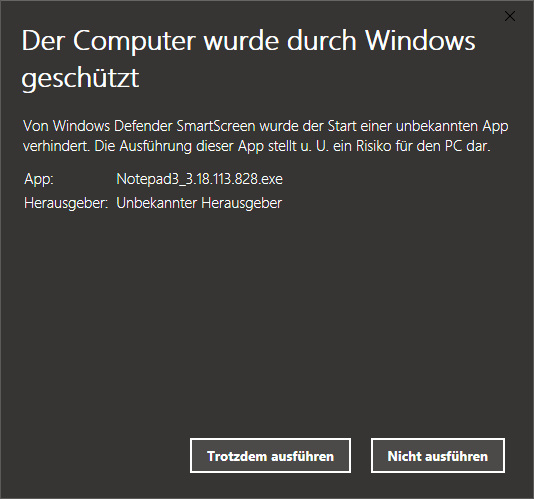
Unfortunately this issue (Win Dumb Screen: Unknown publisher) still remains:
Win 10 64-bit:
RaiKoHoff
on 13 Jan 2018
@RaiKoHoff I found a solution to this issue. Submitting the file to https://www.microsoft.com/en-us/wdsi/filesubmission for analysis seems to solve the Dumb Screen issue. I submitted the file, but will take a few hours to solve.
rizonesoft
on 13 Jan 2018
I'm also working on a more permanent solution. Will keep you updated. Should have something in place in February hopefully.
rizonesoft
on 13 Jan 2018
Dumb Screen
🤣
craigo-
on 14 Jan 2018
@rizonesoft, I guess it also suggests that UPX compression is not the problem here..?
What is your solution? Are you getting a code-signing certificate and becoming a "proper" publisher?
craigo-
on 14 Jan 2018
I guess it also suggests that UPX compression is not the problem here..?
@craigo- UPX compression is not the problem here, but with Anti-Virus false positives, like Avast and BitDefender. I experienced a decline in false positives when disabling UPX compression with some of my other software. The question I have; Is UPX compression really that beneficial and what is the performance decrease (even if in milliseconds). Would love to know what the community thinks.
What is your solution? Are you getting a code-signing certificate and becoming a "proper" publisher?
I'm not a proper publisher? 😨 Only joking! I will be getting a Certificate. I tried to get one from Certum, but my country is not available to select. When I contacted them to do a manual invoice, well, let's just say that I'm still waiting. Also still waiting for a refund. I tried Comodo; had everything in place except a landline, they are not prepared to assist me otherwise.
🎆 Now I found DigiCert Outstanding support and I would be able to validate the certificate without issues. 😃
rizonesoft
on 14 Jan 2018
Lets keep open this issue, until it is solved.
RaiKoHoff
on 16 Jan 2018
I'm not getting a SmartScreen warning anymore. Seems like putting the setup and removing UPX compression attributed to solving this issue. 😃 We can reopen this issue if it comes up again.
rizonesoft
on 25 Apr 2018
I get the SmartScreen issue with last version (Win10 Home).
 mg979
on 28 Jan 2019
mg979
on 28 Jan 2019
The command line tool for encrypting and decrypting (NP3's AES encryption feature) are not bundled with the installer, so this problem for security scanners has been removed.
SmartScreen Filter creates a problem for small software vendors when they distribute an updated version of installation or binary files over the internet.[29] Whenever an updated version is released, SmartScreen responds by stating that the file is not commonly downloaded and can therefore install harmful files on your system. This can be fixed by the author digitally signing the distributed software. Reputation is then based not only on a file's hash but on the signing certificate as well. A common distribution method for authors to bypass SmartScreen warnings is to pack their installation program (for example Setup.exe) into a ZIP-archive and distribute it that way, though this can confuse non-expert users.
RaiKoHoff
on 29 Jan 2019
We still have to live with "Windows protected your PC" for all Notepad3Portable. :wink:
As far as I am concerned, this issue may be closed....
 hpwamr
on 17 Jun 2019
hpwamr
on 17 Jun 2019
Related issues
 tzleon
·
3Comments
tzleon
·
3Comments
 valhristov
·
3Comments
valhristov
·
3Comments
 blackcrack
·
3Comments
craigo-
·
3Comments
blackcrack
·
3Comments
craigo-
·
3Comments
 ggordon-vispero
·
3Comments
ggordon-vispero
·
3Comments