Node-red-contrib-homekit-bridged: Question: How to set Manufacturer, Serial Number, Model programmatically?
I would like to be able to set the manufacturer, serial number, and model fields programmatically, so that I can automatically fill them with information retrieved from my smart home hub (Homematic CCU, in my case). This obviously saves a lot of time and makes sure that information is correct.
The list of characteristics contains entries for all three of them.
However, when I try to set these characteristics (Manufacturer, SerialNumber, and Model) for a ContactSensor, I get a warning in the log: "Try one of these characteristics: Name, ContactSensorState, StatusActive, StatusFault, StatusTampered, StatusLowBattery, Name" and the values have no effect. Also, the UI insists that I enter a value for those fields, and the value entered is shown in the Home App no matter what I set in the characteristic properties.
Please advise. Thank you!
 tsjensen
All 13 comments
Some discussion of this here with the dev branch where firmware version is an option.
Currently it’s likely not possible. I believe the main reason is that the device will be removed and re-added if these things are changed after the first deploy, causing a reset of the device in the Home app...
That’s all I know about it at this point. I’m sure there’s some kind of creative option but it’s not there yet.
 crxporter
on 28 Jun 2020
crxporter
on 28 Jun 2020
Related #211
crxporter
on 28 Jun 2020
Thank you for the information!
I also noticed that the device gets reset in Homekit when this information changes. But this could easily be worked around by providing this data only the first time, couldn't it?
In fact, with a correspondingly designed flow, it would already work like this if the required hard-coded values didn't override the values from the message?
tsjensen
on 29 Jun 2020
But this could easily be worked around by providing this data only the first time, couldn't it?
It seems to me like this wouldn’t work. The issue is that on the first deploy of a service node the values entered in the config are sent to homekit. Also you can’t send data into the node until after the first deploy.
So (to me) it seems like once you can send the config, it’s already too late.
I asked the same question a few weeks ago about firmware (wanted to inject firmware version programmatically) and at this point the answer is that it’s not possible.
Perhaps @Shaquu can explain better and whether this could be simple to adjust.
As I understand, there are other things that would be included if this was possible. If i understand right, there are technically 2 name fields in homekit, one for display name and one for an unchanging device name. Currently the plugin uses the name field for both. I don’t know if the same is true for firmware version, hardware version, and others but I understand that as it is currently set up, these cannot change in our plugin without resetting the device in home app.
crxporter
on 3 Jul 2020
Those Characteristics you mentioned are bound to an Accessory and not to the Service (node you are sending messages to).
It's why he sais to try list of these (insert list here) since they belong to the Service.
- It would be possible to enable sending those messages to Accessory too (which is now not possible)
But
Apple's specifications sais 'The values of Manufacturer, Model, Name and Serial Number must be persisted through the lifetime of the accessory'.
It's why
- NRCHKB should recreate Accessory if those values changed.
So I understand the requirement but I am not sure if it's good idea since if we try to override this we can cause serious Home.app bugs which we were fighting for some past releases. And believe me you don't want to see them.
 Shaquu
on 3 Jul 2020
Shaquu
on 3 Jul 2020
Apple's specifications sais 'The values of Manufacturer, Model, Name and Serial Number must be persisted through the lifetime of the accessory'.
I notice firmware isn’t on this list 🧐
crxporter
on 3 Jul 2020
You are right. Still point 1 applies.
Shaquu
on 3 Jul 2020
I see your point. I noticed this problem because I migrated from HomeBridge to Node-RED / node-red-contrib-homekit-bridged, and the HomeBridge can do it (does so by default, actually). So it must be possible somehow. The HomeBridge also sets these values at the beginning, and they cannot be changed afterwards without restarting the HomeBridge.
tsjensen
on 3 Jul 2020
Many homebridge Plugins have a “discovery” part of the program to discover and auto-create plugins. They can use the discovery data to fill in the fields before they are created as homekit items.
As this one is completely diy, there’s no discovery phase to fill in the device info.
crxporter
on 3 Jul 2020
There are upsides and downsides to discovery. It’s nice to not have to do the work - but you’re stuck with how the developer of each plugin wanted things set.
crxporter
on 3 Jul 2020
@tsjensen it should be possible to assign those fields before Accessory is published in the latest release (1.2.0)
Look in the Service node.
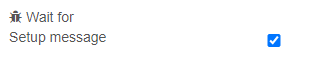
node-red flow
[
    {
        "id": "3a40a6c.a1ce85a",
        "type": "homekit-service",
        "z": "164eade1.c33b62",
        "isParent": true,
        "bridge": "47386561.a06bac",
        "parentService": "",
        "name": "Floor Lamp",
        "serviceName": "Lightbulb",
        "topic": "",
        "filter": false,
        "manufacturer": "NRCHKB",
        "model": "0.120.9",
        "serialNo": "Default Serial Number",
        "firmwareRev": "0.120.9",
        "hardwareRev": "0.120.9",
        "softwareRev": "0.120.9",
        "cameraConfigVideoProcessor": "ffmpeg",
        "cameraConfigSource": "",
        "cameraConfigStillImageSource": "",
        "cameraConfigMaxStreams": 2,
        "cameraConfigMaxWidth": 1280,
        "cameraConfigMaxHeight": 720,
        "cameraConfigMaxFPS": 10,
        "cameraConfigMaxBitrate": 300,
        "cameraConfigVideoCodec": "libx264",
        "cameraConfigAudioCodec": "libfdk_aac",
        "cameraConfigAudio": false,
        "cameraConfigPacketSize": 1316,
        "cameraConfigVerticalFlip": false,
        "cameraConfigHorizontalFlip": false,
        "cameraConfigMapVideo": "0:0",
        "cameraConfigMapAudio": "0:1",
        "cameraConfigVideoFilter": "scale=1280:720",
        "cameraConfigAdditionalCommandLine": "-tune zerolatency",
        "cameraConfigDebug": false,
        "cameraConfigSnapshotOutput": "disabled",
        "cameraConfigInterfaceName": "",
        "characteristicProperties": "{}",
        "waitForSetupMsg": true,
        "outputs": 2,
        "x": 610,
        "y": 360,
        "wires": [
            [],
            []
        ]
    },
    {
        "id": "c48866aa.1d39e8",
        "type": "inject",
        "z": "164eade1.c33b62",
        "name": "",
        "props": [
            {
                "p": "payload"
            }
        ],
        "repeat": "",
        "crontab": "",
        "once": false,
        "onceDelay": 0.1,
        "topic": "",
        "payload": "{\"nrchkb\":{\"setup\":{\"name\":\"Hello\",\"model\":\"My Model\",\"firmwareRev\":\"0.0.1\",\"hardwareRev\":\"0.0.1\",\"softwareRev\":\"0.0.1\"}}}",
        "payloadType": "json",
        "x": 380,
        "y": 360,
        "wires": [
            [
                "3a40a6c.a1ce85a"
            ]
        ]
    },
    {
        "id": "47386561.a06bac",
        "type": "homekit-bridge",
        "z": "",
        "bridgeName": "Bridge",
        "pinCode": "111-11-111",
        "port": "",
        "allowInsecureRequest": false,
        "manufacturer": "NRCHKB",
        "model": "0.120.9",
        "serialNo": "Default Serial Number",
        "firmwareRev": "0.120.9",
        "hardwareRev": "0.120.9",
        "softwareRev": "0.120.9",
        "customMdnsConfig": false,
        "mdnsMulticast": true,
        "mdnsInterface": "",
        "mdnsPort": "",
        "mdnsIp": "",
        "mdnsTtl": "",
        "mdnsLoopback": true,
        "mdnsReuseAddr": true,
        "allowMessagePassthrough": true
    }
]
Closing as this is a completed feature request.
Open it back or make a new issue if you need help using the feature!
crxporter
on 26 Oct 2020
Works like a charm - thank you @Shaquu! 😎👍
tsjensen
on 4 Nov 2020
Related issues
 mtjoernelund
·
8Comments
Shaquu
·
9Comments
mtjoernelund
·
8Comments
Shaquu
·
9Comments
 TristanMW
·
11Comments
TristanMW
·
11Comments
 sjorge
·
7Comments
sjorge
·
7Comments
 Kowy54
·
3Comments
Kowy54
·
3Comments
Most helpful comment
@tsjensen it should be possible to assign those fields before Accessory is published in the latest release (1.2.0)
Look in the Service node.

node-red flow