Nivo: SVG Axis Labels align inconsistently across browsers
The align of axis labels in svg is based on the alignment-baseline property, which differs across browsers:
https://stackoverflow.com/questions/41822995/inconsistent-svg-text-alignment-in-chrome-and-firefox
https://stackoverflow.com/questions/19212498/firefox-support-for-alignment-baseline-property
This is due to the specification not permitting alignment-baseline on text elements: https://www.w3.org/TR/SVG11/text.html#AlignmentBaselineProperty
Therefore, I suggest changing the use of alignment-baseline to dominant-baseline and the valuesbefore-edge to text-before-edges and after-edge to text-after-edge, which appears to resolve the issues for me, but I have not tried to build this from the source.
 meiamsome
All 7 comments
I tried out the solution proposed above and indeed it fix the issue for Firefox. However, it did _not_ work for IE/Edge, unfortunately.
Apparently, dominant-baseline is not supported at all: https://stackoverflow.com/a/30310998
The only option seems to be resorting to dy...
 sl-ulken
on 7 Jun 2018
sl-ulken
on 7 Jun 2018
Ps: a fast CSS fix in the meantime is the following (not tested in IE though):
text {
  alignment-baseline: baseline !important; /* reset since Chrome wrongfully sees it as valid */
  dominant-baseline: middle;
}
It looks like it won't work in IE though. So maybe something like the following? (untested as well)
text {
  alignment-baseline: baseline !important; /* reset since Chrome wrongfully sees it as valid */
  position: relative;
  top: Npx; /* will need to be chart-based, manually computed */
}
 mjsarfatti
on 15 Aug 2018
mjsarfatti
on 15 Aug 2018
So this would explain these seeming alignment issues in the docs, themselves? (I'm in Firefox)

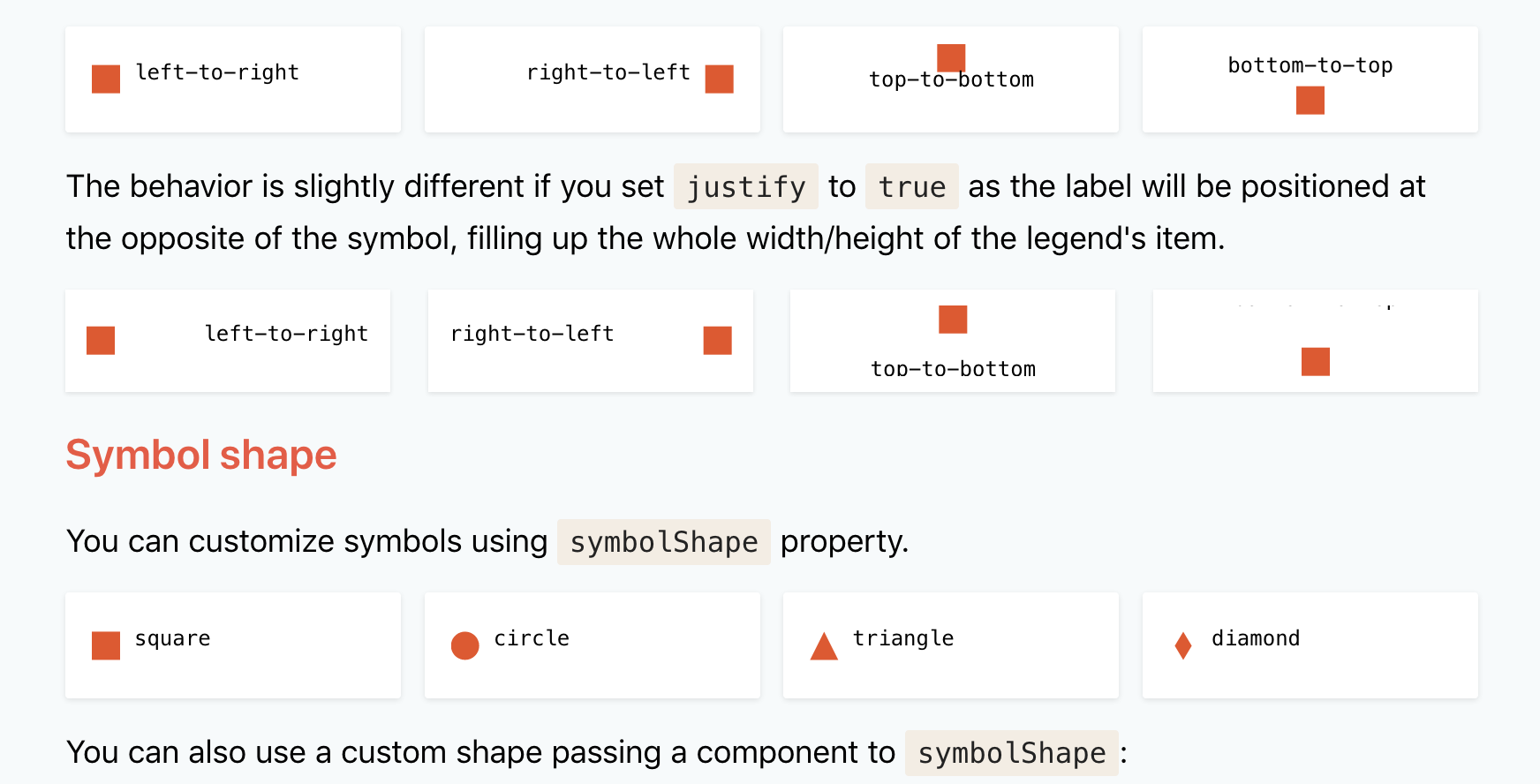
 rpearce
on 27 Nov 2018
rpearce
on 27 Nov 2018
Still no fix for this? I was able to patch it in Firefox (and still looks fine in Chrome and Safari) with:
text[alignment-baseline="before-edge"] {
  dominant-baseline: text-before-edge;
}

text[alignment-baseline="central"] {
  dominant-baseline: central;
}
But doesn't affect IE.
I played around with a few things, but it seems that you can't target SVG elements (or at least the text nodes) with CSS in IE.
I guess the ideal fix is to offset the labels based on their font size, and no longer rely on the baseline styles, but this is something that would need to be handled internally since it seems we can't target the nodes with CSS.
 JakeSidSmith
on 28 Mar 2019
JakeSidSmith
on 28 Mar 2019
Contributions are welcome :)
 plouc
on 28 Mar 2019
plouc
on 28 Mar 2019
If I had the time I happily would, but this fix is fine for us for now as we don't need to support IE. 😊
JakeSidSmith
on 29 Mar 2019
Fixed by https://github.com/plouc/nivo/pull/529/commits/a9fbf82a5529ed5022368dabef5fbebbda627dec, unfortunately I had to use alphabetical instead of text-after-edge because of Safari :/
Not yet published.
plouc
on 3 May 2019
Related issues
 serendipity1004
·
3Comments
serendipity1004
·
3Comments
 luisrudge
·
3Comments
luisrudge
·
3Comments
 zhe1ka
·
3Comments
zhe1ka
·
3Comments
 indvstry
·
3Comments
indvstry
·
3Comments
 Haaziq-Uvais
·
3Comments
Haaziq-Uvais
·
3Comments