Nighttab: On FF 79.0b7 this extension defaults at EVERY browser start to the extension's default settings
Issue: After the FF 79.0b7 update a few days back, this extension defaults at EVERY browser start to the extension's default settings. Was working fine until the update.
Developer response: _"Can you help me understand the issue by checking if you have any other extensions which clear data, cookies, local storage when closing Firefox?"_
Yes, there is an extension installed to clean FF at each closing. https://addons.mozilla.org/en-US/firefox/addon/cpd/
- However, nightTab was working fine until the update to FF 79.0b7. The above mentioned extension was there before and no new extensions were added.
- Please clarify : What does nightTab need to remember settings? Cookies / some local storage / both?
- Can it be set up that after the settings are specified in nightTab - it shows a url that be made the homepage rather than rely on local storage? (for example startpage.com does this and works fine with FF 79b07)
Thank you for a good, functional extension - waiting to start using this extension again when this issue is fixed.
 PaduaPlay
All 11 comments
The extension you've linked clearly has an option for "Plug-in data", can you confirm that you don't have that option checked?
 Q-out
on 15 Jul 2020
Q-out
on 15 Jul 2020
Tried with option for "Plug-in data" unchecked - did not work.
As mentioned, nightTab was working fine until the update to FF 79.0b7. The above mentioned extension was there before (actually, with option for "Plug-in data" CHECKED) and no new extensions were added.
So, with the option for "Plug-in data" unchecked OR checked - nightTab resets with every FF restart, on FF 79.0b7.
PaduaPlay
on 15 Jul 2020
Hi,
Thanks for reaching out. Sorry you are having issues using nightTab.
Let's cover some of the facts as we know them and answer some of your questions, @PaduaPlay.
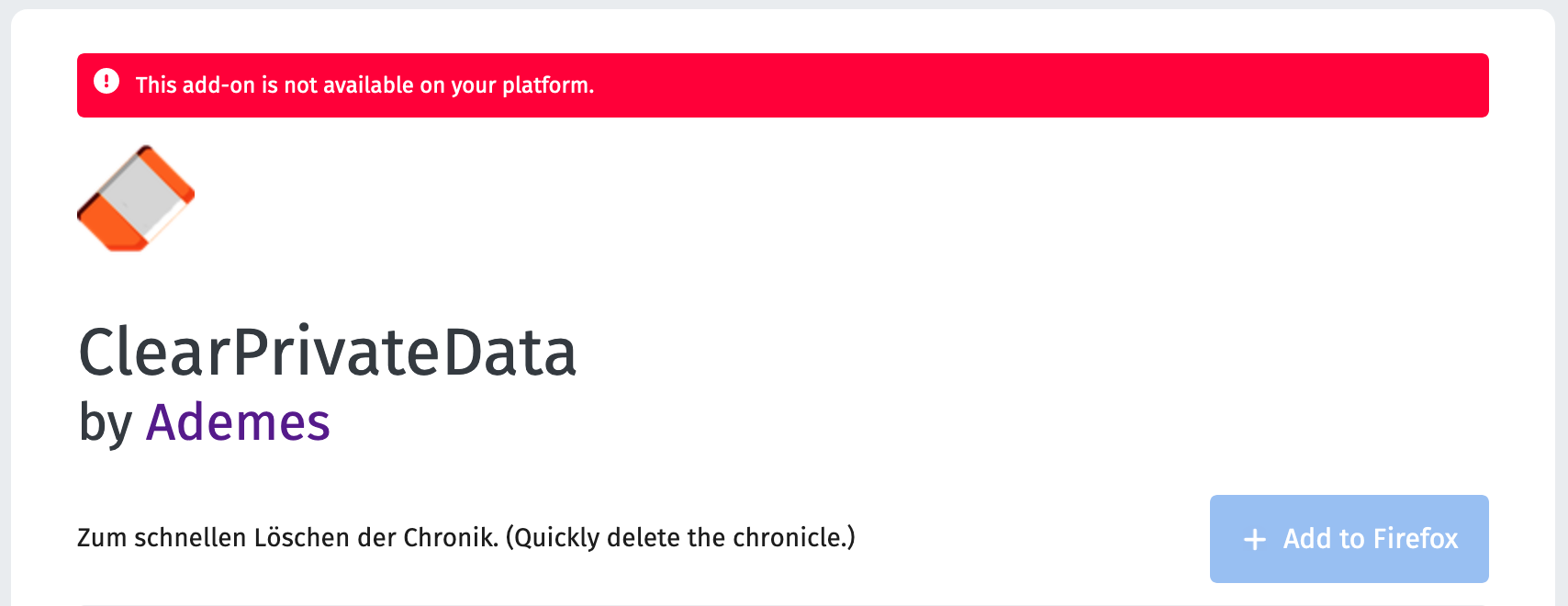
- ClearPrivateData by Ademes does clear all browsers data on Firefox close.
- nightTab stores all user data in the browser local storage. So ClearPrivateData is the cause of nightTab restoring to default on restart.
- Firefox Beta updated to 79.0b7 on (I believe) 13 July 2020
- The last update to nightTab on Firefox was on 15 June 2020
- I can not find information on when ClearPrivateData was last updated
- The latest nightTab update did not change how data is saved to the local storage.
I am unable to test with ClearPrivateData as it does not support my platform (MacOS):
I developed nightTab as a no-database project and as a side effect avoiding privacy concerns as all data the addon saves is on the client side in the browser.
Some users have encountered similar issue when using tools which wipe browser data on close. When doing so there is no way to avoid clearing nightTab data too. I am sorry but I don't see how these two addons can work together.
I believe 79.0b7 refers to a beta version of Firefox. Have you tried using the current stable version of Firefox?
 zombieFox
on 15 Jul 2020
zombieFox
on 15 Jul 2020
As mentioned, nightTab was working fine until the update to FF 79.0b7. The above mentioned extension was there before (actually, with option for "Plug-in data" CHECKED) and no new extensions were added.
Further, this seems very odd, as I do not see why, after an update, Firefox might change what data is marked for deletion by ClearPrivateData. nightTab has always saved it's data in local storage so it should have been included in the data clear before the update too.
zombieFox
on 15 Jul 2020
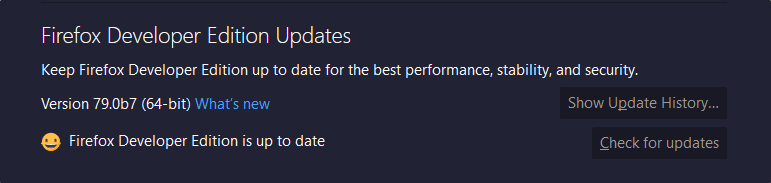
On Firefox 79.0b7, not able to reproduce, nightTab works perfectly
 Excigma
on 15 Jul 2020
Excigma
on 15 Jul 2020
Clearing site data in about:preferences#privacy does in fact clear nightTab data as well (78.0.2 Stable). @PaduaPlay, you'll have to uncheck "Offline-Webpage-data" for nightTab to work.
Q-out
on 15 Jul 2020
_"Some users have encountered similar issue when using tools which wipe browser data on close"_
First of all thank you for your quick responses and attention to the issue raised.
- and for a good, simple, functional extension.
Since using a privacy tool is likely to be used by most users, if it is possible:
1. Please consider saving a particular configuration of nightTab as the new default.
2. This can be in addition to the already available save data option.
If the 'new' default can be saved on the extension itself as the default then as long as the extension is enabled no privacy cleaner can interfere with the working of the extension.
I am not a coder (just a power user) and not sure if the extension's default configuration can be changed like this - but seems like a very logical option.
PaduaPlay
on 15 Jul 2020
First of all thank you for your quick responses and attention to the issue raised. - and for a good, simple, functional extension.
Thanks and welcome!
- Please consider saving a particular configuration of nightTab as the new default.
- This can be in addition to the already available save data option.
An interesting idea however saving any configuration would essentially be the same as what we have right now. The only place to save any configuration or settings is in local storage -- which is what ClearPrivateData is wiping on restart.
If the 'new' default can be saved on the extension itself as the default then as long as the extension is enabled no privacy cleaner can interfere with the working of the extension.
That is how nightTab works. When a user makes a change, adds a bookmark, customises the theme, they are creating a "new" default. This new default is saved to local storage. When a new tab is opened, nightTab looks for the settings in the local storage and uses that data to render the page.
This is what I was referring to when I said I don't see how these two addons can not work together. I'm sorry I can't be of more help.
zombieFox
on 16 Jul 2020
_"When a user makes a change, adds a bookmark, customizes the theme, they are creating a "new" default. This new default is saved to local storage. "_
The suggestion given was to save the new default in the extension itself (inside the xpi) - and not in local / plugin storage (outside the xpi). This way, no privacy cleaner can impact the user intended functioning of nightTab.
Detail:
It seems that inside the .xpi of nightTab there is no single directory or .json file where the 'built in default' is stored.
Is it possible for you to consider modifying the extension to store, in the xpi package, the 'built in default' in a separate .json file (and perhaps name it 'built in default,json') and,
Since there is already an option to save a user's new config to a .json file, the user can replace the 'built in default.json' with the .json file that contains the user's new configuration OR the extension itself can provide an option to save a new config as the 'built in default,json'.
Thus the user's new config becomes the 'built in default' - and cleaning the local storage will not affect the user intended behaviour of nightTab - when a new tab is opened, nightTab looks for the settings in the local storage and doesn't find any in local storage (because the cleaner has removed it) and nightTab now renders based on the built in default - which is now, actually, the user's new config.
I hope I have detailed the suggestion clearly. Thanks again for your extension and support.
This is a good extension, and IMHO better than Tabliss and, if possible, I would like to be able to use it without compromising on the privacy clean (prefer not to turn off the plug in data clean since there is no way to choose which plug in data to keep / remove).
Thank you.
PaduaPlay
on 16 Jul 2020
The suggestion given was to save the new default in the extension itself (inside the xpi) - and not in local / plugin storage (outside the xpi). This way, no privacy cleaner can impact the user intended functioning of nightTab.
Detail:
It seems that inside the .xpi of nightTab there is no single directory or .json file where the 'built in default' is stored.Is it possible for you to consider modifying the extension to store, in the xpi package, the 'built in default' in a separate .json file (and perhaps name it 'built in default,json') and,
I do not think this is possible. As far as I know, addons and extensions can not write anything to the system or the location where the xpi might be saved/installed. Addons and extensions can only do what a normal website can do, so access browser cache.
I think Chrome apps, (which are being discontinued) do have access to a, (non standard) method called requestFileSystem. But of course this would not work for Firefox.
Even modifying the files inside the Firefox extensions directory is not allowed as Firefox detects this and deletes the addon, (I am assuming for security reasons).
Thus the user's new config becomes the 'built in default' - and cleaning the local storage will not affect the user intended behaviour of nightTab - when a new tab is opened, nightTab looks for the settings in the local storage and doesn't find any in local storage (because the cleaner has removed it) and nightTab now renders based on the built in default - which is now, actually, the user's new config.
What you are describing here is forking the project, editing the bookmarks.js and state.js files to reflect your bookmarks and settings, building the project locally and installing a unique instance of nightTab manually. Someone else mentioned doing this. Please see issue #171 for more details. The "built in default", as you describe it, is in bookmarks.js and state.js.
This is a good extension, and IMHO better than Tabliss and, if possible, I would like to be able to use it without compromising on the privacy clean (prefer not to turn off the plug in data clean since there is no way to choose which plug in data to keep / remove).
Thanks!
zombieFox
on 17 Jul 2020
Closing issue as no action will be taken, (I see no way nightTab can work alongside ClearPrivateData).
zombieFox
on 24 Jul 2020
Related issues
 smaragdus
·
5Comments
smaragdus
·
5Comments
 nickjcoco
·
5Comments
nickjcoco
·
5Comments
 zethexx
·
6Comments
zethexx
·
6Comments
 Raketenphysik
·
4Comments
Q-out
·
3Comments
Raketenphysik
·
4Comments
Q-out
·
3Comments