Nighttab: Feature Request: custom favicon
Hello @zombieFox
It would be awesome if you could add an option to customize the favicon of the page.
For reference: https://stackoverflow.com/questions/260857/changing-website-favicon-dynamically
Here a mockup of what I had in mind:
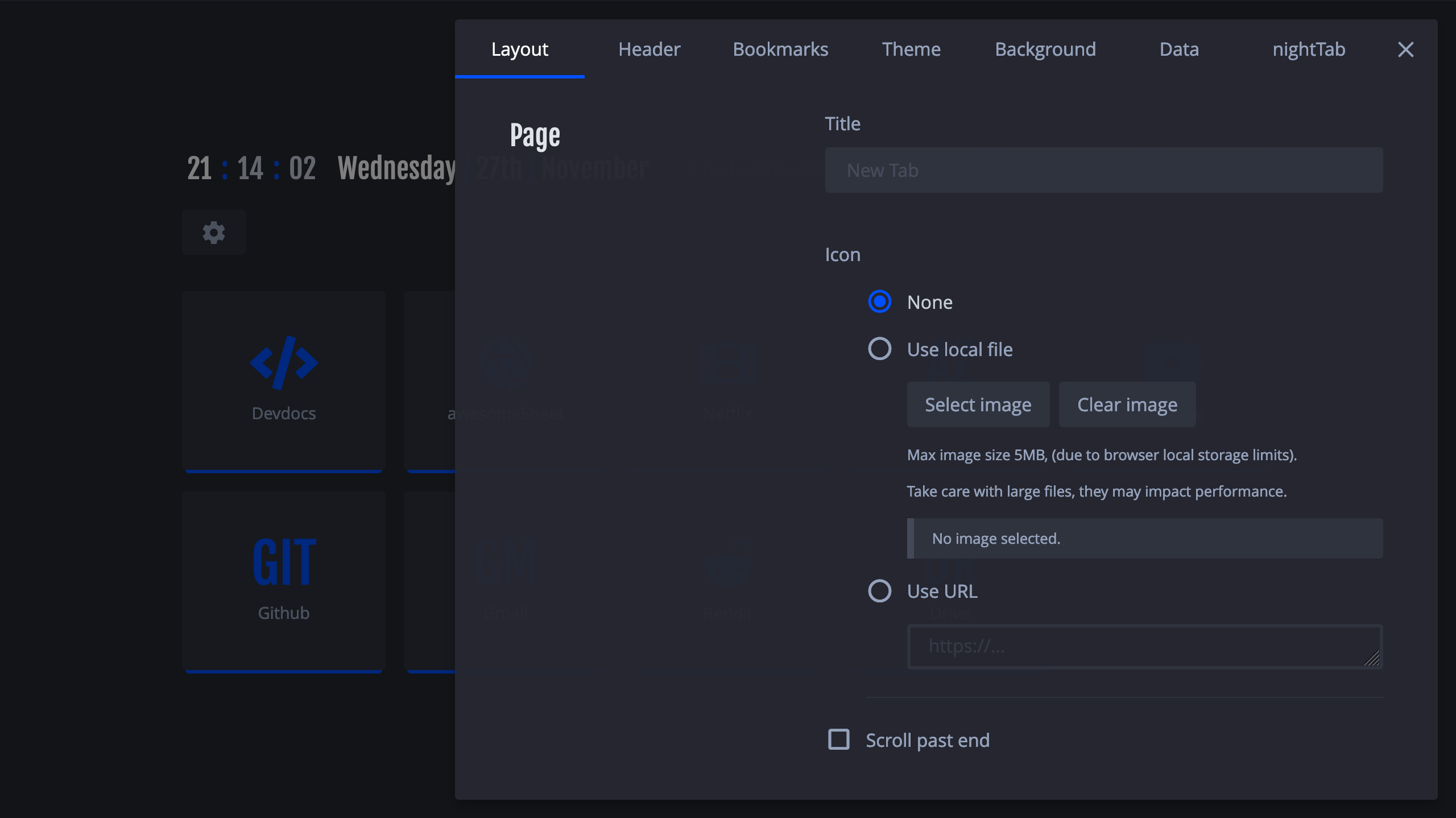
Very similar to how you handle the background, but with an text input instead of a textarea, and using the canvas API you can force a cut/resize so that localStorage doesn't complain.
Also supporting base64 strings would be cool.
 mcorossigo
All 7 comments
Thanks! Looks promising. I feel this should be possible. I'll investigate and see what I can do.
 zombieFox
on 29 Nov 2019
zombieFox
on 29 Nov 2019
You can actually add in a one-liner to get the sites actual favicons from google, try this.
https://www.google.com/s2/favicons?domain=www.bing.com
this one actually lets you specify the icon size...
https://api.faviconkit.com/twitter.com/32
:edit > markdown:
 ronmurphy
on 6 Dec 2019
ronmurphy
on 6 Dec 2019
Been investigating this issue. It does not look like new tab page extensions/addons support favicons. It seems to be blocked by the browser.
zombieFox
on 15 Jun 2020
Copypasting this
(function() {
    var link = document.querySelector("link[rel*='icon']") || document.createElement('link');
    link.type = 'image/x-icon';
    link.rel = 'shortcut icon';
    link.href = 'https://cdn.sstatic.net/Sites/stackoverflow/Img/favicon.ico?v=ec617d715196';
    document.getElementsByTagName('head')[0].appendChild(link);
})();
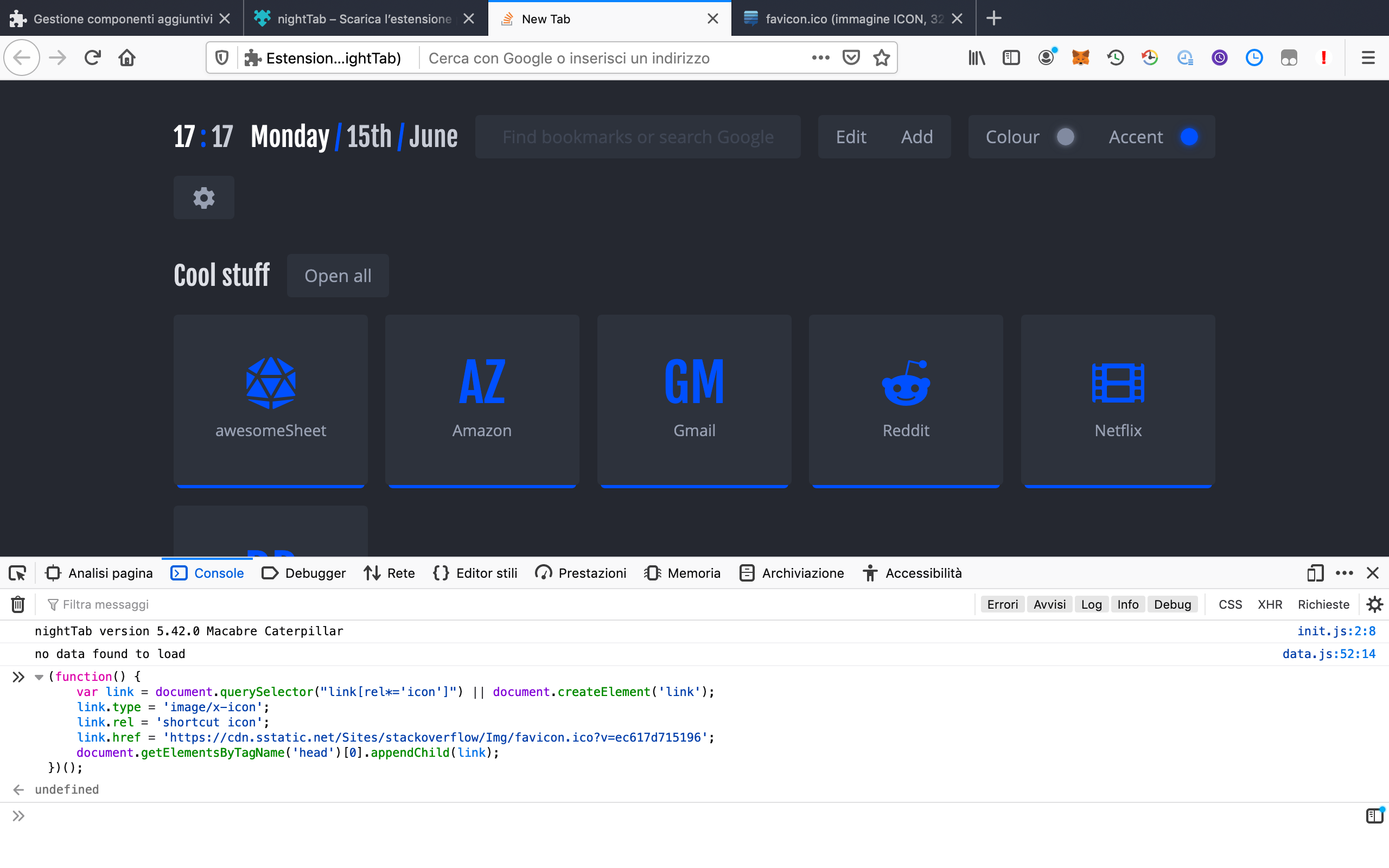
in the Debug Console properly update the favicon (note the stackoverflow icon on the New Tab page), so it seems doable to me, but I may be wrong.
 Jackymancs4
on 15 Jun 2020
Jackymancs4
on 15 Jun 2020
Ah, seems like Firefox does show the favicon but Chrome does not. Nuts.
zombieFox
on 15 Jun 2020
Yes, after a two minutes test (appending the snippet on nighttab.min.js and sideloading the extension) I can confirm that it works 100% of the times on Firefox and 0% on Chrome..
So if you decide to implement this (which I hope you'll do because it seems super cool) it would be a Web and Firefox only feat.
Nuts indeed.
Jackymancs4
on 15 Jun 2020
On Chrome it seems impossible...
https://stackoverflow.com/questions/41494228/adding-a-favicon-to-a-chrome-extension-new-tab-page
https://quick-geek.github.io/answers/590576/index.html
 Excigma
on 21 Jun 2020
Excigma
on 21 Jun 2020
Related issues
 matfantinel
·
3Comments
matfantinel
·
3Comments
 OofFan
·
5Comments
OofFan
·
5Comments
 zethexx
·
6Comments
zethexx
·
6Comments
 Q-out
·
5Comments
ronmurphy
·
5Comments
Q-out
·
5Comments
ronmurphy
·
5Comments