Ngx-extended-pdf-viewer: Adding deployUrl before pdfDefaultOptions.assetsFolder
Hi,
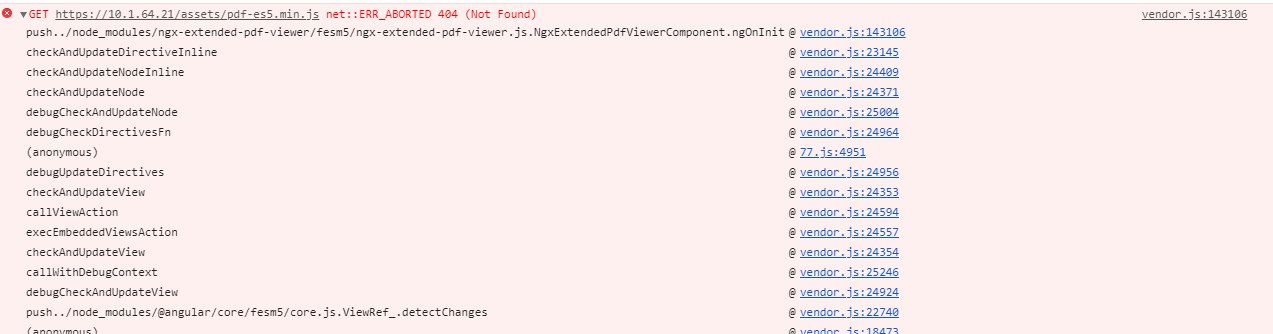
I have multiple environment and every environment have different deployUrl, because of that, I got this error.
My configuration as follow:
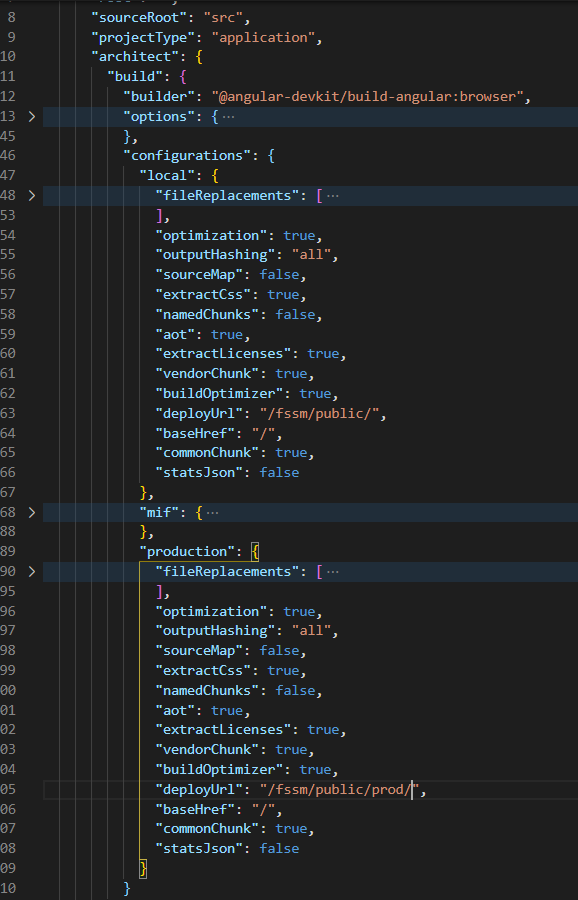
Is there any way I can add deployUrl pdfDefaultOptions.assetsFolder?
Thanks.
 mkanwar
All 6 comments
This attribute is new to me. But I suppose you also have to configure the baseHref:
<!DOCTYPE html>
<html lang="en">
  <head>
    ...
    <base href="/path/" />
I can only guess (because it's also new to me), but I suppose you can also configure this in the baseHref key of your angular.json, just below the deployUrl.
 stephanrauh
on 12 Oct 2020
stephanrauh
on 12 Oct 2020
Does this answer the question? I so, give me a short "ping" so I know I can close the issue.
Thanks in advance,
Stephan
stephanrauh
on 12 Oct 2020
For my case, I can't configure both to same value.. Currently, all my assets will under https://10.1.64.21/fssm/public/assets/. Later, in production, we will store all our assets at ./fssm/public/prod/assets/
mkanwar
on 12 Oct 2020
I see. Well, you can also override the default options:
pdfDefaultOptions.assetsFolder
Thanks @stephanrauh, it solved.
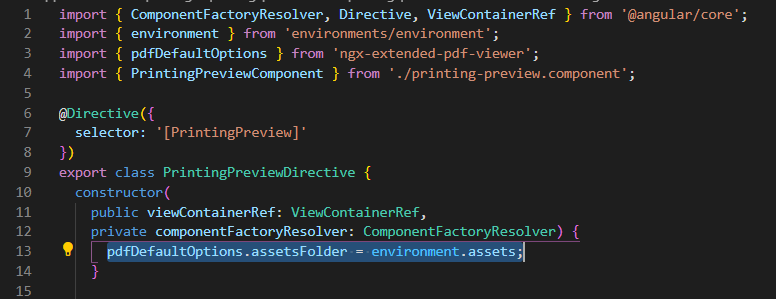
After overriding,

mkanwar
on 12 Oct 2020
That's great news! Why I wrote my answer, I was in a hurry, so I didn't find the time to mention the feature is even documented: https://pdfviewer.net/troubleshooting (second paragraph).
BTW, it seems you didn't activate the map files. Debugging ngx-extended-pdf-viewer is more fun when you see the real source code.
stephanrauh
on 12 Oct 2020
Related issues
 dheerajm91
·
3Comments
dheerajm91
·
3Comments
 vfabregat
·
5Comments
vfabregat
·
5Comments
 rscherer
·
7Comments
rscherer
·
7Comments
 ekselys
·
5Comments
ekselys
·
5Comments
 StevenGarcia-CG
·
10Comments
StevenGarcia-CG
·
10Comments
Most helpful comment
Thanks @stephanrauh, it solved.
After overriding,