Ngx-extended-pdf-viewer: Cannot read property 'appendChild' of undefined
Describe the bug
Scenario: We got a lot of PDF files that are possibile to be acessed and viewed by user, according to incoming data from our database. In our test scenario we got something like 50 pdfs to be viewed.
Problem: Randomically, a error descibred as Cannot read property 'appendChild' of undefined appears on browser's console. Sometimes, If a try to open one of these registries, this error occurs. If I try to re-open it, everything works normally.
Version info
- ngx-extended-pdf-viewer: 4.0.5
Desktop (please complete the following information):
- Chrome v84.0.4147.135
To Reproduce
I cant reproduce it properly, since it happens randomically.
Demo PDF file
Unfortunately, I can't provide a PDF file, since they are fiscal PDFs coming from our customers.
Screenshots
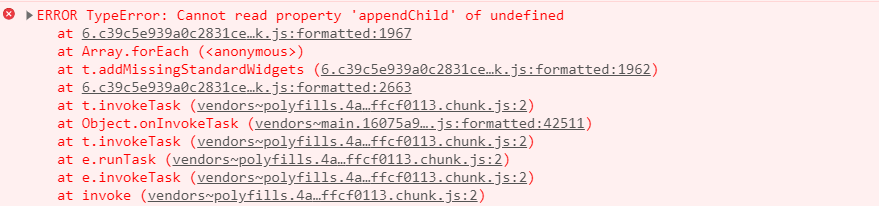
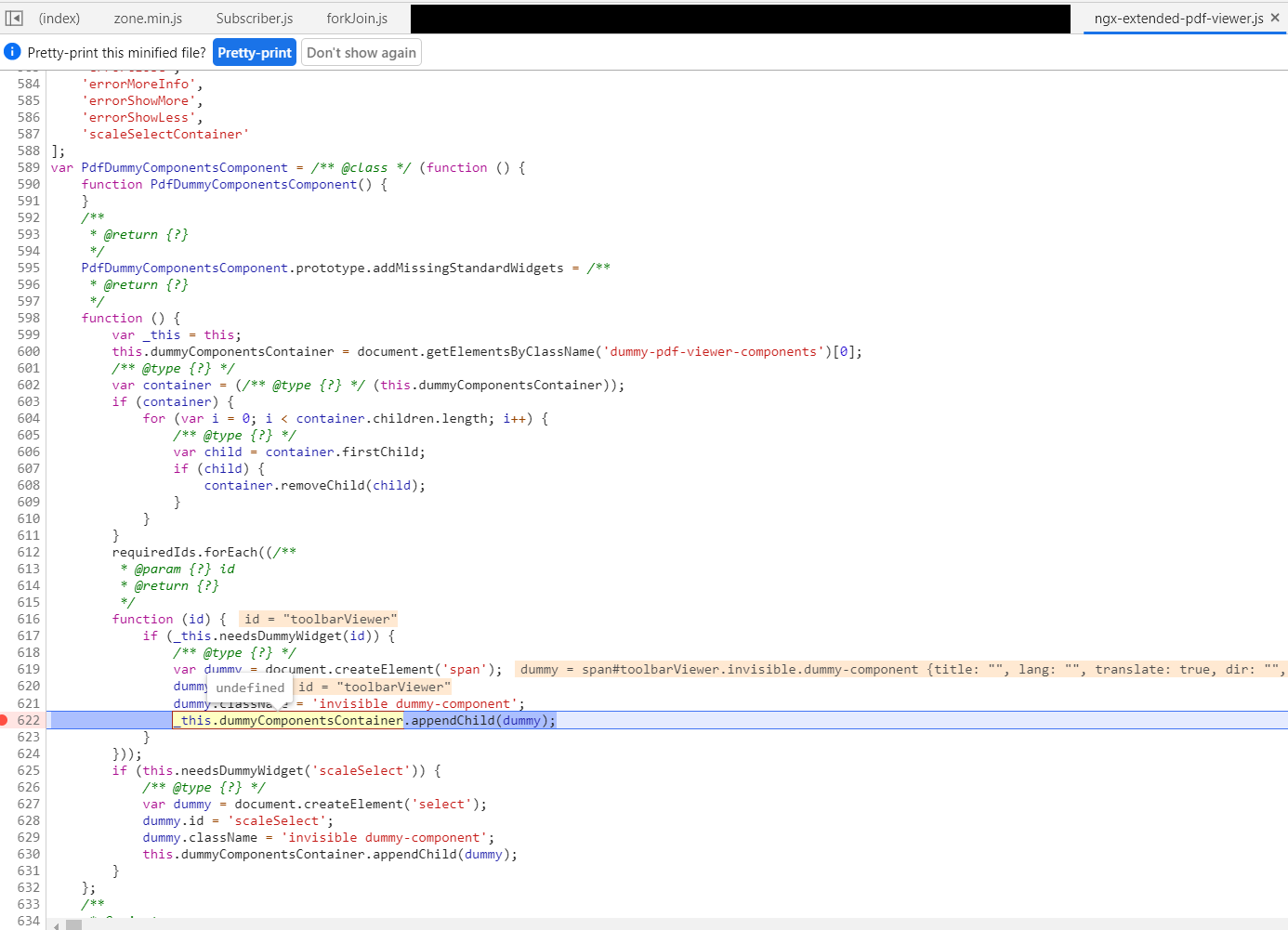
Additional context
We're using Angular 10.0.5, Angular-Material 9.2.4, zone.js 0.10.3.
It seems that the pdf fails to initalize when creating that dummy container, and it fails on load. I've tried to include by myself a dummy div with that class, but seems to not be available at ngx-extended-pdf-viewer intialization.
Currently, I dont use the standard pdf toolbar or sidebar (just hide them with a 'display: none' css). Some buttons for zoom and stuff are available, but outside our component, I control then using some @Inputs on our custom component.
Is there a option to avoid these dummy verification, or any improvements I can implement?
Edit: Actually, it works if I place a div with this 'dummy-pdf-viewer-components' class anywhere that was created before the component... But I think that this is a ugly solution, so, a better approach would be welcome :)
Thanks in advance!
 rscherer
All 7 comments
Oops. That sounds like an ugly timing problem. The good news: your workaround is fine by me. Yes, it may be an ugly solution, but it does the trick.
I've introduced the dummy components container in order to allow for customization. The base library, pdf.js, always assumes every standard widget is there. Most people who're customizing the toolbar omit some of the standard widgets. That'd make pdf.js crash. To prevent the crash, I simply add a dummy widget. Granted, that's a cheap trick. But the alternative is to modify a lot of the code of pdf.js - and I'd never be able to merge the latest changes of the Mozilla project.
That said, I'm a bit confused. You customize the toolbar by hiding widgets. Hidden widgets are still there, so there's no reason to add dummy components for them. I'm afraid you've found a general problem affecting many developers.
 stephanrauh
on 24 Aug 2020
stephanrauh
on 24 Aug 2020
How do your users switch between PDF documents? Is the PDF component reloaded from scratch, or is just the [src] attribute modified?
stephanrauh
on 24 Aug 2020
Thanks for your answer!
That's fine, I can work with this workaround till a better solution is implemented (if it will, sure) :)
About our process, we reload it from scratch each document is acessed. We got a form with like 10 to 15 fields that are filled by IA after reading the PDF, so we need to both display these fields and the PDF to user (to allow them to modify the values if necessary). Each time one of these registries is viewed, we executed some API calls to load these fields and the PDF, so we use a loading, and after that, iniatialize and show the PDF component.
Basically, we got a form with a ngIf when loading, and inside it a new component to show pdf, also with a ngIf (that chances after the API return the PDF file).
Hope it helps in something, and once again, thanks!
rscherer
on 24 Aug 2020
OK, maybe I can build a reproducer based on your insight.
BTW, thanks for all the kind words! That's what keeps an open-source developers like me going. Nonetheless, my gut feeling is that this is going to be a rough ride. If I manage to reproduce it, I should be able to find a solution. But I'm not sure about the reproducer. If you've got an idea how to create it, I'll appreciate your input!
stephanrauh
on 24 Aug 2020
Hi @stephanrauh
I spent some time trying to build a reasonable reproduction for this issue, and I may archieved something that can help you.
Here you go: https://github.com/rscherer/ngx-extended-pdf-repro
It's a very simple project (I had to host it on github, since stackblitz seems not to work right), just running a install and start should display a page with a reload button... Clicking on it with some different timing may produce the desired error (but still, it's kind annoying and random to make it happen).
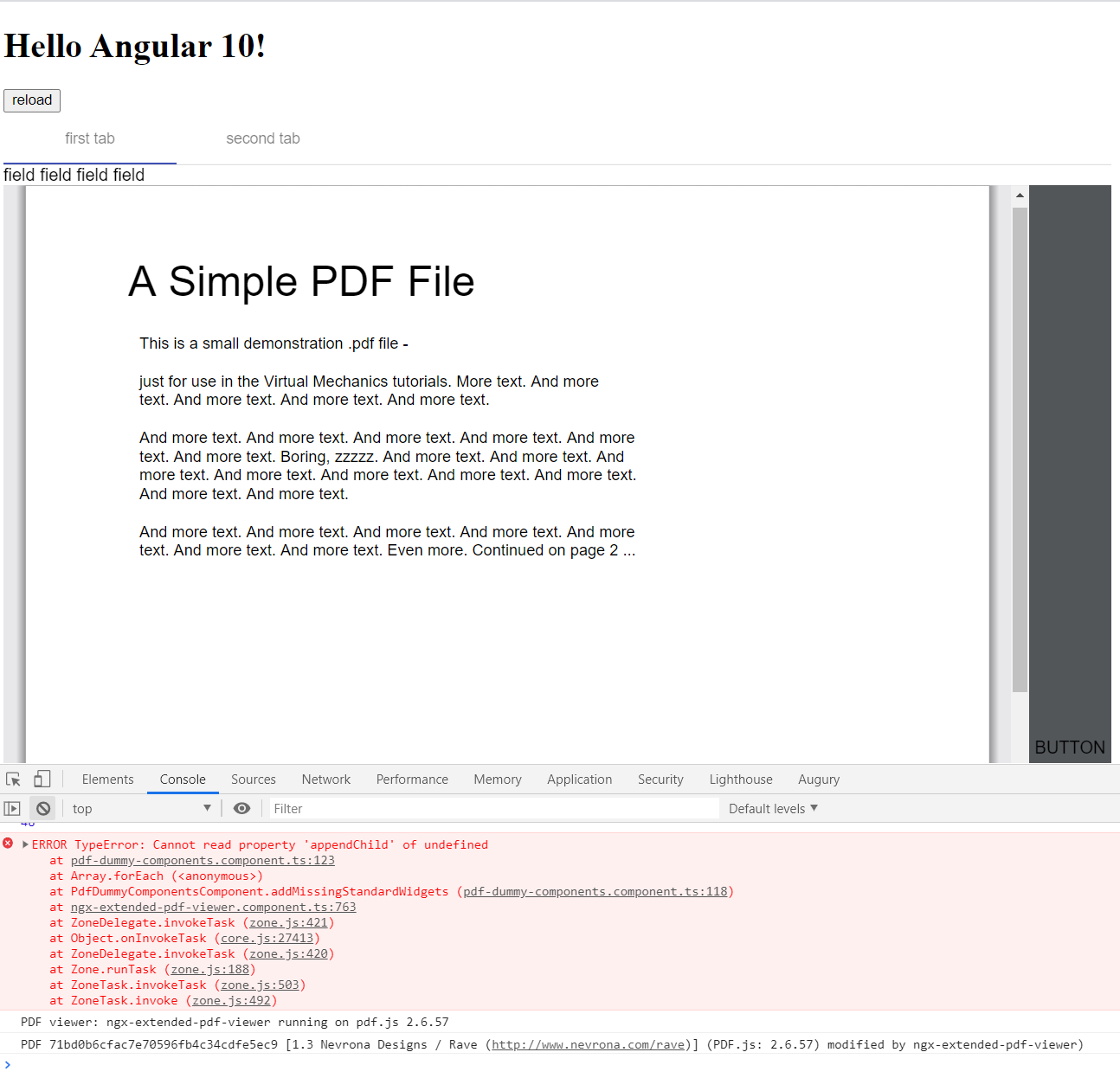
There's a lot missing from my original code (and there are things missing, like compiling with Ivy), but can give you an idea :)
To be honest, it may have something to do with mat-tab loading (sorry, I forgot to mention this, but I am using the pdf viewer inside a mat-tab).
I've found a very simple way to force the error... Just remove the import of BrowserAnimationsModule from app.module, and this same error will always happen (not sure if it's relevant, but still).
I really appreciate the work you put into this, and as I can see you always try to help everyone, continue to improve and update this library, so, if there's anything else I can do (or at least try to), just let me know :)
Thanks!
rscherer
on 25 Aug 2020
Awesome, thanks! The BrowserAnimationsModule hints at a timing problem. I guess.
Oh, and thanks for the kind words! At the moment, I feel a bit sick, so I can't tell you when I manage to solve the bug. I hope I'm back alive and kicking soon! :)
stephanrauh
on 25 Aug 2020
The only scenario I can think of is that a user reloads the file to early. pdf.js works heavily asynchronous, so it's possible it's still initializing when the user requests a new file. I've added some code to cover this scenario. It's not perfect, but now there are fewer error messages. In particular, I can't reproduce your error message with the new version.
The feature has landed with version 4.1.2.
stephanrauh
on 29 Aug 2020
Related issues
 vfabregat
·
5Comments
vfabregat
·
5Comments
 RahmatAliMalik5
·
7Comments
RahmatAliMalik5
·
7Comments
 MKITConsulting
·
5Comments
MKITConsulting
·
5Comments
 ekselys
·
5Comments
ekselys
·
5Comments
 Prasanth-FrontendDeveloper
·
7Comments
Prasanth-FrontendDeveloper
·
7Comments