Ngx-extended-pdf-viewer: pdf-viewer is showing hidden elements on view and print.
Check this first
- Does the bug also happen on https://mozilla.github.io/pdf.js/web/viewer.htm?
- Does the bug also happen on https://pdfviewer.net/simple?
Not able to reproduce here.
Describe the bug
A clear and concise description of what the bug is.
So the ngx-extended-pdf-viewer is displaying hidden elements on the preview, and so as well print these fields. If we download and print the pdf the hidden elements are not shown. Shouldn't the pdf-viewer be able to read and hide these hidden element properties?
Version info
- Version of ngx-extended-pdf-viewer: 1.5.2
- Version of the JavaScript files pdf.js, pdf-worker.js and viewer.js (currently: default files vs. version 2.2 preview files)
Pdf.js: 2.2.228
pdf-worker.js: 2.2.228
Desktop (please complete the following information):
- OS: [e.g. iOS]
- Browser [e.g. chrome, safari]: All browsers
- Version [e.g. 22]
To Reproduce
Can you provide a reproducer? That's a small and simple but complete project demonstrating the bug. No
Otherwise, please tell me how to reproduce the behavior:
View a pdf file with hidden elements on it in the pdf viewer vs viewing it in acrobat reader.
Demo PDF file
I cant add a demo pdf, because of copyrights
Screenshots
I cant add a screenshot because of copyrights
 Jonani92
All 12 comments
@Jonani92 Sorry for answering late - I've been a couple of days in the hospital. Would you mind to explain your question in more detail? I'm not familiar with hidden fields in PDF files. I can only guess. Are you talking about forms? Where can I learn about the feature? How can I generate a PDF file with hidden elements? Alternatively, can I download such a PDF file?
 stephanrauh
on 11 Dec 2019
stephanrauh
on 11 Dec 2019
@Jonani92 Ping? I still don't have a PDF file with hidden elements. Can you help me?
stephanrauh
on 17 Dec 2019
@stephanrauh sorry for the long wait, we have now generated a pdf with different hidden layers. 1,2,3 and 6 are shown through the pdf viewer, even tho they are hidden in Acrobat Reader
- Hidden
- No print
- Hidden no print
- Guide
- Guide no print
- Headline
Jonani92
on 13 Jan 2020
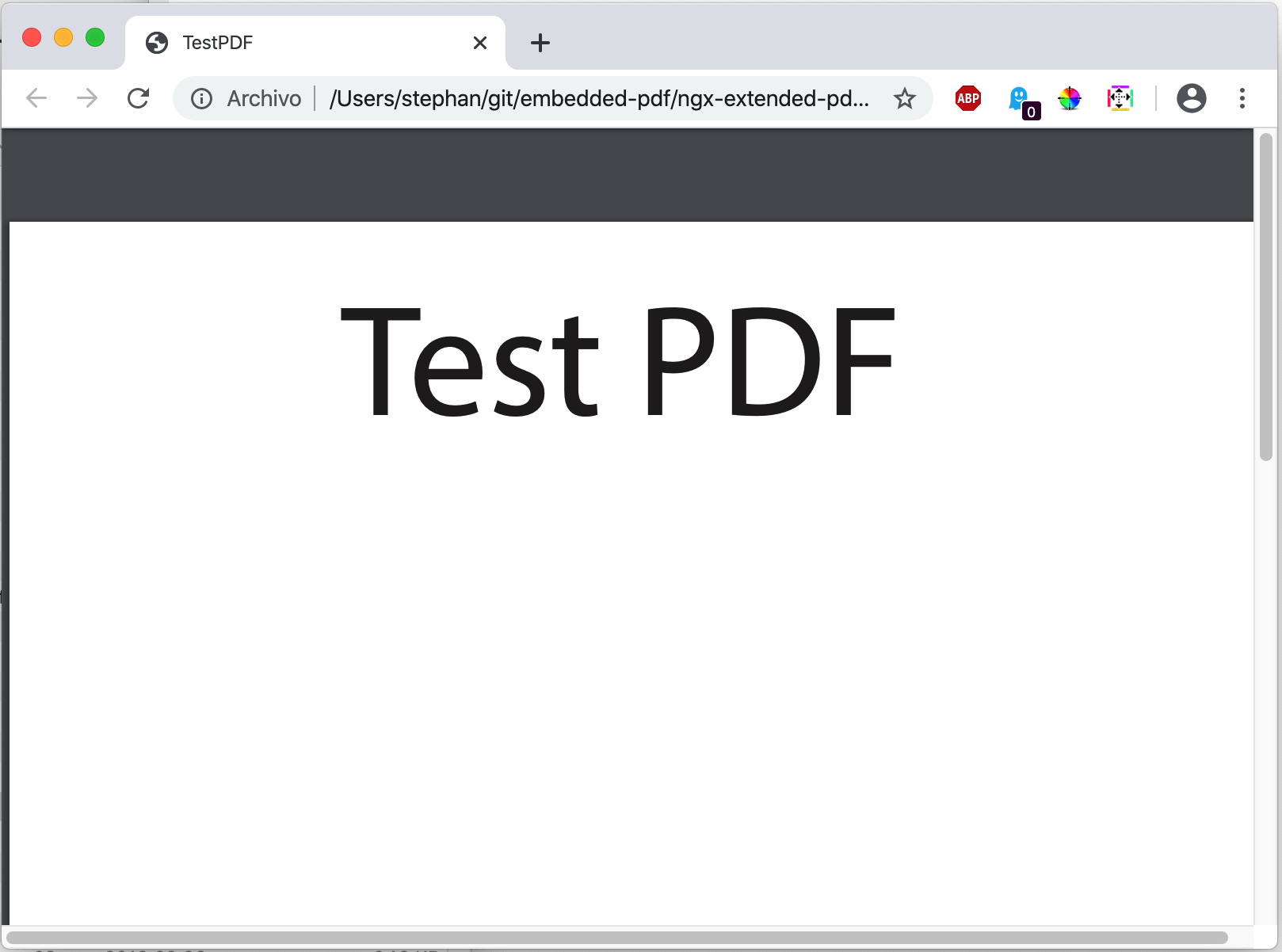
Thanks for the reproducer file! As far as I can tell, it's perfect to solve this bug. Unfortunately, many PDF viewer seem to have difficulties with this file. As far as I can tell, the file looks identical on Firefox and ngx-extended-pdf-viewer. Does that match your experience? If so, we should delegate this bug report to the pdf.js team (https://github.com/mozilla/pdf.js/issues). My pdf viewer is just a shallow wrapper over their great PDF viewer.
What's your opinion?
MacOS Catalina Preview:

(yes, it's an empty page!) (and the "preview" app is the default app responsible for displaying PDF file, so I guess it's the gold standard on OS X)
Firefox:

Google Chrome:
stephanrauh
on 13 Jan 2020
Hi @stephanrauh, we have the same experience as you, just utilizing the pdf.js give us the same experience. Will you take this onwards to pdf.js? you might have better contact with them?
Feel free to send the test pdf along towards them.
I have only seen a few paid pdf viewers that are able to handle this problem.
Best Regards.
Jonani92
on 14 Jan 2020
Yeah, I think I'm going to open an issue at the pdf.js bug tracker. I'm not sure if I've got more influence than you've got, but at least they know me already. :)
I've scanned the pdf.js issue list quickly. I didn't find any issue related to hidden layers. It's hard to believe, but maybe that's really a new topic.
However, before I proceed, I'd like to ask you why anybody should add hidden layers? I always thought PDF is a good file format to display information, not to hide it? What's the benefit, seen from the user's perspective?
stephanrauh
on 16 Jan 2020
Sounds good! Thanks!
So for us, we use the hidden layers between departments for showing and hiding different things + hidden layers are used a lot by Graphic designers for some reason. It is the process where they come from an illustrator file and enter the PDF. That's all i know, unfortunately :)
Keep me posted
Thanks!
Jonani92
on 17 Jan 2020
I've reported your bug on https://github.com/mozilla/pdf.js/issues/11589. So I'm closing the ticket here.
Best regards,
Stephan
stephanrauh
on 12 Feb 2020
I think pdf.js closed the issue, and I wonder if this function is applied to ngx-extended-pdf-viewer.
 winnerys
on 23 Oct 2020
winnerys
on 23 Oct 2020
@winnerys @Jonani92 Good news for you: pdf.js has already implemented the feature, and it's landed with ngx-extended-pdf-viewer 5.0.0. Look here: https://pdfviewer.net/layers
However, I didn't check printing. Plus, you have to acticate the layers manually in the sidebar.
stephanrauh
on 23 Oct 2020
@winnerys @Jonani92 Good news for you: pdf.js has already implemented the feature, and it's landed with ngx-extended-pdf-viewer 5.0.0. Look here: https://pdfviewer.net/layers
However, I didn't check printing. Plus, you have to acticate the layers manually in the sidebar.
Good to hear that,
I'll update version of viewer immediately and i'm going to check all of layers in a PDF file.
winnerys
on 26 Oct 2020
@winnerys @Jonani92 Good news for you: pdf.js has already implemented the feature, and it's landed with ngx-extended-pdf-viewer 5.0.0. Look here: https://pdfviewer.net/layers
However, I didn't check printing. Plus, you have to acticate the layers manually in the sidebar.
Hi, I updated the version of viewer 4.1.2 to 5.1.0 and I checked some pdf files that contain hidden layers.
I have checked that the hidden layer is not visible in the viewer by default.
Thank you for your work!
winnerys
on 28 Oct 2020
Related issues
 4vitek
·
5Comments
4vitek
·
5Comments
 sameerAhmad9291
·
7Comments
sameerAhmad9291
·
7Comments
 Avejack
·
4Comments
Avejack
·
4Comments
 achapman009
·
3Comments
achapman009
·
3Comments
 vfabregat
·
5Comments
vfabregat
·
5Comments