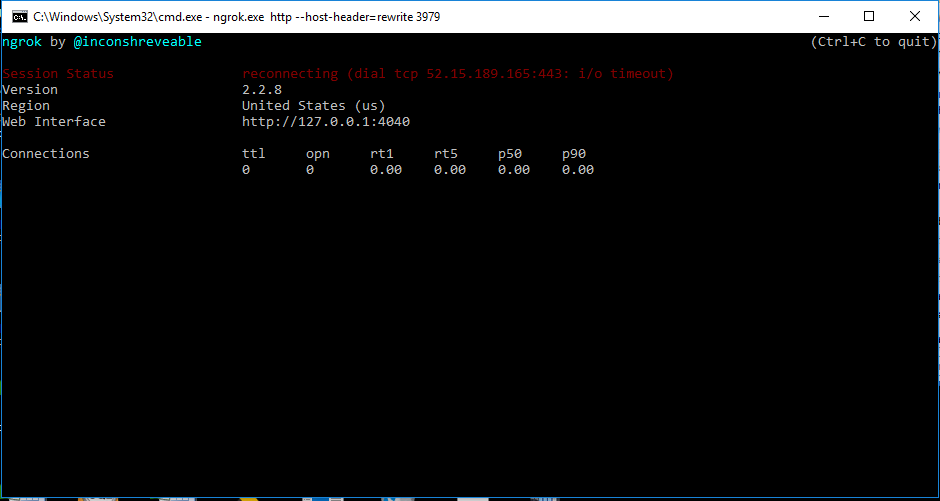
I am trying to generate http connection from my local server by using the ngrok version 2.X.X but I am getting the status as reconnect error,
Please find the attach snap.

Please help me out on this.
 imtvase
All 43 comments
Any hints on this? Got the same thing.
 gonzaloserrano
on 22 Nov 2017
gonzaloserrano
on 22 Nov 2017
Did you try turning it off and on again?
No but seriously, for me it worked after two tries.
Or you have to wait a little longer.
 SirMorfield
on 25 Nov 2017
SirMorfield
on 25 Nov 2017
same issue, any inputs / pointers pls
 diwakar-dayalan
on 15 Dec 2017
diwakar-dayalan
on 15 Dec 2017
Stopping and starting again does work, but then ngrok generates different links so in the end you lose the previous state. What it should do (maybe it does already, haven't checked) is to handle disconnections with exponential backoff reconnections.
gonzaloserrano
on 29 Dec 2017
i have sollution
dont use ngrok
use apache2 and openssh installed it and
type this command
ssh -R 80:here your ip:4444 serveo.net
 aniketstark
on 3 Jan 2018
aniketstark
on 3 Jan 2018
Do you have a solution to fix ngrok? I haven't been able to find a solution.

 carlin54
on 27 Jun 2018
carlin54
on 27 Jun 2018
How to resolve this? Kindly help me out
 swaroopamir
on 13 Sep 2018
swaroopamir
on 13 Sep 2018
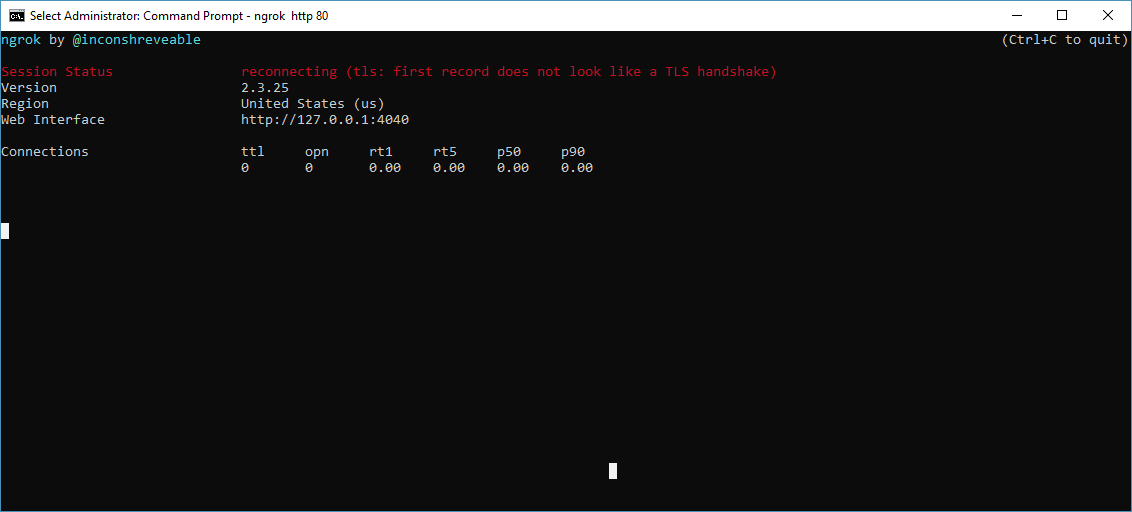
how to solve this?
 joshiadvait8
on 1 Apr 2019
joshiadvait8
on 1 Apr 2019
use ssh server
aniketstark
on 2 Apr 2019
which connection you want http or tcp tell me ok
aniketstark
on 2 Apr 2019
Http
joshiadvait8
on 2 Apr 2019
ok
aniketstark
on 2 Apr 2019
wait what you using cmd or linux or kali linux
aniketstark
on 2 Apr 2019
Windows Cmd
joshiadvait8
on 2 Apr 2019
apt install openssh
ssh -R 80:localhost:4444 serveo.net
aniketstark
on 2 Apr 2019
what cmd i dont know about ok
aniketstark
on 2 Apr 2019
but you can try
aniketstark
on 2 Apr 2019
In Linux it's ngrok is working but in windows it's not
Also I've tried serveo.net command but its showing 502 bad gateway for asp.net application i.e. IIS server application
joshiadvait8
on 2 Apr 2019
Ok this thread was not helpful.
 TOPATAMO
on 11 Apr 2019
TOPATAMO
on 11 Apr 2019

I am getting this error what to do anyone help plsss. I am using termux on android
 nitesh-mishr
on 13 May 2019
nitesh-mishr
on 13 May 2019
Hii guys,
i was also facing the same issue with latest version of ngrok
Now i download its older version ngrok 2.2.8
https://dl.equinox.io/ngrok/ngrok/stable/archive
And its working fine now...
 Dee7praja
on 15 May 2019
Dee7praja
on 15 May 2019
use mobile network and turn on the hotspot. Then it will be online automatically.
 mahfuzt2
on 5 Dec 2019
mahfuzt2
on 5 Dec 2019
wait what you using cmd or linux or kali linux
I'm on Ubuntu 19.10 having the same issue
 Jay991
on 21 Jan 2020
Jay991
on 21 Jan 2020
You know? It seems to me that some component is blocking sites, if you look carefully, it writes a Google site and much more, you can know what to do if there are programs that can unlock different sites and much more if it works in termux go in the system / etc / hosts folder and add another text, I can give it, after that everything will start working, but you need to have superuser (root) rights. And if you think logically, you can try to run the same thing, only on a PC device, try to find programs that can manage the hosts file or something like that.
 milkyway4ik777
on 9 Feb 2020
milkyway4ik777
on 9 Feb 2020
please help out of that i'm also getting same problem
 kattamani
on 4 Mar 2020
kattamani
on 4 Mar 2020
Could this be caused by firewalls on the internet provider. I switched my connection to another and it started working
 johnGachihi
on 11 Mar 2020
johnGachihi
on 11 Mar 2020
the solutions is. use ur mobile data and on hotspot. tht it! ez af
 hazrul99
on 28 Mar 2020
hazrul99
on 28 Mar 2020
my solution was doing ctrl+u (update) to latest version.
 alemdg
on 3 Apr 2020
alemdg
on 3 Apr 2020
It would at least be nice to query the connection status programmatically. Seems to only be available in the UI
 adamhamlin
on 3 Apr 2020
adamhamlin
on 3 Apr 2020
how to solve this?
can you please go to your system environment variable settings and if you see any http_proxy is set or not!!
 bparikh99
on 24 Apr 2020
bparikh99
on 24 Apr 2020
I am trying to generate http connection from my local server by using the ngrok version 2.X.X but I am getting the status as reconnect error,
Please find the attach snap.
Please help me out on this.
can you please go to your system environment variable settings and if you see any http_proxy is set or not!!
bparikh99
on 24 Apr 2020
I have solution if you have a anonsurf in your linux just turn it on and turn on your ngrok and its will work
 Extinction32
on 15 May 2020
Extinction32
on 15 May 2020
found the solution is easy
Write me to whatsapp
+51902462029 🤙💖
 skill2003
on 17 May 2020
skill2003
on 17 May 2020
OkeyDikirim dari ponsel cerdas Samsung Galaxy saya.
-------- Pesan asli --------Dari: skill2003 notifications@github.com Tanggal: 17/05/20 15:03 (GMT+07:00) Ke: inconshreveable/ngrok ngrok@noreply.github.com Cc: Extinction32 genonimo009@gmail.com, Comment comment@noreply.github.com Subjek: Re: [inconshreveable/ngrok] ngrok status reconnecting issue (#446)
found the solution is easy
Write me to whatsapp
+51902462029 🤙💖
—You are receiving this because you commented.Reply to this email directly, view it on GitHub, or unsubscribe.
[
{
"@context": "http://schema.org",
"@type": "EmailMessage",
"potentialAction": {
"@type": "ViewAction",
"target": "https://github.com/inconshreveable/ngrok/issues/446#issuecomment-629759238",
"url": "https://github.com/inconshreveable/ngrok/issues/446#issuecomment-629759238",
"name": "View Issue"
},
"description": "View this Issue on GitHub",
"publisher": {
"@type": "Organization",
"name": "GitHub",
"url": "https://github.com"
}
}
]
Extinction32
on 17 May 2020
For Android(Termux) users, try to turn on cellular network + Hotspot.
 coarsehorse
on 30 May 2020
coarsehorse
on 30 May 2020
I am trying to generate http connection from my local server by using the ngrok version 2.X.X but I am getting the status as reconnect error,
Please find the attach snap.
Please help me out on this.can you please go to your system environment variable settings and if you see any http_proxy is set or not!!
Bro turn on your hotspot...and start a tunnel u will be online
 007sam007
on 5 Jun 2020
007sam007
on 5 Jun 2020
I will give the resolve %100 for everyone. I Tried to use cellular network and hotspot but it didn't work. The Real solution is : Download the older version of ngrok. ITS %100 (I'm using ngrok 2.2.8 with nothing.)
 QXR9
on 27 Jun 2020
QXR9
on 27 Jun 2020
Try to change region ngrok http 80 --region=eu or download version 2.2.8 from https://dl.equinox.io/ngrok/ngrok/stable/archive
 michalsoczynski
on 8 Sep 2020
michalsoczynski
on 8 Sep 2020
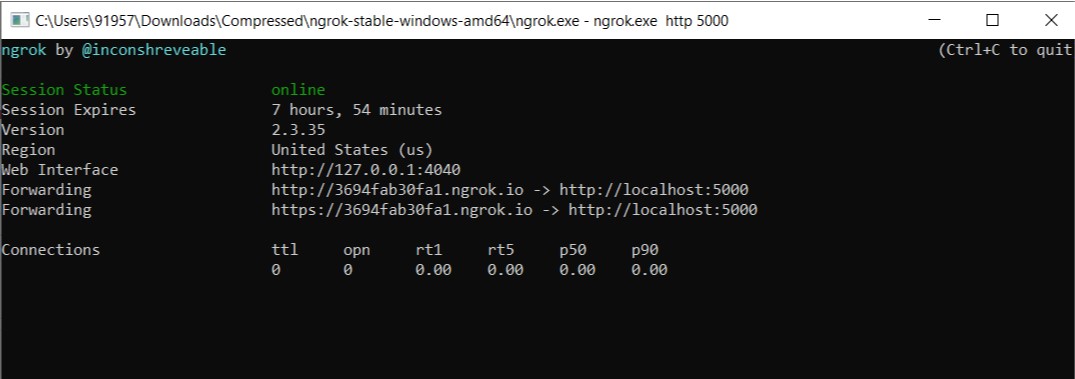
Solved !!!!1
On your Hotspot (this will pretend as Router)
 Abhinow-katore
on 8 Sep 2020
Abhinow-katore
on 8 Sep 2020
Try to change region
ngrok http 80 --region=euor download version2.2.8from https://dl.equinox.io/ngrok/ngrok/stable/archive
This solved my issue
 nandini-klocrix
on 8 Sep 2020
nandini-klocrix
on 8 Sep 2020
Try to change region
ngrok http 80 --region=euor download version2.2.8from https://dl.equinox.io/ngrok/ngrok/stable/archive
If eu doesn't work, you might use au. Mine work with ngrok tcp 22 --region=au
 markvincenttyup
on 6 Dec 2020
markvincenttyup
on 6 Dec 2020
apt install openssh
ssh -R 80:localhost:4444 serveo.net
serveo.net is not up, what alternatives are there?
 Genghius
on 25 Dec 2020
Genghius
on 25 Dec 2020
Try to change region
ngrok http 80 --region=euor download version2.2.8from https://dl.equinox.io/ngrok/ngrok/stable/archive
still get the same issue.
Genghius
on 5 Jan 2021
Related issues
 silverrajat88
·
4Comments
silverrajat88
·
4Comments
 megapctr
·
4Comments
megapctr
·
4Comments
 IngwiePhoenix
·
7Comments
IngwiePhoenix
·
7Comments
 mindcont
·
7Comments
mindcont
·
7Comments
 matiasmasca
·
6Comments
matiasmasca
·
6Comments
Most helpful comment
Try to change region
ngrok http 80 --region=euor download version2.2.8from https://dl.equinox.io/ngrok/ngrok/stable/archive