Nextcloud-snap: [Documentation] How to backup?
Hi,
coming from here:
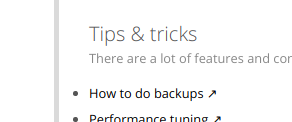
and reading this https://docs.nextcloud.com/server/13/admin_manual/maintenance/backup.html
I wonder how to handle the backup process when using snaps.
Am I missing some docs here?
 srkunze
All 6 comments
For the snap is different and you should be using the export and import commands. More info with:
sudo nextcloud.export -h
 pachulo
on 25 Nov 2018
pachulo
on 25 Nov 2018
Alright, I see. Reading the help messages, I think I can sum up the issue as following:
1) the web docs should explain the procedure (export + rsync + import) + example
2) missing <backup dir> while exporting
Help messages:
root@nas:~# nextcloud.export -h
Usage:
    nextcloud.export [OPTIONS]
    Export data suitable for migrating servers. By default this
    includes the Nextcloud database, configuration, and data
    (equivalent to running nextcloud.export -abcd).

Available options:
    -h: Display this help message
    -a: Include the (non-default) apps
    -b: Include the database
    -c: Include the config
    -d: Include the data (can be quite large)
root@nas:~# nextcloud.import -h
Usage:
    nextcloud.import [OPTIONS] <backup dir>
    Import data exported from another Nextcloud snap instance.
    By default this imports the database, config, and data
    (equivalent to running nextcloud.import -abcd).

Available options:
    -h: Display this help message
    -a: Import the (non-default) apps
    -b: Import the database
    -c: Import the config
    -d: Import the data
It would seems that 14.0.3snap1-rc1 doesn't install those tools, whether on an update from 13. or on a fresh install.
Should I open a new bug ticket ?
 Refhi
on 26 Nov 2018
Refhi
on 26 Nov 2018
Yes, please. This is about documentation.
srkunze
on 26 Nov 2018
I've created this wiki page with all the info I'm aware of: https://github.com/nextcloud/nextcloud-snap/wiki/How-to-backup-your-instance
So maybe this can be closed now, what do you think @kyrofa ?
pachulo
on 2 Feb 2019
I hope it's okay, when i use this issue.
Is there any possibillity writing the backup to another place?
My Backup failed because the root filesystem was full...
Will try a link now...
 JokerGermany
on 8 May 2020
JokerGermany
on 8 May 2020
Related issues
 tinokizis
·
8Comments
tinokizis
·
8Comments
 pilsnerbeer
·
6Comments
pilsnerbeer
·
6Comments
 edrohler
·
3Comments
edrohler
·
3Comments
 nihil21
·
6Comments
nihil21
·
6Comments
 pheiduck
·
8Comments
pheiduck
·
8Comments
Most helpful comment
For the snap is different and you should be using the
exportandimportcommands. More info with:sudo nextcloud.export -h