Next-auth: Problem with setting up local environment
Hello! I've tried to set up local environment due to https://github.com/iaincollins/next-auth/blob/main/CONTRIBUTING.md
But after linking React between the repo and the version installed in my project I get error:
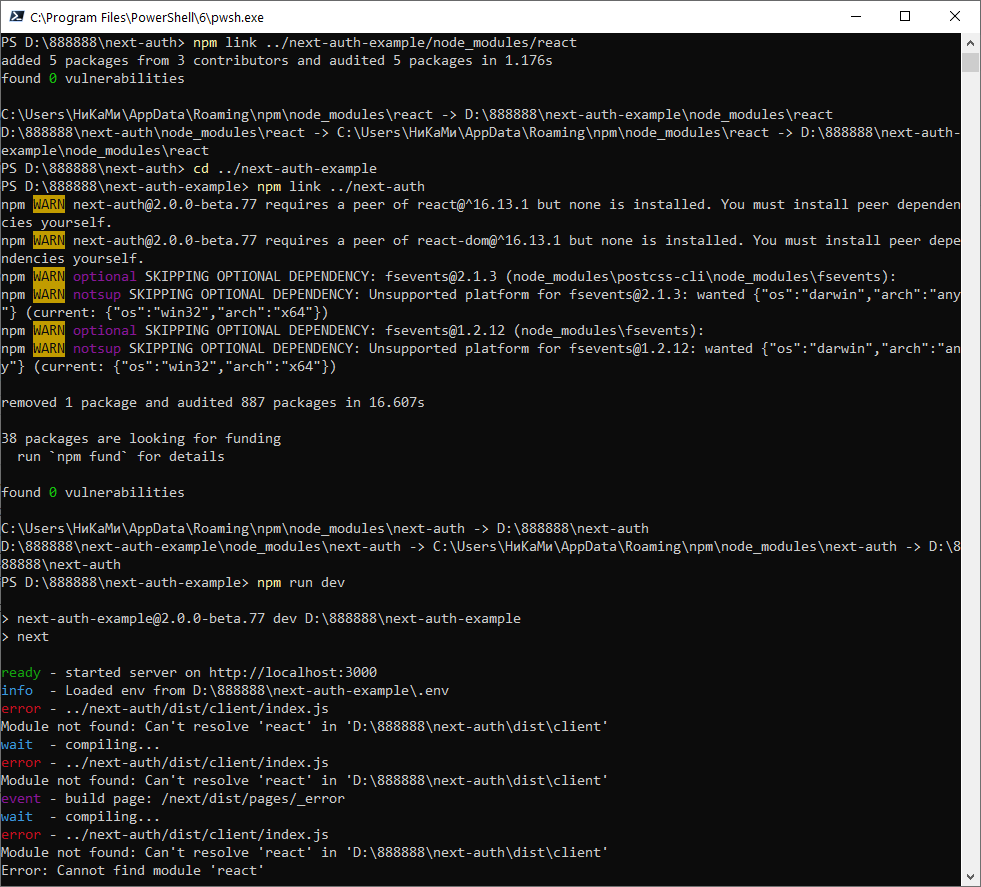
What could be the problem here?
 nikitalk
All 14 comments
Hey that looks good - I think the order of those steps are wrong in the document!
I suspect you need to npm link ../next-auth/example/node-modules/react again from the next-auth directory (i.e. after you have run npm link ../next-auth).
(This is really annoying step I know; it's all React's fault.)
 iaincollins
on 15 Jun 2020
iaincollins
on 15 Jun 2020
I'm linking it like this:
in next-auth directory
npm link
# or
yarn link
in project directory
npm link next-auth
# or
yarn link next-auth
 LoriKarikari
on 15 Jun 2020
LoriKarikari
on 15 Jun 2020
Unfortunately, nothing helps. I did it all over again, but the result is the same.
nikitalk
on 15 Jun 2020
Did you unlink before trying my solution?
LoriKarikari
on 15 Jun 2020
I tried from the start. Completely deleted folder next-auth, cloned the repository (git clone [email protected]:iaincollins/next-auth.git), installed dependencies (npm i), made a build (npm run build)
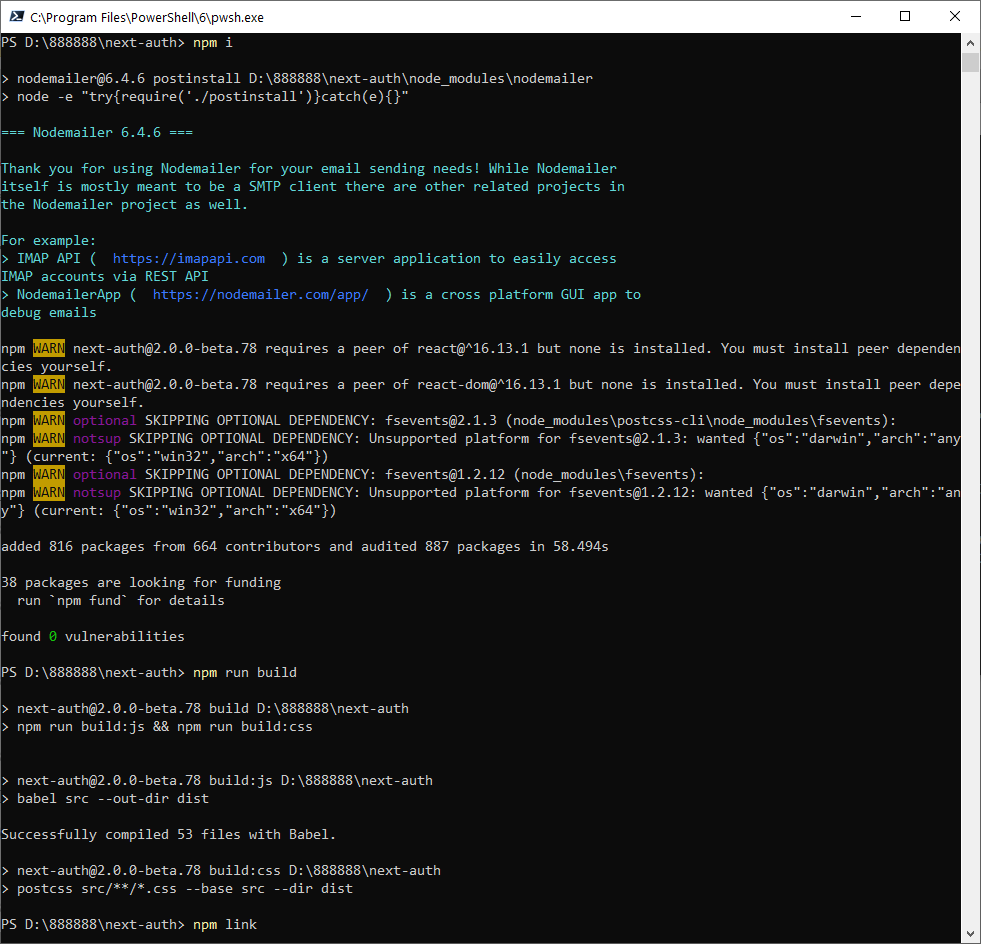
Then linking (npm link in next-auth folder and npm link next-auth in project folder).
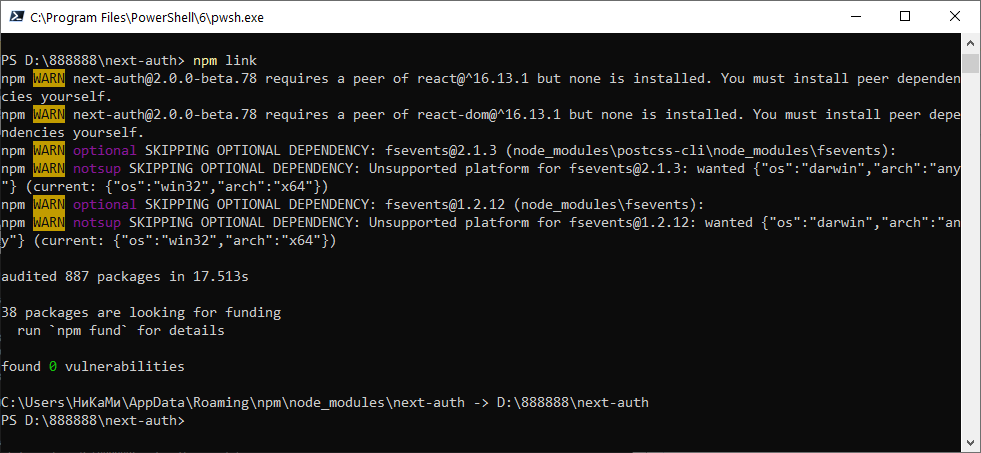
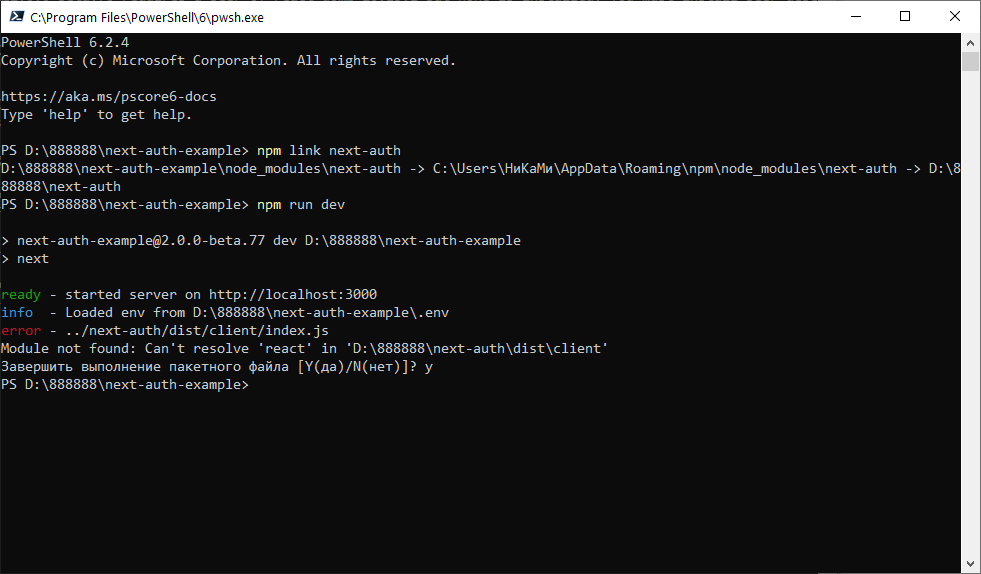
Result is the same.
nikitalk
on 15 Jun 2020
I can't reproduce this error but can you try deleting the package-lock.json and node_modules and try installing and linking again?
LoriKarikari
on 15 Jun 2020
That sounds like a good idea!
FYI I just did the following and it worked:
git clone [email protected]:iaincollins/next-auth-example.git
git clone [email protected]:iaincollins/next-auth.git
cd next-auth-example
npm i
npm link ../next-auth
cd ../next-auth
npm i
npm link ../next-auth-example/node_modules/react
npm run build
cd ../next-auth-example
npm run dev
I think the instructions are not quite right though - I think they need to be updated.
The build step actually caught me out, forgot about that one.
If the above doesn't work for you then you might have something linked globally that you need to unlink? I've definitely run into that before. Using npm ls -g --depth=0 --link=true should visualise them.
iaincollins
on 15 Jun 2020
I've had to create the environment a few times. This has worked for me pretty well. Create a next-auth.ps1 in the directory of your choice. Edit the location parameter below and run the script. It will setup everything for you :)
#Get Current Path or Set Directory Path
$location = "C:\Dev\GitHub"
Set-Location -Path ${location}

#Clone Repo
git clone https://github.com/iaincollins/next-auth.git
git clone https://github.com/iaincollins/next-auth-example.git

#Install Next-Auth-example NPM
Set-Location -Path ${location}/next-auth-example
Copy-Item "${location}\next-auth-example\example.env" -Destination "${location}\next-auth-example\.env"
npm install
npm link $location/next-auth

#Install Next-Auth NPM
Set-Location -Path ${location}/next-auth
npm install
npm link $location/next-auth-example/node_modules/react
npm run build

#Open VS Code in multiple windows
Start-Process -WindowStyle Hidden code ${location}/next-auth/
Start-Process -WindowStyle Hidden code ${location}/next-auth-example/
In VS Code (Next-Auth-Example)
npm run dev
If, you make changes to next-auth you will have to rerun npm run build and restart the next-auth-example
 geraldnolan
on 16 Jun 2020
geraldnolan
on 16 Jun 2020
Freinds, thank you very much! Iain's instructions have worked for me!
nikitalk
on 16 Jun 2020
@geraldnolan Neato!
iaincollins
on 16 Jun 2020
How come you have to link it like that? The way I link it is as described in the npm link and yarn link docs and it works. Is this a Windows thing? Maybe we should update the docs or something if it's different for each OS. I'm using Linux (Debian).
LoriKarikari
on 16 Jun 2020
@LoriKarikari, you can use a relative path or absolute path I had the path available its more accessible for someone to follow the script as well.
If someone is on windows, I would recommend installing https://schinagl.priv.at/nt/hardlinkshellext/linkshellextension.html
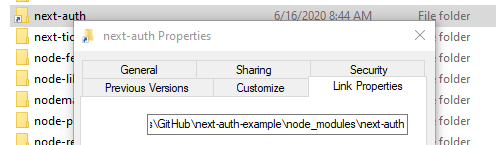
It allows you to see the symlinks visually
geraldnolan
on 16 Jun 2020
Okay thanks, @geraldnolan. One last question. Why do you have to link React too?
LoriKarikari
on 16 Jun 2020
It's super annoying right?
You only need to link React if you are using the useSession React Hook.
Otherwise, React complains that the React versions are different _even if they are exactly the same version_ because it does something annoying like check some sort of generated local build ID and/or the path.
I don't know why Hooks work that way but it took me 2-3 hours to work out that is what the problem was when I first ran into it.
iaincollins
on 16 Jun 2020
Related issues
 Xetera
·
3Comments
Xetera
·
3Comments
 ghoshnirmalya
·
3Comments
ghoshnirmalya
·
3Comments
 loonskai
·
3Comments
loonskai
·
3Comments
 SharadKumar
·
3Comments
SharadKumar
·
3Comments
 bscaspar
·
3Comments
bscaspar
·
3Comments
Most helpful comment
Freinds, thank you very much! Iain's instructions have worked for me!