Newpipe: Video Picture in Picture (PiP) is too small
In my Android tablet the PiP is very very small and I found no option to change the size...am I missing something or this is normal?
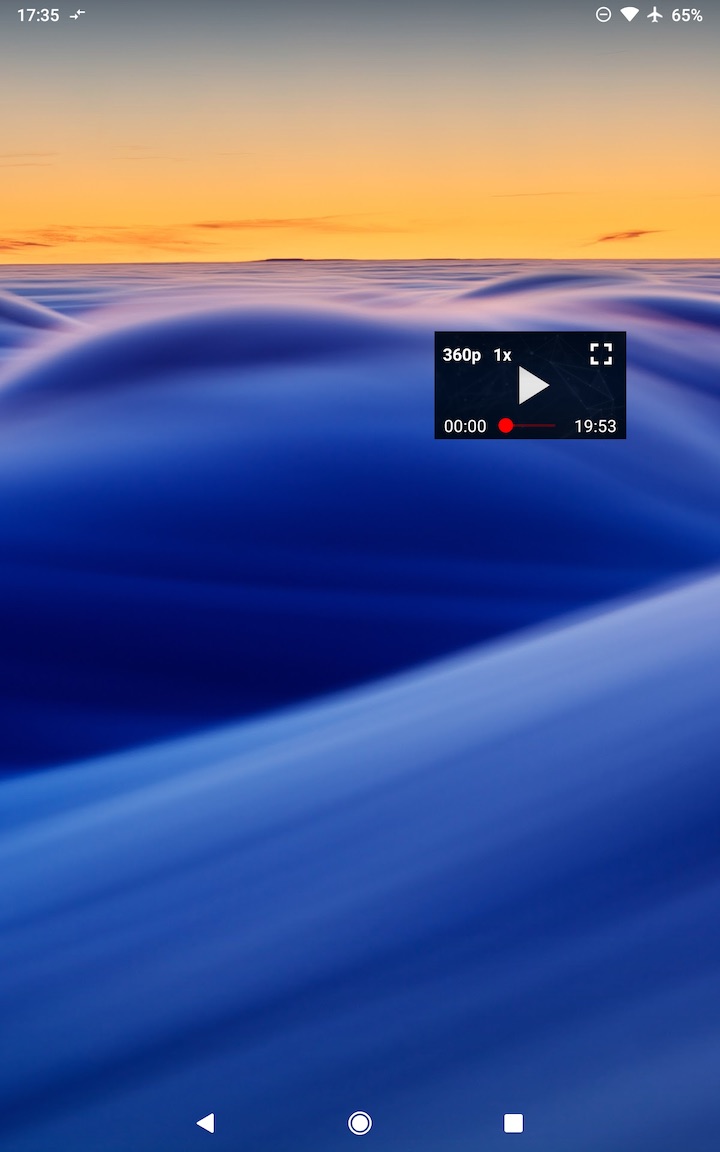
 360fun
All 2 comments
You can resize it at your will with the expected two-finger gestures, or you can long press on it to make it as large as possible
 Stypox
on 3 Oct 2020
Stypox
on 3 Oct 2020
You can resize it at your will with the expected two-finger gestures, or you can long press on it to make it as large as possible
I tried but I could not manage to do it the first time, now I tried again being more careful and I did it...not very intuitive though.
I try to explain the problem:
I confirm that works but it's a bit buggy and doesn't feel the fingers if you're fast. While I enlarge the PiP the size does not change but it moves away from the fingers (goes up left), after a bit it reaches the correct size. It's like the virtual PiP object enlarges but the UI syncs with a delay.
In fact if I zoom veeery slow, it's kind of ok, just is not smooth and very shaky/flickery. 🤔
360fun
on 4 Oct 2020
Related issues
 mouarfff
·
3Comments
mouarfff
·
3Comments
 tty4242
·
3Comments
tty4242
·
3Comments
 Aevann
·
3Comments
Aevann
·
3Comments
 ghost
·
3Comments
ghost
·
3Comments
 fnadde42
·
3Comments
fnadde42
·
3Comments