Newpipe: Inability to intreract with the background player beyond blind usage.
Version
- 0.19.8
(on android 11, on pixel 3a)
Steps to reproduce the bug
Play a playlist in the background player.
Expected behavior
Playback controls, such as the ability to go back, forward, and pause; as well as the ability to tap the notification as to view the playlist and use controls directly within the app.
Actual behavior
The inability to interact with the background player after you begin playing a song or playlist. tapping the notification, even when expanded, does nothing.
Screenshots/Screen recordings
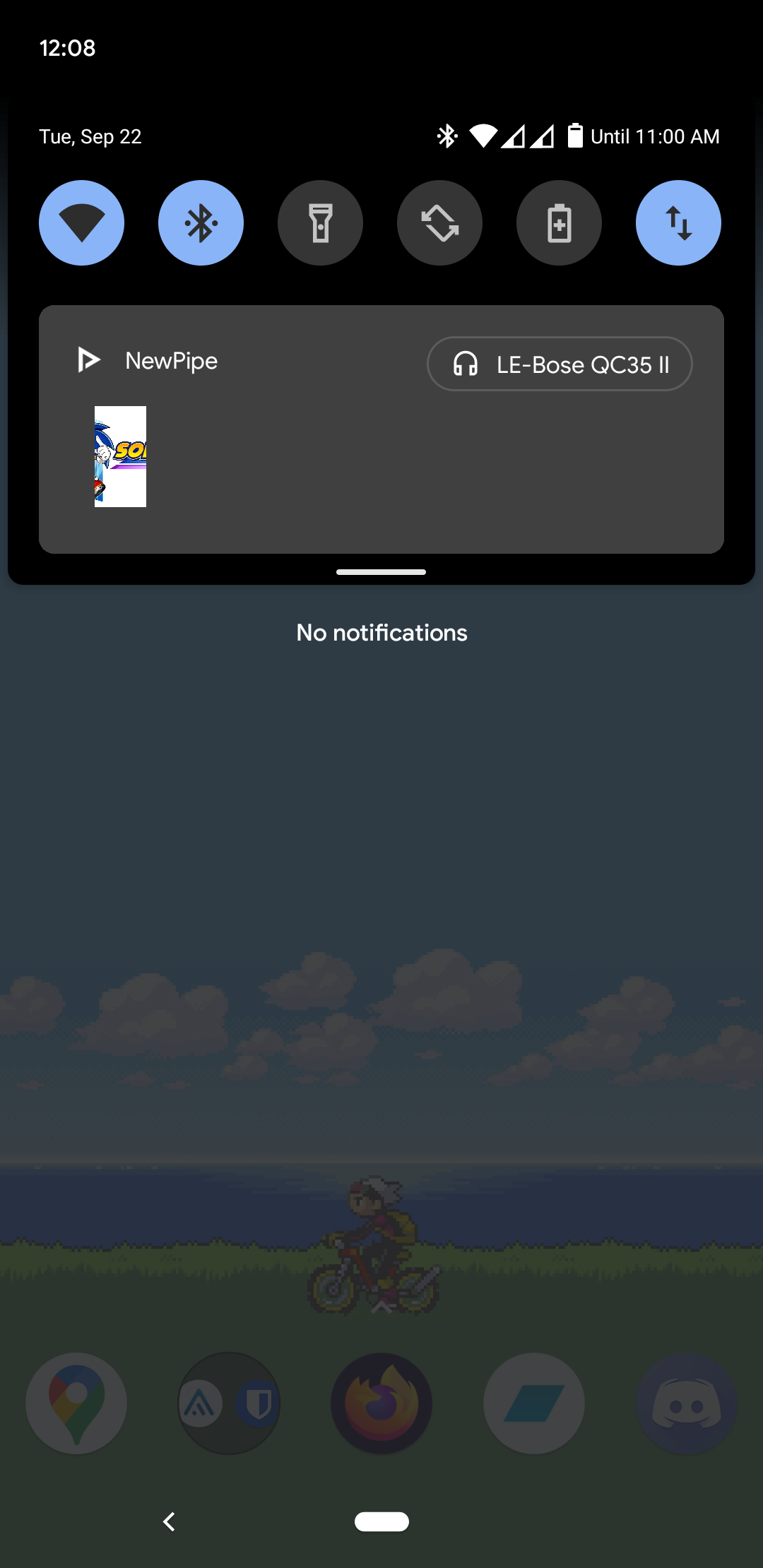 this is the fully expanded notification.
### Notes
The inability to view the currently playing audio through the app itself has been a pain for me for a while; if you pause or dismiss the notification your playlist is both gone and not gone; you can't bring it back without adding another song to the playlist. This was just how the app functioned beforehand, and it is kind of shitty. Entirely separate from the issue of there being no controls in the notification; this is a feature that should have existed far beforehand. And if it actually is and I'm just blind, then it should really be placed somewhere more accessible. So technically, this is also a feature request: add the ability to look at, rearrange, or edit the current playlist/up next list or whatever without having to interact with the notification.
Also there's a typo in the template, Expected behavior vs Actual behaviour
 TheGinGear
All 7 comments
Please look if there already is an existing issue before creating a new issue. This is a duplicate of #4256.
 wb9688
on 22 Sep 2020
wb9688
on 22 Sep 2020
Should I make a separate feature request for the ability to navigate to the playlist in the app itself, and not solely the notification?
TheGinGear
on 22 Sep 2020
@TheGinGear that already exists, too, search for queue tab
 Stypox
on 22 Sep 2020
Stypox
on 22 Sep 2020
@TheGinGear
you can access the queue tab by clicking on the notification... however I agree with that is not good design (as you have to go through notification each time you want to interact with it)... if you have decent idea for in-app navigation button layout, maybe you can share it with us in a new request with more details.
 MD77MD
on 22 Sep 2020
MD77MD
on 22 Sep 2020
@MD77MD The notification is broken on android 11, so no, I can't. a "Now playing" option in the menu right above settings and about would be good
TheGinGear
on 22 Sep 2020
@TheGinGear could you test the apk provided in #3178 and check if everything works good?
I didn't see the image when writing the first comment, so I didn't realize you were talking about the broken notification, sorry ;-)
Stypox
on 22 Sep 2020
This indeed fixes it! As a note I had forgotten it was called "Play queue" because I couldn't access it, so just replace playlist with play queue in my previous messages lol @Stypox
TheGinGear
on 22 Sep 2020
Related issues
 mouarfff
·
3Comments
mouarfff
·
3Comments
 Knowbody42
·
3Comments
Knowbody42
·
3Comments
 fnadde42
·
3Comments
fnadde42
·
3Comments
 cool-student
·
3Comments
cool-student
·
3Comments
 probonopd
·
3Comments
probonopd
·
3Comments