It would be nice to have some way to resize the pop-up window, not necessarily on the pop-up itself, some presets in the settings (like large, medium, small) should be enough
 kowloon12
All 27 comments
This feature was intended since I implemented the popup mode, but I had to give priority to other more-critical bugs.
But now this is the next item of my TODO list and as soon as I finish the implementation of the #449 behavior (a little bit of refactor too) I'll implement this.
So I think in the next few days, this feature will be ready.
 mauriciocolli
on 25 Apr 2017
mauriciocolli
on 25 Apr 2017
Great!
kowloon12
on 25 Apr 2017
@kowloon12, is your pop-up window absurdly small?

 nate2014jatc
on 28 Apr 2017
nate2014jatc
on 28 Apr 2017
No, tbh I would like to reduce the pop-up size in some cases because it's
too big..
On 28 Apr 2017 2:17 am, "Nate Bates" notifications@github.com wrote:
@kowloon12 https://github.com/kowloon12, is your pop-up window absurdly
small?
[image: screenshot_20170427-181301]
https://cloud.githubusercontent.com/assets/11836893/25509383/c8c1e40c-2b75-11e7-9368-f208f99ba8b7.png—
You are receiving this because you were mentioned.
Reply to this email directly, view it on GitHub
https://github.com/TeamNewPipe/NewPipe/issues/515#issuecomment-297873712,
or mute the thread
https://github.com/notifications/unsubscribe-auth/AIPcXAzF-iBuuDFIkflOAa72LIiciiXhks5r0TAngaJpZM4NGoH5
.
kowloon12
on 28 Apr 2017
That’s interesting, as mine is about half the size of a postage stamp
nate2014jatc
on 28 Apr 2017
@nate2014jatc LOL, I just set the default size of popup to ~100dp but forgot to test in these fricking-high resolutions (should have used some percent of the screen I guess...).
I'll take that in consideration when I implement the resize.
mauriciocolli
on 28 Apr 2017
BWAHAHAHAHA
That’s hilarious.
It still works fine, just tiny AF
nate2014jatc
on 28 Apr 2017
Well, I was using Resources.getSystem().getDisplayMetrics().density, and I guess that was causing the problem (here explains that is not configured to the current screen).
@nate2014jatc But I've implemented the resize (#522), so can you tell me if it works for you (is not that small, like in the screenshot)?
mauriciocolli
on 1 May 2017
I'm not sure if I understand your question correctly.
However, it is in fact that small. I was quite amused at the tiny badgers on my screen.
I'll check F-Droid for an update, and if not, I'll see about building it myself from source.
nate2014jatc
on 1 May 2017
The floating play is considerably bigger now!

nate2014jatc
on 1 May 2017
I hope we can have Twitch's style of stretching the popup window to resize it. It wouldn't be a problem if it was done through settings but I'd really prefer the first way of doing so because I usually resize Twitch's popup based on what I'm doing while watching a livestream (reading, playing a game, etc.)
 ghost
on 1 May 2017
ghost
on 1 May 2017
@mission712 I find "pinching" the video to resize very difficult when the popup is small, so I implemented in another way. When you _longpress_, the video enters the Resize Mode, I think that this gesture allows you to resize the popup more precisely.
It's not very user discoverable, but it's the best I could find (if more people agree, or find the pinch gesture better, I could implement it) and if you have another idea of how this could be implemented, feel free to suggest it here.
So can you test the #522 and tell me what you think?
mauriciocolli
on 3 May 2017
I’m not having much luck getting that to work.
Could you explain a bit more?
Sent from Mail for Windows 10
From: mauriciocolli
Sent: Wednesday, May 3, 2017 6:45 AM
To: TeamNewPipe/NewPipe
Cc: Nate Bates; Mention
Subject: Re: [TeamNewPipe/NewPipe] Popup window resize (#515)
@mission712 I find "pinching" the video to resize very difficult when the popup is small, so I implemented in another way. When you longpress, the video enters the Resize Mode, I think that this gesture allows you to resize the popup more precisely.
It's not very user discoverable, but it's the best I could find (if more people agree, or find the pinch gesture better, I could implement it) and if you have another idea of how this could be implemented, feel free to suggest it here.
So can you test the #522 and tell me what you think?
—
You are receiving this because you were mentioned.
Reply to this email directly, view it on GitHub, or mute the thread.
nate2014jatc
on 4 May 2017
@nate2014jatc Just press and hold in some side of the popup till it enters the "Resize Mode", then move your finger (while pressing), the popup should be resizing.
And just to confirm, did you build it based in my pull request?
mauriciocolli
on 4 May 2017
How do I pull in your changes to build them?
nate2014jatc
on 4 May 2017
You can clone my branch with the changes:
git clone --recursive -b feature-resize https://github.com/mauriciocolli/NewPipe.git
I suppose you know how to build, and have the git installed
mauriciocolli
on 4 May 2017
I'm trying to build, but it's complaining.
Error:(14, 36) error: package org.schabi.newpipe.extractor does not exist
nate2014jatc
on 6 May 2017
Nevermind.
As usual, when I complain about it, the issue magically resolves itself
nate2014jatc
on 6 May 2017
Yup that's basically when god is doing bit flipping again ... xD
 theScrabi
on 7 May 2017
theScrabi
on 7 May 2017
Thanks for making the app guys, it's killer!
@mauriciocolli
It's not very user discoverable, but it's the best I could find (if more people agree, or find the pinch gesture better, I could implement it) and if you have another idea of how this could be implemented, feel free to suggest it here.
I think the popup window resizing works well at the moment but it could use a couple little improvements.
First, as you mentioned, it's not very discoverable for the user, and since there's no help page in the app, I think it should be mentioned somewhere how to do this. Maybe a short popup message like "Press, hold and drag popup window to resize" that appears for a couple of second when opening a video in popup mode. Or there could be a resize button next to the full screen button in the popup window (although the former is probably a little bit more elegant).
Second, I think it would be nice if the popup window could also be resized while dragging the finger up and down, as opposed to only by moving the finger side-to-side. Also, if a pinch-to-resize feature is ever implemented, there, as well, I think, it would be useful to be able to resize it by moving the two fingers apart from each other vertically, horizontally or diagonally.
 AppleOatmeal
on 5 Jun 2017
AppleOatmeal
on 5 Jun 2017
Glad to see that this _is_ an option! I wasn't able to discover it without finding this issue and reading "long press it"
I would suggest putting instructions under Settings > Popup, possibly allowing the user to set an exact pixel width there as well. @mauriciocolli
 Hubcapp
on 18 Jul 2017
Hubcapp
on 18 Jul 2017
Great feature thanks for adding it!
I found a small issue though, I can't resize the video to reach both left and right sides of the screen, there's always a small portion on the sides that the video can't reach because the video stops going further as I move the finger to the limits of the screen. (maybe this only happens on certain phones?I'm using a Samsung Galaxy S5).
This could be fixed if the side of the video didn't move at your thumb's location, but instead worked as a slider, oh my god it's hard to explain english is not my main language so I made this gif to explain it better:
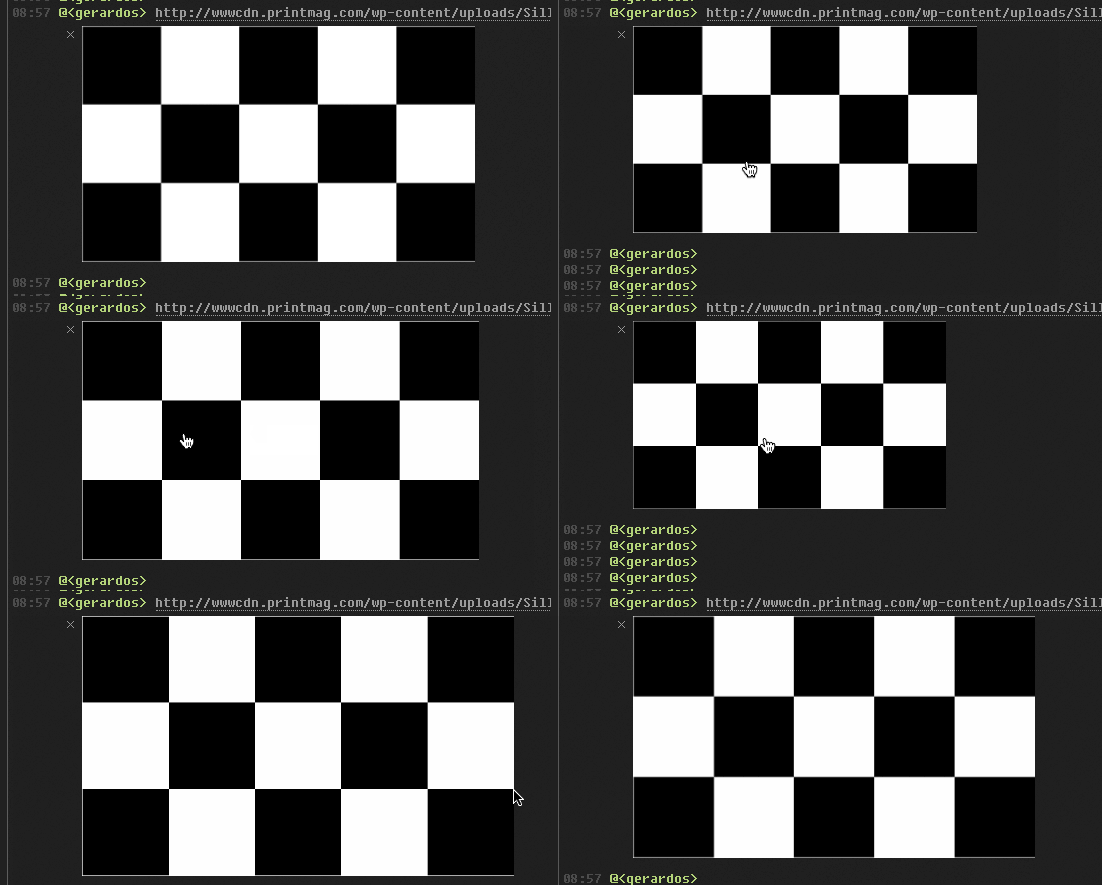
As you can see, the image resizes as I slide the cursor left and right, but the image doesn't put its boundaries at my cursor's location like in NewPipe's pop-up does.
I hope you got the idea I tried my best.
 iiiGerardoiii
on 25 Jul 2017
iiiGerardoiii
on 25 Jul 2017
This issue has been automatically marked as stale because it has not had recent activity. It will be closed if no further activity occurs. Thank you for your contributions.
![stale[bot] picture](https://avatars3.githubusercontent.com/in/1724?v=4&s=40) stale[bot]
on 1 Dec 2018
stale[bot]
on 1 Dec 2018
Im not sure if this a bug or how its supposed to work, but I can resize popup window with only one finger, by holding my finger on top of the popup window a half second will resize the popup window. I dont mind at all if this is a bug, I kinda like it for simplicity lol.
Check this video:
https://streamable.com/s/b7jw8
Ping @stypox
 haistakaavittukaikkisaatana
on 11 Oct 2019
haistakaavittukaikkisaatana
on 11 Oct 2019
@haistakaavittukaikkisaatana that's the expected behaviour: when the popup is long-clicked it resizes to the maximum possible size
 Stypox
on 12 Oct 2019
Stypox
on 12 Oct 2019
@haistakaavittukaikkisaatana @iiiGerardoiii @Hubcapp @AppleOatmeal @nate2014jatc @mission712 @kowloon12 could you test the apk provided in #3075?
Stypox
on 8 Mar 2020
This behavior is much nicer!
you may also see a crash log from me, it can safely be ignored for this issue.
It seems to have been caused by the app being installed on my external adopted storage.
nate2014jatc
on 16 Apr 2020
Related issues
 hassanseoul123
·
3Comments
hassanseoul123
·
3Comments
 B0pol
·
3Comments
B0pol
·
3Comments
 Hunter9888x
·
3Comments
Hunter9888x
·
3Comments
 desmonk
·
3Comments
desmonk
·
3Comments
 cool-student
·
3Comments
cool-student
·
3Comments