Netlify-cms: Failed to persist entry: API_ERROR: Branch not found
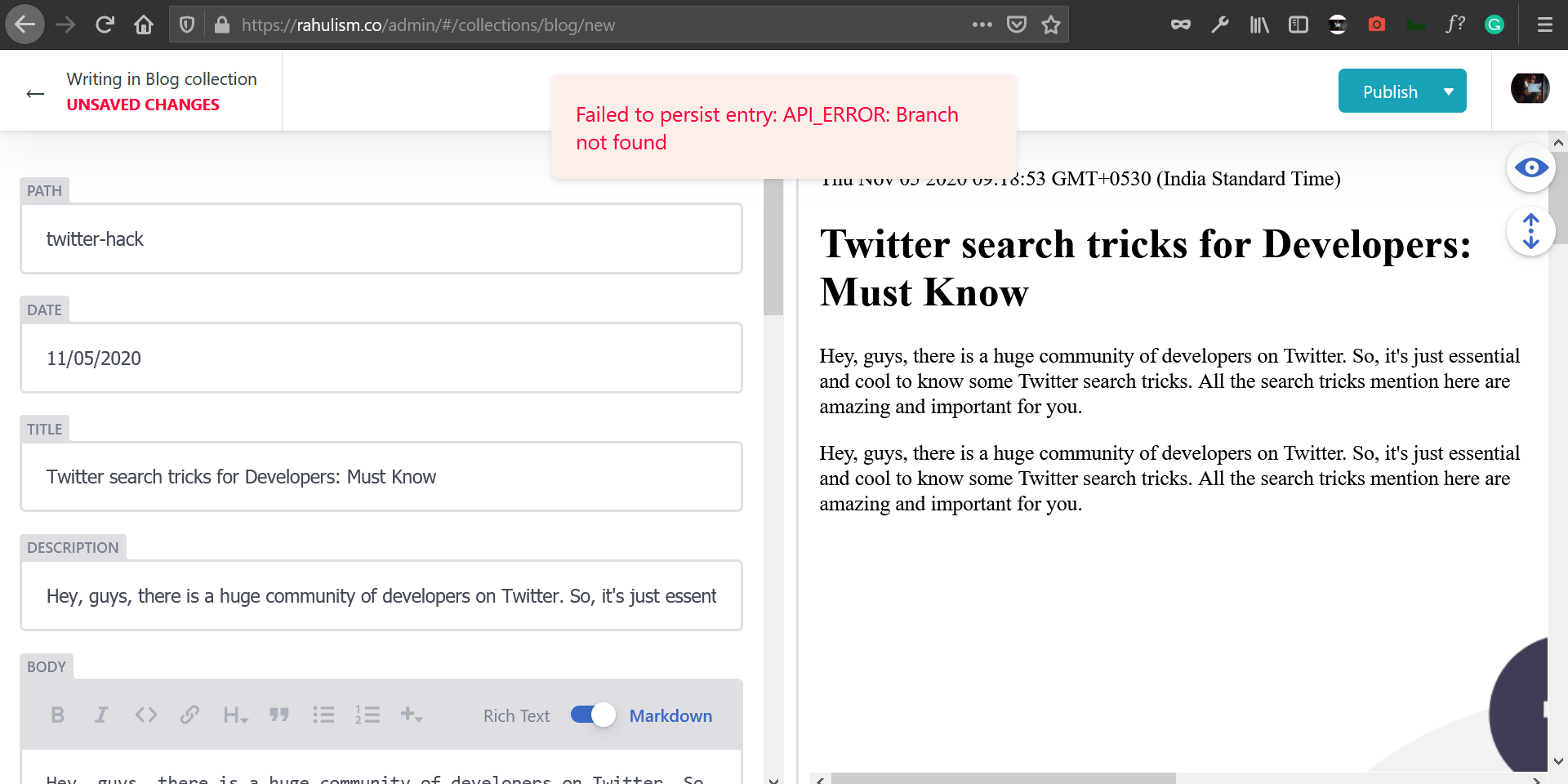
I recently start a blog using gatsby starter. The problem i'm facing right now is, whenever i post a blog via netlify CMS it shows Failed to persist entry: API_ERROR: Branch not found need help on this.
 rahxuls
All 8 comments
Is your repo part of an organization? In that case you might have to approve your app: https://help.github.com/en/articles/requesting-organization-approval-for-oauth-apps
 tomrutgers
on 9 Nov 2020
tomrutgers
on 9 Nov 2020
I too have encountered this issue. I even re-did the gatsby tutorial, remade all repos and acces tokens, but it still throws this error.
I'll update if I find the solution.
 j-o-o
on 15 Nov 2020
j-o-o
on 15 Nov 2020
I too was facing the same issue and currently facing but i tried to figure it out.
My website is hosted on Netlify so i went to the netlify initial url that is rahulism.netlify.app/admin and i have accessed it but when i go to rahulism.co/admin i face the same error. We'll this is just a small work, working for me.
rahxuls
on 15 Nov 2020
I changed
backend:
  name: github
  repo: your-username/your-repo-name
to
backend:
  name: git-gateway
  branch: main
And it's working. Look at your repo branch and compare it to the branch in your config.yml.
j-o-o
on 15 Nov 2020
In config.yml file, specify your main branch name (mainor masteror any other name) in the backend like below and it should work
backend:
  name: github
  repo: username/repo-name
  branch: branch-name
 MoHassn
on 16 Nov 2020
MoHassn
on 16 Nov 2020
Thanks MoHassn. My branch name is main, adding in that 'branch:main' fixed the problem. I did not have to switch the name from github to git-gateway.
 Wfritz5
on 18 Nov 2020
Wfritz5
on 18 Nov 2020
branch: main
This solution worked for me. Adding branch fixed the issue.
 cleankoding-pradeep
on 30 Nov 2020
cleankoding-pradeep
on 30 Nov 2020
Closing this issue resolved. Thanks everyone
 erezrokah
on 30 Nov 2020
erezrokah
on 30 Nov 2020
Related issues
 tech4him1
·
3Comments
tech4him1
·
3Comments
 kalwalt
·
3Comments
kalwalt
·
3Comments
 mikecrittenden
·
3Comments
mikecrittenden
·
3Comments
 jake-101
·
3Comments
jake-101
·
3Comments
 bkroggel
·
3Comments
bkroggel
·
3Comments