Netlify-cms: Images from markdown body don't preview in preview pane
Describe the bug
First of all, this issue might exist already and I might be misunderstanding something in the config.
I had a hard time sourcing images from netlify-cms using all kinds of relative path plugins until I realised that there is a beta functionality for specifying relative paths. Amazing!
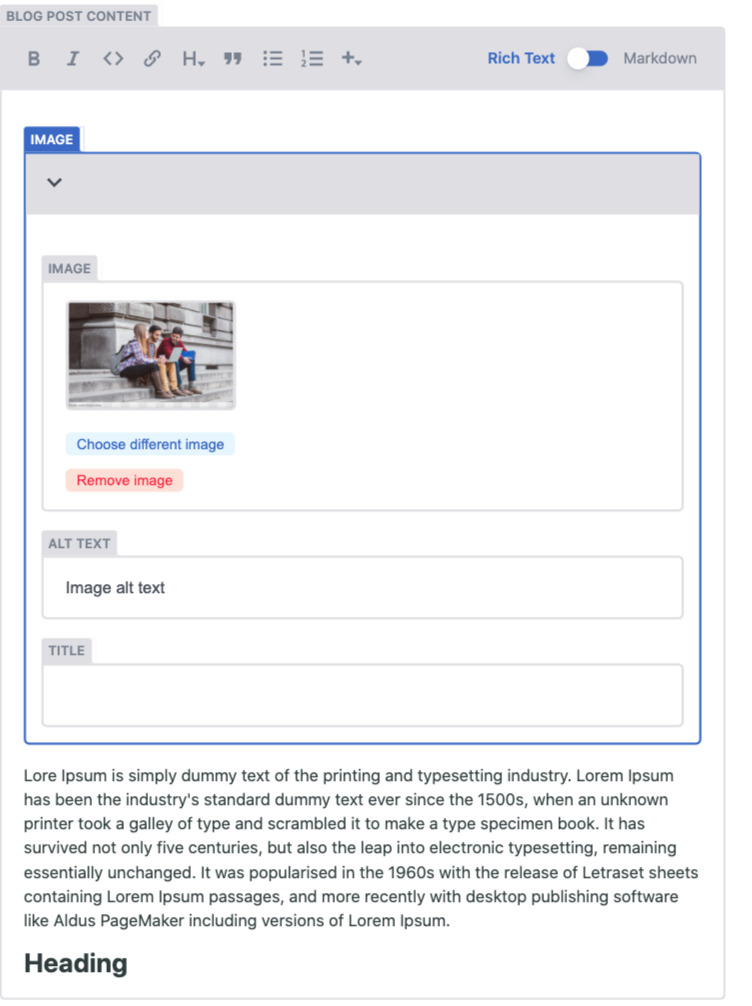
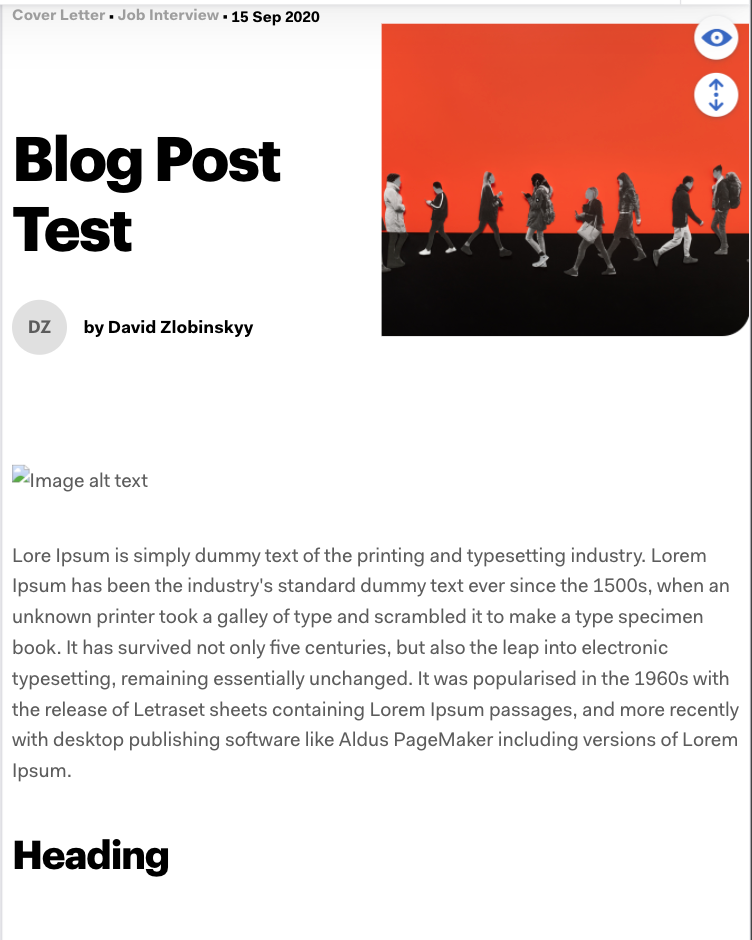
Now it was up to previewing them in the CMS. I was able to preview the frontmatter image by using getAsset in my preview template and rendering the image with the blob: url. Yet I can't seem to figure out how to do this with images written in the markdown body as .
To Reproduce
- Take over the following
config.ymlsetup:
media_folder: 'static/media'
public_folder: 'media'

local_backend: true

collections:
  - name: 'posts'
    label: 'Posts'
    folder: '/content/_posts'
    extension: 'mdx'
    public_folder: '../../static/{{public_folder}}'
    media_folder: '../../static/media'
    format: 'frontmatter'
    create: true
    slug: '{{slug}}'
    fields:
- Have a following folder structure, where the blog posts are saved under content:
- site
- content
- static
  - media
       image.png
Expected behavior
The images in the markdown body can be previewed in the right preview pane
Screenshots
Applicable Versions:
- Netlify CMS version: [email protected]
- Git provider: GitHub
- OS: macOS Catalina 10.15.5
- Browser version Version 85.0.4183.83 (Official Build)
- Node.JS version: 13.13.0
CMS configuration
media_folder: 'static/media'
public_folder: 'media'

local_backend: true

collections:
  - name: 'posts'
    label: 'Posts'
    folder: '/content/_posts'
    extension: 'mdx'
    public_folder: '../../static/{{public_folder}}'
    media_folder: '../../static/media'
    format: 'frontmatter'
    create: true
    slug: '{{slug}}'
    fields:
      - { label: 'Title', name: 'title', widget: 'string' }
      - { label: 'URL slug', name: 'slug', widget: 'string' }
      - label: 'Author'
        name: 'author'
        widget: 'relation'
        multiple: false
        optionsLength: 10
        collection: 'authors'
        displayFields: ['name']
        searchFields: ['name']
        valueField: 'name'
      - label: 'Date'
        name: 'date'
        widget: 'datetime'
        timeFormat: false
      - label: 'Categories'
        name: 'categories'
        widget: 'relation'
        multiple: true
        optionsLength: 10
        collection: 'categories'
        displayFields: ['label']
        searchFields: ['name', 'label']
        valueField: 'name'
      - label: 'Meta title'
        name: 'metaTitle'
        widget: 'string'
      - label: 'Meta links'
        name: 'metaLinks'
        widget: 'list'
        fields:
          - {label: 'Rel attr', name: 'rel', default: 'alternate', widget: 'string'}
          - {label: 'Hreflang attr', name: 'hreflang', widget: 'string'}
          - {label: 'Href attr', name: 'href', widget: 'string'}
      - {
          label: 'Main image',
          name: 'mainImage',
          widget: 'image',
          allow_multiple: false,
        }
      - {
          label: 'Main image alt attribute',
          name: 'mainImageAltText',
          widget: 'string',
        }
      - { label: 'Meta Description', name: 'metaDescription', widget: 'text' }
      - { label: 'Blog post content', name: 'body', widget: 'markdown' }

  - name: 'categories'
    label: 'Categories'
    folder: '/content/_categories'
    create: true
    slug: '{{name}}'
    identifier_field: 'name'
    fields:
      - { label: 'Name', name: 'name', widget: 'string' }
      - { label: 'Label', name: 'label', widget: 'string' }

  - name: 'authors'
    label: 'Authors'
    folder: '/content/_authors'
    create: true
    slug: '{{name}}'
    identifier_field: 'name'
    fields:
      - { label: 'Name', name: 'name', widget: 'string' }
      - {
          label: 'Avatar',
          name: 'avatar',
          widget: 'image',
          allow_multiple: false,
        }
Additional context
- I am using
gatsby-plugin-mdxwithgatsby-remark-images. - I am using a jsx component for the preview template that renders a
MDXruntime provider with the value of the mdx post body as content. - I see in the demo of netlify-cms that the previews of the inline markdown images also get rendered with a
blob:url. How can I achieve this or is this not the right approach? - I might be overseeing things and your fresh pair of eyes can help :).
 zlobizlobi
All 4 comments
Solved by using netlify-cms' getAsset function to change the src of the image shortcode in the components scope of @mdx-js/runtime's MDX provider.
zlobizlobi
on 4 Oct 2020
Solved by using netlify-cms'
getAssetfunction to change thesrcof the image shortcode in thecomponentsscope of@mdx-js/runtime'sMDXprovider.
@zlobizlobi Do you have an example of this somewhere? Trying to solve a similar problem. Thanks for posting the issue!
 jcoryalvernaz
on 5 Oct 2020
jcoryalvernaz
on 5 Oct 2020
@jcoryalvernaz Hey man! Herewith the code snippet, I am adding a custom image component in the mdx shortcodes right where I pass them to the MDX provider, which is in the PreviewTemplate that I use for netlify-cms:
```
Object.assign(MDX_SHORTCODES, {
img: ({ src, ...props }: ImageProps) =>
});
return (
);
zlobizlobi
on 5 Oct 2020
@zlobizlobi Awesome! This worked for me...thanks for the help!
jcoryalvernaz
on 5 Oct 2020
Related issues
 mikecrittenden
·
3Comments
mikecrittenden
·
3Comments
 andresalerno
·
3Comments
andresalerno
·
3Comments
 bkroggel
·
3Comments
bkroggel
·
3Comments
 papandreou
·
3Comments
papandreou
·
3Comments
papandreou
·
3Comments
papandreou
·
3Comments