Netlify-cms: list widget probelms..
I tried to include a frontmatter header as widget list which look like below in the .md
---
title: APEC Symposium on Policy and System
tagline: for Promoting Micro, Small and Medium Enterprises Modernization toward Industry 4.0
date: 2017-09-22
excerpt: 'Dr Law Cheung Kwok, Co-director of APEC Study Centre, participated in a conference and presented a paper: "Policy for Promoting MSMEs Modernization towards Industry 4.0 in Hong Kong, China'
categories:
  - APEC Study Centre
tags:
 - MSME
header:
  overlay_image: "/assets/old_images/asc_hz_cover.JPG"
  overlay_filter: 0.8
---
but as soon as I included this field, the cms returns the following error
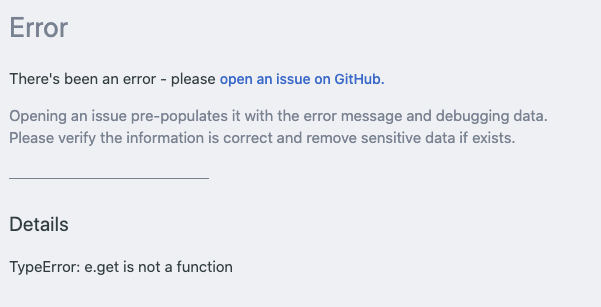
Strangely, I successfully included a similar frontmatter sidebar withlist and it shows as I expected in the cms, The sidebar frontmatter looks like below in the .md
---
title: Entrepreneurship in APEC and Hong Kong
date: 2017-03-01
categories:
  - APEC Study Centre
tags:
  - publications
sidebar:
  - image: 'assets/images/Entrepreneurship_in_APEC_and_Hong_Kong.jpg'
    image_alt: Entrepreneurship_in_APEC_and_Hong_Kong
---
What did I do wrong? How can i include header as well?
The following is my cms config.yml
# config.yml
backend:
  name: git-gateway
  branch: master # Branch to update (optional; defaults to master)
media_folder: "assets/images"
publish_mode: editorial_workflow
site_url: "http://erc.cuhk.edu.hk/"
collections:
  - name: "blog"
    label: "Blog"
    folder: "_posts/"
    slug: "{{year}}-{{month}}-{{day}}-{{slug}}"
    preview_path: "/{{slug}}"
    create: true
    editor:
      preview: false
    fields:
      - { label: "Layout", name: "layout", widget: "hidden", default: "single" }
      - { label: "Title", name: "title", widget: "string" }
      - { label: "Publish Date", name: "date", widget: "datetime" }
      - { label: "Body", name: "body", widget: "markdown" }
      - {
          label: "tags",
          name: "tags",
          widget: "list",
          required: false,
          default: ["others"],
        }
      - {
          label: "categories",
          name: "categories",
          widget: "list",
          required: false,
          default: ["ASC"],
        }
      - { label: "execept", name: "execept", widget: "string", required: false }
      - { label: "tagline", name: "tagline", widget: "string", required: false }
      - label: "sidebar"
        name: "sidebar"
        widget: "list"
        required: false
        fields:
          - {
              label: "image",
              name: "image",
              widget: "image",
              allow_mulitple: false,
              required: false,
            }
      - label: "header"
        name: "header"
        widget: "list"
        required: false
        fields:
          - {
              label: "overlay_image",
              name: "overlay_image",
              widget: "image",
              allow_mulitple: false,
              required: false,
            }
Thank you.
 fdq09eca
All 8 comments
Hi @fdq09eca, I think you need
header:
  - overlay_image: "/assets/old_images/asc_hz_cover.JPG"
    overlay_filter: 0.8
 erezrokah
on 18 May 2020
erezrokah
on 18 May 2020
Hi @fdq09eca, I think you need
header:
  - overlay_image: "/assets/old_images/asc_hz_cover.JPG"
    overlay_filter: 0.8
Thanks @erezrokah
I am using the minimal mistakes theme.
According to the doc, the header should be put this way.
excerpt: "This post should [...]"
header:
  overlay_image: /assets/images/unsplash-image-1.jpg
  overlay_filter: 0.5 # same as adding an opacity of 0.5 to a black background
  caption: "Photo credit: [**Unsplash**](https://unsplash.com)"
  actions:
    - label: "More Info"
      url: "https://unsplash.com"
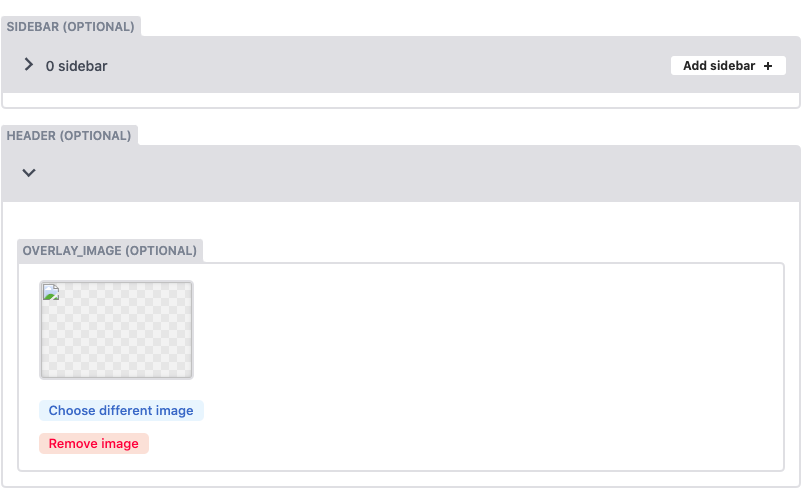
I found out that it looks ok if I changed the widget to object but it does not behave the same as list.. I want that Add header + button.. as in sidebar
fdq09eca
on 18 May 2020
Hi @fdq09eca the list widget expects an array of values.
header:
  overlay_image: /assets/images/unsplash-image-1.jpg
  overlay_filter: 0.5 # same as adding an opacity of 0.5 to a black background
  caption: "Photo credit: [**Unsplash**](https://unsplash.com)"
  actions:
    - label: "More Info"
      url: "https://unsplash.com"
Is a map, hence the error (and why an object widget works).
I'm not familiar with minimal mistakes theme but it looks like it expects an object for the header, so I'm not sure how it would handle a list.
erezrokah
on 18 May 2020
Hi @fdq09eca the list widget expects an array of values.
header:
  overlay_image: /assets/images/unsplash-image-1.jpg
  overlay_filter: 0.5 # same as adding an opacity of 0.5 to a black background
  caption: "Photo credit: [**Unsplash**](https://unsplash.com)"
  actions:
    - label: "More Info"
      url: "https://unsplash.com"
Is a map, hence the error (and why an object widget works).
I'm not familiar with minimal mistakes theme but it looks like it expects an object for the
header, so I'm not sure how it would handle a list.
sidebar:
  - title: "Title"
    image: http://placehold.it/350x250
    image_alt: "image"
    text: "Some text here."
  - title: "Another Title"
    text: "More text here."
    nav: sidebar-sample
@erezrokah Thank you.
The above code block is the sidebar in the mmistakes doc. Does list handle the child without -?
I believe the current sidebar works with list is because I have a - in the field image, what should I do if I would like to include the image_alt as well?
Thank you.
fdq09eca
on 18 May 2020
You'll need to add that field in under the list:
- label: "sidebar"
  name: "sidebar"
  widget: "list"
  required: false
  fields:
    - {
        label: "image",
        name: "image",
        widget: "image",
        allow_mulitple: false,
        required: false,
      }
    - {
        label: "image alt",
        name: "image_alt",
        widget: "string",
        required: false,
      }
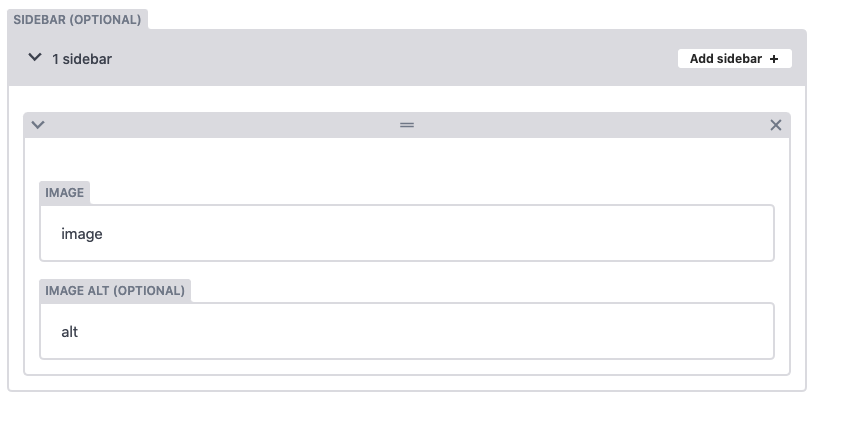
No, the result will be:
sidebar:
  - image: image
    image_alt: alt
erezrokah
on 18 May 2020
@fdq09eca, I'm closing at this issue seems to have lost its context. You can reach out on slack https://www.netlifycms.org/chat for usage questions.
erezrokah
on 18 May 2020
@erezrokah Thank you for your help!
sorry I delete my question accidentally, for anyone who is interested: the last question I was asking is if the following code block
- label: "sidebar"
  name: "sidebar"
  widget: "list"
  required: false
  fields:
    - {
        label: "image",
        name: "image",
        widget: "image",
        allow_mulitple: false,
        required: false,
      }
    - {
        label: "image alt",
        name: "image_alt",
        widget: "string",
        required: false,
      }
would produce which of the following frontmatter
sidebar:
  - image: image
    image_alt: alt
or
sidebar:
  - image: image
  - image_alt: alt
Related issues
 mikecrittenden
·
3Comments
mikecrittenden
·
3Comments
 jake-101
·
3Comments
jake-101
·
3Comments
 bkroggel
·
3Comments
bkroggel
·
3Comments
 noelmace
·
3Comments
noelmace
·
3Comments
 Narno
·
3Comments
Narno
·
3Comments