Netlify-cms: 404 error "Not Found" after making repo private without regenerating token
Describe the bug
When accessing the administration page at /admin, I was prompted to log in. After doing so, I was presented with the same page, but with a "Not Found" message on the top of the page.
Checking the browser console, it turned out that it was a request to /.netlify/git/github/branches/master?ts=... that had failed with a 404 error:
.json
{
  "message": "Not Found",
  "documentation_url": "https://developer.github.com/v3/repos/branches/#get-branch"
}
To reproduce
- Let Netlify create a GitHub repository for you
- Manually make the repository private, without regenerating the token
- Attempt to log in to the administration page
Expected behavior
It should display a more descriptive error message. In this case, ideally something like:
Your GitHub authorization token has to be regenerated, perhaps because you have made your repository public or private.
… along with a link to the page where the user can regenerate their token.
Applicable versions
- Netlify CMS version: 2.0.10
- Git provider: GitHub
- OS: Windows 10
- Browser version: Firefox 61
 jocap
jocap
All 7 comments
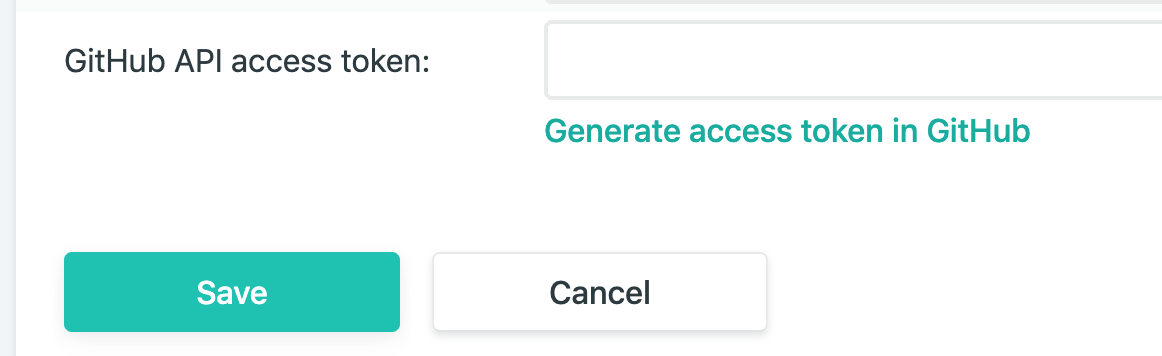
This is a known issue - not technically a bug, it's just that the token generated by Netlify can only access public repos, nothing we can do about that. You'll want to generate a new token from the Netlify dashboard at https://app.netlify.com/your-site-name/settings/identity#services.
There should be a helpful error message and documentation around this.
 erquhart
on 4 Sep 2018
erquhart
on 4 Sep 2018
@erquhart: Yeah, I know. The issue that I am reporting is that it results in a 404 Not Found error message, which I think is unhelpful.
You'll want to generate a new token from the Netlify dashboard at https://app.netlify.com/your-site-name/settings/identity#services.
This is exactly what the error message should say :-)
jocap
on 4 Sep 2018
Even after generating a new token I'm returned the same not found error. What gives?
 jan-at-futr
on 21 May 2019
jan-at-futr
on 21 May 2019
The 404 is a Netlify platform issue, you can raise that in the community at https://community.netlify.com.
@jan-at-futr there are multiple potential reasons, you can reach out in the community above (there's a Netlify CMS category), or in community chat for assistance.
erquhart
on 4 Jun 2019
@jan-at-futr If you ask the question in the Netlify platform community, please let me know - I'd also be interested in a solution. I usually have this problem when using the Netlify Deploy Button. The button creates a public repo on GitHub and then if the user changes it to private, the access token won't work any more.
 marcojakob
on 4 Jun 2019
marcojakob
on 4 Jun 2019
I guess I'm not sure we should be mentioning implementation details on a public 404 page. But maybe there's another way Netlify can help signal this kind of thing.
erquhart
on 4 Jun 2019
if generating the token doesn't solve the issue, check your “Third-party application access policy” in the settings of your organization, and remove any restriction. The url is https://github.com/organizations/
 svengau
on 1 May 2020
svengau
on 1 May 2020
Related issues
 noelmace
·
3Comments
noelmace
·
3Comments
 emckay
·
3Comments
emckay
·
3Comments
 ciokan
·
3Comments
ciokan
·
3Comments
 dur41d
·
3Comments
dur41d
·
3Comments
 ghost
·
3Comments
ghost
·
3Comments
Most helpful comment
This is a known issue - not technically a bug, it's just that the token generated by Netlify can only access public repos, nothing we can do about that. You'll want to generate a new token from the Netlify dashboard at
https://app.netlify.com/your-site-name/settings/identity#services.There should be a helpful error message and documentation around this.