Nerdtree: A bug in displaying the names of files written in Arabic Language
Self-Diagnosis
- [x] I have searched the issues for an answer to my question.
- [x] I have reviewed the NERDTree documentation.
:h NERDTree - [x] I have reviewed the Wiki.
- [x] I have searched the web for an answer to my question.
Environment (for bug reports)
- [x] Operating System: Parrot OS 4.9 64-bit
- [x] Vim/Neovim version
:echo v:version: Neovim - [x] NERDTree version, found on 1st line in NERDTree quickhelp
?: 6.7.7 [x] vimrc settings
- [ ] NERDTree variables
let NERDTreeShowHidden=0 " Synchronize NERDTree with current oppend file {{{ " Check if NERDTree is open or active function! IsNERDTreeOpen() return exists("t:NERDTreeBufName") && (bufwinnr(t:NERDTreeBufName) != -1) endfunction " Call NERDTreeFind iff NERDTree is active, current window contains a modifiable " file, and we're not in vimdiff function! SyncTree() if &modifiable && IsNERDTreeOpen() && strlen(expand('%')) > 0 && !&diff NERDTreeFind wincmd p endif endfunction " Highlight currently open buffer in NERDTree autocmd BufEnter * call SyncTree() function! ToggleNerdTree() set eventignore=BufEnter NERDTreeToggle set eventignore= endfunction nmap <C-t> :call ToggleNerdTree()<CR> "}}}- Other NERDTree-dependent Plugins
- [ ] jistr/vim-nerdtree-tabs
- [x] ryanoasis/vim-devicons
- [ ] tiagofumo/vim-nerdtree-syntax-highlight
- [x] Xuyuanp/nerdtree-git-plugin
- [ ] Others (specify):
- [ ] I've verified the issue occurs with only NERDTree installed.
Steps to Reproduce the Issue
- I think the problem with the languages that start from right to left.
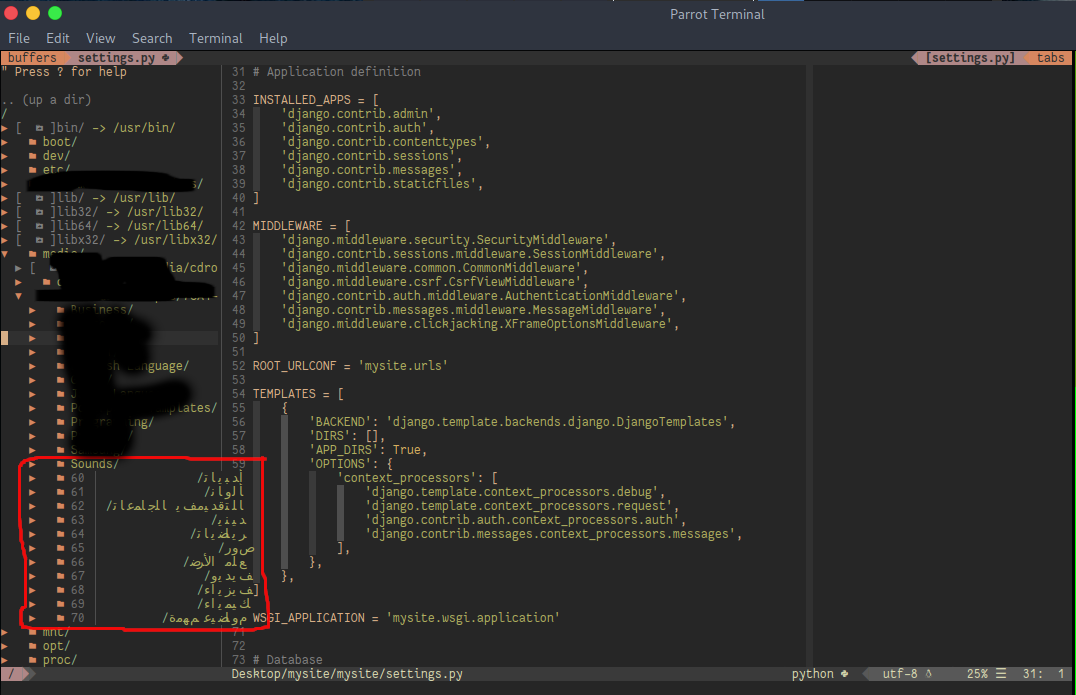
Current Result (Include screenshots where appropriate.)
Expected Result
The file name Start from left without change the arrangement of the letters and structures of Arabic language.
 MuhammadMouradG
All 6 comments
can you supply some example text that shows this bug?
 serprinss
on 2 May 2020
serprinss
on 2 May 2020
Previously:
Example:
$ cd Desktop/
$ ls
>>> myproject redme.md فيزياء كيمياء
So, our directory structure is:
Desktop
|
|___ myproject
|___ readme.md
|___ فيزياء
|___ كيمياء
Now, when we open the Desktop directory in NERDTREE in neovim the structure of NERDTREE will be the same as the above figure.
Now:
I check it again and I think the problem is solved, I will close the bug.
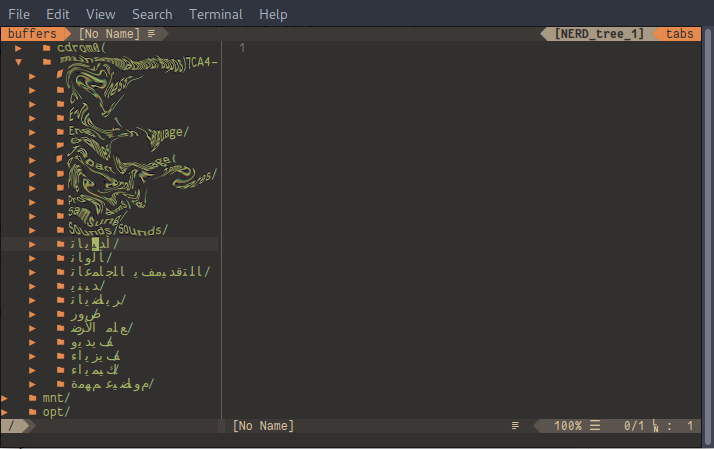
MuhammadMouradG
on 2 May 2020
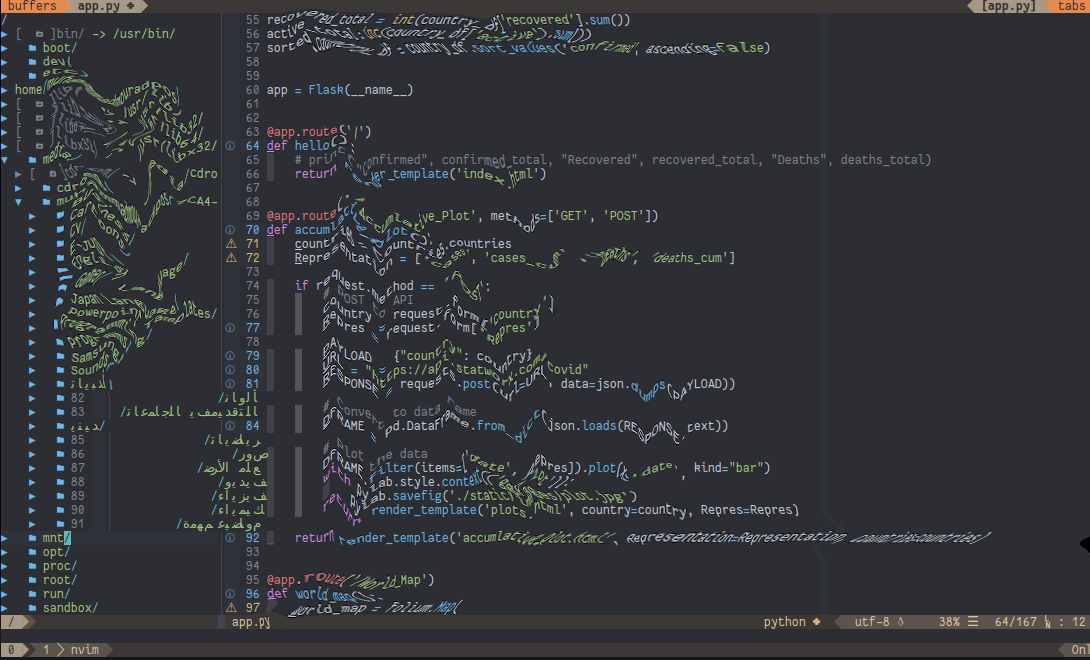
I have discovered something strange. When I am working with the file in the central buffer the number of the lines interference with the file name like the bellow figure
MuhammadMouradG
on 2 May 2020
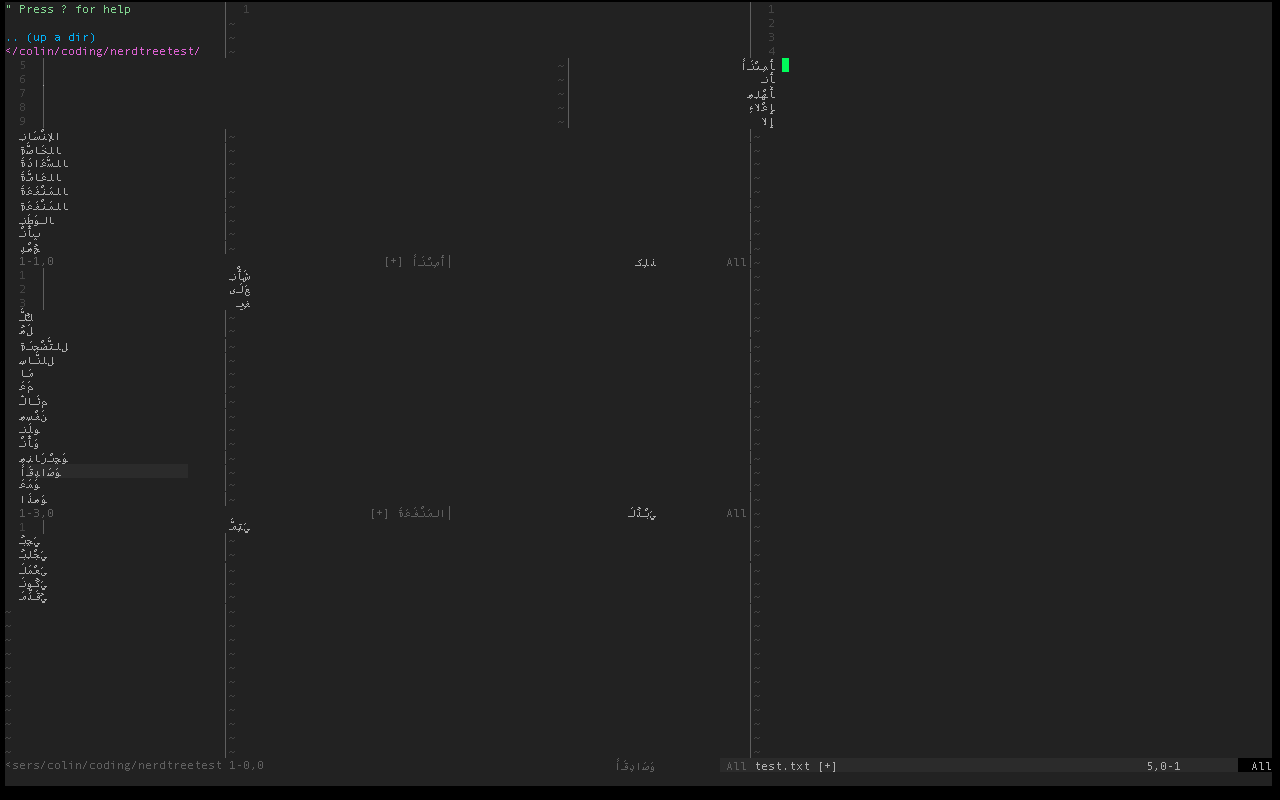
looks like it only works when a window to the side has text in it.
i am using example text from http://www.dalilusa.com/arabic_course/text01.asp.
also why are your images distorted?
serprinss
on 2 May 2020
I don't know how vim handles Arabic text. Is it read right to left?
Try this without NERDTree. I wonder if it's a rendering issue with Vim/Neovim. Split your screen with two different buffers, put a mix of Arabic and English text in the left window with setlocal nonumber, and English text in the right window with setlocal number. Make sure there are the same number of lines in each buffer. Adjust the width of the splits to see if that changes anything. Turn off the line numbers in the right window; does that change anything?
Try it again with NERDTree, but disable nertree-git-plugin. Is it still misbehaving?
 PhilRunninger
on 3 May 2020
PhilRunninger
on 3 May 2020
First of all I want to thank you for the alert me about how neovim handle Arabic text.
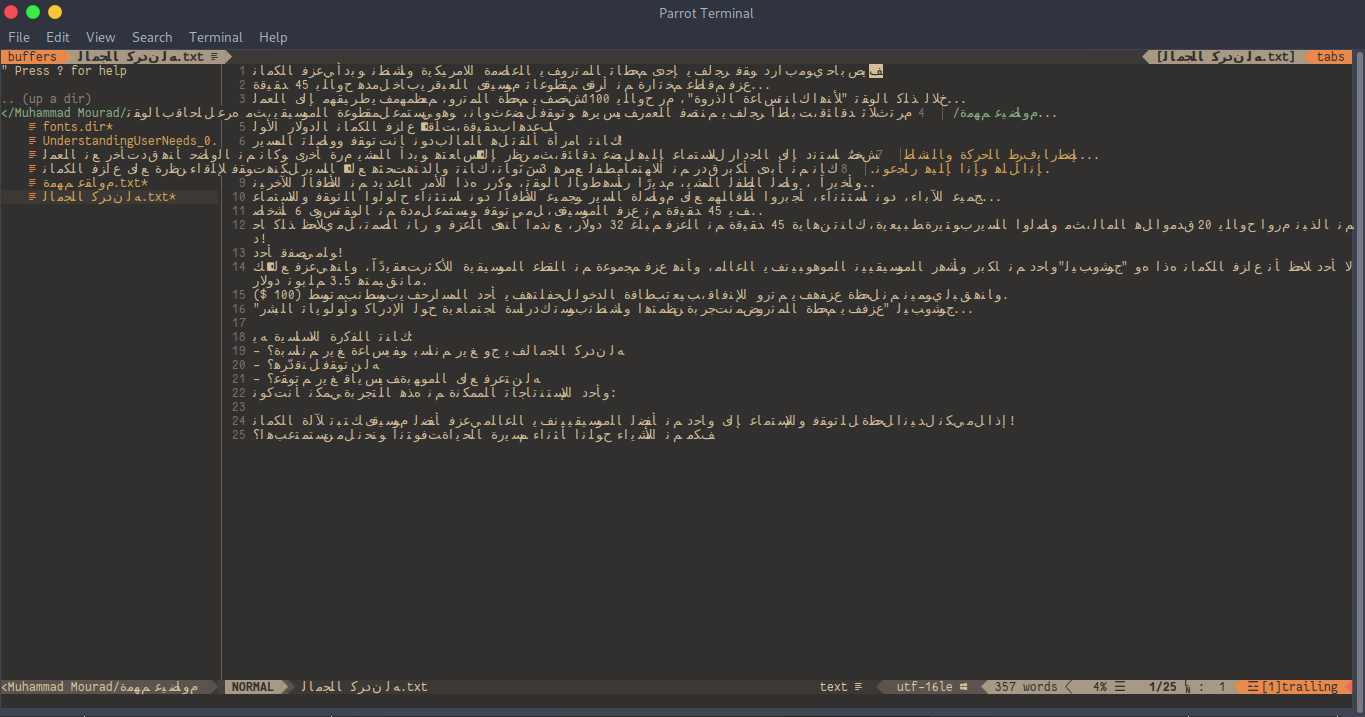
After some research and couple of experiments I found that the problem is in the way that neovim handle Arabic text, it is required a some of adjustment before use it and unfortunately these adjustments do not occur automatically. These setting are set arabic, set arabicshape and required a font and unicode support the Arabic language.
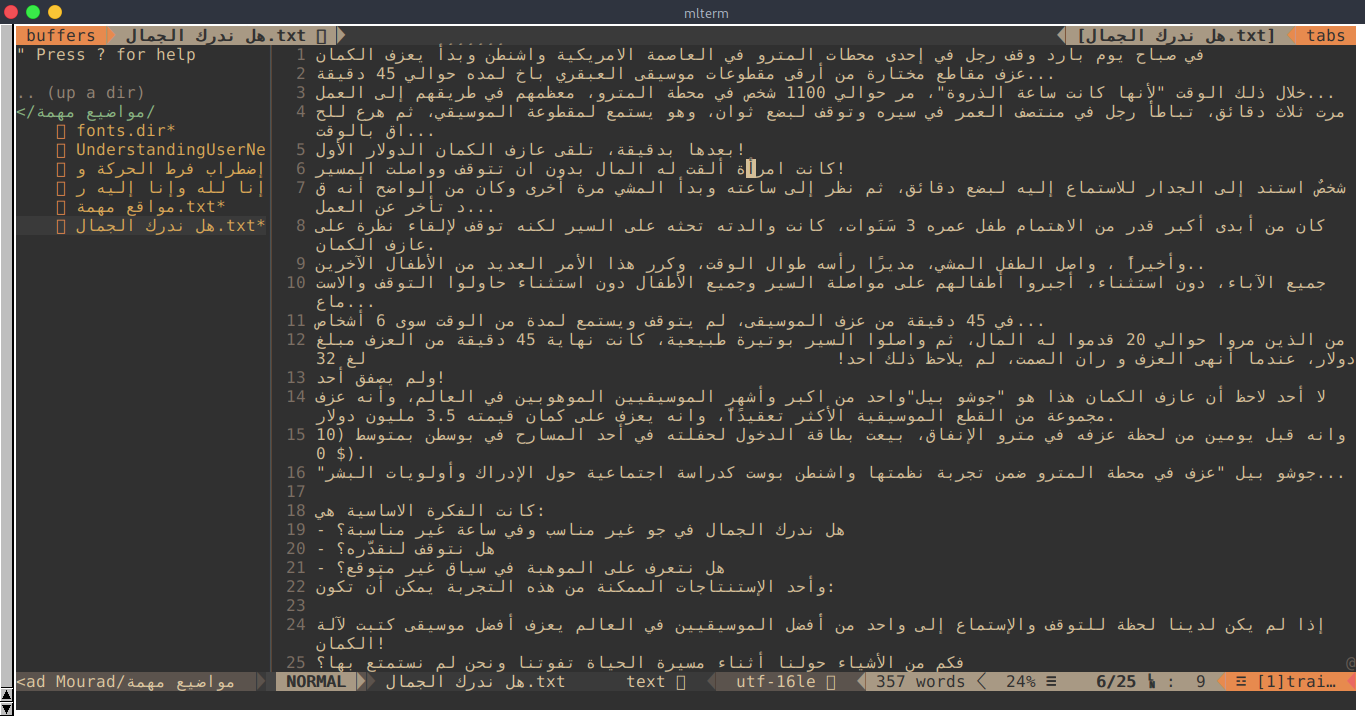
To check this, I installed a mlterm emulator and I did not found any problem with the NERDTree plugin. The following are screenshots:
With mlterm (Multi Lingual TERMinal emulator):
With default terminal:
MuhammadMouradG
on 4 May 2020
Related issues
 yuanjianpeng
·
5Comments
yuanjianpeng
·
5Comments
 sunnyguan
·
4Comments
sunnyguan
·
4Comments
 hrqmonteiro
·
3Comments
hrqmonteiro
·
3Comments
 masylum
·
7Comments
masylum
·
7Comments
 nicknisi
·
5Comments
nicknisi
·
5Comments