Nerdtree: Directories not opening when arrows hidden
Environment
- Operating System: macOS Mojave
- Vim version
:version: nvim 0.3.1 - NERDTree version
git rev-parse --short HEAD: 91e0f22 - NERDTree settings applied in your vimrc, if any:
let NERDTreeDirArrowExpandable = "\u00a0" " make arrows invisible
let NERDTreeDirArrowCollapsible = "\u00a0" " make arrows invisible
Process
- Open NERDTree
- Try and expand a directory
- Observe the directory will not expand
Current Result
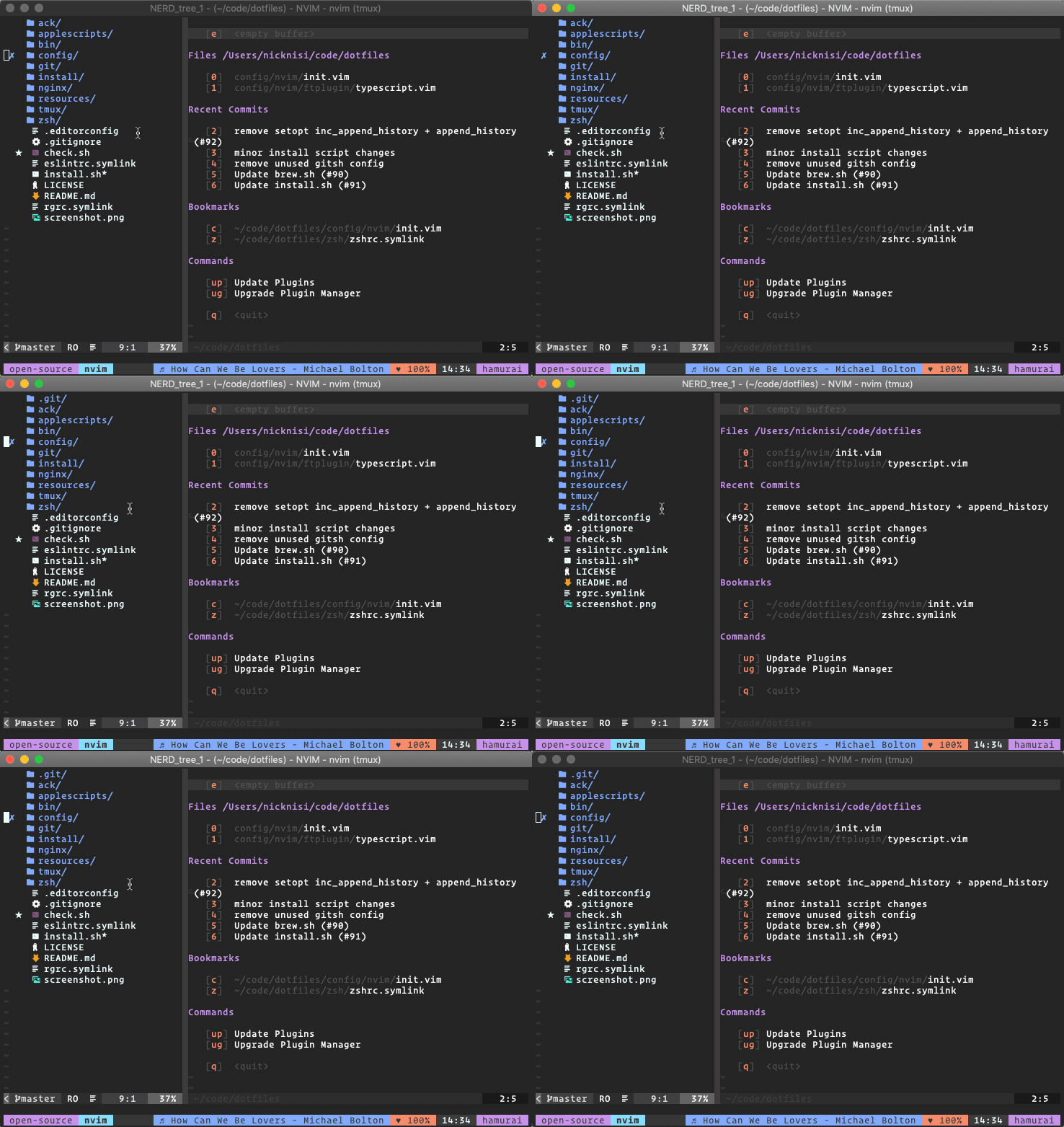
Currently, the directory will not expand unless the arrows are rendered.
Expected Result
I would like to be able to hide the arrow functions on directories and have them still function properly like they did before. I hide the directory arrows and rely on another plugin to add folder icons in using an icon font.
Screenshot(s)
Possible Fix
Running git bisect, I was able to determine that this issue first started occurring in 91e0f2253fbecefa7e14f095950341584877ef19.
 nicknisi
All 5 comments
"\u00a0" is now used as a delimiter to separate the filename or directory name from the rest of the items on the line of text. By introducing that character in the place of the arrows, the parsing function is getting confused.
You can solve your issue (and keep the hidden arrows) by using a regular space instead of the non-breaking space.
let NERDTreeDirArrowExpandable = ' ' " make arrows invisible
let NERDTreeDirArrowCollapsible = ' ' " make arrows invisible
 PhilRunninger
on 25 Oct 2018
PhilRunninger
on 25 Oct 2018
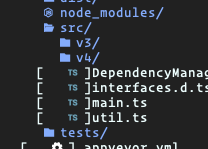
Thanks! That does work but then I see the square brackets around non-directory file names. Any recommendations on this?
nicknisi
on 25 Oct 2018
I see you're using ryanoasis/vim-devicons. It seems I have some more to look at with regard to syntax highlighting. @ryanoasis, I may need to tap into your expertise to solve this. My goal is to fix this in NERDTree, but it may require changes in both plugins.
PhilRunninger
on 25 Oct 2018
I have the solution for you. It turns out I gave you bad advice. NERDTree syntax highlighting requires there to be a space after the directory arrow (whatever character it is), so when you use a space instead of an arrow (per my prior suggestion), the syntax highlighting gets lost.
The separator I mentioned above is stored in a new NERDTree variable, NERDTreeNodeDelimiter, which you can set to be any character you need. This character ends up being concealed anyway, so it almost doesn't matter what you pick. Just make sure you use a character that won't appear in your filenames. Since you're already using "\00a0" for the arrows, you just need to use a different character for the node delimiter. Here is how you'd set it up.
let NERDTreeDirArrowExpandable = '\u00a0' " make arrows invisible
let NERDTreeDirArrowCollapsible = '\u00a0' " make arrows invisible
let NERDTreeNodeDelimiter = '\u263a' " smiley face
Woo! This works great! Thanks so much for helping me out with this, even though I'm using other plugins and wandering from the typical nerdtree path. I very much appreciate it!
nicknisi
on 26 Oct 2018
Related issues
 jgandt
·
4Comments
jgandt
·
4Comments
 BigfootN
·
5Comments
BigfootN
·
5Comments
 hrqmonteiro
·
3Comments
hrqmonteiro
·
3Comments
 milushov
·
4Comments
milushov
·
4Comments
 Coleej
·
3Comments
Coleej
·
3Comments
Most helpful comment
I have the solution for you. It turns out I gave you bad advice. NERDTree syntax highlighting requires there to be a space after the directory arrow (whatever character it is), so when you use a space instead of an arrow (per my prior suggestion), the syntax highlighting gets lost.
The separator I mentioned above is stored in a new NERDTree variable,
NERDTreeNodeDelimiter, which you can set to be any character you need. This character ends up being concealed anyway, so it almost doesn't matter what you pick. Just make sure you use a character that won't appear in your filenames. Since you're already using"\00a0"for the arrows, you just need to use a different character for the node delimiter. Here is how you'd set it up.