Nerdtree: Hide square brackets around flag string?
Hi,
is there a way, or is it possible to add an option to hide the square brackets around the flag string (e.g. used by the nerdtree-git-plugin)? I think that would look much cleaner.

Relevant code here: https://github.com/scrooloose/nerdtree/blob/509122df20e200b50e887c32cb7d92b19171a4ab/lib/nerdtree/flag_set.vim#L55
 eivindml
All 11 comments
You can achieve that by concealing those characters with conceal. They will be still there unfortunately but conceal will hide them for you. You just won't see them anymore.
augroup nerdtreeconcealbrackets
autocmd!
autocmd FileType nerdtree syntax match hideBracketsInNerdTree "\]" contained conceal containedin=ALL
autocmd FileType nerdtree syntax match hideBracketsInNerdTree "\[" contained conceal containedin=ALL
autocmd FileType nerdtree setlocal conceallevel=3
autocmd FileType nerdtree setlocal concealcursor=nvic
augroup END
By the way, if by any chance happen to use vim-devicons plugin in future; that plugin handles those characters for you.
Also, see https://github.com/scrooloose/nerdtree/issues/806 and https://github.com/scrooloose/nerdtree/issues/807 for bonus tips.
 kutsan
on 13 Mar 2018
kutsan
on 13 Mar 2018
Thank you for this. :)
It did work, but it was a bit buggy. The "+" symbol was a too close. And I would prefer to have a space between the symbol and the title. Maybe to have the icons at the end of the title would be best, so the indentation of files/folders are always the same. Now it can be a bit visually confusing as they get indented differently depending on if they have a icon or not.
Think I will stick with default settings for now. :) But I will check out the great bonus tips.
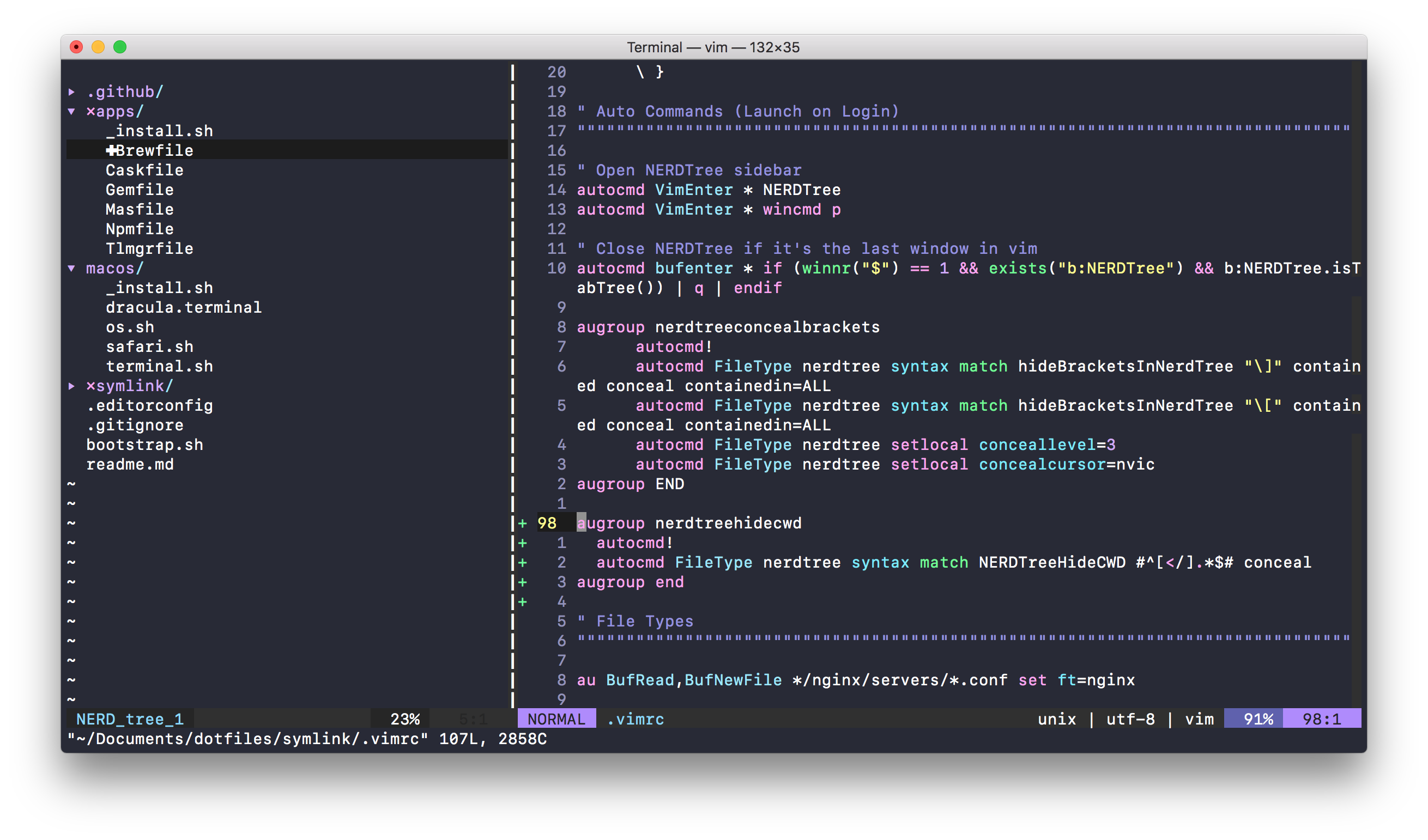
For others seeing this, remember that default vim shipped with macOS doesn't have the conceal thing, so you need to get a newer vim from homebrew for instance. (I didn't know this at first)
eivindml
on 13 Mar 2018
Changing the conceallevel from 3 to 1 will introduce the space you're looking for. See :h conceallevel.
 PhilRunninger
on 13 Mar 2018
PhilRunninger
on 13 Mar 2018
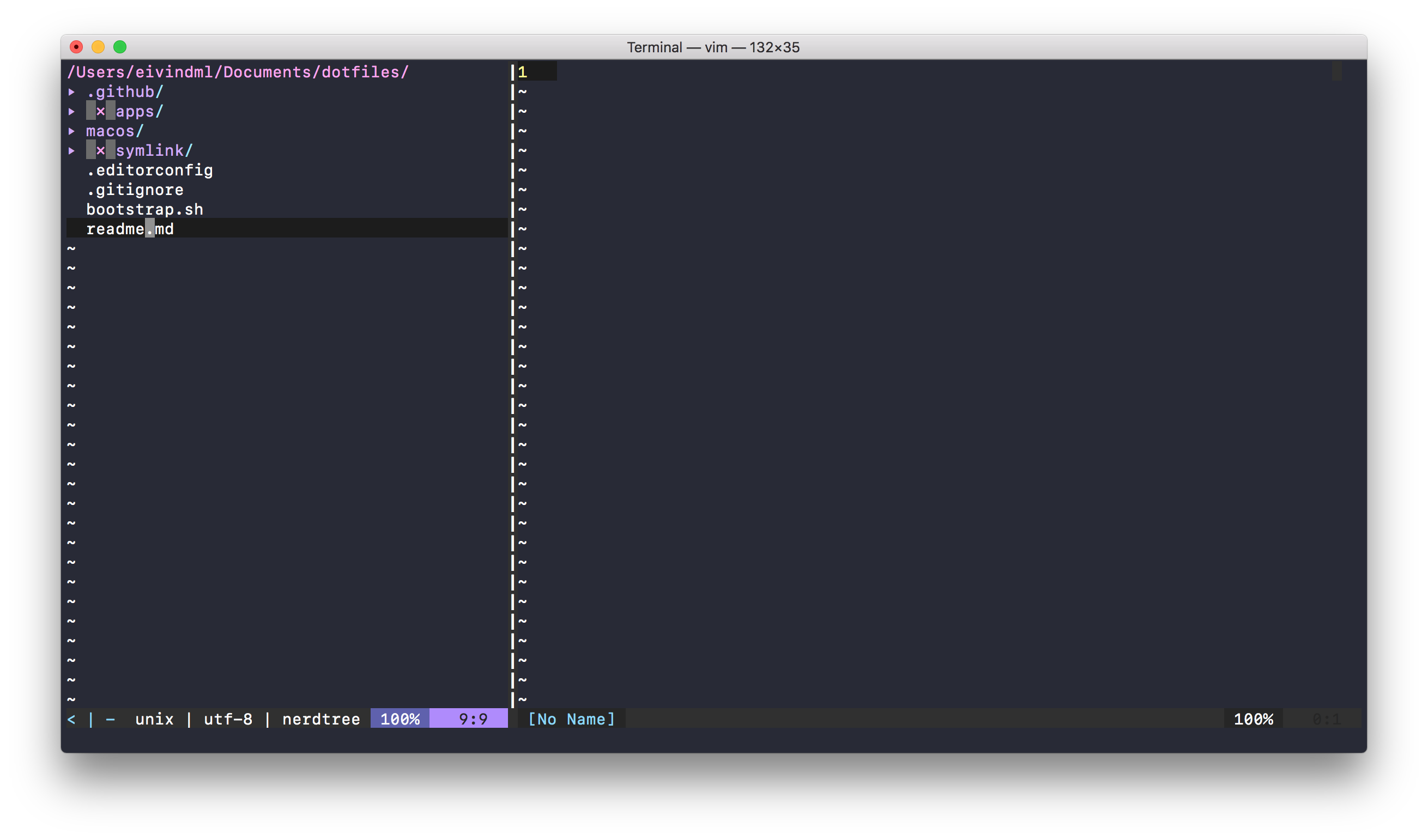
thanks. :) Then this happened?
eivindml
on 13 Mar 2018
Or even better than conceallevel=1,
augroup nerdtreeconcealbrackets
autocmd!
autocmd FileType nerdtree syntax match hideBracketsInNerdTree "\]" contained conceal containedin=ALL cchar=
autocmd FileType nerdtree syntax match hideBracketsInNerdTree "\[" contained conceal containedin=ALL
autocmd FileType nerdtree setlocal conceallevel=2
autocmd FileType nerdtree setlocal concealcursor=nvic
augroup END
The cchar= value is a space. conceallevel=2 uses that explicitly defined space to replace the ], and it completely hides the [ because no cchar is specified for that one.
The reason your concealed characters are visible is because your color scheme is not setting the Conceal highlight. You can set it yourself or find another color scheme that does. See https://github.com/pangloss/vim-javascript/issues/151 for a discussion about this issue.
PhilRunninger
on 13 Mar 2018
@eivindml
It did work, but it was a bit buggy. The "+" symbol was a too close. And I would prefer to have a space between the symbol and the title.
You can tweak that by adding a space character after each icon for that plugin. I know I know, it's still hacky solution but that's what we have.
let g:NERDTreeIndicatorMapCustom = {
\ "Modified" : "✹ ",
\ "Staged" : "✚ ",
\ "Untracked" : "✭ ",
\ "Renamed" : "➜ ",
\ "Unmerged" : "═ ",
\ "Deleted" : "✖ ",
\ "Dirty" : "✗ ",
\ "Clean" : "✔︎ ",
\ 'Ignored' : '☒ ',
\ "Unknown" : "? "
\ }
Maybe to have the icons at the end of the title would be best, so the indentation of files/folders are always the same.
Yes, I feel you. That's probably why I don't use that plugin. I think it would be better to get rid off all icon stuff and just use highlighting instead of icons; if it's modified, then highlight its foreground color as yellow like other IDEs does.
NERDTree itself is poorly written, so its plugins use some hacks to achieve that kind of functionality.
kutsan
on 13 Mar 2018
@eivindml If you are satisfied with these answers, please close the issue. Thanks!
PhilRunninger
on 14 Mar 2018
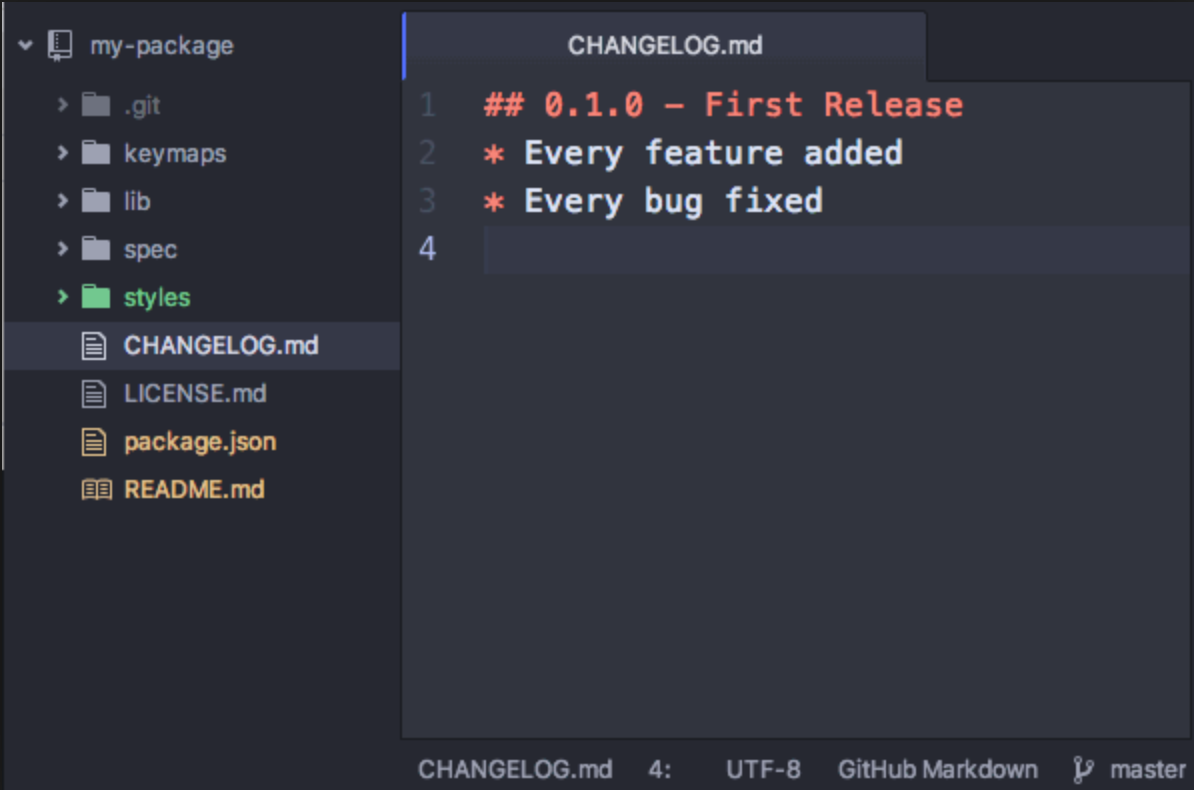
Thanks for the help. I also think just highlighting the status with colour would be best.
I use Atom on and off, and how they do it works really well.
Hopefully someone takes up the challenge to create something like this. Will close this issue.
eivindml
on 16 Mar 2018
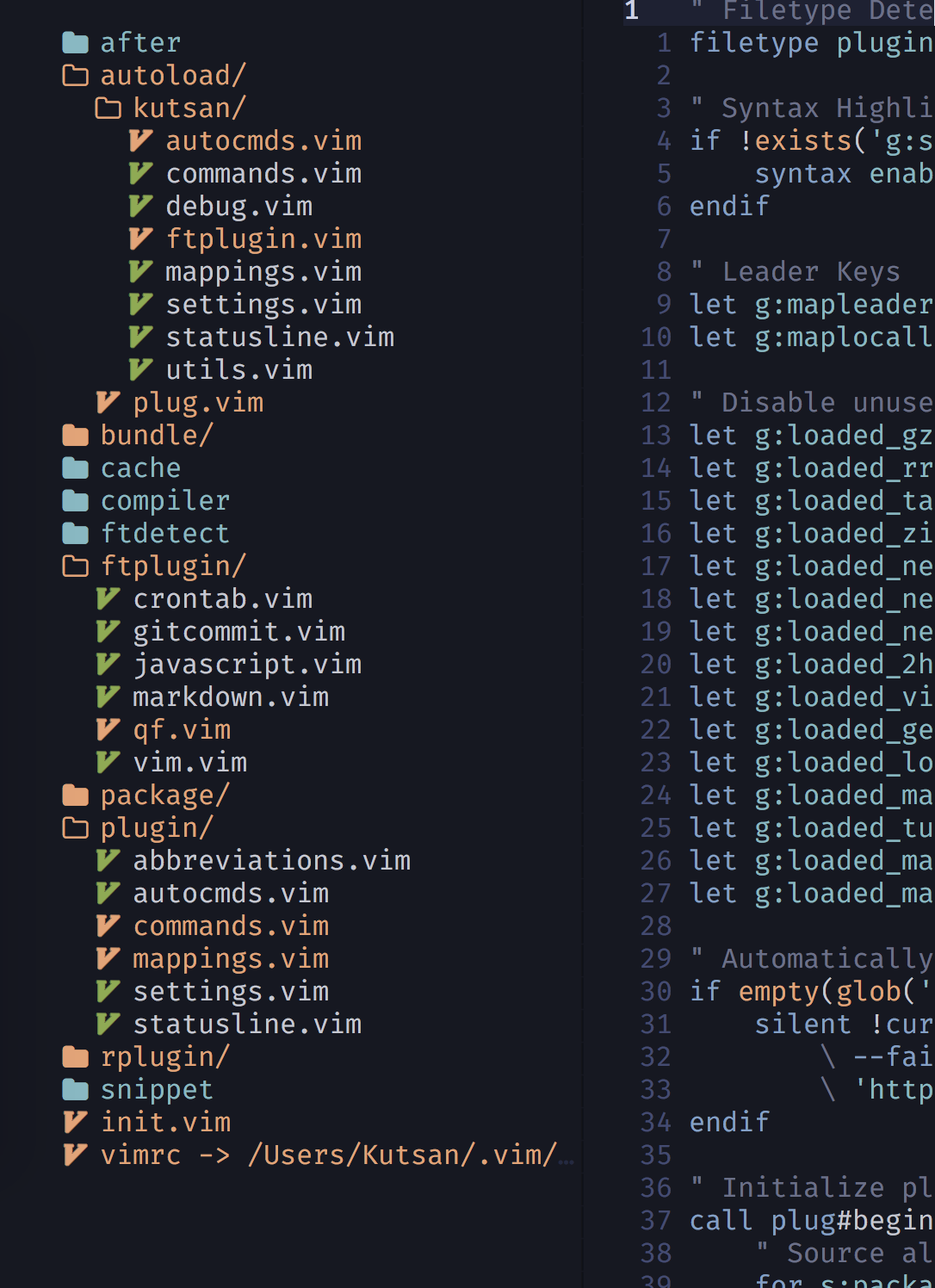
Back then, I did something with my local nerdtree-git-plugin fork but it was buggy, not usable; and due to vim highlight mechanics, it was slow; we were creating a highlight element every single file node, which is insane when it comes to performance. I don't have any motivation to continue now.
I've been using vim for years and I'd like to say it's not really great experience (at least for me) when you start to make some integration plugins like git.
kutsan
on 16 Mar 2018
Yeah. I can see that. That looks really good though. :)
eivindml
on 16 Mar 2018
Since I am also using the syntax highlighting plugin, this did the trick for me:
augroup nerdtree
  autocmd!
  autocmd FileType nerdtree syntax clear NERDTreeFlags
  autocmd FileType nerdtree syntax match hideBracketsInNerdTree "\]" contained conceal containedin=ALL
  autocmd FileType nerdtree syntax match hideBracketsInNerdTree "\[" contained conceal containedin=ALL
  autocmd FileType nerdtree setlocal conceallevel=3
  autocmd FileType nerdtree setlocal concealcursor=nvic
augroup END
 aanari
on 20 May 2020
aanari
on 20 May 2020
Related issues
 sunnyguan
·
4Comments
sunnyguan
·
4Comments
 kristijanhusak
·
3Comments
kristijanhusak
·
3Comments
 DapperFox
·
4Comments
DapperFox
·
4Comments
 kevinSuttle
·
4Comments
kevinSuttle
·
4Comments
 MuhammadMouradG
·
6Comments
MuhammadMouradG
·
6Comments
Most helpful comment
Since I am also using the syntax highlighting plugin, this did the trick for me: