Neovide: [Bug] Crumbled unreadable fonts after scrolling (WSL2)
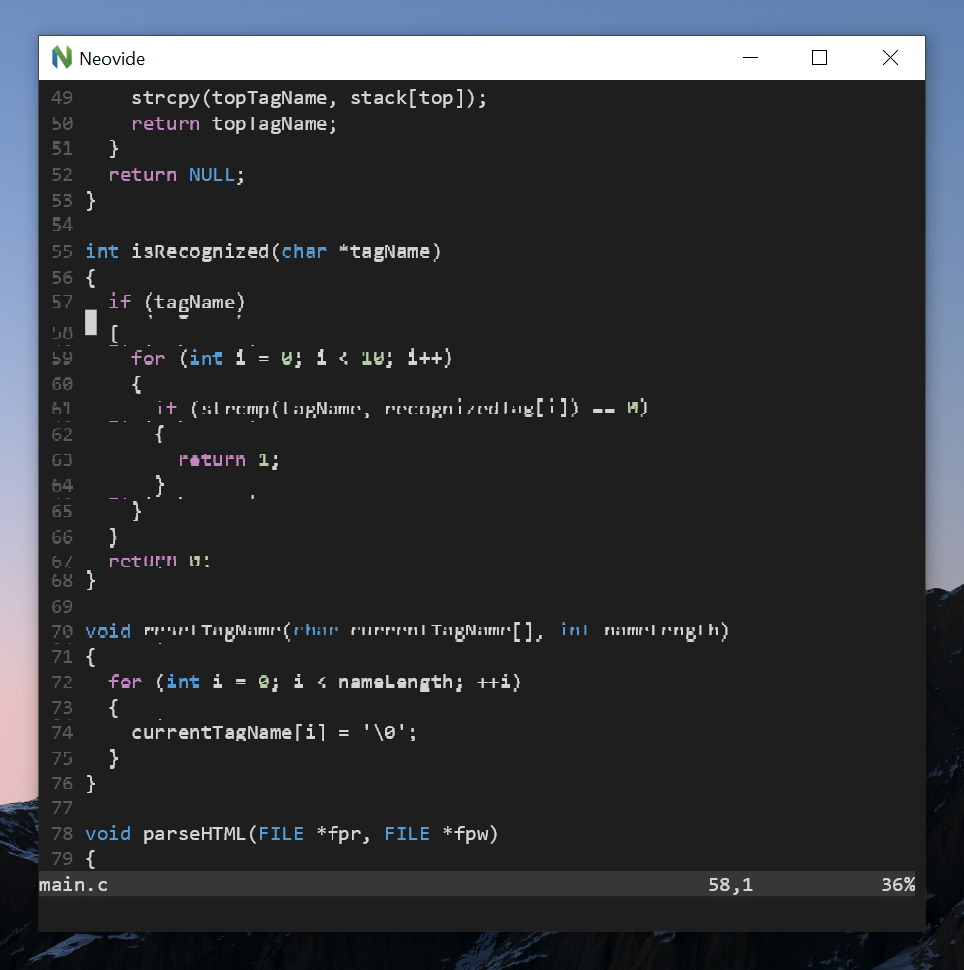
As titled, this is my first day playing around with this cool awesome GUI for neovim, but I noticed that whenever I scroll my buffer with my mouse, there seems to be a font display issue (see screenshot). Apart from mouse scrolls, this also happens when I leave my cursor at the end of the visible frame and press arrow-down (or j, of course) to scroll down the content. If I highlight the region, then the fonts correct themselves and become normal again.
p.s. I'm on Windows 10 using WSL2 Ubuntu 20.04, invoking neovide with command neovide.exe --wsl --multiGrid. My X-server is VcXsrv. (p.s. X-server is irrelevant)
Unreadable Fonts example
This is how it normally looks like:

 ianyepan
All 12 comments
This seems to be a related issue: https://github.com/Kethku/neovide/issues/483
ianyepan
on 12 Apr 2021
For some magical reason, adding this line solved the issue:
set guifont=Consolas:h13
The default seems to be using Consolas 14.
If I set guitfont=Consolas:h14, the issue remains.
ianyepan
on 12 Apr 2021
Woah this is wild. I've never seen anything like this before
If you set Consolas:h14 without wsl does the same issue happen?
Are you running neovide from an install within the wsl container with visualization of the app via vcxsrv? Or are you running neovide from windows with the wsl flag to hit the neovim instance in the wsl client? This feels like something weird happening from the vcxsrv system
 Kethku
on 12 Apr 2021
Kethku
on 12 Apr 2021
I put my neovide.exe on the Windows side and included it on my Windows PATH. I can invoke neovide.exe from both my Linux zsh or Windows Powershell. In both cases I must pass in the --wsl flag, otherwise neovide won't launch (it just silently dies). Therefore, I can't really reproduce anything without it coming from --wsl.
I don't think the problem is coming from my X-server vcxsrv. Even without my X-server running, neovide.exe works fine with the --wsl flag, because my neovide.exe exec file is indeed from the Windows side. I included X-server in this issue just for the sake of completeness -- but I don't believe that's the cause. Let me know if it makes sense!
ianyepan
on 13 Apr 2021
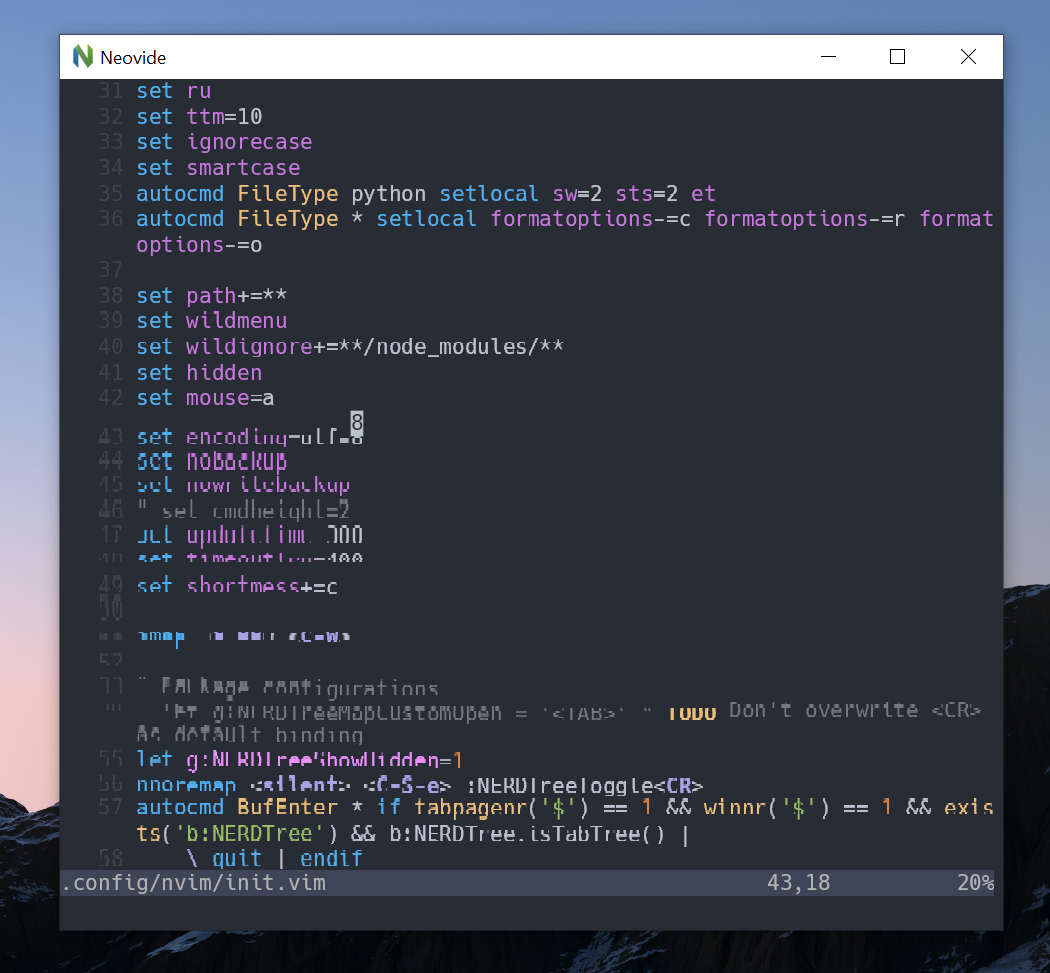
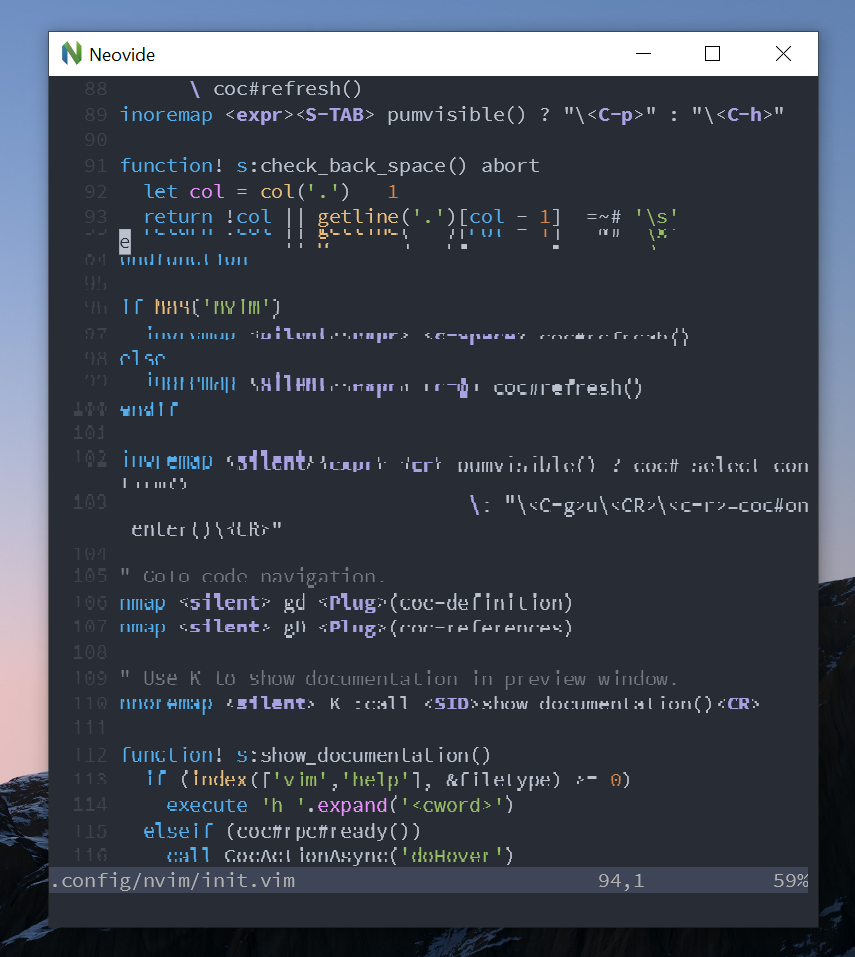
On further investigation, it seems like no matter which font I use, as long as the font size is "some specific number", the screen tearing issue could show up. For example, for Consolas and Hack, this "magic number" is 14. For Source Code Pro, this "magic number" is 13. For each font family, its other "non-magic numbers" can be used without issues.
Hack font at size 14
Source Code Pro at size 13
ianyepan
on 19 Apr 2021
I've consolidated a number of what seem to be related issues. Looking for common through lines. Is dpi scaling enabled on these machines? Does it only happen with some font sizes/fonts? Does enabling or disabling multigrid effect it?
Kethku
on 20 Apr 2021
As I am on MacOS, I don't really have the option of setting DPI scaling (at least to my knowledge), however multiGrid has no effect on my system.
 atidyshirt
on 21 Apr 2021
atidyshirt
on 21 Apr 2021
With or without multiGrid, the fonts seem to have the same problem regardless.
As mentioned before, for me the issue only happens with certain font-family/size pairings. For instance, Consolas-14, Consolas-16, SourceCodePro-13, SourceCodePro-15, Hack-14, or Hack-16.
The only pattern I found is that the problematic font sizes seem to be 2 units apart. I.e. 14 vs. 16, or 13 vs. 15.
ianyepan
on 21 Apr 2021
Cheers,
using the Windows version of Neovim (No WSL) and encountering the same issue.
Enabling multiGrid slightly reduces artifacting.
DPI Scaling is enabled.
Using Font Fira Code Retina Medium, it seems odd numbered sizes don't produce a problem. I.e. 11, 13, 15... display fine, 10, 12, 14... don't.
 muemmel
on 21 Apr 2021
muemmel
on 21 Apr 2021
Thats really interesting. Seems given the presence of 2s in the font sizes, it feels like this could very well be a rounding problem
Kethku
on 21 Apr 2021
This has been fixed in main. Please reopen if you continue to see this issue.
Kethku
on 14 Jun 2021
Hi, @Kethku are you planning to package it in a release (perhaps or 0.7.1 or 0.8.0) so we could test it? Cheers.
ianyepan
on 14 Jun 2021
Related issues
 JakubKoralewski
·
7Comments
JakubKoralewski
·
7Comments
 basus
·
4Comments
basus
·
4Comments
 jberryman
·
4Comments
jberryman
·
4Comments
 kylechui
·
3Comments
kylechui
·
3Comments
 smolck
·
5Comments
smolck
·
5Comments