Neovide: Text rendering regression on macOS
I actually wanted to investigate #287 because I was curious how the TERM variable is changing the behavior in neovide. I started the same way I always do, I get a fresh master release build without any modifications for my baseline.
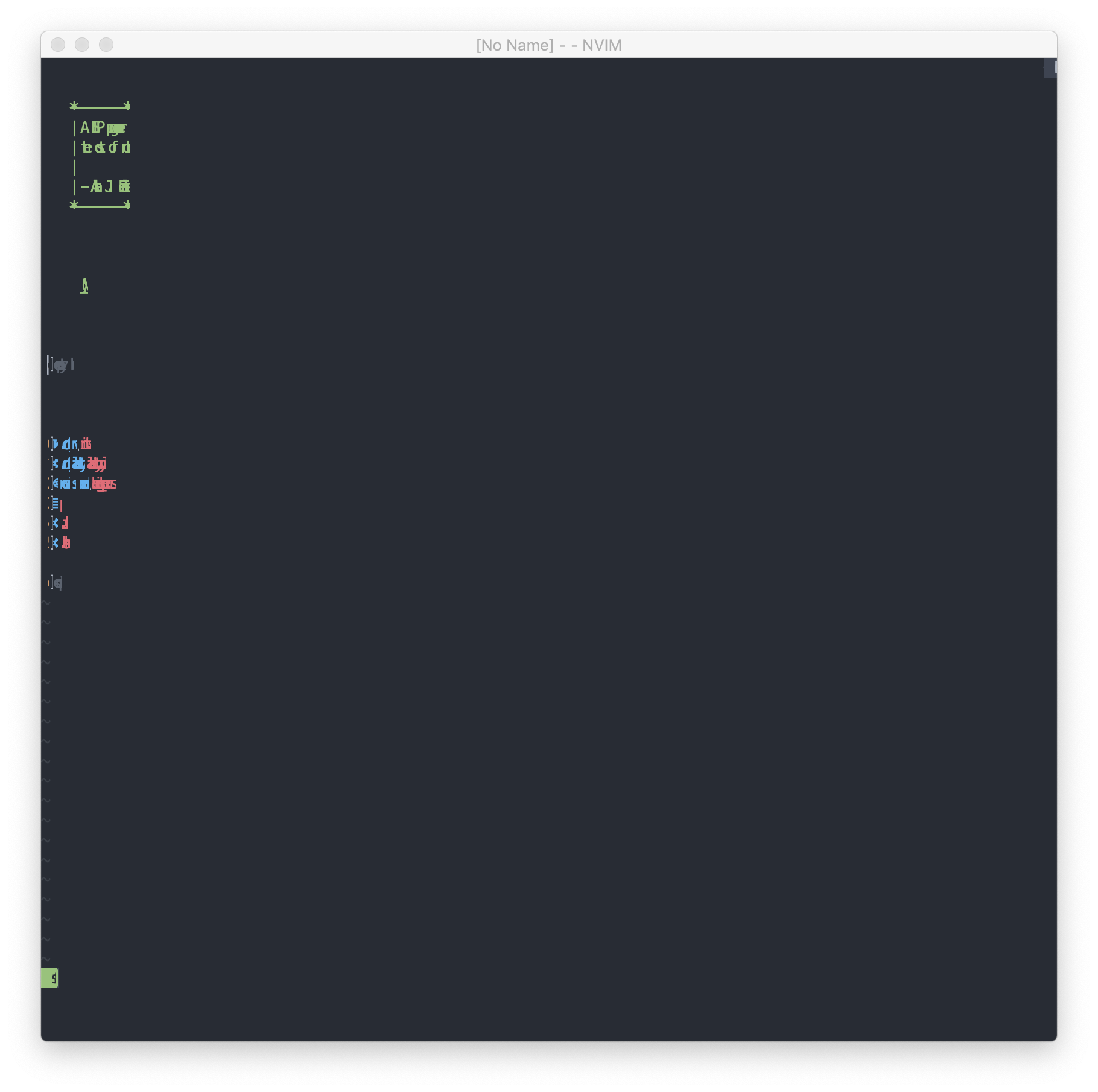
That didn't quite workout though. This is what happens when I use my usual neovim init:
Then retested with an empty init.vim and tried to write some text:
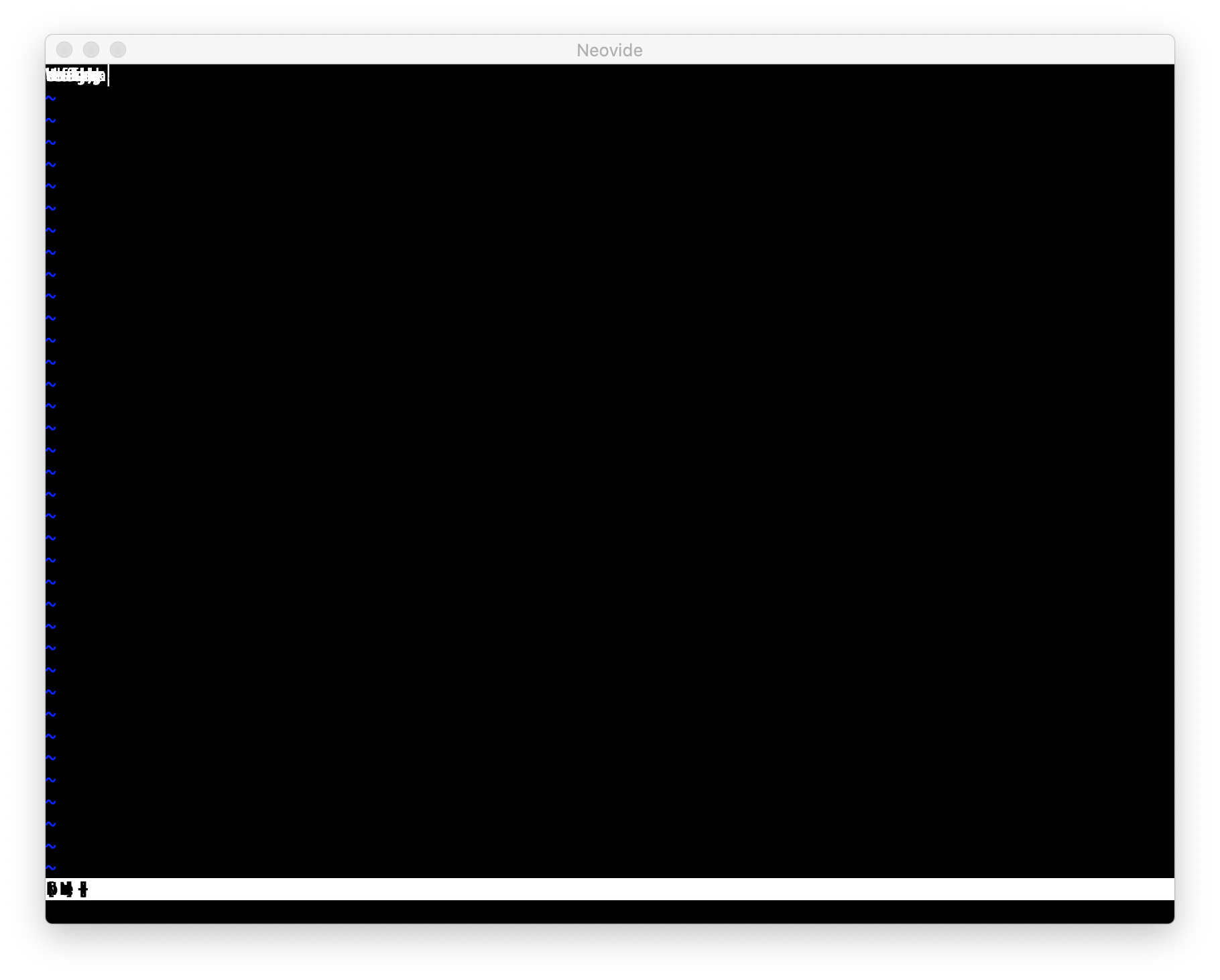
If I would have to take a wild guess I would say this is happening here because this MacBook Pro is one of the last ones that had an Nvidia GPU... but your initial release used to work fine.
Those are my specs for reference...

 SirJson
All 22 comments
This is a font parsing issue. Somehow either your machine doesn't have the configured guifont installed or the default font for your system doesn't exist. What is guifont set to?
 Kethku
on 13 May 2020
Kethku
on 13 May 2020
The same as usual
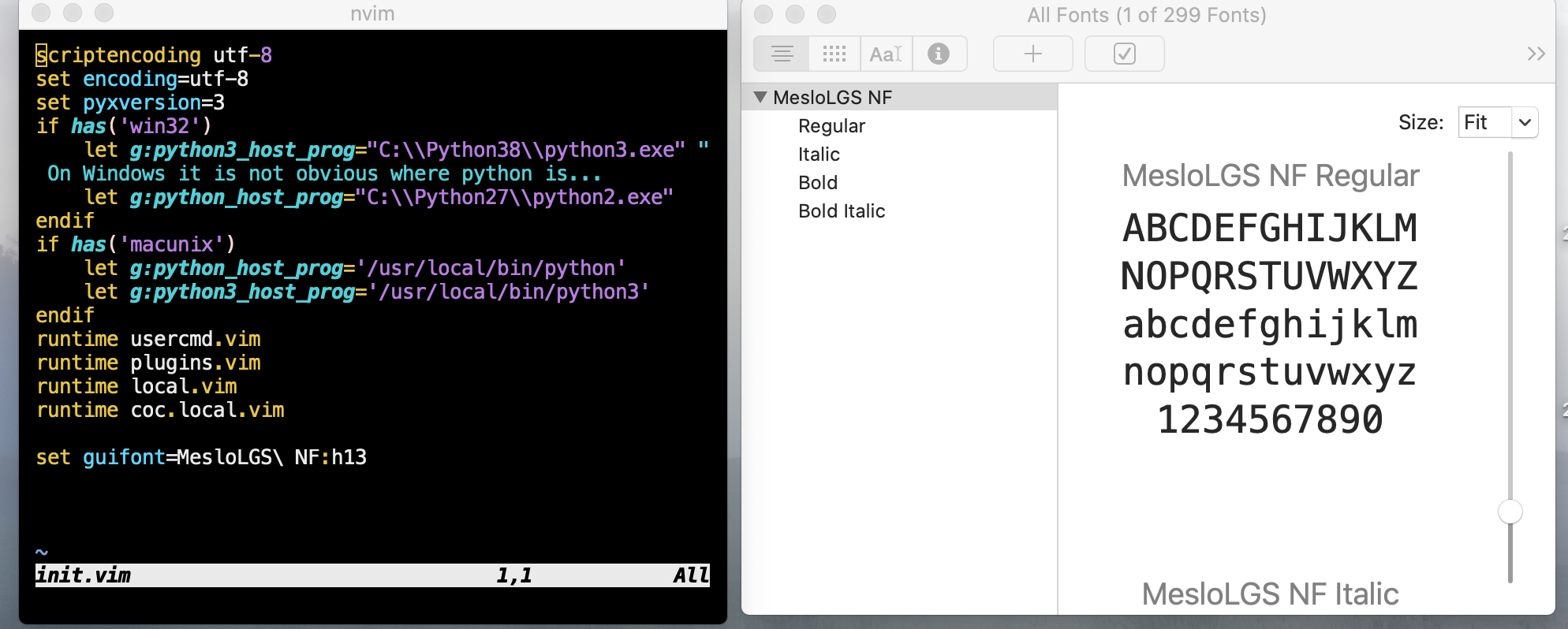
Since you think it's font loading related I also attached a log file running with my normal init.vim
neovide_rCURRENT.log
SirJson
on 13 May 2020
If you remove the guifont setting does it change anything?
Kethku
on 14 May 2020
No unfortunately not, see my second screenshot at the beginning. The thing is I use that Macbook just for neovide testing anyways so it's not breaking my workflow or anything.
And if no one else is seeing this and it stays until I may or may not get that OpenGL ES renderer working I will get back to this issue and see if I can fix it.
After all by implementing a new rendering system by going top down the dependency stack should give me a good overview how rendering works in general inside neovide.
SirJson
on 14 May 2020
I just wanted to chime in that I am seeing the exact same behavior on a brand new install of macOS 10.15.4. It being a brand new install, I pulled the latest of this repo, built from scratch, and saw this font-rendering bug.
Love this project, BTW, @Kethku! Thanks for developing it!
 jrop
on 24 May 2020
jrop
on 24 May 2020
@jrop Do you have a Macbook with a Nvidia or AMD GPU, or one with only the Intel GPU?
SirJson
on 24 May 2020
@SirJson I have a MacBook Pro, and a Mac Mini, but only the Mac Mini (Intel graphics) exhibits this behavior (I double-checked also that they are both on the latest of master):
- MacBook Pro: Radeon Pro 444X 4GB
- Mac Mini: Intel UHD Graphics 630 1536 MB
jrop
on 24 May 2020
I'm guessing this is bad driver compatibility. How did you install vulkan to run on the mac mini?
Kethku
on 25 May 2020
@Kethku via the brew tap/brew install command listed in the README
jrop
on 26 May 2020
While bad drivers could be the problem, my understanding is that Apple is commited to Metal which is what the Vulkan translation layer is using. No Nvidia support is something I would understand considering the history of both companies, but the Intel drivers shouldn't do this.
Also a few months ago neovide worked fine on my machine. Maybe Apple broke something in between? Or MoltenVK? All I know it _used_ to work and I'm sure it can work again.
I dunno if it's just a feeling but layouting seems to cause the most bugs right now which is not surprising, other projects also noticed that text layouting in Skia is not as easy as with other 2d toolkits.
Considering all of that doesn't make me so sure that a OpenGL renderer would work better on macOS.. maybe it's best to first locate the commit that caused the issue if it is not cause by a system update or something like that.
EDIT: Ok I somehow missed the fact that @jrop is seeing this on a Mac Mini that is (I guess?) quite old. That iGPU is from 2010 while we saw the first release of Vulkan in 2016.
Now that doesn't say it's impossible to backport Vulkan, but it makes it quite possible that the available feature set is next to zero.. doesn't explain though what is happening here on my Macbook. I wonder if that iGPU / dGPU switching app still works.. I also don't know if a Bootcamp Test would be a good check to see if my dGPU is even capable of running Vulkan how it used at the moment.
SirJson
on 26 May 2020
@SirJson that's a good idea, perhaps you and I should git bisect this.
jrop
on 26 May 2020
@jrop Yea, guess I will see if I can find something, the thing is though I want to make sure that I'm using the same GPU for every test. gfxCardStatus used to be great for this but I think to remember that Apple broke it somehow and now it's up to the OS what GPU is used. That would make testing pretty unreliable.
Do you know if there is any update to that? I quite literary use my Mac only for neovide these days and I'm not really in the ecosystem anymore.
SirJson
on 26 May 2020
I ran git bisect and it didn't really point to anything that made sense, so I tried another experiment: cargo run vs cargo run --release on the latest master, and now I don't see this bug at all 🤷 .
jrop
on 26 May 2020
Is this on the Mac Mini? Because if that is on your Macbook you might experience the thing I was talking about, depending on how your OS feels like it may or may not choose your dgpu which will make a difference in finding the bug.
SirJson
on 26 May 2020
Interesting... neovide uses https://github.com/Kethku/neovide/blob/master/src/window.rs#L150 to tell the app to prefer integrated gpu. Maybe we will have to add a way to disable that
Kethku
on 26 May 2020
@SirJson Yes this is on the Mac Mini. Not sure what changed 🤷 .
@Kethku Interesting. I would not have expected the integrated GPU to be preferred. Now I want to try this on my Linux desktop: am I correct in assuming that my Nvidia card will not be used to render Neovide, but rather the integrated Intel graphics?
jrop
on 26 May 2020
thats the idea. The reason is that integrated gpus are way more power efficient in general. This should be configurable ideally though
Kethku
on 26 May 2020
to be clear, it isn't today unfortunately. Wouldn't be hard to change however
Kethku
on 26 May 2020
Save yourself the headache of driver issues and weirdness and make it configurable. That's the pain when you write software for PC's, you never know what the person is using and what his environment is. This might not always be the most user inclusive way but I think the group of people who are interested in vim can handle a config.
SirJson
on 27 May 2020
@SirJson are things still borked for your setup? I'll look into adding a setting like you say.
Kethku
on 28 Aug 2020
It's hit-and-miss on all platforms for me to the point where I wish to have an option to use a baked in font.
What I found on Windows is that to even have any chance I need to use the monospaced version of the Font I want to use. Or at least the font file is registered as monospace. Also, I have to make sure that I only have this version on my system and not any other version.
I think the last time on Linux I just gave up finding any font that works just used the terminal because that behavior didn't apply on that system.
The issue on Windows is it is not always clear if a font is monospace registered or not just by looking at it. An example would be the Input Font. Or the Nerd Font project since they offer both a monospace version and a non-monospace version where only the icons are not monospace. If install the complete package I cannot use the Font in neovide without any indicator as to why.
What I wonder is if older versions worked better for me, even though I had those special chars in my config. After solving those two issues in the beginning I didn't have any rendering issues to speak from but maybe I was just lucky.
SirJson
on 28 Aug 2020
Just wanted to give you guys an update: I've tested neovide today on Arch Linux and Font rendering and locating is now working flawlessly. It even picked up the Nerd Font Symbols without me specifying it which was odd but I guess 120% of a feature isn't something to complain about.
SirJson
on 8 Sep 2020
Related issues
 svermeulen
·
26Comments
svermeulen
·
26Comments
 deisi
·
28Comments
deisi
·
28Comments
 khalidchawtany
·
23Comments
khalidchawtany
·
23Comments
 IBS27
·
29Comments
IBS27
·
29Comments
 wbthomason
·
35Comments
wbthomason
·
35Comments
Most helpful comment
to be clear, it isn't today unfortunately. Wouldn't be hard to change however