```
- Nemo version: 3.4.7
- Is issue with desktop or windowed nemo? windowed nemo
- Distribution - Ubuntu 16.04.3
- nVidia GTX-1070 using nvidia drivers v384.59 from ppa:graphics-drivers/ppa
- 64 bit
```
Issue
The sidebar is displaying blank sections on the top or bottom. Depending on where the scroll bar is, this can be made more obvious when scrolling.
This GIF shows the blank section, both at the top and/or bottom, depending on the scrolling. I've also added a GIF that shows when you try to keep scrolling past the end.
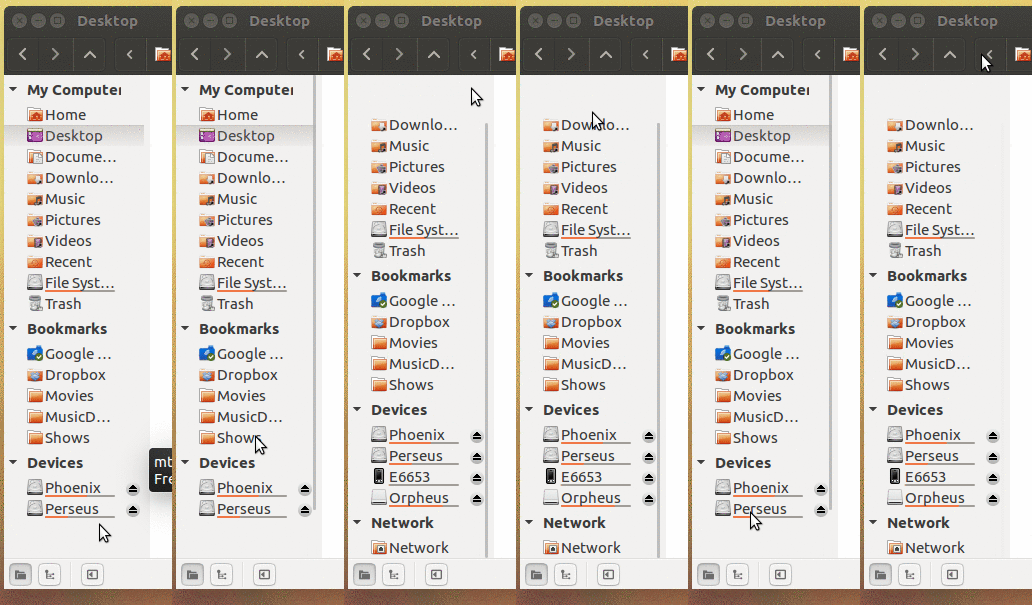
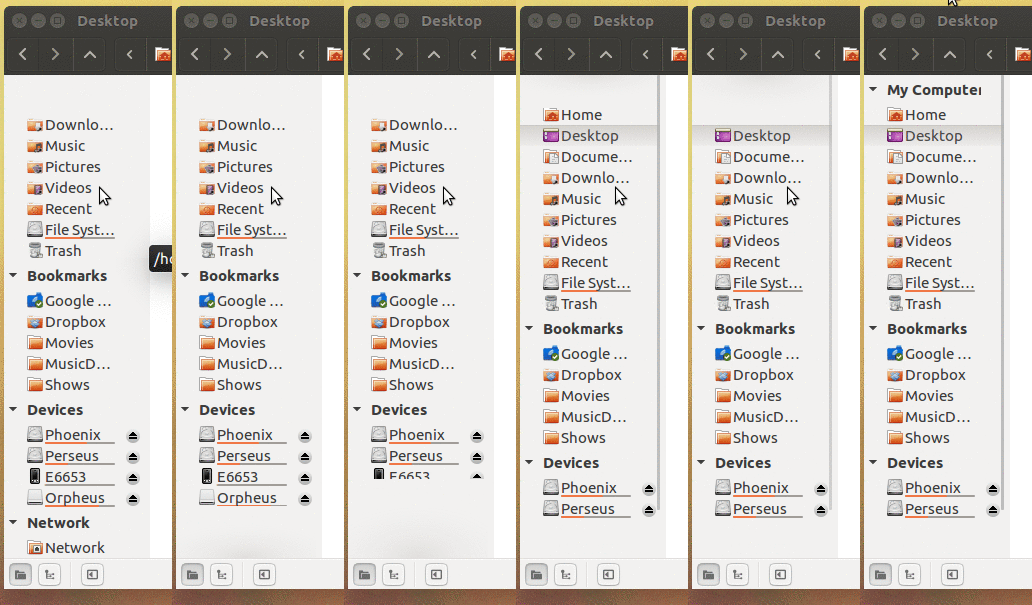
On previous versions, there was no blank square.
Steps to reproduce
It should be visible immediately, but scrolling makes it more obvious
Here's a GIF of how it looks when scrolling.
Expected behaviour
The blank areas shouldn't be there
Other information
I think something similar is happening with other themes, as reported in issue #1582 but that issue was closed since the blame was passed to the arc theme instead of nemo itself. The default Ambiance theme hasn't been updated, only nemo, so nemo is the one that broke it.
 fcastilloec
All 8 comments
Closing the issue without any explanation, or a comment or anything???????
Can somebody care to explain what's going on?
fcastilloec
on 18 Aug 2017
We don't care about issues caused by use outside of cinnamon!
 leigh123linux
on 18 Aug 2017
leigh123linux
on 18 Aug 2017
Oh! I see... I guess you have a point.... Sorry about that. I should have known before posting it
fcastilloec
on 18 Aug 2017
It actually looks like the theme has broken overshoot scroll
leigh123linux
on 18 Aug 2017
Yeah, I was going to mention that that usually means the GTK has a missing overshoot image...
 dominichayesferen
on 19 Aug 2017
dominichayesferen
on 19 Aug 2017
If this is using one of our themes then please say which one.
 brownsr
on 19 Aug 2017
brownsr
on 19 Aug 2017
@brownsr That looks like stock Ubuntu Ambiance...
dominichayesferen
on 19 Aug 2017
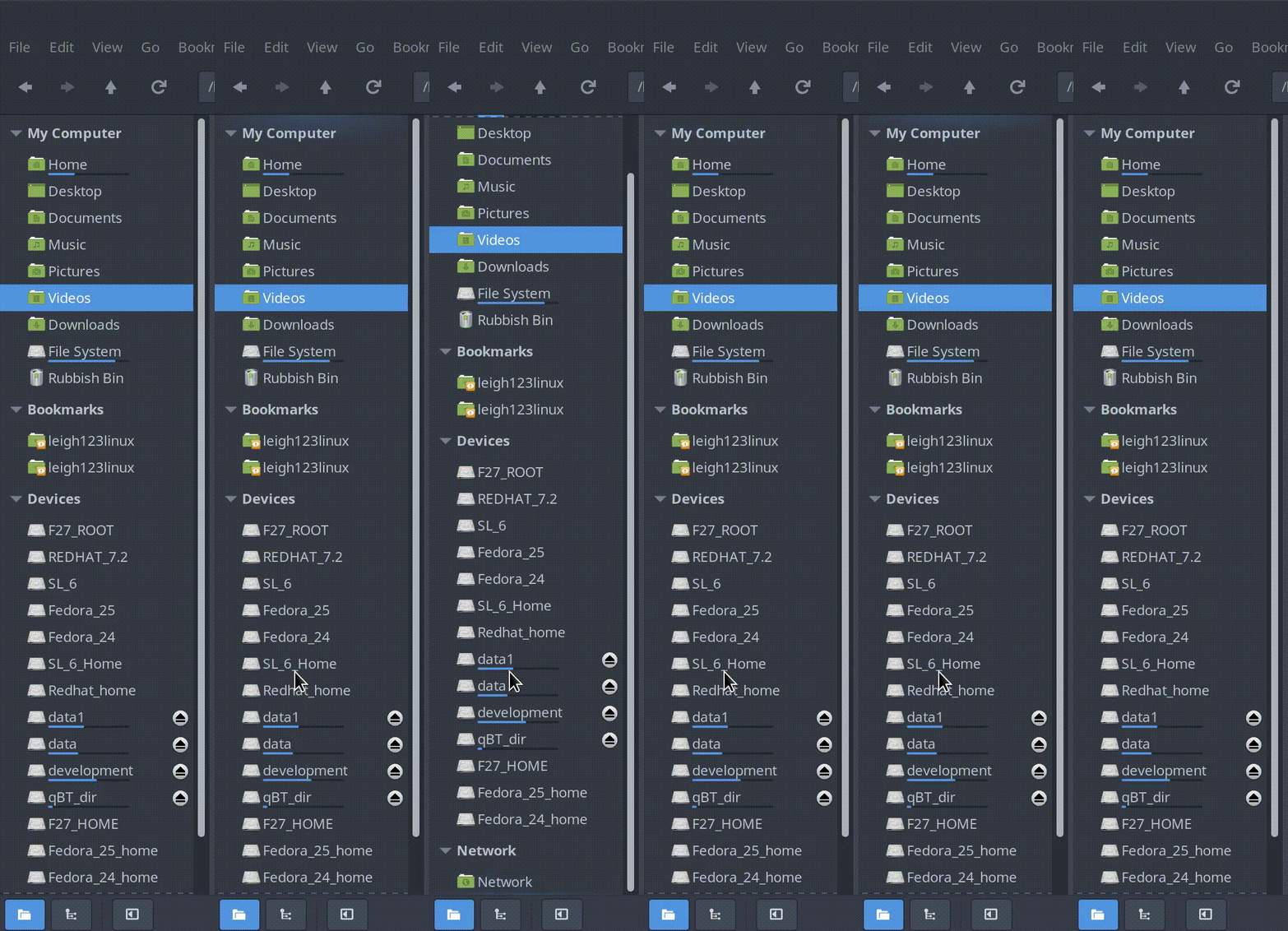
This is what the overshoot scroll is meant to look (arc-theme dark).
leigh123linux
on 19 Aug 2017
Related issues
 Hairybiker
·
5Comments
Hairybiker
·
5Comments
 memeplex
·
6Comments
memeplex
·
6Comments
 WhyNotHugo
·
6Comments
WhyNotHugo
·
6Comments
 mdogancay
·
3Comments
mdogancay
·
3Comments
 hiboudev
·
3Comments
hiboudev
·
3Comments
Most helpful comment
It actually looks like the theme has broken overshoot scroll
https://zoltanp.github.io/2017/06/gtk3-scroll-fix.html