Nativescript-plugin-firebase: Admob Error in preload interstitial (IOS)
I use admob in my app to show an interstitial.
Before I updated all my plugins Android and IOS build were ok.
IOS showed the interstitial, but Android didn't (there was an error in preload interstitial.
Then I updated all my plugins. I didn't change anything in my code.
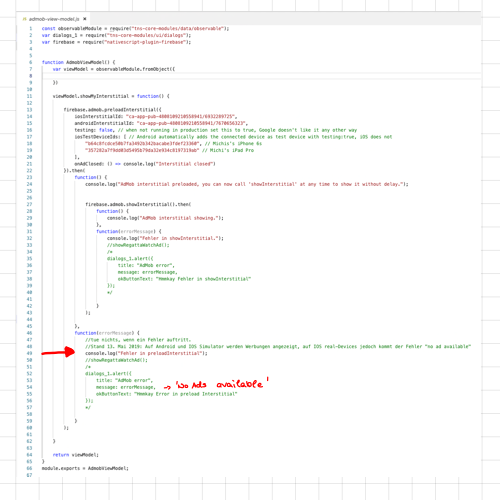
And suddenly Android worked, but IOS didn't any more. Now IOS throws an error in preload interstitial (_"Request Error: No ad to show"_).
I tried to reconstruct the situation in a test app.
Android build for this test app failed (I don't know why), but this isn't relevant for the IOS issue. On IOS it shows the same error as in my other app.
Here is the test app:
TestBeckmi.zip
I tried everything:
Remove nativescript-plugin-firebase.
Delete firebase.nativescript.json.
Reinstall plugin (several versions).
Nothing helps.
Any ideas? Thanks to everyone for help!
@EddyVerbruggen can you have a look on it? Please! I have already spent so much time on it ...
 Beckmi2
All 23 comments
Here is the last sidekick log file:
main_19-04-28_09-58-16.979.log
Beckmi2
on 28 Apr 2019
And this is the output from the device console:
_CONSOLE LOG file:///app/bundle.js:406:16: preload interstitial tapped
{"msg":"CLInternalGetAuthorizationStatus", "event":"activity"}
{"msg":"CLLocationManager", "event":"activity", "_cmd":"stopUpdatingLocation", "self":"0x282f67dd0"}
{"msg":"state transition", "event":"state_transition", "state":"LocationManager", "id":"0x282f67dd0", "property":"updatingLocation", "old":0, "new":0}
0x10bb9dc00 - DocumentLoader::startLoadingMainResource: Returning empty document (frame = 0x10ab82400, main = 0)
0x10250b770 - FrameLoader::loadURLIntoChildFrame: frame load started (frame = 0x109134240, main = 1)
0x10248e010 - FrameLoader::loadURL: frame load started (frame = 0x10ab82400, main = 0)
0x10248e010 - FrameLoader::loadWithNavigationAction: frame load started (frame = 0x10ab82400, main = 0)
0x10248e010 - FrameLoader::loadWithDocumentLoader: frame load started (frame = 0x10ab82400, main = 0)
0x10248e010 - FrameLoader::continueLoadAfterNavigationPolicy: can't continue loading frame due to the following reasons (frame = 0x10ab82400, main = 0, allowNavigationToInvalidURL = 1, requestURLIsValid = 0, navigationPolicyDecision = 1)
Task
Task
Task
Task
Task
Task
Task
0x10bb44e00 - DocumentLoader::startLoadingMainResource: Returning empty document (frame = 0x10bb86d00, main = 0)
0x10250b770 - FrameLoader::loadURLIntoChildFrame: frame load started (frame = 0x109134240, main = 1)
0x102556660 - FrameLoader::loadURL: frame load started (frame = 0x10bb86d00, main = 0)
0x102556660 - FrameLoader::loadWithNavigationAction: frame load started (frame = 0x10bb86d00, main = 0)
0x102556660 - FrameLoader::loadWithDocumentLoader: frame load started (frame = 0x10bb86d00, main = 0)
0x102556660 - FrameLoader::continueLoadAfterNavigationPolicy: can't continue loading frame due to the following reasons (frame = 0x10bb86d00, main = 0, allowNavigationToInvalidURL = 1, requestURLIsValid = 0, navigationPolicyDecision = 1)
_
Beckmi2
on 28 Apr 2019
I found out, that on IOS simulator the interstitial is shown correctly ... But on IOS real device there is still the error "No ad to show".
Beckmi2
on 29 Apr 2019
Hi, @Beckmi2, I just tested with npm run demo.ios in this repo on my physical iPad and that showed the interstitial just fine after preloading them.
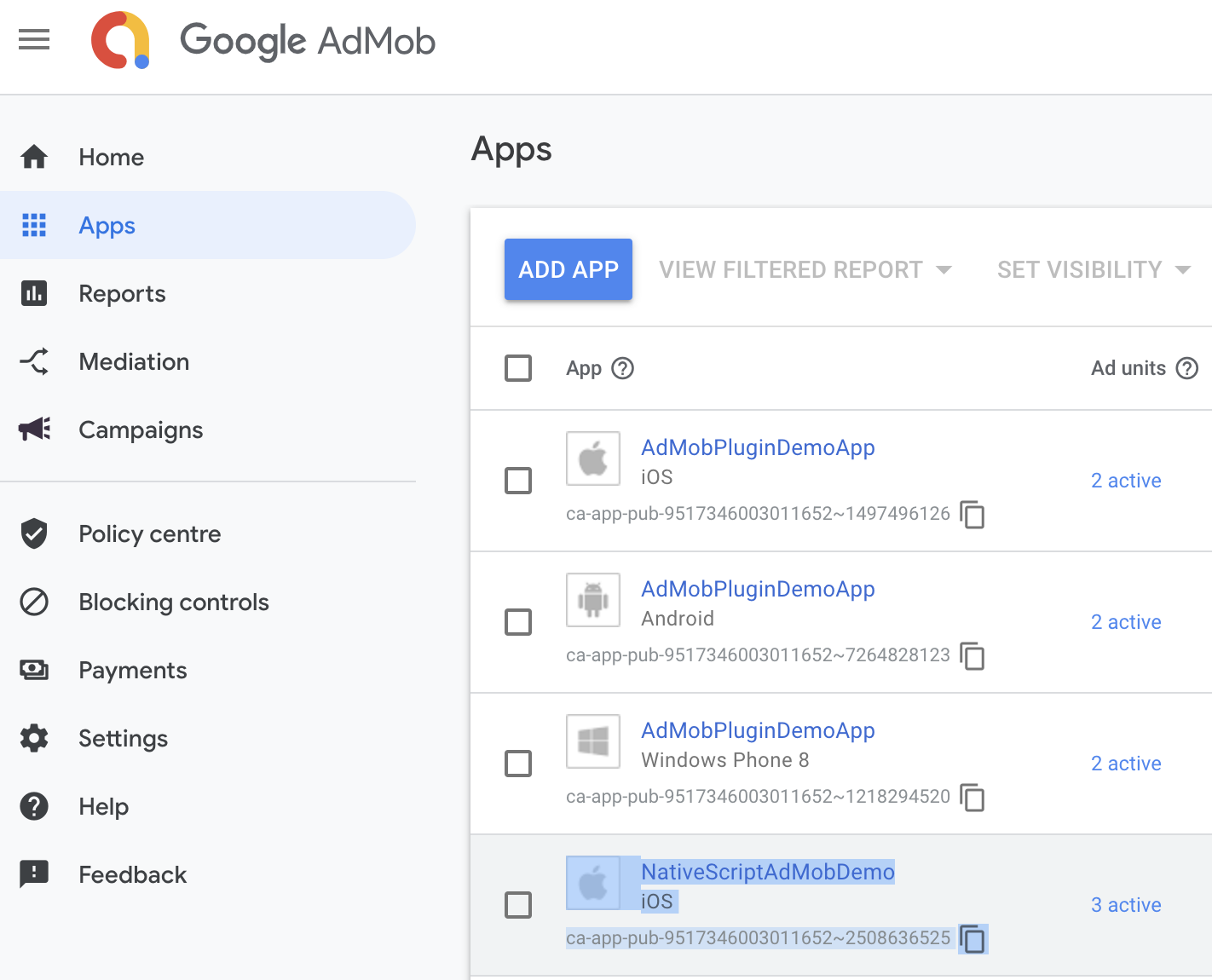
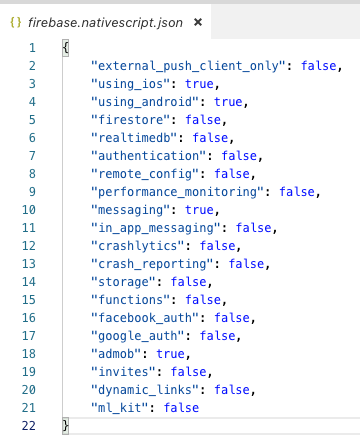
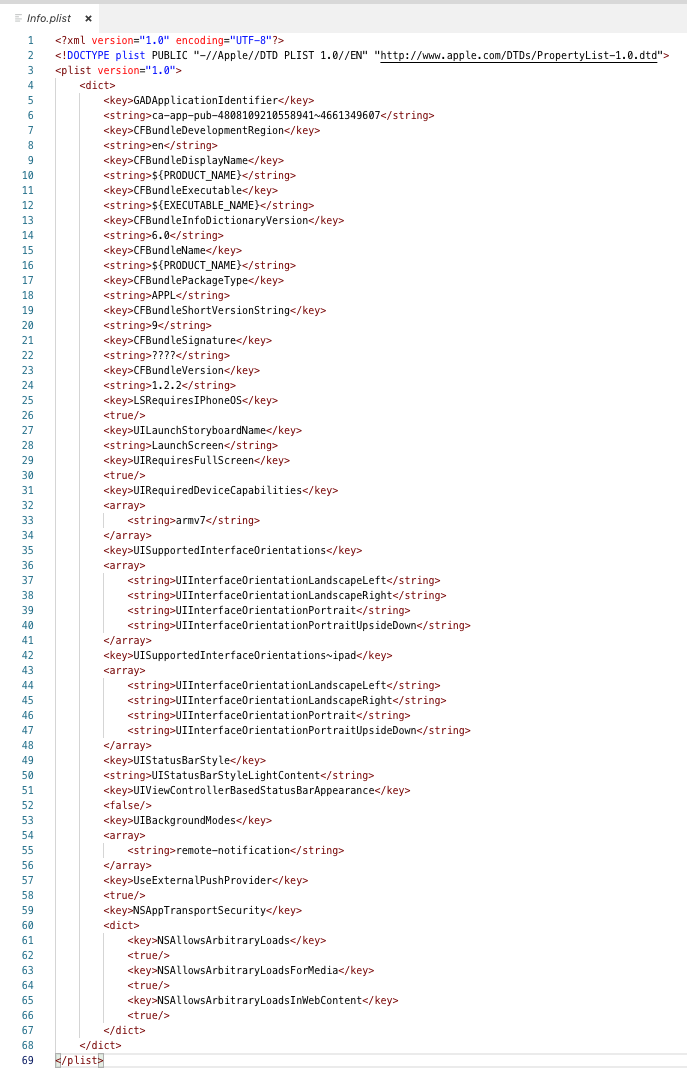
Can you confirm that ca-app-pub-4808109210558941~1166505885 is what you have at:
And ca-app-pub-4808109210558941/6577656800 is what you have at:
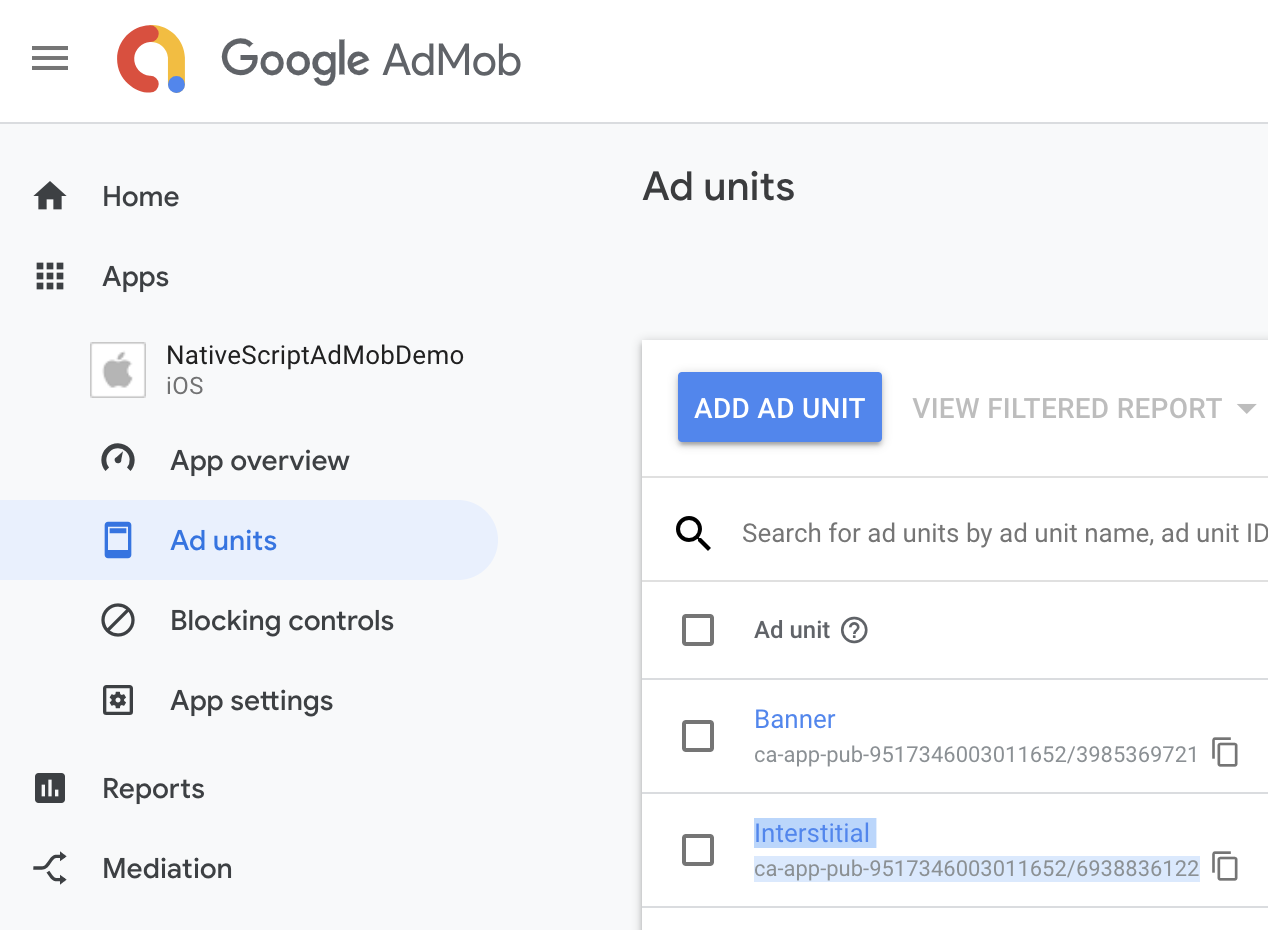
Double check that please, as I don't see anything wrong with your setup otherwise.
 EddyVerbruggen
on 30 Apr 2019
EddyVerbruggen
on 30 Apr 2019
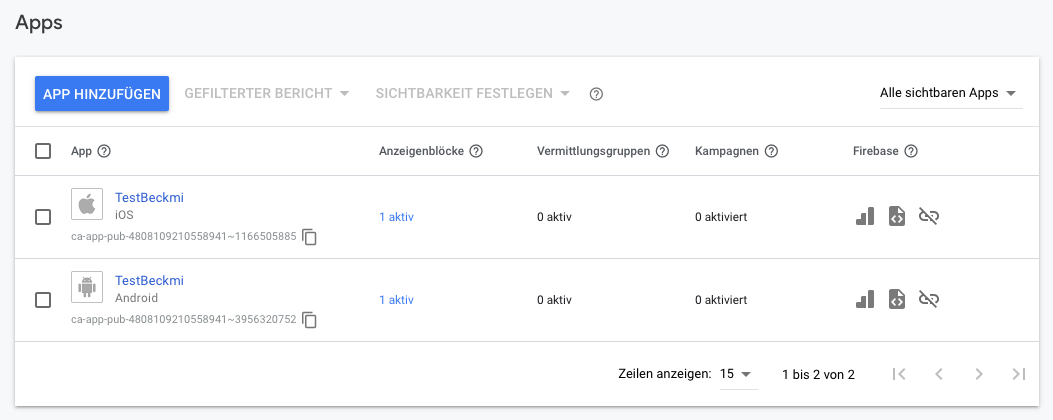
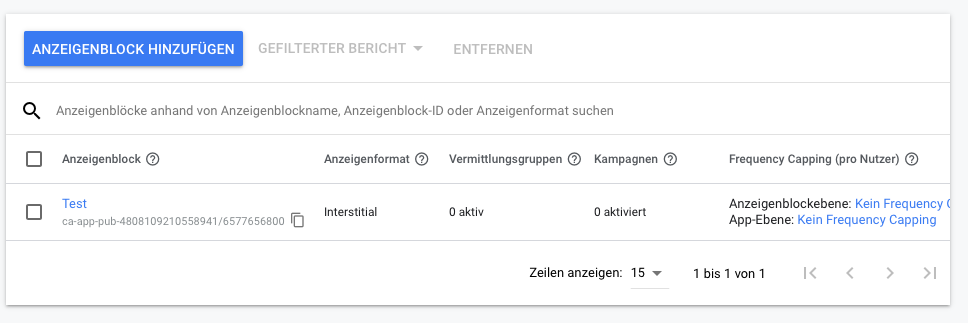
Yes, I can confirm:
Beckmi2
on 2 May 2019
Can you try a different device, or at least rebooting this one? There must be something wrong with the device because all your setup seems OK).
EddyVerbruggen
on 2 May 2019
I rebooted both my iPhone and my iPad. But it still doesn't work.
At the moment, I have no other device available ...
The deviceID for test-devices is the identifier, which is shown here, isn't it?

And, as I mentioned before: before I updated my plugins, ads on IOS device were shown correctly (same devices) ...
Beckmi2
on 2 May 2019
Yep, that ID looks fine. So I guess the only logical option left is to pinpoint which plugin update screwed things up for you..
EddyVerbruggen
on 2 May 2019
Oh no ... I know that ... that's hard work ;-)
Do you think, that the problem also exists on release version? Because on simulator all works fine.
Beckmi2
on 2 May 2019
There's only one way to find out.. I don't have the issue, so it's just guessing.
EddyVerbruggen
on 2 May 2019
@EddyVerbruggen
After rebooting my device there was a real mess. Nothing worked. And I got a shock.
Today, aber some days, I tried again. And everything worked like before. Everything but showing ads.
So I will spend some time to find out which plugin causes the problem as you suggested.
And I will report.
Thanks for your help so far! I hope I will be able to solve this problem soon.
Beckmi2
on 7 May 2019
Now it's two weeks later. I ignored the problem and released my app (not the test app, but my 'real' app 'Protest' both on IOS and Android on the stores.
And on both platforms there are no ads shown ...
Beckmi2
on 20 May 2019
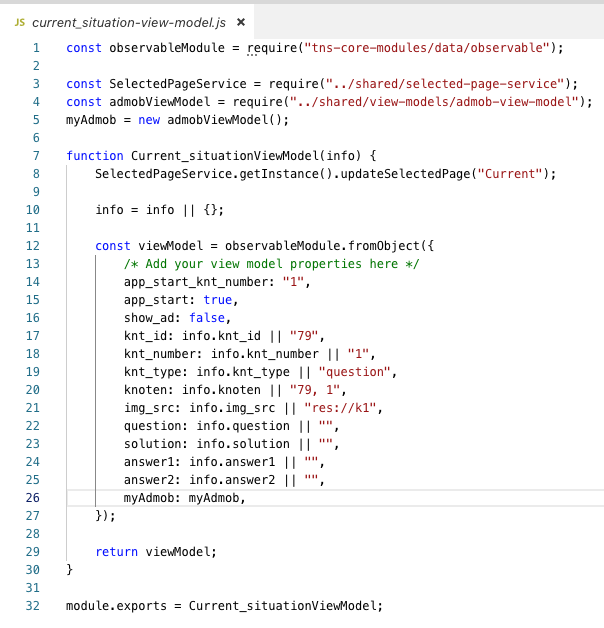
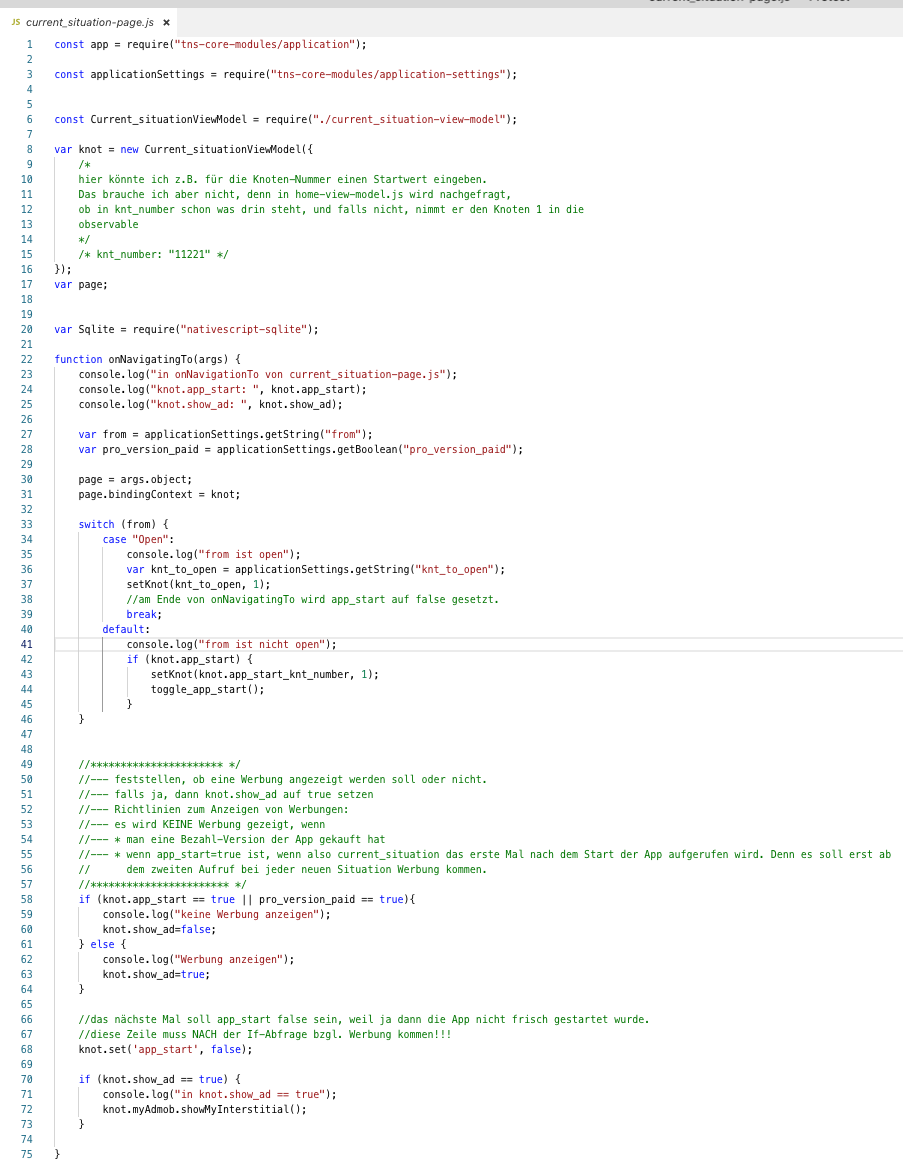
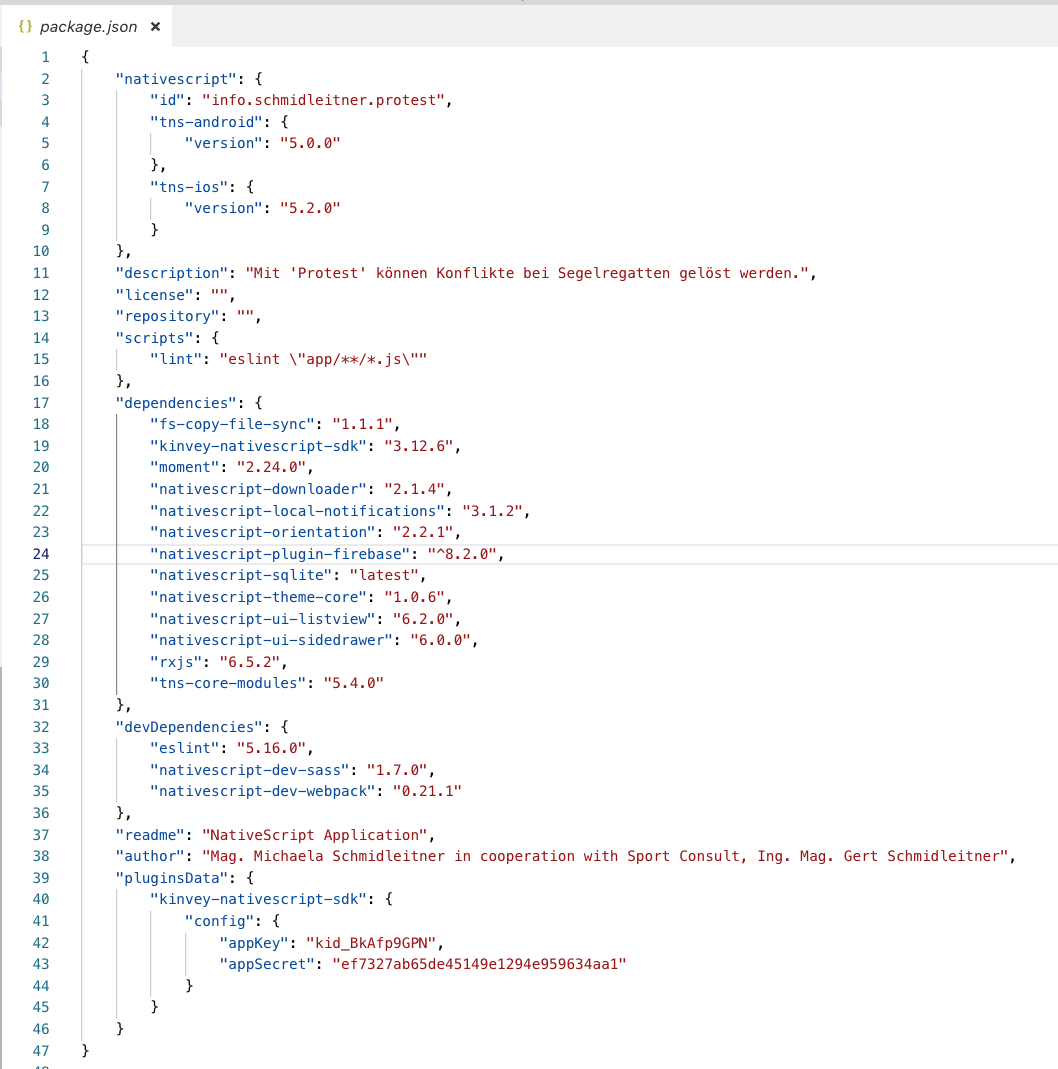
I summarise the issue:
Before Plugin-Update: Testing on IOS on real device worked, but not on Android ('no ads available'-message)
After Plugin-Update: Testing on IOS real device didn't work any more ('no ads available'-message),
Testing on IOS simulator worked fine and on Android real device worked also fine.
Release: Ads don't work neither on IOS nor on Android.
After
Beckmi2
on 20 May 2019
Beckmi2
on 20 May 2019
Beckmi2
on 20 May 2019

Beckmi2
on 20 May 2019
Beckmi2
on 20 May 2019
Beckmi2
on 20 May 2019
Beckmi2
on 20 May 2019
Beckmi2
on 20 May 2019
Android Release Build.
Thats's what device control in sidekick is showing:

Beckmi2
on 22 May 2019
In the meantime I changed some versions (Nativescript cli, tns-ios, tns-android, and - without changing anything in the code, IOS works fine. Android still doesn't work ...
My current versions are:

@EddyVerbruggen Which version-mix do you use or recommend?
Beckmi2
on 6 Jun 2019
Some further weeks passed and - without changing anything in the code the interstitial work fine now both on iOS and Android ...
So I close this issue now ...
Beckmi2
on 7 Aug 2019
Related issues
EddyVerbruggen
·
3Comments
 Aceman18
·
3Comments
Aceman18
·
3Comments
 andrewexton373
·
4Comments
andrewexton373
·
4Comments
 NickIliev
·
3Comments
NickIliev
·
3Comments
 romandragan
·
3Comments
romandragan
·
3Comments