Nativescript-plugin-firebase: Crashlytics install/setup not showing on firebase dashboard
Hi,
I have been trying to add crashlytics to my app, I've followed the guide in the docs folder.
However when I go onto my firebase dashboard I’m still stuck with the Crashlytics install wizard.

I've tried following the firebase process by installing Fabric and working through that process but it never manage to get it to detect the app?

I've looked around and found a forum post from last year (https://discourse.nativescript.org/t/adding-crashlytics-to-nativescript-app/5843) with a similar issue that didn't seem to get resolved.
I'm not sure whether to follow the docs here or try to get Fabric working? and if I follow the docs here what do I do about the install wizard in the firebase console?
Thanks for your help!
 Aceman18
All 3 comments
AFAIK you need to select "This app is new to Crashlytics", and press "Next". Then the screen changes to something like "waiting for your first crash report". Then produce a crash, and it can easily take a day before that screen changes (later data comes in much quicker).
 EddyVerbruggen
on 17 Jan 2019
EddyVerbruggen
on 17 Jan 2019
Ok great, I've done that and it tells you to go to the docs:
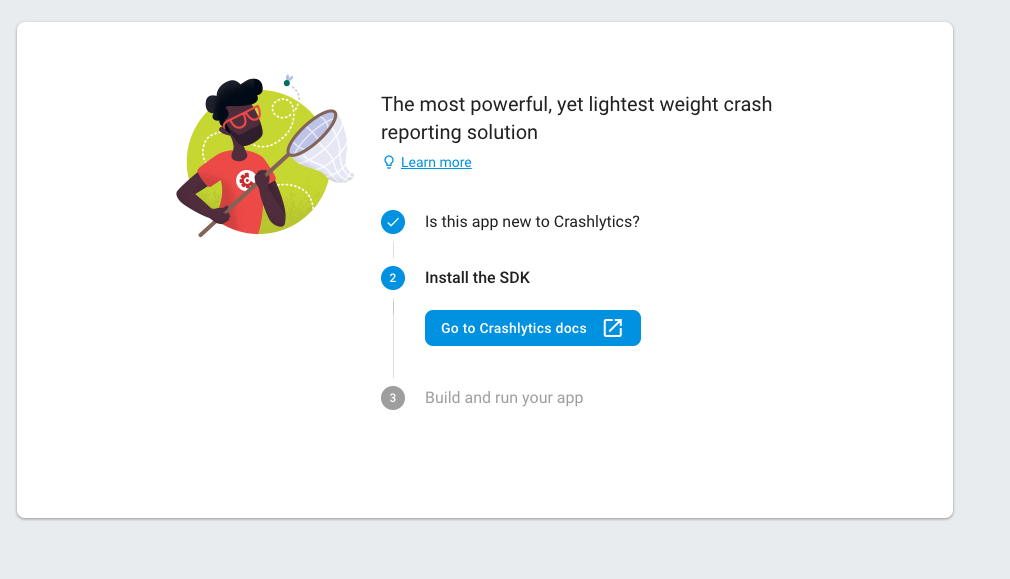
Previously when I tried that option I never clicked on the link to go to the docs as I already had it open in another tab in my browser.
However, after clicking the link it takes you onto the third step that i never saw:
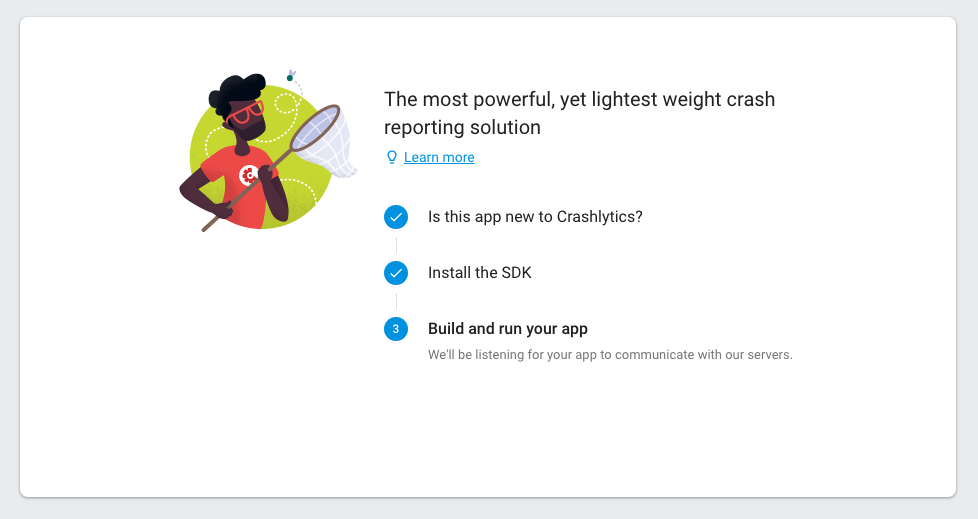
My mistake for not clicking that button and just going to another tab!
Thanks for your help, I've added some code that forces an error so hopefully I will see that in the next day or so.
Aceman18
on 17 Jan 2019
After many months without any logs on crashlytics, your solution finally worked for me !!!
Thanks @EddyVerbruggen
Maybe you should mention it to the documentation 👍
 GrEg00z
on 25 Feb 2019
GrEg00z
on 25 Feb 2019
Related issues
 tactusoft
·
3Comments
tactusoft
·
3Comments
 jlooper
·
3Comments
jlooper
·
3Comments
 NNieto
·
4Comments
NNieto
·
4Comments
 thunder413
·
3Comments
thunder413
·
3Comments
 romandragan
·
3Comments
romandragan
·
3Comments