Nativescript-angular: Conditionally apply global styles.
Hello.
I can't find a way to conditionally apply global styles to the app.
I've tried the approach with dynamic class in app.component, but it works only for the first page.
I need it enable offline mode. For example, I want to change background-color for action bar.
 trunkovich
All 15 comments
if you are using nativescript with angular than you can use "[ngClass]" directive of angular to add classes on elmenets at some valid conditions.
 bhavincb
on 6 Mar 2018
bhavincb
on 6 Mar 2018
@bhavincb I need to apply it globally. But even if I set class for app-component host - it will apply to the first page only.
trunkovich
on 6 Mar 2018
@trunkovich
In NativeScript, the app.css file is where you place CSS rules that you would like to apply to your entire application. if you want to use some style over entire application globally.
then define some classes in app.css file and use that classes whenever you want to apply styles.
also if you want apply styles only when some conditions met then use [ngClass] directives
bhavincb
on 6 Mar 2018
@bhavincb
I need both global and conditionally.
When the app goes offline, I want to change, for exapmle, all text colors and all action-bar background-color.
Even when I use HistBinding
@HostBinding('class.offline') isOffline = false;
in app.component it will work. But if I navigate to next route it will stop work(because it is different Pages, and they are siblings to original Page.)
trunkovich
on 9 Mar 2018
https://play.nativescript.org/?template=play-ng&id=yot0oo&v=2
in above playground code in app.css file .bgRed class is defined. which will be used in home component when connectivity goes off text background color will be change to red.
bhavincb
on 9 Mar 2018
@bhavincb Here is your example with second module:
https://play.nativescript.org/?template=play-ng&id=yot0oo&v=4
As I said, I need to change styles globally.
trunkovich
on 10 Mar 2018
@bhavincb
Here is better approach. We set class in app.component using HostBinding.
https://play.nativescript.org/?template=play-ng&id=yot0oo&v=7
But it is applied to the first opened page only.
Event if we navigate home(this home page will have offline class applied) -> test -> home(this home page will not have offline class applied).
trunkovich
on 10 Mar 2018
Setting this class for each navigatable component doesn't sound like a good plan.
trunkovich
on 10 Mar 2018
@trunkovich i'm not getting what are trying to accomplish here.
you only asked about I can't find a way to conditionally apply global styles to the app.
https://play.nativescript.org/?template=play-ng&id=yot0oo&v=8
as u can see we can use 'bgRed' css class conditionally in second module also.
I need it enable offline mode. For example, I want to change background-color for action bar.
for this u can build custom component in which use above method to add css class when offline and use that component where you need it.
bhavincb
on 11 Mar 2018
HI @trunkovich,
Did you manage to solve your case or you still have some issues with the styling in a NativeScript Angular app?
 tsonevn
on 22 Mar 2018
tsonevn
on 22 Mar 2018
Hello, @tsonevn
Unfortunately, I didn't find a way to conditionally apply global styles for the application.
I have to apply styles for each component. That's not what I expect.
trunkovich
on 22 Mar 2018
Hi @trunkovich,
When you create an NS Agular application with our default template, you should have an app.css file
As @bhavincb already mentioned you could use it for adding CSS style, which will be applied to all components.
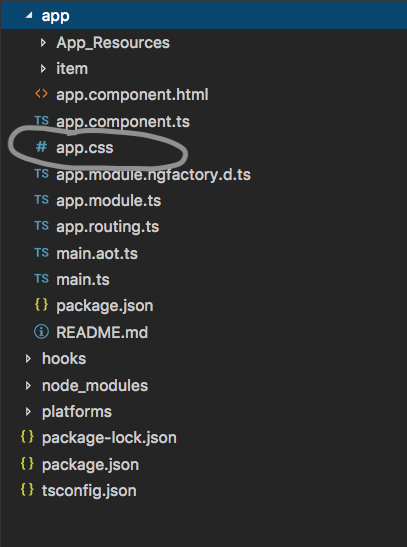
However, it would help if you send us your project or sample one, which could be used for debugging. Also provide more info about your environment (CLI, node, npm tns-core-modules, tns-ios, tns-android, nativescript-angular versions).
tsonevn
on 23 Mar 2018
@tsonevn @bhavincb guys, you just don't want to understand what I mean.
I have 2 years experience in Angular with 5th finished production projects.
I don't need your explanation about common global styles.
But I do need some idea about how to CONDITIONALLY set GLOBAL styles in one place(I don't want to set it for each component).
For example, I know how to check if the app goes offline. In this case, I want to set global styles for the application(Only if it goes offline, and return all styles back when it is online again).
I've tried to set it using @HostBinding('class.offline') in app.component. But it applies to the first page only. If I navigate to the other page - it will stop working.
trunkovich
on 23 Mar 2018
hii @trunkovich ,
please also attach sample code or project to your explanation.
bhavincb
on 23 Mar 2018
@trunkovich Hi Michael. I needed a similar solution to support different screen sizes and changing screen orientation in a Nativescript/Angular solution. I ended up thinking along similar lines to you, however in my case the following worked dynamically:
In app.component.html:
<page-router-outlet [class]="globalCss"></page-router-outlet>
In app.component.ts (fill in the blanks to suit your environment):
export class AppComponent {
    constructor(private appState: MyAppStateService) {
    }

    get globalCss() {
       return this.appState.isOnline ? "onlineMode" : "offlineMode";
    }
}
Hope this helps! (NOTE: Tested only on Android)
 bryce-marshall
on 12 May 2018
bryce-marshall
on 12 May 2018
Related issues
 samuelvisscher
·
3Comments
samuelvisscher
·
3Comments
 VladimirAmiorkov
·
3Comments
VladimirAmiorkov
·
3Comments
 Sulman633
·
3Comments
Sulman633
·
3Comments
 EricRobertBrewer
·
3Comments
EricRobertBrewer
·
3Comments
 sarvagayatri
·
3Comments
sarvagayatri
·
3Comments