Multi-account-containers: Keyboard shortcuts override
🚨🚨🚨 If you're having issues with keyboard shortcuts, see this comment on how to override and remote add-on shortcuts.
_Original issue title: New keyboard shortcuts conflicts with the Firefox Profiler shortcuts_
- Multi-Account Containers Version: 7.0.1
- Operating System + Version: Linux
- Firefox Version: Nightly
- Other installed Add-ons + Version + Enabled/Disabled-Status:
The new default keybindings for opening new tabs conflicts with the ones used by the Firefox Profiler. The bindings (in Linux) are Ctrl+Shift+1 and Ctrl+Shift+2, which will record and capture a profile, respectively.
When this addon is installed, it will hijack the keybindings, so that when I want to record and capture, I'll instead get new tabs opened.
 brisad
All 5 comments
@brisad If you go to the add-on preferences in about:addons[1], you can modify the keyboard shortcuts, including disabling them by selecting "none" for that offending shortcut.
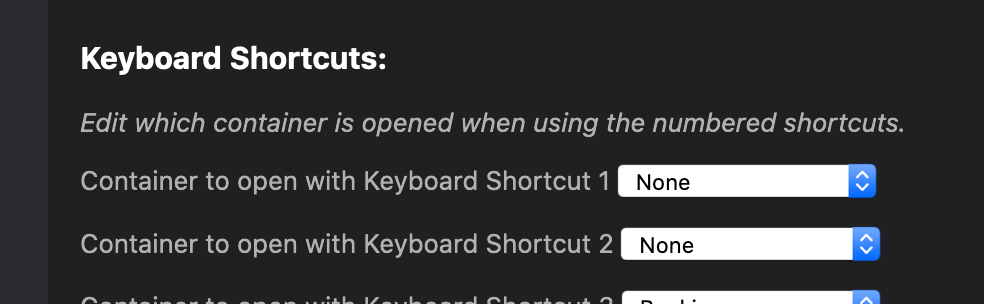
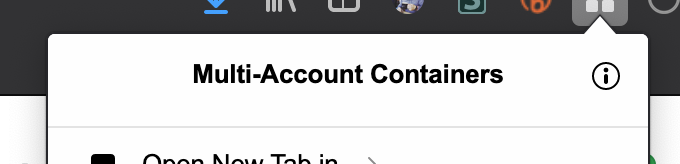
[1]To open the preferences, click the ℹ️ icon in the top-right corner of the panel)
 maxxcrawford
on 17 Jul 2020
maxxcrawford
on 17 Jul 2020
Switching e.g. to ⌥⌘Number works. Question though is, wether default should be changed for macOS (and as indicated by this report linux), as all users will run into this conflict.
 foss-
on 17 Jul 2020
foss-
on 17 Jul 2020
@maxxcrawford Thanks for your response! Alas, your suggested change does not resolve the problem.
Indeed, that was the first thing I tried when I was hit with this problem. Selecting "None" for the first two shortcuts will stop the addon from opening new tabs, but it still blocks the shortcuts from reaching the Firefox profiler. So that will only cause the shortcuts to do nothing.
What I had to do was to go to Github and search around, until I found https://github.com/mozilla/multi-account-containers/issues/1784#issuecomment-657001633. That explains that I need to go one level deeper in the settings to "Manage Extension Shortcuts" and unbind the shortcuts there.
So for me personally, this issue is resolved. But I filed this issue for future users, thinking that the user experience can be improved if they would run into the same problem. That wasn't clear from my description, sorry about that.
I'm thinking that one or more of these suggestions could be appropriate to mitigate the problem:
- Use other default shortcuts which don't conflict.
- Make it discoverable in the UI on how to re/unbind the shortcuts.
- Inform the user that the default bindings of the addon override shortcuts for built in functionality, for instance in the onboarding panels.
But as I said, the issue is resolved for me and the above are just suggestions :-)
brisad
on 17 Jul 2020
@brisad Ahh! Thanks for the follow-up. I pinned this issue to highlight this fix.
maxxcrawford
on 17 Jul 2020
To remove/override any keyboard shortcut:
- Go to
about:addons - Click on the gear in the top -right corner
- Click "Manage Extension Shortcuts"
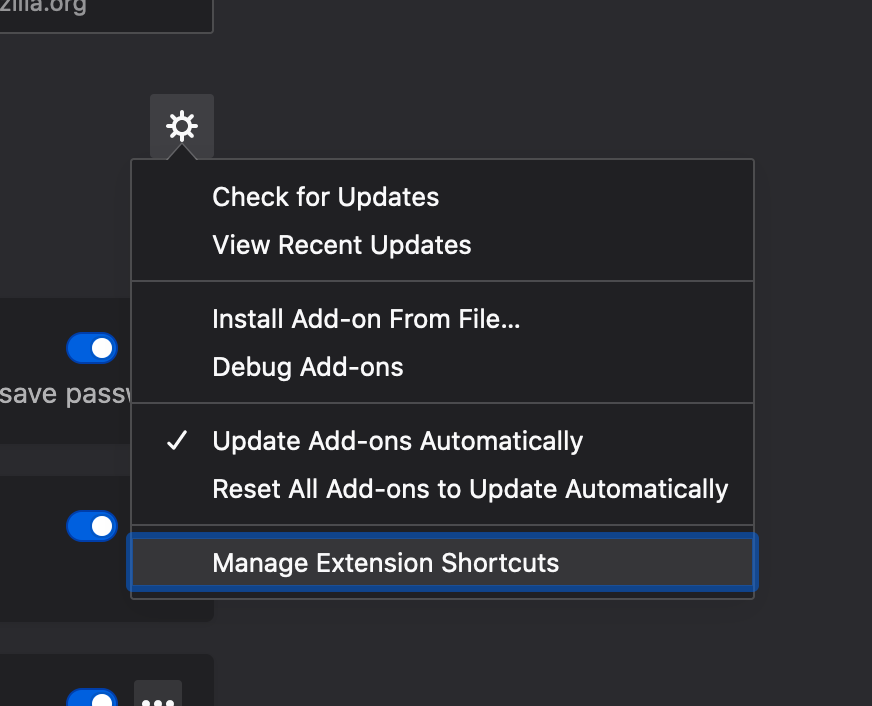
Once on the Add-ons Manager page, you can delete/update any shortcuts that are defined for any extension.

If you want to update which number goes to which container, do the following:
- Go to the add-on preferences in
about:addons[1]
[1]To open the preferences, click the ℹ️ icon in the top-right corner of the panel)
maxxcrawford
on 17 Jul 2020
Related issues
 anbenson
·
3Comments
anbenson
·
3Comments
 emyarod
·
3Comments
emyarod
·
3Comments
 bcb44
·
4Comments
bcb44
·
4Comments
 brettcurrie346
·
3Comments
brettcurrie346
·
3Comments
 o-l-a-v
·
4Comments
o-l-a-v
·
4Comments
Most helpful comment
To remove/override any keyboard shortcut:
about:addonsOnce on the Add-ons Manager page, you can delete/update any shortcuts that are defined for any extension.
If you want to update which number goes to which container, do the following:
about:addons[1][1]To open the preferences, click the ℹ️ icon in the top-right corner of the panel)