Multi-account-containers: [Windows] A part of the current tab's title is wrongly displayed in the "Edit Containers" panel, after you move the window while the edit panel is open
[Affected versions]:
- Multi-Account Containers 6.0.0
- Firefox 59.0.1 and above
[Affected Platforms]:
- All Windows
[Prerequisites]:
- Have a Firefox profile with the latest "Multi-Account Containers" add-on version (6.0.0) installed.
[Steps to reproduce]:
- Open the browser with the profiles from prerequisites, navigate to https://brightside.me/ and click the "Multi-Account Containers" button from the browser toolbar.
- Click the "Edit Containers" button and move the window.
- Click again the add-on toolbar button and click the "Edit Containers" button.
- Observe the edit panel.
[Expected result]:
- The edit panel is correctly displayed.
[Actual result]:
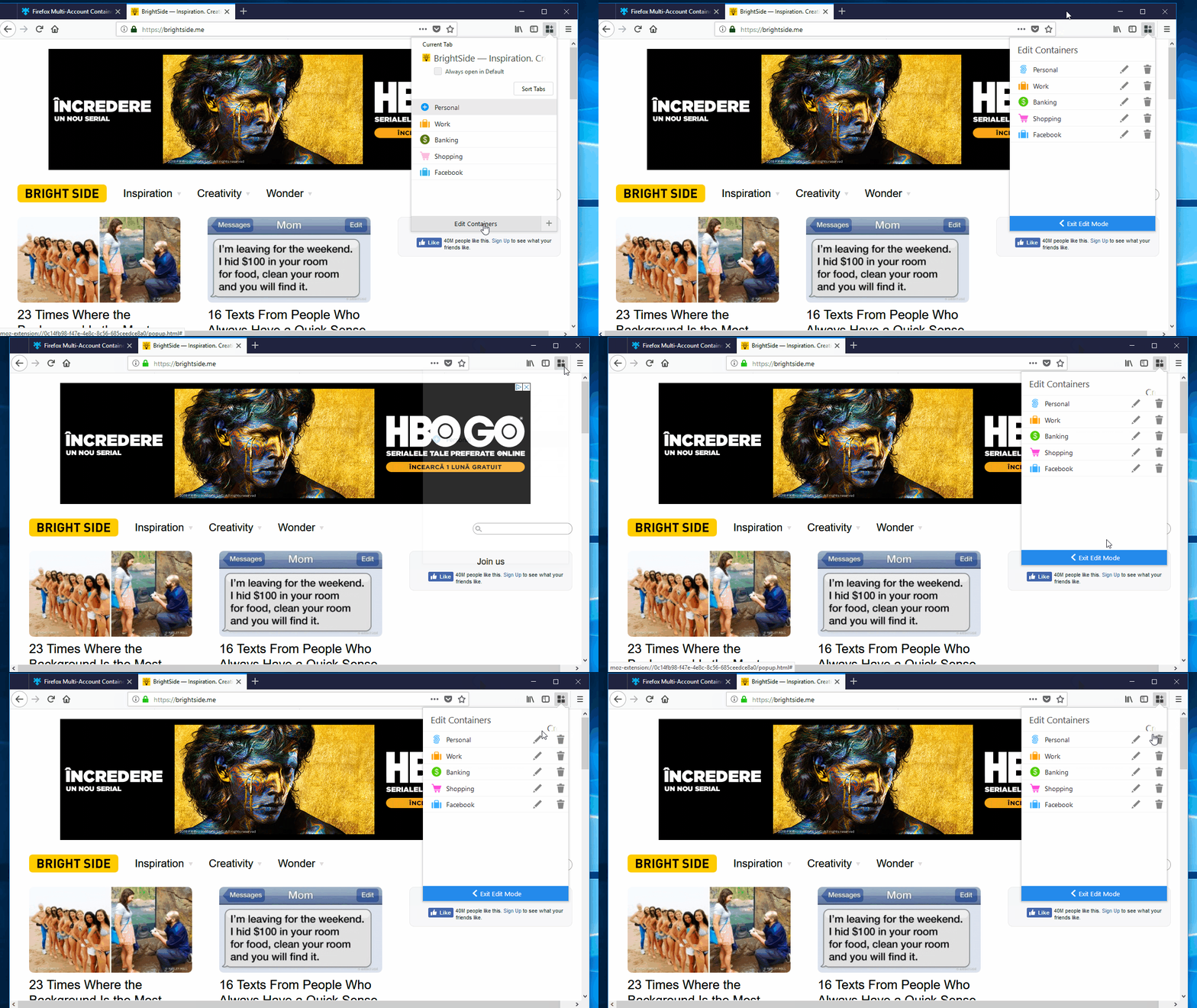
- A part of the current tab's title is wrongly displayed above the containers list.
[Notes]:
- You might need to repeat several times steps 2 & 3 to encounter this issue.
- Here is a screen recording of the issue:
 Softvision-CristinaBadescu
All 2 comments
@Softvision-CristinaBadescu I tried this many times by changing the window location and trying clicking edit button several times, but I couldn't reproduce this error.
 Paarmita
on 23 Sep 2018
Paarmita
on 23 Sep 2018
👍1
Unable to reproduce; this seems to be fixed now.
 groovecoder
on 24 Sep 2018
groovecoder
on 24 Sep 2018
👍1
Was this page helpful?
0 / 5 - 0 ratings
Related issues
 o-l-a-v
·
4Comments
o-l-a-v
·
4Comments
 jnachtigall
·
5Comments
jnachtigall
·
5Comments
 budhajeewa
·
4Comments
budhajeewa
·
4Comments
 anbenson
·
3Comments
anbenson
·
3Comments
New tab links are opened in foreground (tab is focused), even when Firefox set to open in background
 nekromoff
·
3Comments
nekromoff
·
3Comments