Msteams-docs: Android Teams app: App Permissions missing
Hi.
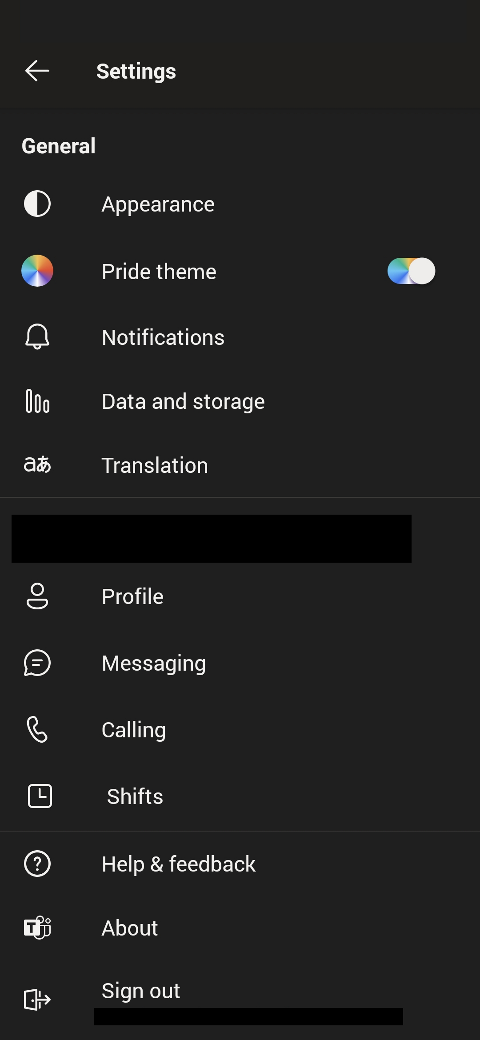
The menu for App Permissions is missing on thecurrent Teams-app on Android.
App-version: 1416/1.0.0.2021063702/0602
Android-version: 10
3305 looks like the same exact problem , but for iOS in that case.
Following the docs on requesting permissions for apps on Request device permissions for your Microsoft Teams app.
- Any attempts to request camera using selectMedia throws Error Code 1000 PERMISSION_DENIED.
- There are no user prompts displayed.
- The app manifest contains
"devicePermissions": ["media"].
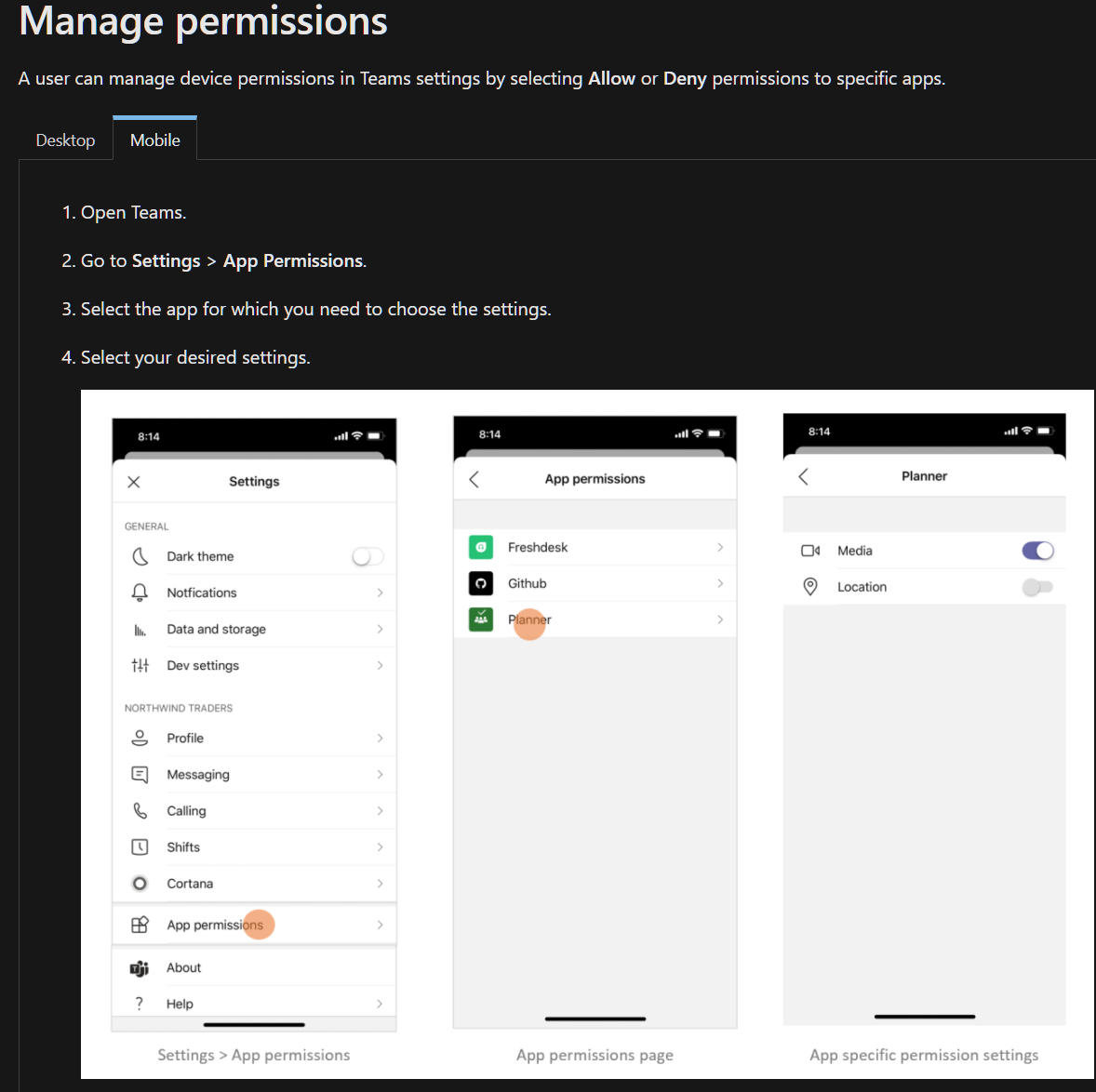
The docs display the settings like this:
No App Permissions present on this version:
 oyvindam
All 5 comments
Hi oyvindam! Thank you for bringing this issue to our attention. We will investigate and if we require further information we will reach out in one business day. Please use this link to escalate if you don't get replies.
Best regards, Teams Platform
![msftbot[bot] picture](https://avatars.githubusercontent.com/in/26612?v=4&s=40) msftbot[bot]
on 11 Jun 2021
msftbot[bot]
on 11 Jun 2021
Hi @oyvindam - Thanks for bringing up this issue. I am able to reproduce the issue. We will raise a bug and will inform you.
 Mamatha-MSFT
on 14 Jun 2021
Mamatha-MSFT
on 14 Jun 2021
@oyvindam - I have raised a bug for this issue and concerned engineering team is working on this.
Mamatha-MSFT
on 14 Jun 2021
An update on this from my end:
Requesting camera using selectMedia/captureImage now works fine on version 1416/1.0.0.2021074803/0613.
User is prompted to give permissions and the in-app camera works as expected.
The app permissions menu is still missing, but that may have been removed by design afaik.
oyvindam
on 26 Jun 2021
@oyvindam - The concerned engineering team is working on this. We will update you if the issue gets resolved. Currently we don’t have any ETA to share.
Mamatha-MSFT
on 29 Jun 2021
Related issues
 assarbad
·
7Comments
assarbad
·
7Comments
 paulconlin
·
5Comments
paulconlin
·
5Comments
 dbalabka
·
3Comments
dbalabka
·
3Comments
 DamienDoumer
·
7Comments
DamienDoumer
·
7Comments
 camiloxs
·
6Comments
camiloxs
·
6Comments