Msteams-docs: MS Teams Connector Webhook URLS not working
This is basically what i am getting as addressed in a previous issue
https://github.com/MicrosoftDocs/msteams-docs/issues/344
I am having that exact same issue with the webhook URL not being valid. Has this issue resurfaced?
Update
I was following this article - https://docs.microsoft.com/en-us/learn/modules/msteams-webhooks-connectors/7-exercise-o365-connectors
Step 1 - Created the connector and side loaded the connector into teams available for tenant.
Step 2 - Added the connector to a team
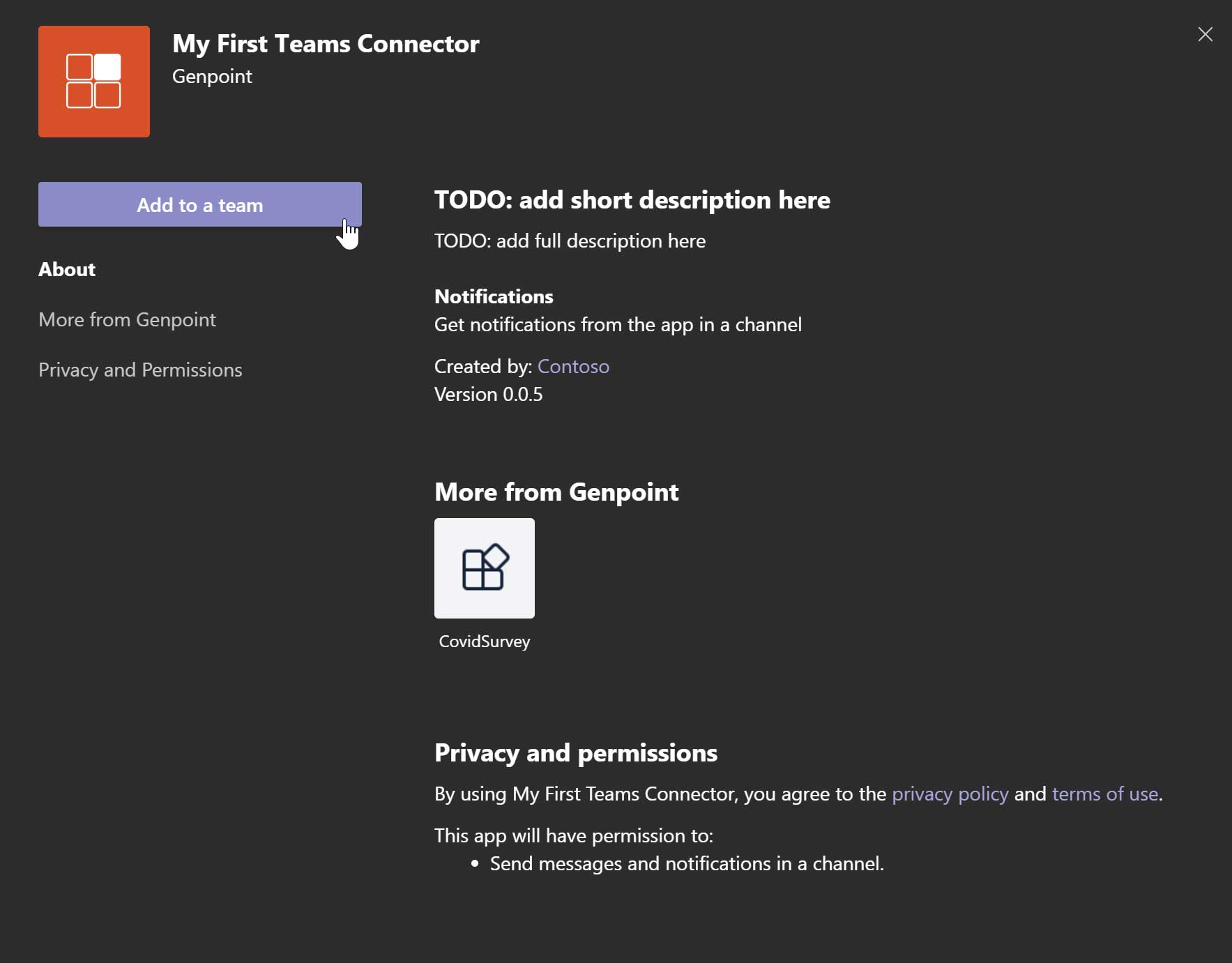
Step 3 - Configure Connector - this is were I get an error, but it still saves the webhook, which is the important part.

Step 4 - Connector added to my test team - good so far
Step 5 - Get ngrok url for postman
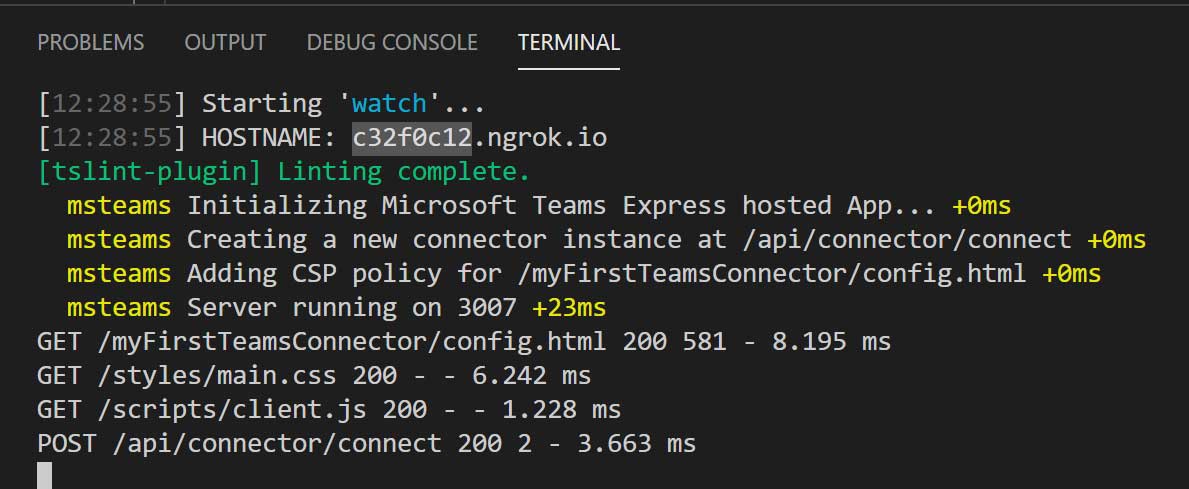
Step 6 - Send ngrok a get command with paytload as per article. Payload submitted/accepted.
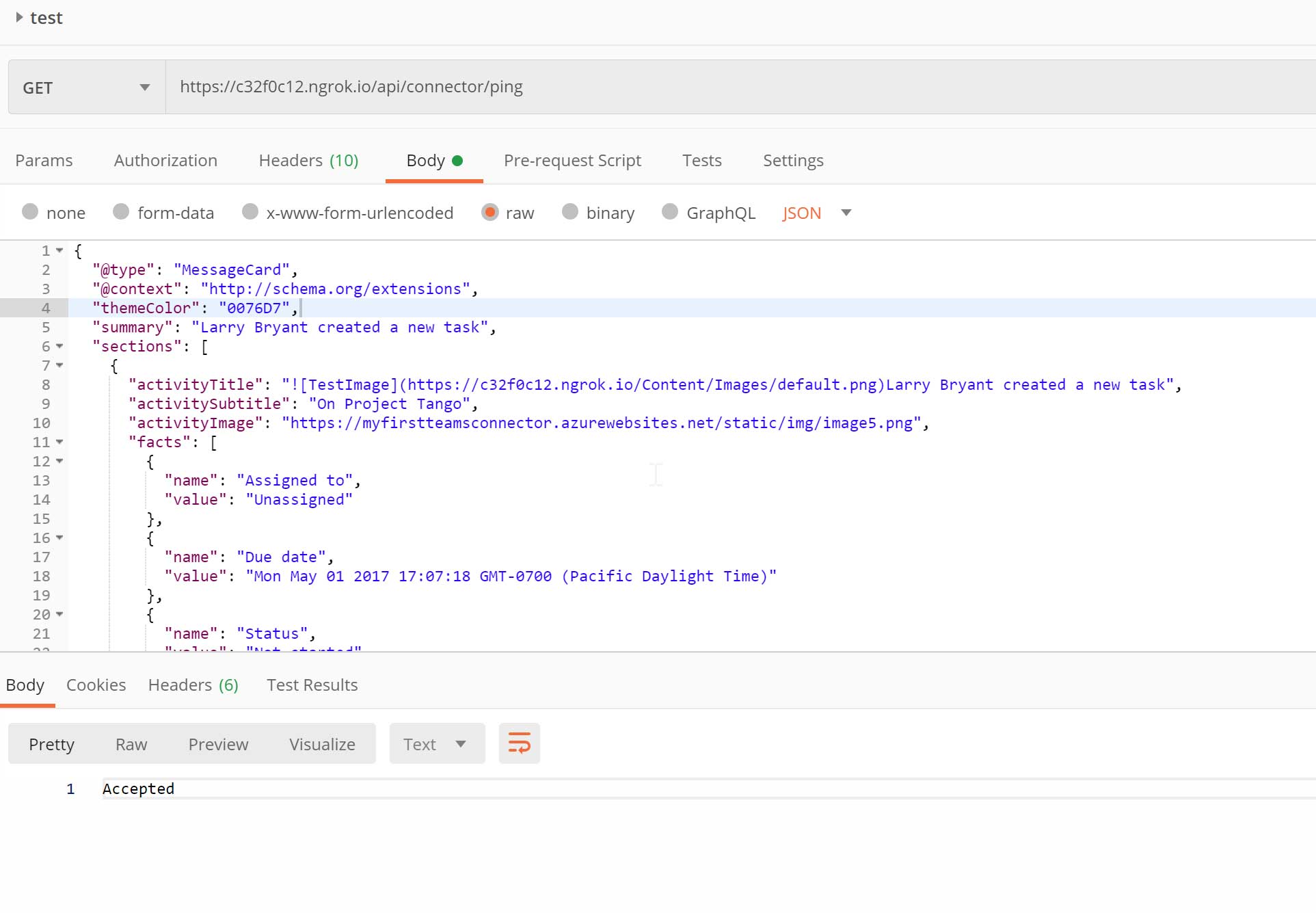
Step 7 - Error - 410 appears - bad webhook url?

I am not sure why this is happening? Any idea?
 warren-genpoint
All 25 comments
Hi warren-genpoint! Thank you for bringing this issue to our attention. We will investigate and if we require further information we will reach out. Best regards, Teams Platform
![msftbot[bot] picture](https://avatars.githubusercontent.com/in/26612?v=4&s=40) msftbot[bot]
on 7 May 2020
msftbot[bot]
on 7 May 2020
@warren-genpoint There are multiple issues reported on the issue you referred. Could you please be more specific about the issue you are facing?
 Gousia-Begum
on 7 May 2020
Gousia-Begum
on 7 May 2020
@Gousia-MSFT I updated my post, to be more specific. But basically the webhook URL i get from the connector gives me a 410 Gone error.
warren-genpoint
on 7 May 2020
@warren-genpoint Could you please share your manifest file with us?
Gousia-Begum
on 11 May 2020
@warren-genpoint Could you please share your manifest file with us?
Hi,
This is the one I download from the connector dashboard (Sideload Connector to Teams).
{
"$schema": "https://developer.microsoft.com/en-us/json-schemas/teams/v1.3/MicrosoftTeams.schema.json",
"manifestVersion": "1.3",
"id": "68a5f105-3251-4a5b-8bef-08ea79c75e8e",
"version": "1.0.0",
"packageName": "com.My First Teams Connector",
"developer": {
"name": "Developer",
"websiteUrl": "https://www.genpoint.co.za",
"privacyUrl": "https://www.genpoint.co.za",
"termsOfUseUrl": "https://www.genpoint.co.za"
},
"description": {
"full": "My First Teams Connector From Web",
"short": "My First Teams Connector"
},
"icons": {
"outline": "https://outlook.office.com/connectors/Content/Images/IncomingWebhook.jpg",
"color": "https://outlook.office.com/connectors/Content/Images/IncomingWebhook.jpg"
},
"connectors": [
{
"connectorId": "68a5f105-3251-4a5b-8bef-08ea79c75e8e",
"scopes": [
"team"
],
"configurationUrl": "https://REPLACE.ngrok.io/MyFirstTeamsConnector/config.html"
}
],
"name": {
"full": "My First Teams Connector",
"short": "My First Teams Connector"
},
"accentColor": "#FFFFFF",
"validDomains": [],
"needsIdentity": "true"
}
warren-genpoint
on 11 May 2020
Facing a similar issue "Unable to save "TestConnector" connector configuration. Please try again.
"
 sandhi23
on 19 May 2020
sandhi23
on 19 May 2020
No updates for over a week :-( @Gousia-MSFT
warren-genpoint
on 19 May 2020
@warren-genpoint We are checking this internally
Gousia-Begum
on 21 May 2020
Any Update on this?
sandhi23
on 27 May 2020
Having the same problem here, Failed to save and the Webhook url provided before save failure responding with 'Gone' HTTP code on my freshly created connector
Any update on this?
 jesuspsalas2
on 21 Jun 2020
jesuspsalas2
on 21 Jun 2020
@warren-genpoint Could you please try the following and Save the connector?
- Remove "needsIdentity": "true" property in manifest and replace with this :
"permissions": [
"identity",
"messageTeamMembers"
]. - Ensure that the correct valid domain is added to the valid domains at Connectors developer portal. This should be the host/domain name for the configuration URL used and in lower case (eg. replace.ngrok.io) .
Gousia-Begum
on 20 Jul 2020
+1 I have followed these instructions precisely only changing the company name in the yo step:
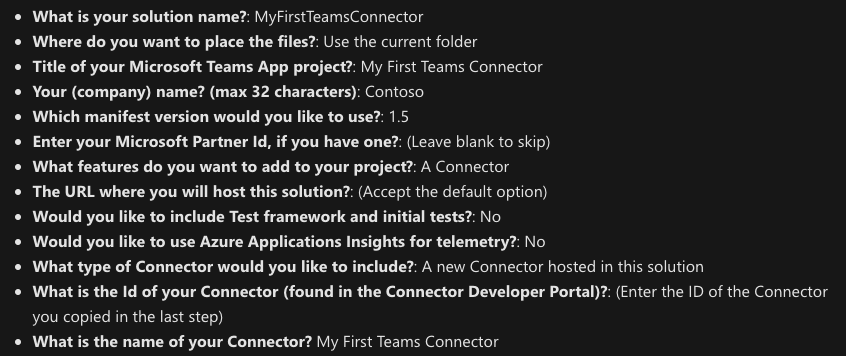
I am on a mac and receive the same error both on the app and the web client:

I also experience this error when creating a connector from scratch. My concerns are the following:
- setSettings and initialize are both async now
- any setSettings callback fails to be called (success or failure)
- saveEvent.notifySuccess appears to have no effect. Additionally, the saveEvent.result value is empty
 jeubank12
on 23 Jul 2020
jeubank12
on 23 Jul 2020
This issue has been automatically marked as stale because it has been marked as requiring author feedback but has not had any activity for 3 days. It will be closed if no further activity occurs within 3 days of this comment.
msftbot[bot]
on 26 Jul 2020
@warren-genpoint Are you still facing this issue? Could you please check the valid domains list at Connectors developer portal? It does not support wild card characters like (*.ngrok), It should be the same domain name as used for configuration URL and all lower case. if that doesn't work, could you please share the manifest with latest info (full set up URL, etc) so we can try to repro ? Please share it on microsoftteamsdevATmicrosoft.com if you do not want to share the complete manifest publicly.
Gousia-Begum
on 28 Jul 2020
@warren-genpoint Are you still facing this issue? Could you please check the valid domains list at Connectors developer portal? It does not support wild card characters like (*.ngrok), It should be the same domain name as used for configuration URL and all lower case. if that doesn't work, could you please share the manifest with latest info (full set up URL, etc) so we can try to repro ? Please share it on microsoftteamsdevATmicrosoft.com if you do not want to share the complete manifest publicly.
Hi,
I have had to move on to other things, this bug stopped us from using the connector and we found other solutions. I might pick this up again one day, hoping the issues I faced will be gone by then.
Thanks,
Warren
warren-genpoint
on 28 Jul 2020
Thanks @warren-genpoint . @jeubank12 @jesuspsalas2 Are you still facing this issue?
Gousia-Begum
on 30 Jul 2020
Thanks @warren-genpoint . @jeubank12 @jesuspsalas2 Are you still facing this issue?
We also abandoned the connector in favor of the bot. I set it back up today and the callback on the registerOnSaveHandler is not being called. Using js library v1.7.0 as well as the yo generator from this tutorial https://docs.microsoft.com/en-us/learn/modules/msteams-webhooks-connectors/6-o365-connectors. The tabs yo generator does work and the registerOnSaveHandler callback is correctly called.
If you were to expose the error on registerOnSaveHandler (since it seems to indicate that you will get the callback whether it succeeds or fails) I think that would be a good first step to be able to indicate to the developer that the domains are wrong rather than simply not working at all (with no exception to catch)
jeubank12
on 31 Jul 2020
hi @Gousia-MSFT @jeubank12 , @warren-genpoint no I am not facing this issue anymore, I have the connector working perfectly. Sorry for the delay to update the thread.
The reality is the documentation is accurate, however when you read it is very easy to skip one of the steps in the instructions and do it properly, I don't know, maybe is the format it is written or maybe we are going too fast over the instructions, it took me a while to find the issue but is very simple, see the below script, specially the setSettings calls parameters.
// configure teams :), oh yeah!
microsoftTeams.settings.setSettings({
    entityId: "@Guid.NewGuid().ToString()",
    configName: "XXXXXConnectorSettings",
    contentUrl: "https://xxxx.xxxx-redmond.com/ConnectorConfiguration"
});

// Handle Teams Save Event
microsoftTeams.settings.registerOnSaveHandler(function (saveEvent) {
    // capture the URL
    microsoftTeams.settings.getSettings(function (settings) {
        $("#url").text(JSON.stringify(settings, null, "\t"));
    });

    savedEvent = saveEvent;
});

// Allow Save to happen
microsoftTeams.settings.setValidityState(true);
If you do notcall setSettings BEFORE setValidityState as seen above first thing when loading your connector configuration page, then, you will get odd errors when the user click the Save Button like '410 Gone' and others.
If you follow this sequence, providing the proper parameters, you will get the internal URL on the registerOnSaveHandler as expected.
I had to dig on samples and some reverse engineering to figure out the parameters, I will recommend to update the documentation to reflect how to properly use setSettings with connectors.
jesuspsalas2
on 31 Jul 2020
This issue has been automatically marked as stale because it has been marked as requiring author feedback but has not had any activity for 3 days. It will be closed if no further activity occurs within 3 days of this comment.
msftbot[bot]
on 3 Aug 2020
Tell us about your experience!
Hi warren-genpoint! This issue is closed in our system. We would like your feedback on your experience with our support teams.
Best regards,
Teams Platform
msftbot[bot]
on 5 Aug 2020
@jesuspsalas2 I am facing the same issue, unable to fix the issue based on your reply.
Still I am getting 'Unable to save “Teams Connector” connector configuration. Please try again', I have debugged and received status 200 and saveEvent.notifySuccess(); executed but still throws error 'Unable to save “Teams Connector” connector configuration'
could you please share the full code.
@Gousia-MSFT @jeubank12 , @warren-genpoint If you fixed the issue, kindly share the update
 jenkinsns
on 23 Aug 2020
jenkinsns
on 23 Aug 2020
Hi @jenkinsns , I have to say the process is "very delicate", please see the following piece of code I didn't include in the previous code sample (it was a sandbox piece of code)
The solution is simple:
do not call saveEvent.notifySuccess(); synchronously in your code,
```
// Handle Teams Save Event
microsoftTeams.settings.registerOnSaveHandler(function (saveEvent) {
// capture the URL
microsoftTeams.settings.getSettings(function (settings) {
$("#url").text(JSON.stringify(settings, null, "\t"));
console.log(JSON.stringify(settings, null, "\t"));
});
// if saveEvent.notifySuccessis called synchronously the save will "fail"
setTimeout(function () {
saveEvent.notifySuccess();
},2000);
});
same when removing

 ```
 microsoftTeams.settings.registerOnRemoveHandler(function (removeEvent) {
        setTimeout(function () {
            removeEvent.notifySuccess();
        }, 2000);

    });
@Gousia-MSFT maybe you can provide insights about why this do not work synchronously, documentation do not show this, so either docs need updating or this is a bug.
@jenkinsns let me know if this works, if not I will share the full piece of code
jesuspsalas2
on 24 Aug 2020
no luck @jesuspsalas2
see my code, maybe i am wrong
public async componentWillMount() {
this.updateTheme(this.getQueryVariable("theme"));
    if (await this.inTeams()) {
        microsoftTeams.initialize();

        microsoftTeams.getContext((context: microsoftTeams.Context) => {
            this.setState({
                color: availableColors.find(c => c.code === context.entityId)
            });
            this.updateTheme(context.theme);
            microsoftTeams.settings.setValidityState(this.state.color !== undefined);
            microsoftTeams.appInitialization.notifySuccess();
        });

        microsoftTeams.settings.registerOnRemoveHandler((removeEvent) => {
            removeEvent.notifySuccess();
        });

        microsoftTeams.settings.registerOnSaveHandler((saveEvent: microsoftTeams.settings.SaveEvent) => {
            // INFO: Should really be of type microsoftTeams.settings.Settings, but configName does not exist in the Teams JS SDK
            const settings: any = {
                entityId: this.state.color ? this.state.color.code : availableColors[0].code,
                contentUrl: `https://${process.env.HOSTNAME}/teamsConnector/config.html`,
                configName: this.state.color ? this.state.color.title : availableColors[0].title
            };
            microsoftTeams.settings.setSettings(settings);

            microsoftTeams.settings.getSettings((s: any) => {
                this.setState({
                    webhookUrl: s.webhookUrl,
                    user: s.userObjectId,
                    appType: s.appType,
                });

                fetch("/api/connector/connect", {
                    method: "POST",
                    headers: [
                        ["Content-Type", "application/json"]
                    ],
                    body: JSON.stringify({
                        webhookUrl: this.state.webhookUrl,
                        user: this.state.user,
                        appType: this.state.appType,
                        color: this.state.color ? this.state.color.code : availableColors[0].code,
                        state: "myAppsState"
                    })
                }).then(x => {
                    if (x.status === 200 || x.status === 302) {
                        saveEvent.notifySuccess();
                    } else {
                        saveEvent.notifyFailure(x.statusText);
                    }
                }).catch(e => {
                    saveEvent.notifyFailure(e);
                });
            });
        });
    } else {
        // Not in Microsoft Teams
        alert("Operation not supported outside of Microsoft Teams");
    }
}
Also I tried the saveEvent.notigySucesss() in seperate async method
public async saveEvent(saveEvent: microsoftTeams.settings.SaveEvent) {
return new Promise((resolve, reject) => {
saveEvent.notifySuccess();
resolve();
});
}
jenkinsns
on 24 Aug 2020
@jenkinsns I don't think your code is following the code snippet I originally provided, the setSettings call location and data is not matching, the snippet I provided is in the global script area, what means it is executed in the listed order.
jesuspsalas2
on 24 Aug 2020
Still seeing this with a component using made "yo office". Get a unable to save connector configuration, please try again.
edit: The fix was to make the public componentWillMount synchronous.
 rawsh-bt
on 27 Aug 2020
rawsh-bt
on 27 Aug 2020
Related issues
 krishnajaju
·
6Comments
krishnajaju
·
6Comments
 DamienDoumer
·
7Comments
DamienDoumer
·
7Comments
 dbalabka
·
3Comments
dbalabka
·
3Comments
 oyvindam
·
5Comments
oyvindam
·
5Comments
 camiloxs
·
6Comments
camiloxs
·
6Comments