Msteams-docs: Microsoft Teams "Hello World" Bot is not working - Library.Exceptions.PermissionDeniedException
Hi,
Thank you for a detailed example of hello world bot for Microsoft Teams in C#. Since I'm new to Bot development, I tried following the tutorial to the details, but unfortunately, I got stuck with my server returning "500: Internal Server Error".
Initially, I tried to test my app against Microsoft Bot Emulator and it worked wonderfully.

After that, I tried to change my server-side MicrosoftAppID to a wrong one intentionally, and I got "401: Unauthorized" error message instead, so I guess the authentication has no problem.
Digging in, I tried to add a break point and recovered the following stack trace:
Exception thrown: 'Microsoft.Bot.Connector.ErrorResponseException' in mscorlib.dll
Microsoft.Bot.Connector.ErrorResponseException: Operation returned an invalid status code 'Forbidden'
   at Microsoft.Bot.Connector.Conversations.<ReplyToActivityWithHttpMessagesAsync>d__10.MoveNext()
--- End of stack trace from previous location where exception was thrown ---
   at System.Runtime.CompilerServices.TaskAwaiter.ThrowForNonSuccess(Task task)
   at System.Runtime.CompilerServices.TaskAwaiter.HandleNonSuccessAndDebuggerNotification(Task task)
   at Microsoft.Bot.Connector.ConversationsExtensions.<ReplyToActivityAsync>d__11.MoveNext()
--- End of stack trace from previous location where exception was thrown ---
   at System.Runtime.CompilerServices.TaskAwaiter.ThrowForNonSuccess(Task task)
   at System.Runtime.CompilerServices.TaskAwaiter.HandleNonSuccessAndDebuggerNotification(Task task)
   at Polly.Policy.<>c__DisplayClass241_0`1.<<ExecuteAsyncInternal>b__0>d.MoveNext() in C:\projects\polly\src\Polly.Shared\Policy.Async.cs:line 0
--- End of stack trace from previous location where exception was thrown ---
   at System.Runtime.CompilerServices.TaskAwaiter.ThrowForNonSuccess(Task task)
   at System.Runtime.CompilerServices.TaskAwaiter.HandleNonSuccessAndDebuggerNotification(Task task)
   at Polly.RetrySyntaxAsync.<>c__DisplayClass21_1.<<WaitAndRetryAsync>b__1>d.MoveNext() in C:\projects\polly\src\Polly.Shared\Retry\RetrySyntaxAsync.cs:line 467
--- End of stack trace from previous location where exception was thrown ---
   at System.Runtime.CompilerServices.TaskAwaiter.ThrowForNonSuccess(Task task)
   at System.Runtime.CompilerServices.TaskAwaiter.HandleNonSuccessAndDebuggerNotification(Task task)
   at Polly.Retry.RetryEngine.<ImplementationAsync>d__1`1.MoveNext() in C:\projects\polly\src\Polly.Shared\Retry\RetryEngineAsync.cs:line 33
--- End of stack trace from previous location where exception was thrown ---
   at System.Runtime.ExceptionServices.ExceptionDispatchInfo.Throw()
   at Polly.Retry.RetryEngine.<ImplementationAsync>d__1`1.MoveNext() in C:\projects\polly\src\Polly.Shared\Retry\RetryEngineAsync.cs:line 54
--- End of stack trace from previous location where exception was thrown ---
   at System.Runtime.CompilerServices.TaskAwaiter.ThrowForNonSuccess(Task task)
   at System.Runtime.CompilerServices.TaskAwaiter.HandleNonSuccessAndDebuggerNotification(Task task)
   at Polly.Policy.<ExecuteAsyncInternal>d__241`1.MoveNext() in C:\projects\polly\src\Polly.Shared\Policy.Async.cs:line 61
--- End of stack trace from previous location where exception was thrown ---
   at System.Runtime.CompilerServices.TaskAwaiter.ThrowForNonSuccess(Task task)
   at System.Runtime.CompilerServices.TaskAwaiter.HandleNonSuccessAndDebuggerNotification(Task task)
   at Microsoft.Bot.Connector.RetryHelpers.<ExecuteWithRetries>d__13`1.MoveNext()
--- End of stack trace from previous location where exception was thrown ---
   at System.Runtime.CompilerServices.TaskAwaiter.ThrowForNonSuccess(Task task)
   at System.Runtime.CompilerServices.TaskAwaiter.HandleNonSuccessAndDebuggerNotification(Task task)
   at Microsoft.Bot.Connector.RetryHelpers.<ReplyToActivityWithRetriesAsync>d__8.MoveNext()
Do you have any idea / suggestion to what is wrong here?
Thank you!
Document Details
⚠ Do not edit this section. It is required for docs.microsoft.com ➟ GitHub issue linking.
- ID: 98cd21c7-e87c-3c5b-7574-998a355f9f08
- Version Independent ID: 5e312707-facc-03fc-af59-90267d0c7b8a
- Content: Get started with C#/.NET - Teams
- Content Source: msteams-platform/get-started/get-started-dotnet-app-studio.md
- Product: msteams
- GitHub Login: @o365devx
- Microsoft Alias: o365devx
 freedomofkeima
All 39 comments
@freedomofkeima - Could you please share your bot id? Also, are you trying this in 1:1 scope? Could you please send the sceenshot of Teams chat as well?
 Wajeed-msft
on 7 Mar 2019
Wajeed-msft
on 7 Mar 2019
Hi,
Thanks for your reply.
My bot ID is 8b230f18-b004-4a76-9a60-505fe6dc5526.
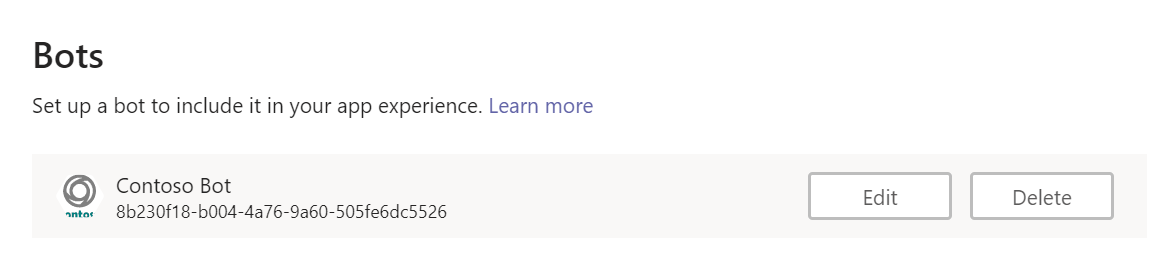
Also, are you trying this in 1:1 scope?
If I understand the question correctly, I tried it via both direct Chat and Teams (the scope for both of them are enabled / ticked), both gave back similar result.
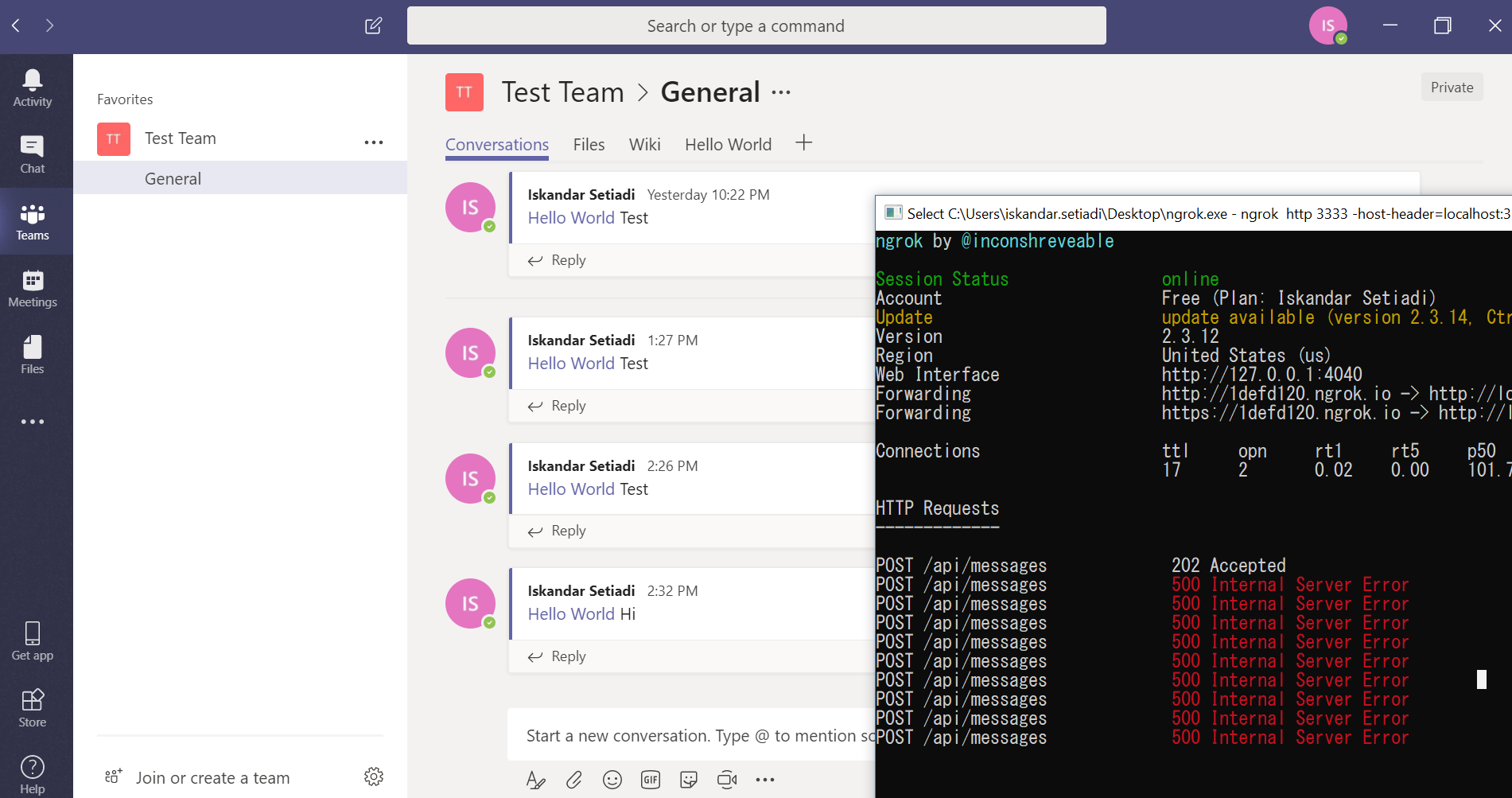
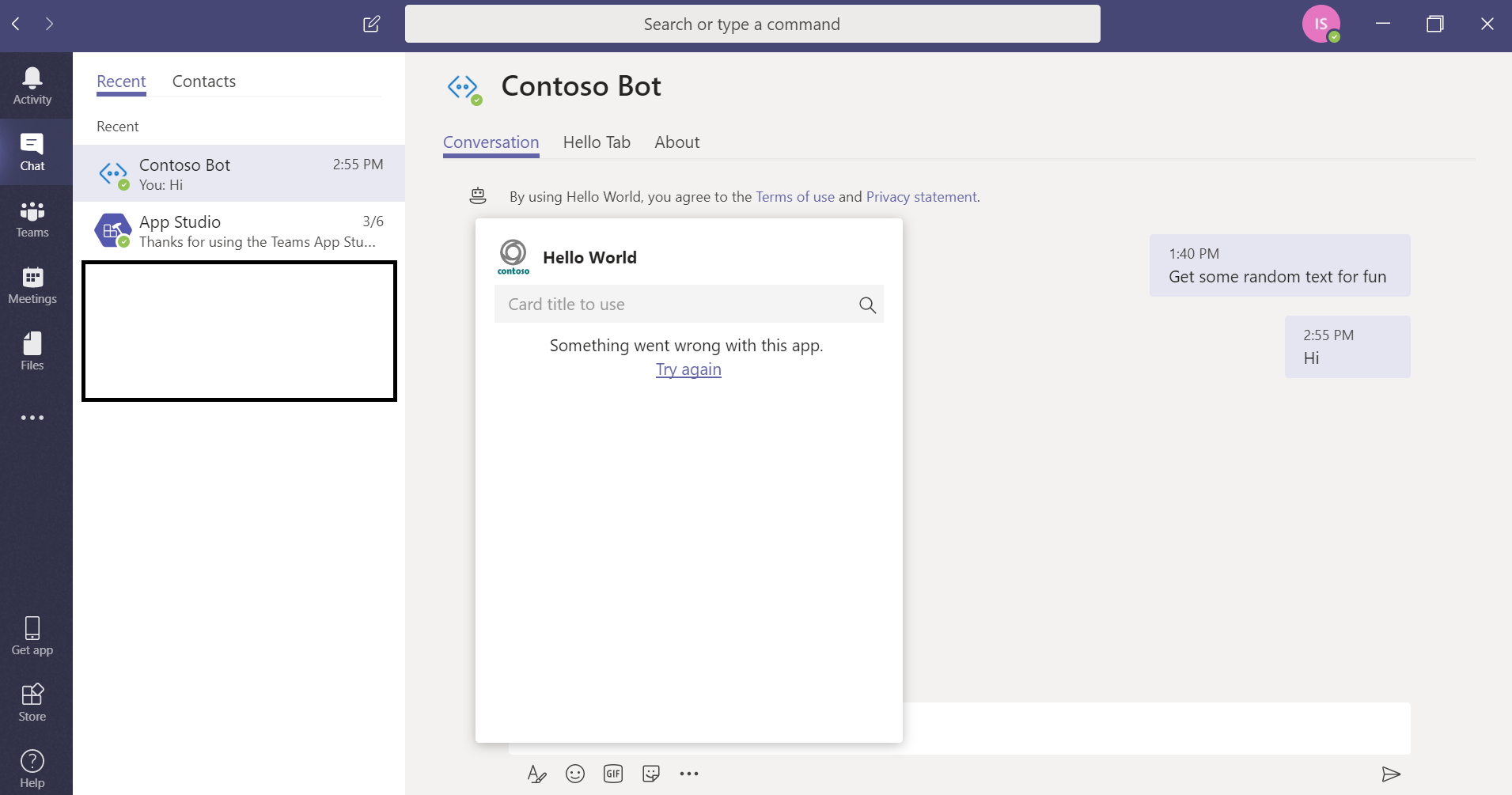
The /api/messages 202 Accepted came from Bot Framework Emulator while all 500 came from Microsoft Teams. It occurred either when I used @botname and when I clicked on the card menu.
Thank you.
freedomofkeima
on 7 Mar 2019
I tried your bot and it's working fine for me in 1:1 scope as well as Team scope.
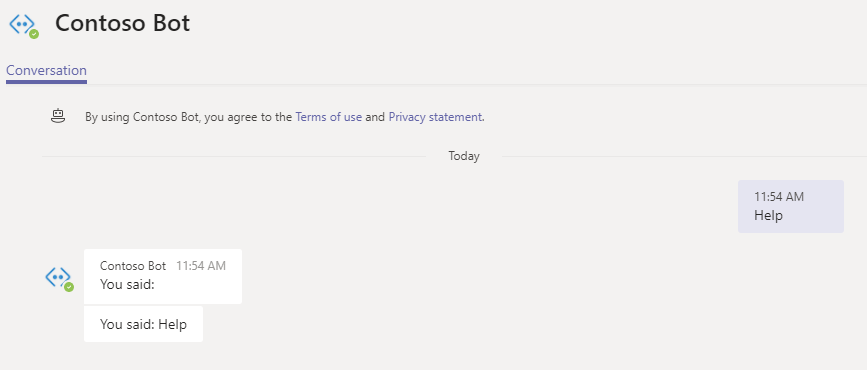
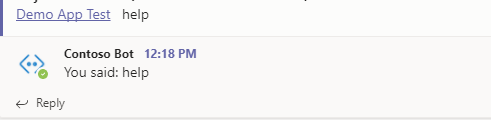
We are looking into this issue.
Wajeed-msft
on 7 Mar 2019
I have an update and this issue gets more strange. I tried it with other test tenant (dev.hdetrial.jp, now it works) and without breakpoints, it runs normally except the trace looks strange.
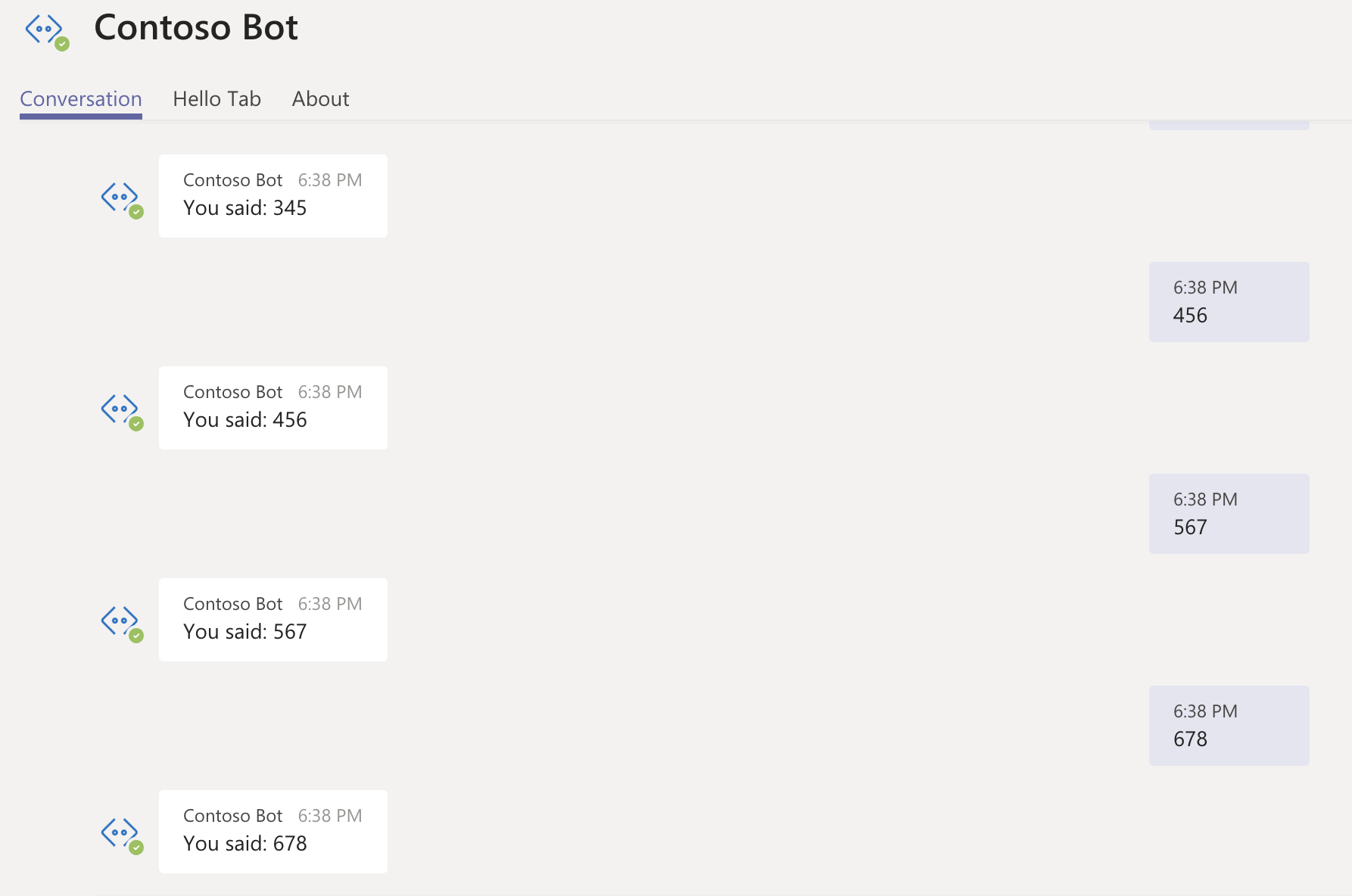
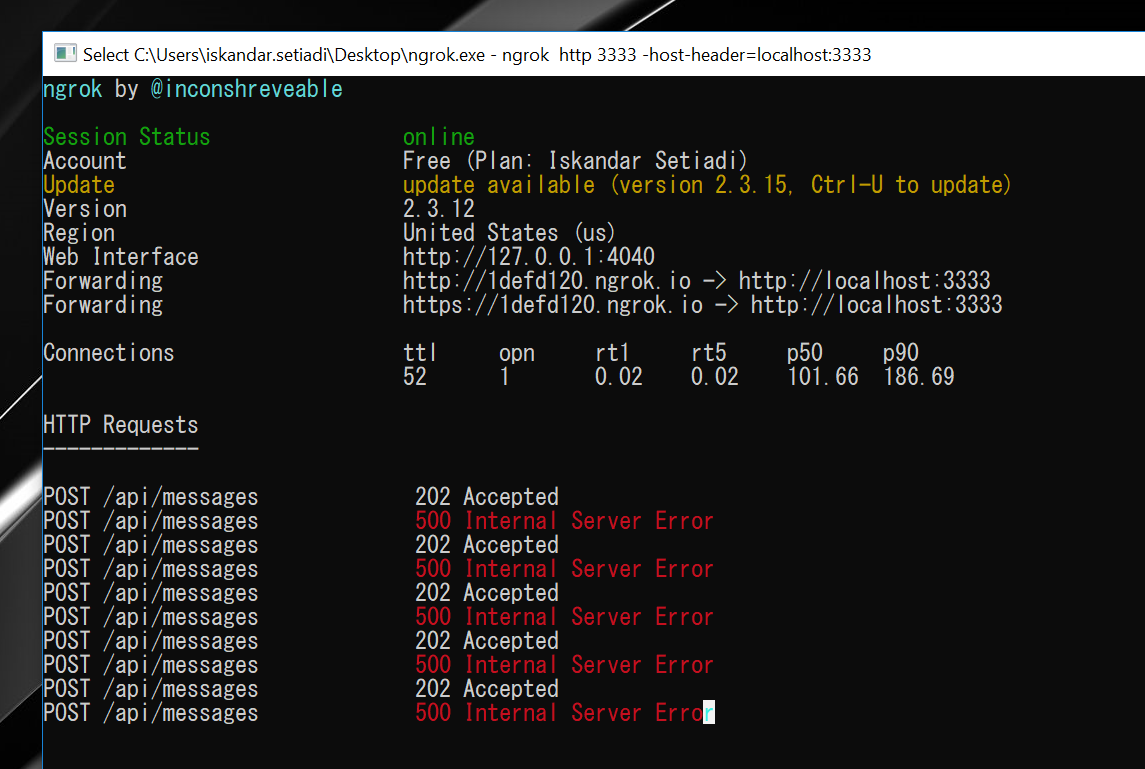
It seems the server still throws Microsoft.Bot.Connector.ErrorResponseException: Operation returned an invalid status code 'Forbidden' but there's an auto-retry and it always works on the second attempt.
Digging in, I modified the sample code into:
try {
    await connector.Conversations.ReplyToActivityWithRetriesAsync(reply);
} catch (ErrorResponseException e) {
    Debug.WriteLine(e.ToString());
}
Now, as we can expect, all of the statuses have changed to 202 Accepted.
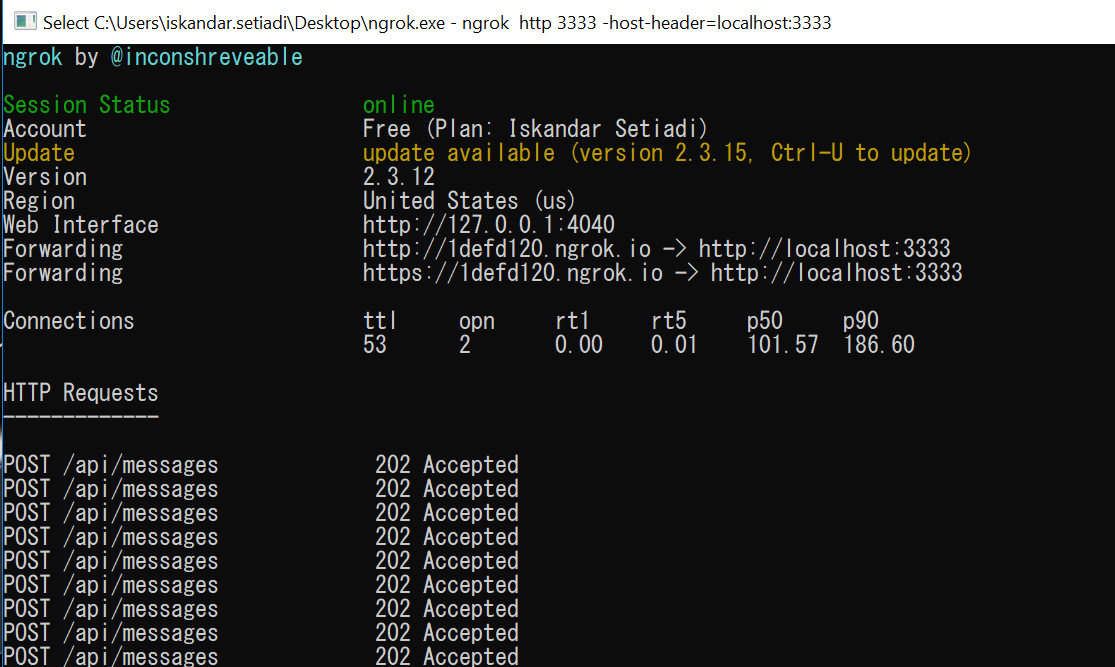
The strange bit is, only half of my messages got through.
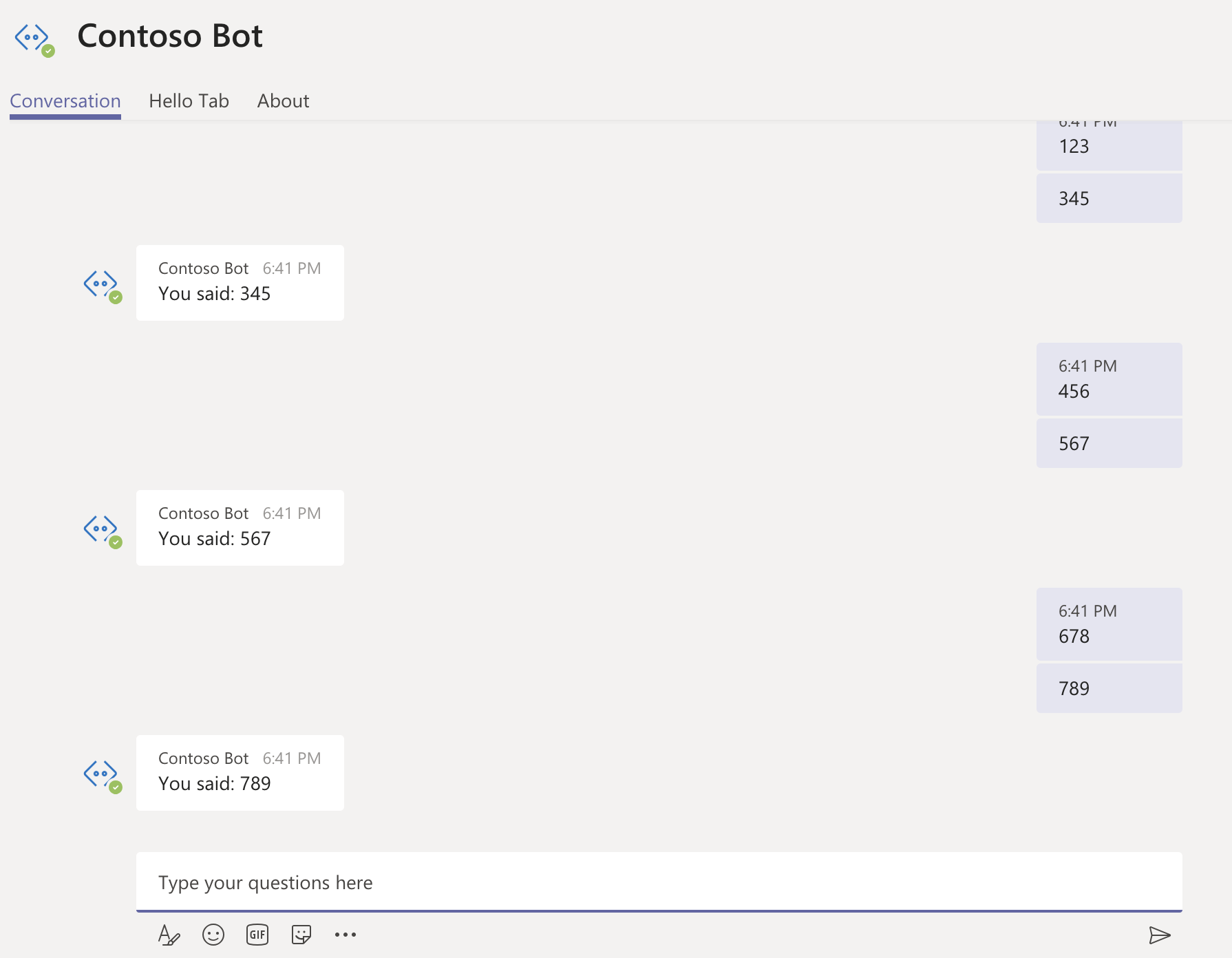
freedomofkeima
on 7 Mar 2019
Sorry for the another post. Today, I investigated the issue further and rewrote the REST API with Go.
The problem that I encountered is exactly the same as yesterday. Now I understand where the Forbidden message comes from, the error message is:
Status Code: 403
Body: {"error":{"code":"BadArgument","message":"Exception of type 'Library.Exceptions.PermissionDeniedException' was thrown."}}
Request Information:
Token URL: https://login.microsoftonline.com/botframework.com/oauth2/v2.0/token
Bot Scope: "https://api.botframework.com/.default"
Bot Client ID: "8b230f18-b004-4a76-9a60-505fe6dc5526"
From the first post, where failure is 100% (always failed):
Tenant Name: nobitatest.onmicrosoft.com
Tenant ID: 55d4406a-3b48-4a52-9306-c9d172befc66
Teams Channel ID for GET members operation: 19:[email protected]
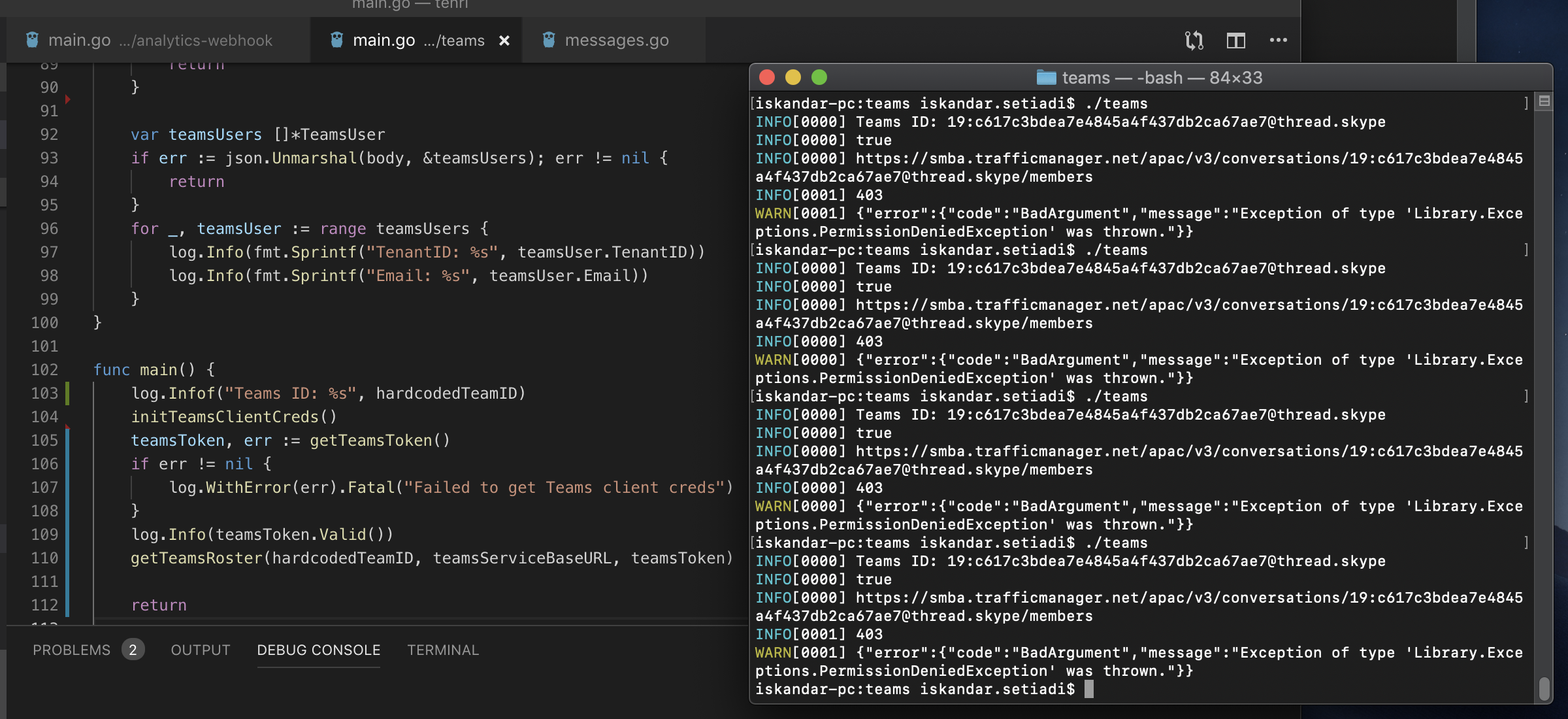
From the second post, where 500 is always followed with 200 (50% success rate):
Tenant Name: dev.hdetrial.jp
Tenant ID: 56a8632d-6c92-432a-988a-7f1a4f71b61e
Teams Channel ID for GET members operation: 19:[email protected]
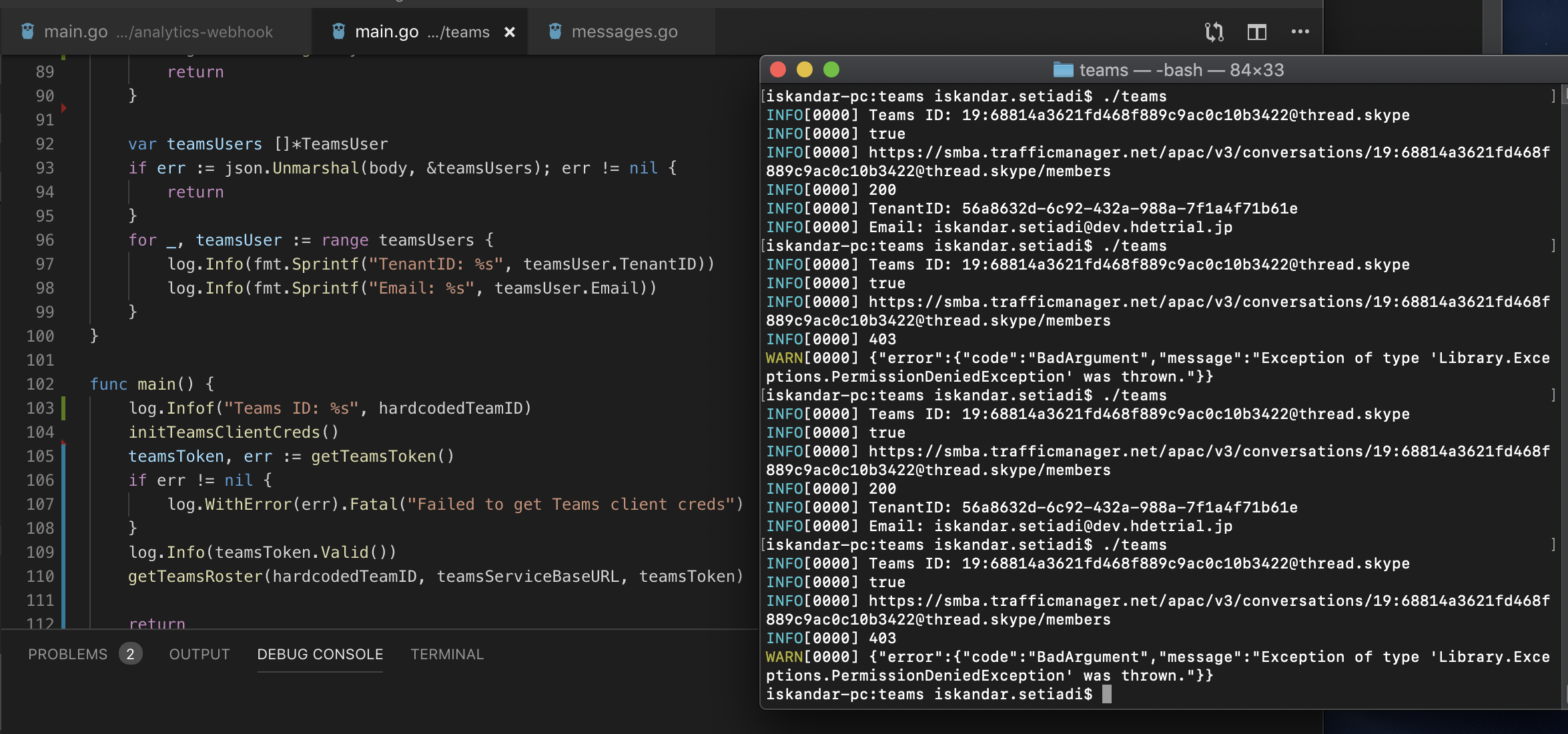
IP address (The IP address is always the same throughout all operations):
login.microsoftonline.com <-> 20.190.141.228:443
smba.trafficmanager.net <-> 13.75.95.64:443
@freedomofkeima - This seems to be an issue with Tenant configuration with regards to sideloaded apps. We are working on this.
Wajeed-msft
on 11 Mar 2019
@freedomofkeima - Could you please try again and check if you getting any "Library.Exceptions.PermissionDeniedException" exceptions?
Wajeed-msft
on 12 Mar 2019
I am unsure if this is the exact same issue, but we have started getting this "Library.Exceptions.PermissionDeniedException" within the last few hours, and I cannot find much about it outside of this post. We are also using a sideloaded app, and everything worked as expected up through yesterday.
 [onTurnError]: Error: Exception of type 'Library.Exceptions.PermissionDeniedException' was thrown.
BotFrameworkAdapter.processActivity(): 500 ERROR - Error: Exception of type 'Library.Exceptions.PermissionDeniedException' was thrown.
About half of the messages or cards that our sideloaded app sends will fail, but trying again immediately after with the same content works.
Trying to echo "a" in a 1-on-1 scope (with the id's snipped out):
{ text: 'a', textFormat: 'plain', type: 'message',
timestamp: 2019-03-12T16:16:07.109Z,
localTimestamp: 2019-03-12T16:16:07.109Z,
id: '', channelId: 'msteams', serviceUrl: '',
from: { (user) conversation: { (convo) },
recipient: { (bot) },
entities:  [ { locale: 'en-US', country: 'US', platform: 'Windows', type: 'clientInfo' } ],
channelData: { (tenant) }, locale: 'en-US' }

  [onTurnError]: Error: Exception of type 'Library.Exceptions.PermissionDeniedException' was thrown.


# success immediately after
{ text: 'a', textFormat: 'plain', type: 'message',
timestamp: 2019-03-12T16:16:10.924Z,
localTimestamp: 2019-03-12T16:16:10.924Z,
The same is true when running a command and returning a card:
{ text: '<at>mention</at> get site domain.com\n', textFormat: 'plain', attachments: [(text), type: 'message',
timestamp: 2019-03-12T15:53:53.320Z,
localTimestamp: 2019-03-12T15:53:53.320Z,
(snip)

{ contentType: 'application/vnd.microsoft.card.adaptive',
  content:
    { type: 'AdaptiveCard',
      body: [ [Object], [Object], [Object] ],
      '$schema': 'https://adaptivecards.io/schemas/adaptive-card.json',
      version: '1.0' } }

 [onTurnError]: Error: Exception of type 'Library.Exceptions.PermissionDeniedException' was thrown.


# success immediately after
{ text: '<at>mention</at> get site domain.com\n', textFormat: 'plain', attachments: [(text), type: 'message',
timestamp: 2019-03-12T15:54:21.709Z,
localTimestamp: 2019-03-12T15:54:21.709Z,
 snlnspc
on 12 Mar 2019
snlnspc
on 12 Mar 2019
@snlnspc this was a bug that we recently fixed. Does it still happen for you?
 billbliss
on 12 Mar 2019
billbliss
on 12 Mar 2019
@billbliss Yes, this only started happening to me today, and just failed again ~20 seconds ago with the same error
[onTurnError]: Error: Exception of type 'Library.Exceptions.PermissionDeniedException' was thrown.
BotFrameworkAdapter.processActivity(): 500 ERROR - Error: Exception of type 'Library.Exceptions.PermissionDeniedException' was thrown.
@snlnspc - what's your Bot ID?
billbliss
on 12 Mar 2019
@billbliss thanks much for looking into this!
28:5984914a-448e-4166-84f9-2b765c6d8243
snlnspc
on 12 Mar 2019
@Wajeed-msft Hi, thanks for your investigation & fixes! Now it works well for both tenants (in my case).
freedomofkeima
on 13 Mar 2019
@billbliss I just started getting this error today (about a couple hours before this post). My bot ID is a9124452-301b-4fe1-a43e-cec44f46be52. Everything was working perfectly fine this morning and now I get the response:
{ error:
      { code: 'BadArgument',
        message:
         'Exception of type \'Library.Exceptions.PermissionDeniedException\' was thrown.' } } }
We're using v3 of the bot SDK (node)
 FlipABit
on 15 Mar 2019
FlipABit
on 15 Mar 2019
Hi, we have the same issue (library.exception.permissiondeniedexception) with team channel with the bot id 816c00fa-4eb3-402a-b68f-3a1bfb7864e1 for a couple of days now.
Only way to make it work is to reboot it and it will work for 2 minutes maximum.
Any ideas of what we can do?
 Crusty91
on 15 Mar 2019
Crusty91
on 15 Mar 2019
Hi, we have the same issue (library.exception.permissiondeniedexception) with team channel with the bot id 816c00fa-4eb3-402a-b68f-3a1bfb7864e1 for a couple of days now.
Only way to make it work is to reboot it and it will work for 2 minutes maximum.
Any ideas of what we can do?
I was able to work around by locally adding the app to Company catalogue and disabling site loading of external apps at tenant level
 abhisheknist149
on 16 Mar 2019
abhisheknist149
on 16 Mar 2019
Now the issue is also happening for locally added apps to catalog store since today morning ! This does appear to intermittently going up and down, not sure how can it be avoided ?
abhisheknist149
on 17 Mar 2019
As an update: from wednesday morning on, I was getting PermissionDeniedException on 100% of messages, but since (at least) yesterday, I seem to be back to all successes
snlnspc
on 19 Mar 2019
As an update: from wednesday morning on, I was getting PermissionDeniedException on 100% of messages, but since (at least) yesterday, I seem to be back to all successes
Same here it started working again. I am concerned here on part where if it goes down again ?
abhisheknist149
on 20 Mar 2019
We are working on fix for this issue. We will update this post once it is fixed.
Wajeed-msft
on 20 Mar 2019
I also started getting such errors after deploying the bot into a different Teams tenant.
Is there a way I could get more details about the context of this underlying Library.Exceptions.PermissionDeniedException exception ? I would like to know for which reason exactly this exception has been thrown. Thx!
{ Error: Exception of type 'Library.Exceptions.PermissionDeniedException' was thrown.
    at new RestError (D:\home\site\wwwroot\node_modules\@azure\ms-rest-js\dist\msRest.node.js:1397:28)
    at D:\home\site\wwwroot\node_modules\@azure\ms-rest-js\dist\msRest.node.js:1849:37
    at <anonymous>
    at process._tickDomainCallback (internal/process/next_tick.js:228:7)
  code: 'BadArgument',
  statusCode: 403,
  request:
   WebResource {
     streamResponseBody: false,
     url: 'https://smba.trafficmanager.net/amer/v3/conversations/a%3A1oE0cbn7Oy7jYfU6y9ktTcP4Dh97Kzgff1EtosyedysCj9AZsoankWtS2Dkl4OtgiDH47YeidAc6FqGlxq8IBDIMWbUvCaFgIhcMrfjqUEMaBCHn1TOu3RPG--dHyiNsl/activities/1553086591817',
     method: 'POST',
     headers: HttpHeaders { _headersMap: [Object] },
     body: '{"type":"message","serviceUrl":"https://smba.trafficmanager.net/amer/","channelId":"msteams","from": ...}',
     query: undefined,
     formData: undefined,
     withCredentials: false,
     abortSignal: undefined,
     timeout: 0,
     onUploadProgress: undefined,
     onDownloadProgress: undefined,
     operationSpec:
      { httpMethod: 'POST',
        path: 'v3/conversations/{conversationId}/activities/{activityId}',
        urlParameters: [Array],
        requestBody: [Object],
        responses: [Object],
        serializer: [Object] } },
  response:
   { body: '{"error":{"code":"BadArgument","message":"Exception of type \'Library.Exceptions.PermissionDeniedException\' was thrown."}}',
     headers: HttpHeaders { _headersMap: [Object] },
     status: 403 },
  body:
   { error:
      { code: 'BadArgument',
        message: 'Exception of type \'Library.Exceptions.PermissionDeniedException\' was thrown.' } } }
 rebelanger
on 20 Mar 2019
rebelanger
on 20 Mar 2019
I'm seeing this issue as well. It appears to be intermittent. Our bot is deployed across about 150 tenants and for some it works the majority of the time, and for others, it has never worked.
We receive the Library.Exceptions.PermissionDeniedException.
We're not using any special frameworks, just POSTing or PUTing to the serviceUrl endpoint.
 chilla-lifesize
on 21 Mar 2019
chilla-lifesize
on 21 Mar 2019
Update: Yesterday the problem disappeared. The bot is fully functional now! It seems the problem occurs just after a new deployment and can remain for hours before it automatically resolves by itself. I also confirm the problem appears to be intermittent. Thx.
rebelanger
on 22 Mar 2019
I have the same issue:
3/22/2019, 3:29:47 PM | Exception of type 'Library.Exceptions.PermissionDeniedException' was thrown.
On two tenants it works and on the third (production) it doesn't.
Any help would be appreciated.
Thanks
Chris
 ltwlf
on 22 Mar 2019
ltwlf
on 22 Mar 2019
@XimenaWang - Is it hitting your /api/messages endpoint locally? Could you please raise separate issue as this is not related to PermissionDeniedException?
Wajeed-msft
on 25 Mar 2019
I have the same issue:
3/22/2019, 3:29:47 PM | Exception of type 'Library.Exceptions.PermissionDeniedException' was thrown.
On two tenants it works and on the third (production) it doesn't.
Any help would be appreciated.
Thanks
Chris
It works now on my tenant (I didn't change anything).
ltwlf
on 26 Mar 2019
This issue has been fixed. Could you please confirm if you are still getting this error?
Wajeed-msft
on 29 Mar 2019
@Wajeed-msft I am also seeing this problem (same exception) with couple of my Bots.
 Srinath-Sadda
on 2 Apr 2019
Srinath-Sadda
on 2 Apr 2019
@Srinath-Sadda - Could you please share you bot Id and timestamp when you got this exception?
Wajeed-msft
on 2 Apr 2019
Never mind. After clearing OAuth connection details (sign out) for all of our Bot users, our Bot users were able to communicate wit Bot fine without any permission denied errors.
Srinath-Sadda
on 2 Apr 2019
I'm having this exception when trying to reply using botframeworkbot "Exception of type 'Library.Exceptions.PermissionDeniedException' was thrown." Any idea?
 ShpatAjvazi
on 26 Apr 2019
ShpatAjvazi
on 26 Apr 2019
Did you try signing out and signing back in as discussed above?
If so, and it didn't work, then please provide the bot ID and timestamp when you got this exception.
billbliss
on 26 Apr 2019
Please re-open if anyone is still facing this issue.
Wajeed-msft
on 23 May 2019
@Wajeed-msft This morning I start getting this error again. Is there something that has changed recently ?
rebelanger
on 31 May 2019
Hi all, I have same issue with my bot. Here ist the ID: f61caa7d-ba35-4215-a946-36e4d3e982c1.
Thanks.
 ralphsche
on 2 Jun 2019
ralphsche
on 2 Jun 2019
After ca. 10 hours it starts to work. So just wait a while.
ralphsche
on 2 Jun 2019
@ralphsche You are right. Mine also restarted to work but after a couple of days. @Wajeed-msft Do you have an explanation why this problem occurs intermittently ? Thx!
rebelanger
on 3 Jun 2019
@Wajeed-msft Hi same issue here today. BotId 4cd3c92d-7dbf-4cb4-b9b8-7c2949c891c8
 EbSe
on 26 Jun 2019
EbSe
on 26 Jun 2019
This issue has been resolved. Please re-open if you are facing the same issue.
Wajeed-msft
on 31 Jan 2020
Related issues
 oyvindam
·
5Comments
Wajeed-msft
·
5Comments
oyvindam
·
5Comments
Wajeed-msft
·
5Comments
 bezua
·
7Comments
bezua
·
7Comments
 jonmill
·
6Comments
jonmill
·
6Comments
 dbalabka
·
3Comments
dbalabka
·
3Comments