Moveit: Collision sometime with the ground
Hello everyone,
My environment
ROS Distro: [Indigo]
OS Version: e.g. Ubuntu 14.04
Source or Binary build?
If binary, which release version? install with : sudo apt-get install ros-indigo-moveit => ros-indigo-moveit is already the newest version.
Gazebo 7 (before Gazebo 2.2 and also the same issue)
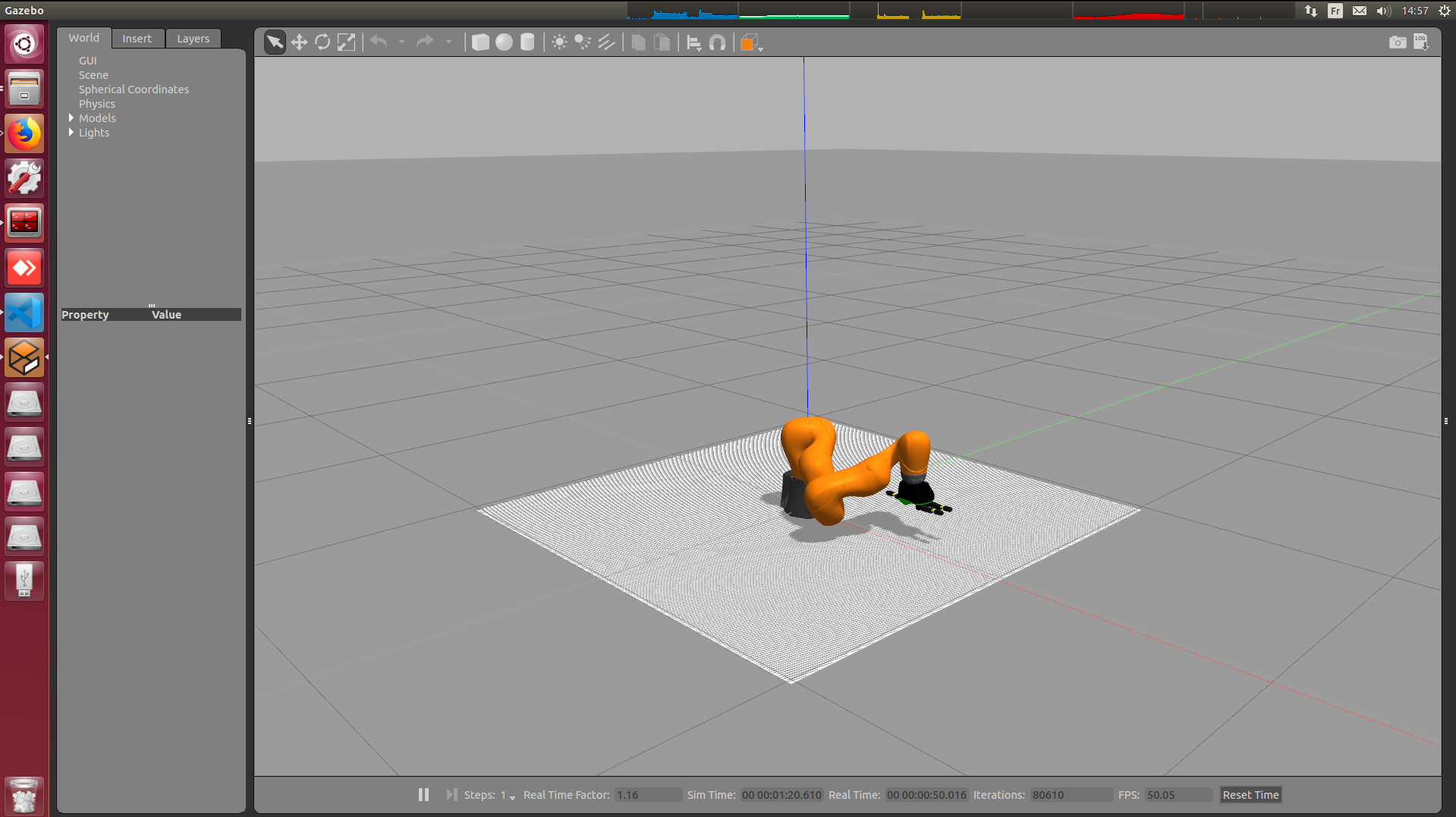
Do someone has an idea why the robot collides with the ground using moveit ? I am doing reinforcement learning and everything is working well except that part. I can go everywhere I need to go in cartesian space or using joint space. The end is working well too.
But sometime when I work close to the ground and go from (x = 0.5, y = 0.1, z = 0.1) to (x = 0.5, y = 0.2, z = 0.1), it touch the ground. The robot then (a kuka iiwa lbr 7) deformed itself with the constraint and finally reach the point in more than 5 to 10 sec. I know it can reach those points with others paths but I don't understand why it take this one.
I am working (unfortunately) on Ubuntu 14, with ROS indigo. I am using as solver: RRTkConfigDefault or maybe a bit better RRTConnectkConfigDefault.

Normally the robot looks like that:

I can give you more information if you need it.
Kind regards,
Jonathan
 Deastan
All 7 comments
Thanks for reporting an issue. We will have a look asap. If you can think of a fix, please consider providing it as a pull request.
![welcome[bot] picture](https://avatars0.githubusercontent.com/in/4141?v=4&s=40) welcome[bot]
on 15 Jul 2019
welcome[bot]
on 15 Jul 2019
Do you model your environment in your urdf / does MoveIt 'know' there is a ground plane there?
 gavanderhoorn
on 15 Jul 2019
gavanderhoorn
on 15 Jul 2019
Seriously ? Is it so simple and me so s...pid ? :D
I should do it by adding in the Step 3: Add Virtual Joints of the setup assistant? Or how can I do in the URDF file ?
Bur I had set the workinspace with z >0...
Deastan
on 15 Jul 2019
How do you expect the planners to 'know' about any obstacles if the robot is simply floating in empty space in the description that you give them?
Or how can I do in the URDF file ?
Add a flat box under the robot?
gavanderhoorn
on 15 Jul 2019
I'm going to close this as it's likely to be a user-side configuration issue.
If it's not, we can re-open.
Feel free to keep commenting on the issue of course.
gavanderhoorn
on 15 Jul 2019
Thank you very much for you answer! I am really sorry for this kind of mistake.
To anyone, it is working now!
Deastan
on 15 Jul 2019
I am really sorry for this kind of mistake.
no need to apologise.
gavanderhoorn
on 15 Jul 2019
Related issues
 thebhatman
·
7Comments
thebhatman
·
7Comments
 ThanasisTs
·
7Comments
ThanasisTs
·
7Comments
 v4hn
·
8Comments
v4hn
·
8Comments
 yinhaoz
·
5Comments
yinhaoz
·
5Comments
 felixvd
·
3Comments
felixvd
·
3Comments