Moveable: [New Plugin] Click Drag to select for Moveable ❤❤❤
Hi all,
I've made an app with react-moveable, the click drag to select is like this demo:
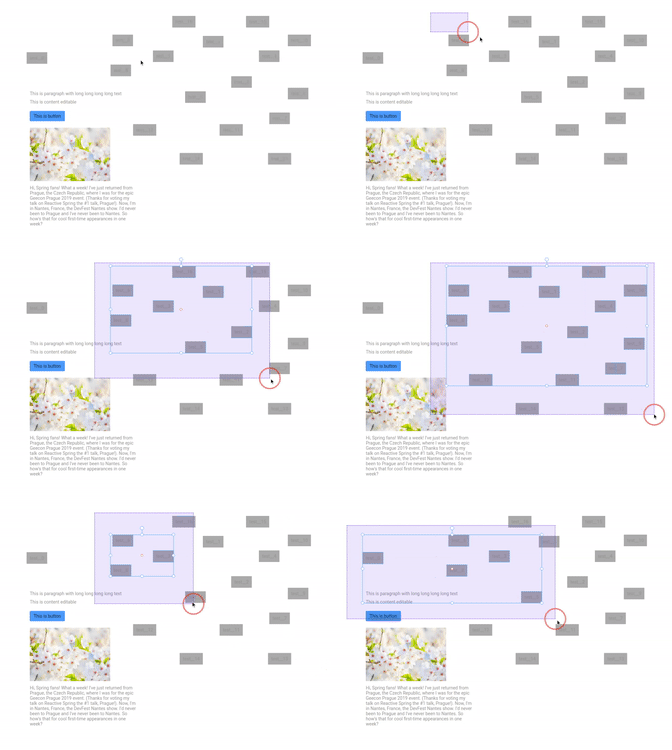
If you need this feature, please comment bellow this, I'll to publish it if much people need this.
 ladifire
All 7 comments
@ladifire
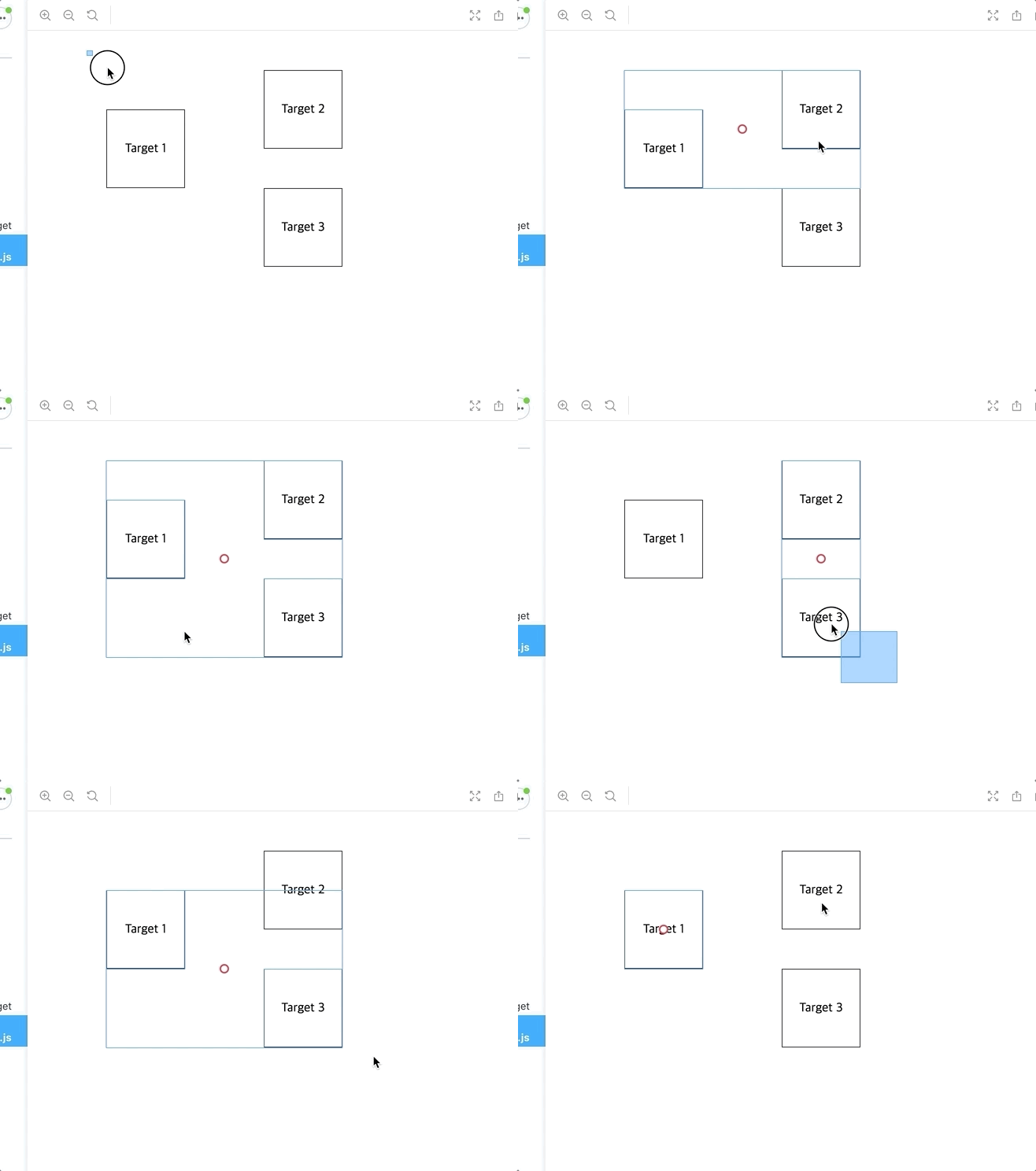
I am making a component called selecto and will probably be released this month.
Of course, React, Angular, Vue, Svelte, Preact, Lit will be supported.
Thank you :)
It will probably be supported in the example:
import Selecto from "react-selecto";

<Selecto
    ref={selectoRef}
    dragContainer={document.body}
    keyContainer={window}
    selectFromInside={false}
    selectByClick={true}
    selectableTargets={[".target"]}
    toggleContinueSelect="shift"
    hitRate={0}
    onDragStart={(e: any) => {
        if (moveableRef.current?.isMoveableElement(e.inputEvent.target)) {
            return false;
        }
        return;
    }}
    onSelectEnd={e => {
        setTimeout(() => {
            setTargets(e.selected);

            if (e.isDragStart) {
                e.inputEvent.preventDefault();
            }
        });
    }}
    />
<Moveable
    ref={moveableRef}
    target={targets}
    draggable={true}
    onClickGroup={e => {
        selectoRef.current!.click(e.inputEvent, e.inputTarget);
    }}
     />
 daybrush
on 8 Jan 2020
daybrush
on 8 Jan 2020
Refer to my solution: https://github.com/daybrush/moveable/issues/154
ladifire
on 11 Jan 2020
This feature is great, hope it release soon!
 vmdao
on 19 Jan 2020
vmdao
on 19 Jan 2020
@daybrush are you planning to release this? The storybook looks great! (https://daybrush.com/selecto/storybook/?path=/story/selecto-with-moveable--you-can-change-the-moveable-target-in-real-time-by-selecting-it) I can also get it from npm I saw, but the github repo is unavailable (not public?).
 happylinks
on 24 Apr 2020
happylinks
on 24 Apr 2020
@happylinks
not yet ? Soon?
I am so busy these days that I have no time to work.
daybrush
on 1 May 2020
Ahh that's alright, thanks for the response!
Would you consider making the github repo available already? Or are you not comfortable with that yet?
If not I understand, no worries :)
Take care!
happylinks
on 1 May 2020
daybrush
on 2 Dec 2020
Related issues
 scottsquirespix
·
5Comments
scottsquirespix
·
5Comments
 jameschetwood
·
6Comments
jameschetwood
·
6Comments
 MiiZZo
·
3Comments
MiiZZo
·
3Comments
 tesmem101
·
3Comments
ladifire
·
3Comments
tesmem101
·
3Comments
ladifire
·
3Comments
Most helpful comment
@ladifire

I am making a component called
selectoand will probably be released this month.Of course, React, Angular, Vue, Svelte, Preact, Lit will be supported.
Thank you :)
It will probably be supported in the example: