Environments
- Framework name: React
- Framework version: 16.12.0
- Moveable Component version: 0.22.5
- Testable Address(optional):
Description
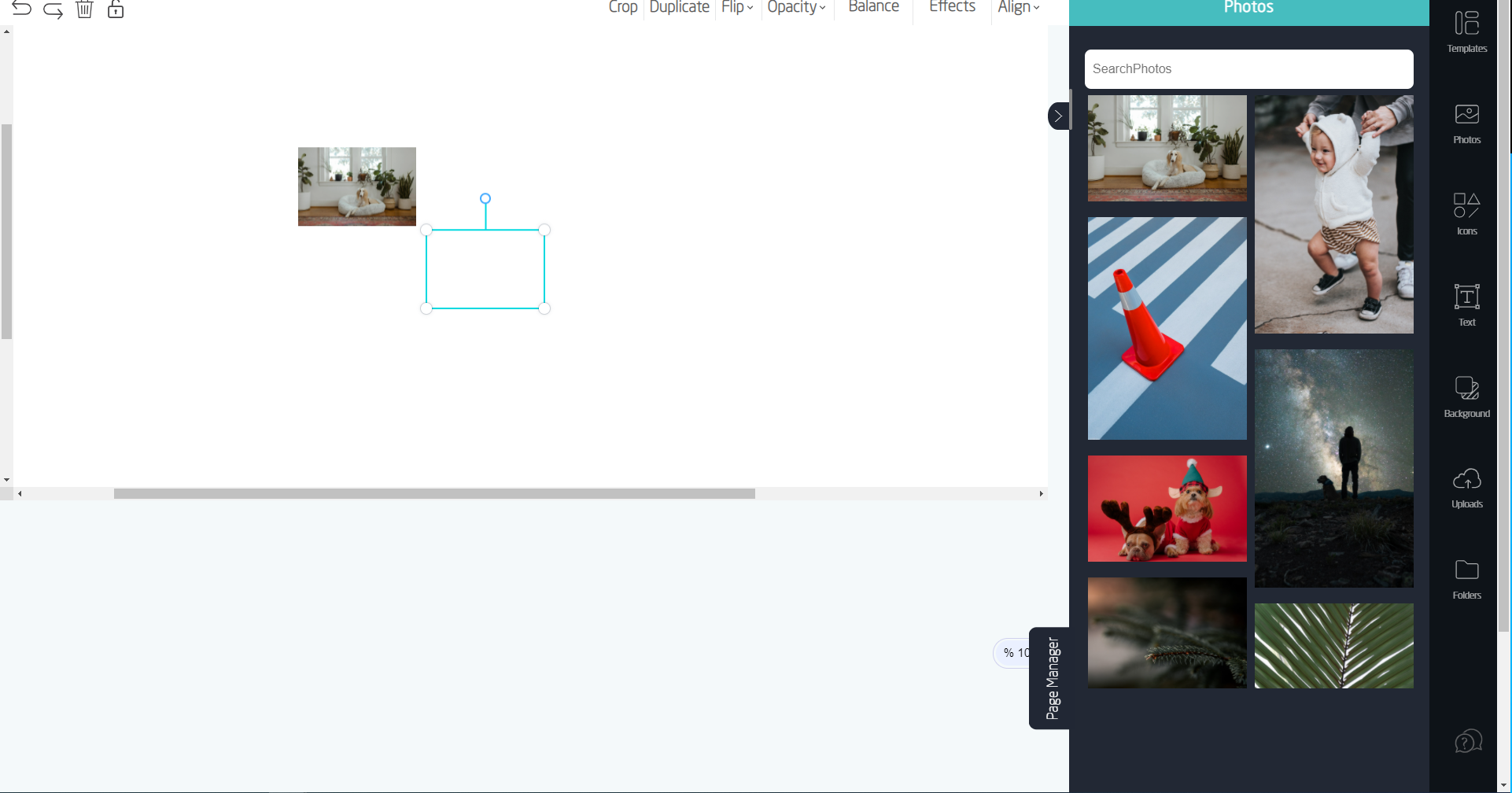
i have a div in which i am using moveable elements it works fine until i do not apply scroll on it's parent div. when i apply scroll and scroll the div frame of react moveable stays fixed but image on which frame was applied moves along the page. i have attached a picture and for better understanding please watch video from the link below.
https://drive.google.com/file/d/1C59bgbPAZk8298JKl2BtbET01GNPgJcg/view
it would be really great if you can help me here it's a week that i am stuck with this problem on my project.
 tesmem101
All 3 comments
If possible you should render the Moveable instance inside of the scrolling div, then it will move correctly when you scroll
 nelsondude
on 16 Dec 2020
nelsondude
on 16 Dec 2020
If possible you should render the Moveable instance inside of the scrolling div, then it will move correctly when you scroll
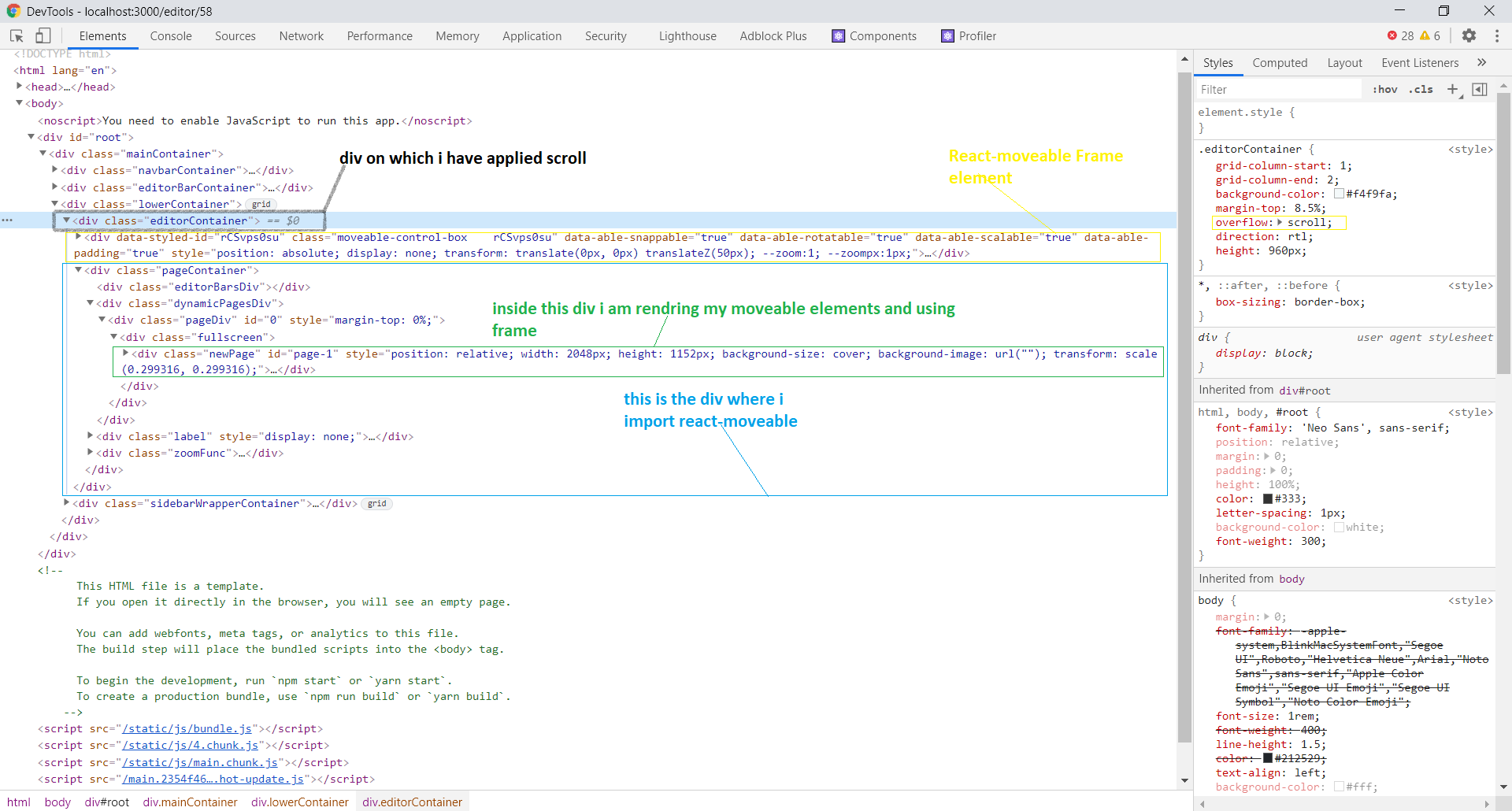
Thanks a lot for your response, I tried as you said below is the demonstration of code and issue that still persist, please let me know where I am making mistake.
video of issue after following the above instructions:-
https://drive.google.com/file/d/1RV4OxDnZjnwQY8ytiEMWAgpGbYX6KGgt/view
Code snip from browser inspector:-
Code snip moveable component:-
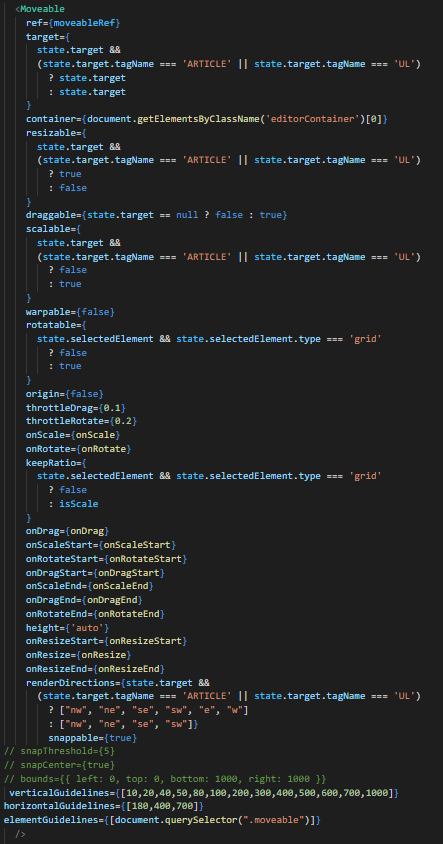
I have also tried giving null or document.body to the container property of moveable component.
Thanks again, it would really a great help.
Thanks!!!!
tesmem101
on 17 Dec 2020
@tesmem101
Set editorContainer's css to position: relative;
 daybrush
on 17 Dec 2020
daybrush
on 17 Dec 2020
Related issues
 adityakrshnn
·
6Comments
adityakrshnn
·
6Comments
 Nazakatalikharal
·
6Comments
Nazakatalikharal
·
6Comments
 plotpoi
·
4Comments
plotpoi
·
4Comments
 ajinkya-dev
·
3Comments
ajinkya-dev
·
3Comments
 masoudelahi
·
5Comments
masoudelahi
·
5Comments