Monogame: PngWriter - ZlibStream dropping data
I have an image that gets truncated by the ZlibStream class when I save it to a stream using Texture2D.SaveAsPng.
Input:
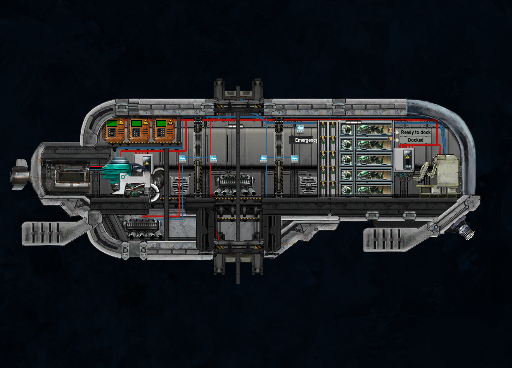
Result after saving to a FileStream using Texture2D.SaveAsPng (note the missing bottom portion):

On top of that, attempting to load this image in MonoGame afterwards will cause the program to hang because of failed decompression.
What version of MonoGame does the bug occur on:
- MonoGame 3.7
What operating system are you using:
- Windows
What MonoGame platform are you using:
- WindowsDX
 juanjp600
All 8 comments
I think the reported size in the png does not match the pixel data in the file. The imagedata for the bottom portion is missing. Some image viewers cannot succesfully read the file, others will use a zero color to display the missing data. Depending on how the image is loaded and rendered in the used image viewer, you might not see that the data is missing.
Opening it in feh (it uses libpng) gives me the following:

It also reports: libpng error: Not enough image data
@rds1983 @juanjp600
EDIT: I created a png file with a reported width and height, but no image data and I get the same error message.
 Jjagg
on 13 Aug 2019
Jjagg
on 13 Aug 2019
The first image on the issue should have the complete pixel data: https://user-images.githubusercontent.com/8607119/55673800-2b2f7000-5883-11e9-9771-dd91e6dd1e14.png
The second image is what MonoGame.WindowsDX outputs when using Texture2D.SaveAsPng, the changes made in #6704 allow it to correctly write all the data.
juanjp600
on 14 Aug 2019
Ah, i got the image from the linked issue in the barotrauma repo. I'll give this another shot.
Jjagg
on 14 Aug 2019
@Jjagg,
I dont want my opinion to look like promotion of StbImageWriteSharp(which I maintain) and yet I think it would make sense to completely remove PngWriter and replace it with StbImageWriteSharp.
 rds1983
on 20 Aug 2019
rds1983
on 20 Aug 2019
I agree.
Jjagg
on 20 Aug 2019
@juanjp600 this should be resolved with #6867. The development build should be updated in a bit. Please give it a try if you can :)
Jjagg
on 21 Aug 2019
Tested, it seems to be working correctly now :)
juanjp600
on 22 Aug 2019
Great, thanks for verifying!
Jjagg
on 22 Aug 2019
Related issues
 ryancheung
·
4Comments
ryancheung
·
4Comments
 MichaelDePiazzi
·
4Comments
MichaelDePiazzi
·
4Comments
 monsieurmax
·
5Comments
monsieurmax
·
5Comments
 griseus
·
5Comments
griseus
·
5Comments
 NET-D3v3l0p3r
·
3Comments
NET-D3v3l0p3r
·
3Comments
Most helpful comment
@Jjagg,
I dont want my opinion to look like promotion of StbImageWriteSharp(which I maintain) and yet I think it would make sense to completely remove PngWriter and replace it with StbImageWriteSharp.