Describe the bug
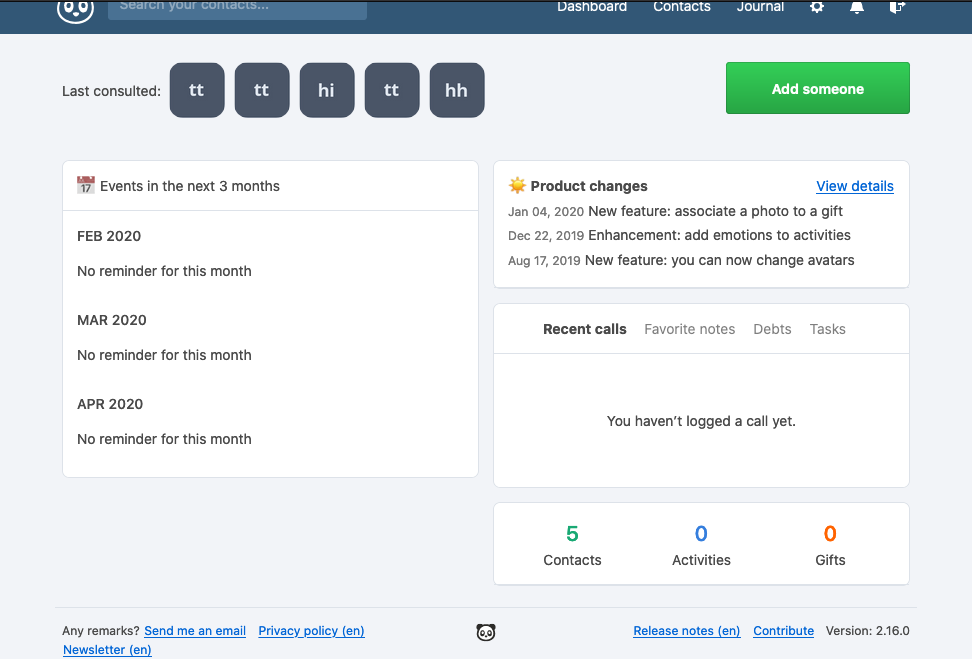
- I created a dummy persons in Monica.
- I created dummy persons in my MacOS contacts.app
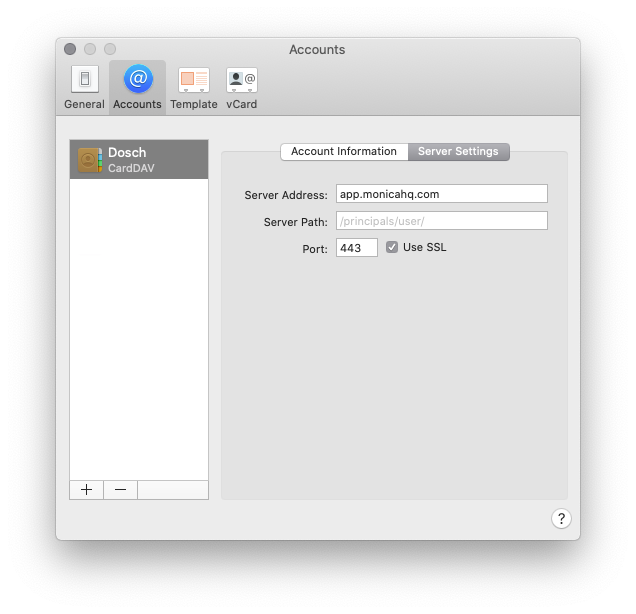
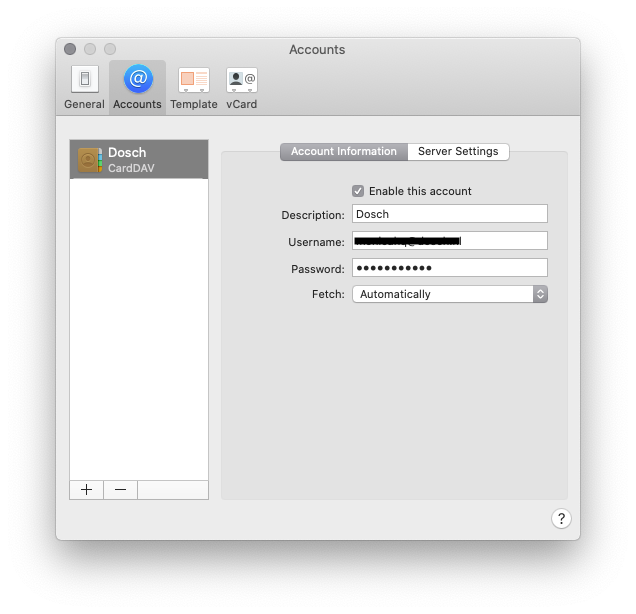
- I added the Carddav server to 'Internet Accounts' in MacOS with my credentials.
- There are no error messages and the account is added and appears in the contacts.app
- The dummy contacts on MonicaHQ are not synced to contacts.app
- The dummy contacts on contacts.app are not synced to MonicaHQ
Screenshots
Which version are you using:
- Hosting version on https://app.monicahq.com
 dosch
dosch
All 17 comments
I don't know you application, but Carddav is working well. I'm not sure about your Server path info. You will find right url in: https://app.monicahq.com/settings/dav
 asbiin
on 3 Feb 2020
asbiin
on 3 Feb 2020
@dosch I don't think it works on Mac. It does work on iOS. I've never found instructions for Mac OS that said what to enter that actually works.
On iOS
Server : FQDN
username: emailaddr
Password: Login password
Advanced -> Account URL : https://<server>/dav/principals/<emailaddr>/
emailaddr is the monica login.
 bbrendon
on 8 Feb 2020
bbrendon
on 8 Feb 2020
I just spent about 30 minutes messing with this again and I got it working on MacOS Catalina. I have no idea how as I can't repeat it when creating another account. It feels like the options available when creating the account on macos aren't the same when editing the account. Very frustrating.
bbrendon
on 8 Feb 2020
I just spent about 30 minutes messing with this again and I got it working on MacOS Catalina. I have no idea how as I can't repeat it when creating another account. It feels like the options available when creating the account on macos aren't the same when editing the account. Very frustrating.
There are different options when opening the 'Preferences' window and then switching to the 'Accounts' tab under Contacts instead of opening the 'Accounts' window.
But I can't get it work on macOS
 pqhf5kd
on 8 Feb 2020
pqhf5kd
on 8 Feb 2020
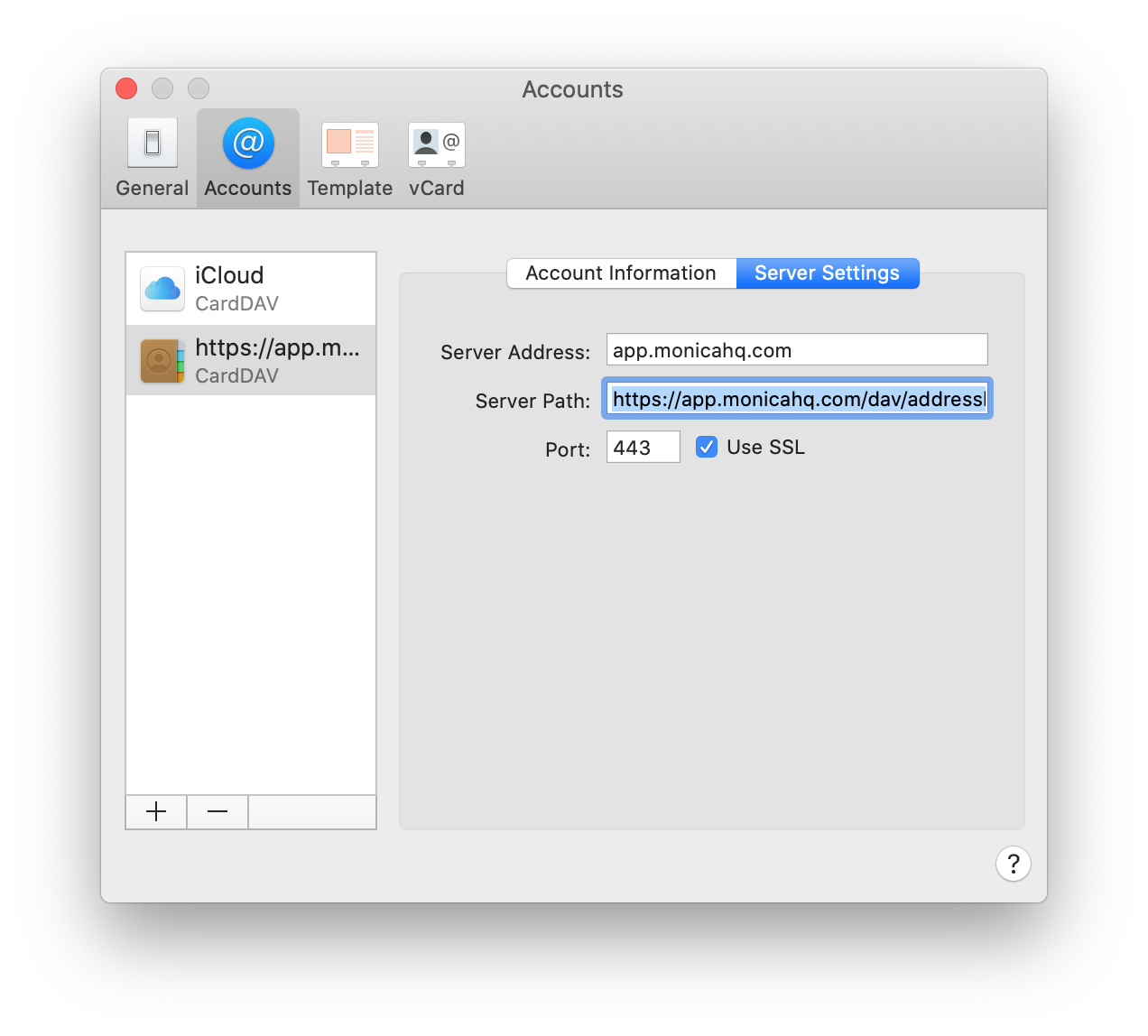
@bbrendon Can you post your settings from the Preferences window?
pqhf5kd
on 11 Feb 2020
server settings tab:
server name: monica.mydomain.com
server path: <blank>
Port: 443
Use SSL : checked
bbrendon
on 14 Feb 2020
Thanks bbrendon, but I still can't get it to work unfortunately.
pqhf5kd
on 15 Feb 2020
@pqhf5kd what is your config? It's working well on some users, so might it be on your side?
asbiin
on 25 Feb 2020
The contacts app on macOS doesn’t provide any diagnostics (as far as I can see). Off the top my head, I can add the account with any combination of server address and path and I can choose the address book but no contacts appear.
pqhf5kd
on 25 Feb 2020
Yes. It’s the right combo of tricks to get it working. The trick is unknown :)
bbrendon
on 25 Feb 2020
Closed?
pqhf5kd
on 23 Mar 2020
@pqhf5kd Well, Carddav is working.
At minimum there is a problem of documentation for your specific configuration, but I don't see how we can provide help ...
asbiin
on 23 Mar 2020
Three (well 2.5 if you count @bbrendon random success) users are unable to get it to work. macOS Contacts isn't exactly an obscure app.
pqhf5kd
on 23 Mar 2020
I've tried disabling 2FA, still no contacts appearing
pqhf5kd
on 23 Mar 2020
Library have been updated
asbiin
on 13 Apr 2020
That appears to have fixed the problem
pqhf5kd
on 13 Apr 2020
Sorry, I'm still experiencing this issue. Is there a guide or any information on what the settings for macos should be?
It works straight away on iOS, but not on mac.
I enter details as follows:
login: [email protected]
password: <monicahq generated API token>
server URL: https://crm.domain.tld/dav/addressbooks/[email protected]/contacts
I also tried a number of different paths, like:
- /
- /dav/
- /dav/principals/
- /dav/principals/[email protected]
etc.
But nothing works...
I'm using the latest version of monicahq docker.
 tborychowski
on 2 Jul 2020
tborychowski
on 2 Jul 2020
Related issues
 djaiss
·
4Comments
asbiin
·
4Comments
djaiss
·
3Comments
djaiss
·
4Comments
asbiin
·
4Comments
djaiss
·
3Comments
 jbiswas
·
3Comments
jbiswas
·
3Comments
 stralsi
·
4Comments
stralsi
·
4Comments