Modernflyouts: Bug: No way to recover volume flyout if the default position is set to go offscreen
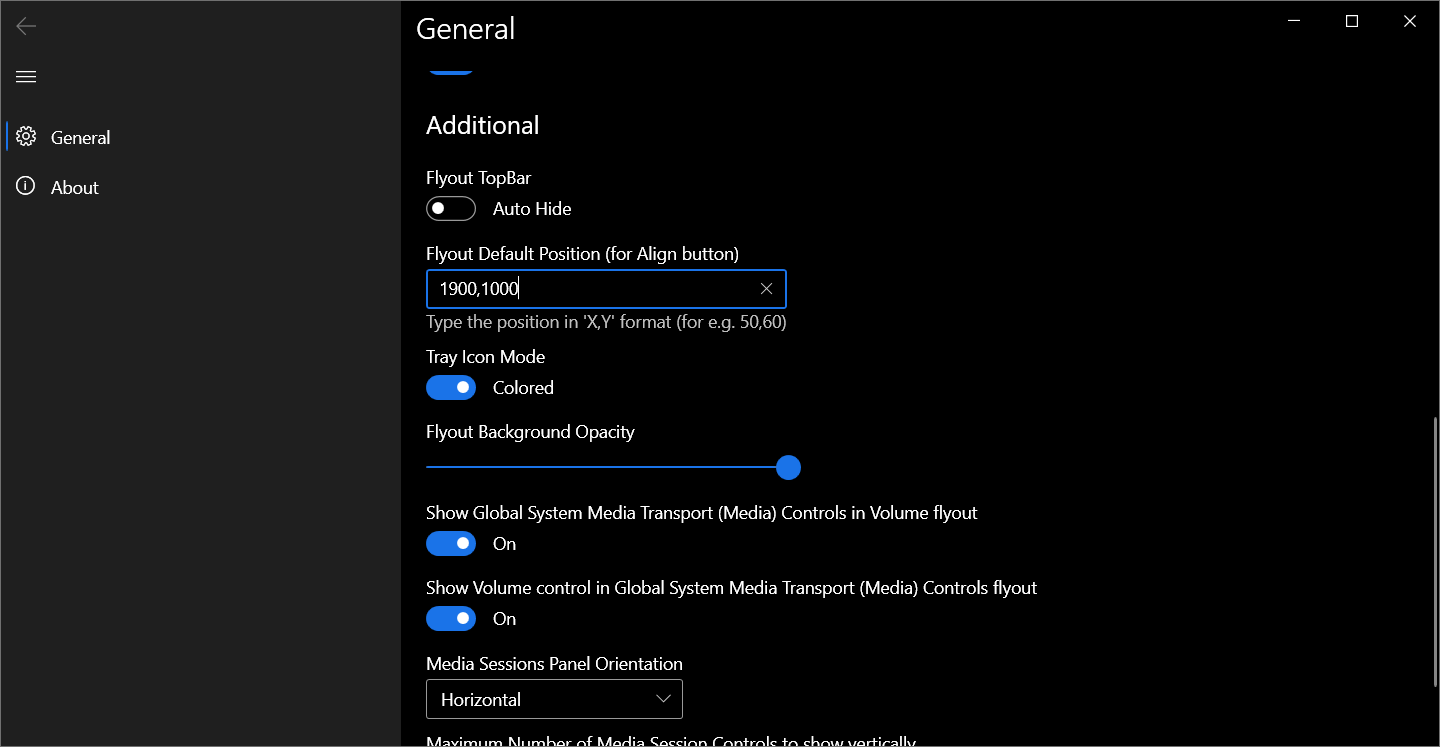
Once a position higher than the height and width of the display is set, the flyout can no longer be seen:
To Reproduce:
Steps to reproduce the behavior:
- Go to the settings.
- Scroll down to Flyout Default Position
- Enter X,Y values of 1920,1080.
(That's the resolution of my display.) - Press one the volume keys.
- Click on 'Align to default position.'
- Repeat step 4.
- No flyout.
Settings screenshot:
OS Version:
- Windows 10 Version: 20241
ModernFlyouts Version:
- Version: v0.7.5
Additional context:
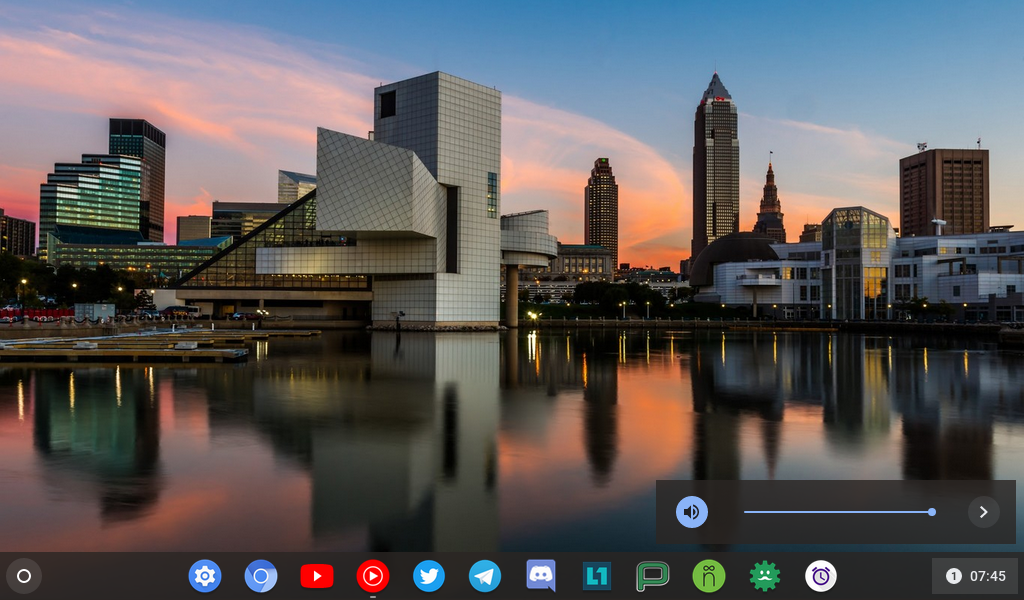
I'd like to have the flyouts displayed in the bottom-right corner, like in Chrome OS. Maybe a default option to place those on each display corner & limiting the X and Y axis bounds to the display width & height would help.
Chromium OS (CloudReady 85.3) screenshot:
 erayrafet
All 11 comments
Once a position higher than the height and width of the display is set, the flyout can no longer be seen
The one and only workaround you can do currently is to reset the app's data.
Go to the installed apps page on Windows Settings. Find the app and reset its app data and restart the app.
Guide : https://www.howtogeek.com/264824/how-to-reset-an-apps-data-on-windows-10/
One downside is that all your settings will be cleared 😅.
I'd like to have the flyouts displayed in the bottom-right corner, like in Chrome OS. Maybe a default option to place those on each display corner & limiting the X and Y axis bounds to the display width & height would help.
74 and #71 is what you're looking for.
This is planned for v0.9
I'll try to do this ASAP 😄
 ShankarBUS
on 25 Oct 2020
ShankarBUS
on 25 Oct 2020
Thanks!
I did the reset multiple times already.
One strange thing I noticed that setting X=1800 also renders the flyout offscreen.
Note that this is on 13" display with 125% scaling.
erayrafet
on 25 Oct 2020
1920x1080 / 1.25 = 1536x864.
So setting 1800 will sure hop it out of the screen.
This is WPF's default behaviour. Window size scale up with increase in Dpi.
Screen size will scale down with increase in Dpi.
You have to be careful with the values.
ShankarBUS
on 25 Oct 2020
Maybe simply have a "Reset to defaults" button at the bottom of the settings panel?
 Tropix126
on 29 Oct 2020
Tropix126
on 29 Oct 2020
@Tropix126,
Yes, that would be a good idea.
ShankarBUS
on 29 Oct 2020
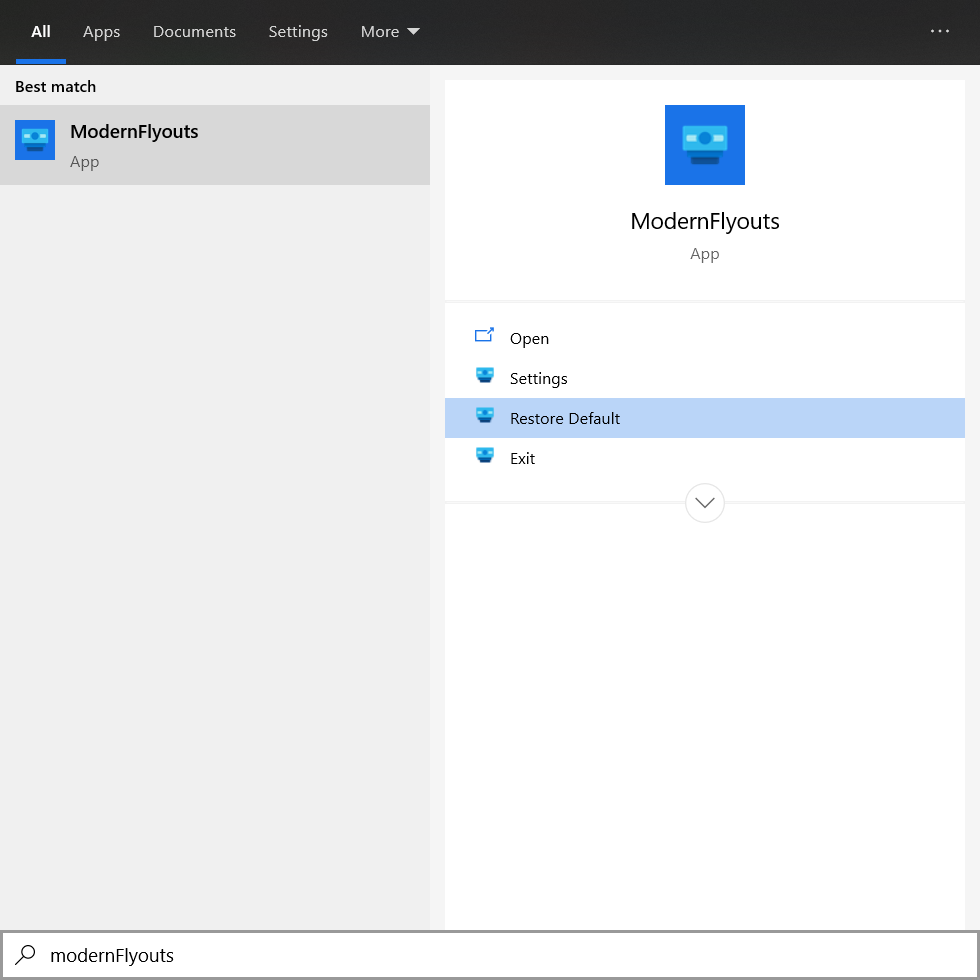
Speaking of a reset button, this one doesn't do anything.
erayrafet
on 29 Oct 2020
@erayrafet,
There is a misunderstanding here.
That option will only restore the windows built-in flyout.
It says "Restore Default" not "Reset to Defaults".
I should change the term to "Restore legacy flyout" to reduce confusion.
ShankarBUS
on 29 Oct 2020
I should change the term to "Restore legacy flyout" to reduce confusion.
Agreed
 Samuel12321
on 29 Oct 2020
Samuel12321
on 29 Oct 2020
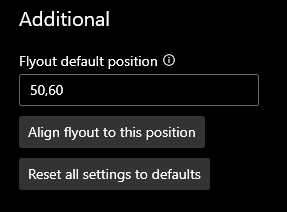
@erayrafet @Tropix126
Are these new options enough for you?
ShankarBUS
on 18 Nov 2020
@ShankarBUS Should do. Thanks!
erayrafet
on 18 Nov 2020
Wow that was quick 😂.
Thank you for letting me know such an issue exists.
GitHub issues let us track our progress and prioritize our work.
I must thank you for opening this issue!
ShankarBUS
on 18 Nov 2020
Related issues
 DanRotaru
·
3Comments
DanRotaru
·
3Comments
 luojunyuan
·
3Comments
Tropix126
·
3Comments
luojunyuan
·
3Comments
Tropix126
·
3Comments
 privacyguy123
·
3Comments
privacyguy123
·
3Comments
 Poopooracoocoo
·
4Comments
Poopooracoocoo
·
4Comments
Most helpful comment
Maybe simply have a "Reset to defaults" button at the bottom of the settings panel?