Model-viewer: Something happened and now AR doesn't work
Hello, guys
I had developed a project last two weekend and the last modification was 10 days ago, everything worked perfect.
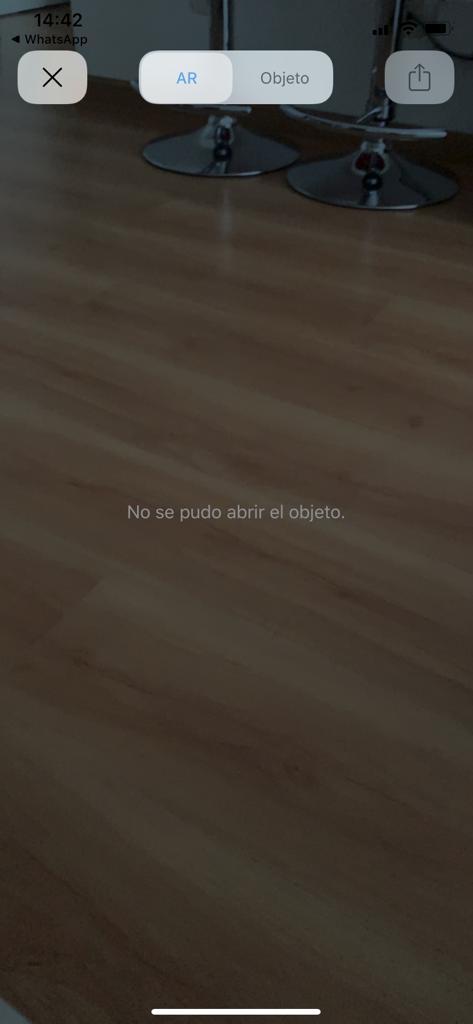
Now it says that "Couldn't open object".
Project could be reached at: https://spital.imipasadegorj.ro
What happened?
- model-viewer: latest
Browser Affected
- [x] Chrome
- [ ] Edge
- [ ] Firefox
- [ ] IE
- [x] Safari
OS
- [ ] Android
- [x] iOS
- [ ] Linux
- [ ] MacOS
- [ ] Windows
 burungiu
All 20 comments
Downgrade to 1.1.0 solved the problem, hmm, what's wrong?
I changed on https://spital.imipasadegorj.ro version from 1.2.0 to 1.1.0 and now it's working. could you please analyse what it wrong with my code (10 lines) why it doesn't work properly with 1.2.0?
burungiu
on 2 Sep 2020
Same with us too. USDZ and GLB's are downloaded fine.
You can check it out on; https://app.diner.com.tr/house-of-b/menu
 sercanov
on 2 Sep 2020
sercanov
on 2 Sep 2020
How did you scanned the products? Photogrametry? Which soft did you used?
Same with us too. USDZ and GLB's are downloaded fine.
You can check it out on; https://app.diner.com.tr/house-of-b/menu
burungiu
on 2 Sep 2020
How did you scanned the products? Photogrametry? Which soft did you used?
Same with us too. USDZ and GLB's are downloaded fine.
You can check it out on; https://app.diner.com.tr/house-of-b/menu
Yeah, we used photogrammetry with some other tooling stack we've put together. Models are %90 computer generated.
sercanov
on 2 Sep 2020
Sorry for asking you use this?
https://unpkg.com/browse/@google/model[email protected]/dist/model-viewer-legacy.js
https://unpkg.com/browse/@google/model[email protected]/dist/model-viewer.js
??
 Wulff2099
on 2 Sep 2020
Wulff2099
on 2 Sep 2020
Sorry for asking you use this?
https://unpkg.com/browse/@google/model[email protected]/dist/model-viewer-legacy.js
https://unpkg.com/browse/@google/model[email protected]/dist/model-viewer.js
??
Yes, until today I used the latest version, I hope modelviewer dev will bring a solution for 1.2.0, or a fix if the problem is on their side.
burungiu
on 2 Sep 2020
Because i can see the page in android ok but in iphone is not working
this is the page
https://virtualdesign.es/projects/47streetest/
Wulff2099
on 2 Sep 2020
Thanks, I have a repro; looking into it. I'll probably have a 1.2.1 out shortly. Appreciate your patience and rapid reporting!
 elalish
on 2 Sep 2020
elalish
on 2 Sep 2020
I dont know why if i use this 2 links
still not working in iphone
https://unpkg.com/browse/@google/model[email protected]/dist/model-viewer-legacy.js
https://unpkg.com/browse/@google/model[email protected]/dist/model-viewer.js
in my page
https://virtualdesign.es/projects/47streetest/index2.html
Wulff2099
on 2 Sep 2020
Okay, v1.2.1 with this fix is now up on npm and unpkg. Would anyone be so kind as to confirm it is now working as expected?
elalish
on 2 Sep 2020
@Wulff2099 I believe your problem is including 'browse'; try something like this instead: https://unpkg.com/@google/model[email protected]/dist/model-viewer.min.js
elalish
on 2 Sep 2020
Same problem cant open the object
Wulff2099
on 2 Sep 2020
@Wulff2099 your ios-src is pointing at the same .glb as your src, instead of pointing at a .usdz or .reality file.
elalish
on 2 Sep 2020
ios-src is pointing to .usdz file
Wulff2099
on 2 Sep 2020
@Wulff2099 When I view source on your website above, I see this:
<model-viewer environment-image="assets/whipple_creek_regional_park_04_1k.hdr"
                  src="assets/zapa01.glb"
                  ios-src="assets/zapa01.glb"
                  alt="A 3D model of an astronaut"
                  shadow-intensity="1"
                  exposure ="1"
                  camera-controls
                  auto-rotate ar>
    </model-viewer>
I can confirm the fix is working now in ios on safari, chrome and FF
 jeanieherold
on 2 Sep 2020
jeanieherold
on 2 Sep 2020
Upss! i fix it and works Thanks my bad, sorry
Wulff2099
on 2 Sep 2020
Same problem cant open the object
have you solved iOS AR
 VRJGaming
on 10 Sep 2020
VRJGaming
on 10 Sep 2020
Upss! i fix it and works Thanks my bad, sorry
how?
VRJGaming
on 10 Sep 2020
Upss! i fix it and works Thanks my bad, sorry
how?
Whats your problem VRJGAMING?
Wulff2099
on 10 Sep 2020
Related issues
 danksky
·
21Comments
danksky
·
21Comments
 fselcukcan
·
14Comments
fselcukcan
·
14Comments
 hybridherbst
·
19Comments
hybridherbst
·
19Comments
 pushmatrix
·
34Comments
pushmatrix
·
34Comments
 suro7
·
31Comments
suro7
·
31Comments
Most helpful comment
Downgrade to 1.1.0 solved the problem, hmm, what's wrong?
I changed on https://spital.imipasadegorj.ro version from 1.2.0 to 1.1.0 and now it's working. could you please analyse what it wrong with my code (10 lines) why it doesn't work properly with 1.2.0?