Mobile: Autofill not working on Chrome Android
Autofill is not consistent and not working on chrome Android

 pavankjadda
All 149 comments
Same experience here, accessibility services with bitwarden are not offered if Our device is in "please do not disturb mode"
 m3gg3
on 22 Apr 2019
m3gg3
on 22 Apr 2019
I find the autofill service works better if you select one of the input fields prior to attempting to autofill. I have only been using Bitwarden for a couple days though, but that is my experience thus far. This is when filling fields in Chrome using accessibility service, using the beta android app.
 ouldsmobile
on 22 Apr 2019
ouldsmobile
on 22 Apr 2019
Need more information, such as which autofill service you are using here.
 kspearrin
on 22 Apr 2019
kspearrin
on 22 Apr 2019
I'm having the same problem on the Android Q Beta on a Pixel 3. I'm using the Andoid Autofill Framework, though I tried enabling the Accessibility Autofill and that did not correct the problem.
 death2cupbots
on 22 Apr 2019
death2cupbots
on 22 Apr 2019
Need more information, such as which autofill service you are using here.
I am using the latest Android version of the app on Android P. Sometimes it works and sometimes not. It's inconsistent. I had quit the chrome app multiple to get it working.
pavankjadda
on 22 Apr 2019
It might be helpful to disable adaptive battery for Bitwarden in Android Pie. If your device has any form of battery optimization baked in, sometimes it helps to disable it for certain applications that you want to always receive notifications / prompts for.
 douglasparker
on 3 May 2019
douglasparker
on 3 May 2019
Same experience here, accessibility services with bitwarden are not offered if Our device is in "please do not disturb mode"
Turning off DND mode solved my issue. Is there a workaround for this? Because my DND is scheduled and I don't want to turn off.
pavankjadda
on 6 May 2019
It's not working anymore for me too using Kiwi browser beta (and bitwarden beta).
it's been 1 week now it's stopped. I tried all you said, but no...
 fruity101079
on 14 May 2019
fruity101079
on 14 May 2019
I'm having the same issue, too, although it was working for a while. I was hoping it was a configuration or system issue, because it only stopped working a couple days ago. Here's what I gathered so far.
Expected Behavior
The Bitwarden AutoFill Service should offer a drop in the "username" or "password" field.

Current Behavior
- There is no dropdown.
- Selecting either field does not cause the dropdown to appear.
Current Configuration
- Android 8.0.0
- OxygenOS 5.0.8
- "Auto Fill Service" enabled
- "Auto Fill Accessibility Service" disabled
Troubleshooting Steps
- Change lock timeout to various values
- Enabled / Disabled "Auto Fill Accessibility Service"
- Force stopped app
- Cleared cache
- Deleted all internal storage
- Uninstall/Reinstall app
- Disable doze mode
<-- Chrome -->
- Cleared all history
- Disabled safe browsing
- Disabled page predictions
- Allowed pop ups and redirects
- Force stop and clear cache through system
- Disable/Enable Chrome
 JonathonAnderson
on 17 May 2019
JonathonAnderson
on 17 May 2019
@kspearrin It's worth mentioning, too, that the autofill service works in some other apps, but not others.
<-- Does not work -->
- Chrome
- ProtonMail
- Shipt (Meijer)
- Wall Street Journal
<-- Does work -->
- Workday
- Robinood
- Sync.com
- FastHub
I'm thinking that the recent privacy and security improvements that Google made may be interfering with BitWarden, but I'm not sure on the other apps.
I hope this helps my friend. Good app. Just bought the family plan.
JonathonAnderson
on 17 May 2019
I tested this on other password management apps, such as 1Password, and they do not seem to be working either. Seems that Chrome broke something.
kspearrin
on 18 May 2019
I have also tested autofill with Keepass2Android and Enpass - both work in Firefox but do not in Chrome (stable and beta).
(Nexus 5X on PixelExperience, Android 9)
 finderAUT
on 22 May 2019
finderAUT
on 22 May 2019
FWIW, same here: Bitwarden & Firefox are OK. On Chrome, no.
 niconikoC
on 24 May 2019
niconikoC
on 24 May 2019
Hm, well it's unconsistent with firefox. When the pop up is showing (not always), it's not like it should be.
It's really strange.
fruity101079
on 24 May 2019
Just chiming in that I'm having the same issue. I've been emailing back and forth with support over the weekend but have not yet found a solution.
 nemchik
on 27 May 2019
nemchik
on 27 May 2019
@nemchik :sweat_smile: I don't think you'll find much better support than what you got here
JonathonAnderson
on 28 May 2019
Actually, we just need to know if someone is still working on the app or is it abandoned?
I just move everything in bitwarden, no luck for me, and tell my family to do the same... we need to know if it's still supported. Or forked?
fruity101079
on 28 May 2019
Well it does look like a new release (1.22.1) was pushed that lists a fix for this issue, so in the very least it's being looked at. I haven't seen the update come across the Google play store yet.
nemchik
on 28 May 2019
@fruity101079 I meant that the guy who wrote the thing is participating in this thread.
JonathonAnderson
on 28 May 2019
nemchik
on 28 May 2019
I just see anew release has been pushed.
great news. Thanks the dev :)
fruity101079
on 28 May 2019
This issue is still outstanding. We are not receiving autofill event from Chrome anymore. I am not sure if this is an OS bug or a Chrome app bug, but from what I can tell with my testing, no password manager apps are working with Chrome (and some other apps) now.
kspearrin
on 28 May 2019
Just for info, I just notice that the accessibility service was disabled, again... And of course now it's working again with firefox and kiwi (so chrome also I guess).
fruity101079
on 3 Jun 2019
Works fine for me in stock chrome, but still having an issue where the inline filler doesn't work in Kiwi - only the drop down auto-fill service. Is this the only one available for Kiwi?
 Avrution
on 10 Jun 2019
Avrution
on 10 Jun 2019
I seem to have the same symptoms, where Pie autofill does not work consistently in Chrome.
I have a OnePlus 6T with Android 9 and OxygenOs 9.0.14.
A workaround for me is to:
- show all apps and kill Chrome
- reopen Chrome (thankfully the tabs are restored even after killing)
- autofill is properly detected
Bitwarden is in the _"Don't optimize"_ Battery optimization list.
I have Bitwarden 1.22.0, but apparently 1.22.1 released 2 weeks ago is not yet available in the Play store for me.
 gotson
on 14 Jun 2019
gotson
on 14 Jun 2019
The latest Beta has been working great for me. I was starting to have a ton of these issues with the old version as well. @gotson Have you tried opting into the Beta?
douglasparker
on 14 Jun 2019
The latest Beta has been working great for me. I was starting to have a ton of these issues with the old version as well. @gotson Have you tried opting into the Beta?
i was about to try that indeed! Will report whether it works or not on my issue.
gotson
on 14 Jun 2019
I spoke too soon, I guess I had the accessibility service enabled. The auto-fill framework is still not working for me. Overall though, the beta feels much better assuming you're using the accessibility service. I'm not having any more long hangs when opening the vault and stuff. I don't know, the old version was starting to feel really buggy and the beta just feels overall a lot better.
douglasparker
on 14 Jun 2019
I've been using the 2.0 beta since shortly before the 2.0 stable release tagged here in the repo and it's been about 50/50 on the popunder, which is better than 0 on the 1.x version.
nemchik
on 14 Jun 2019
I still have the problem with the 2.0.3 installed from the PlayStore beta :(
gotson
on 14 Jun 2019
I had to lock and factory reset my phone to update to Android Pie. After updating OxygenOS and Chrome, it's working.
JonathonAnderson
on 16 Jun 2019
I started having problems again after running more updates. I disabled Chrome's "Addresses and More" option, and BitWarden started working flawlessly again.
JonathonAnderson
on 16 Jun 2019
I still have a lot of issues with autofill in Chrome, which is resolved by killing Chrome and then opening it again. Would be nice to find a solution to this problem..
 niikoo
on 30 Jul 2019
niikoo
on 30 Jul 2019
@JonathonAnderson Disabling "addresses and more" also fixed it for me in chrome. Thanks a lot, I've been fighting with bitwarden for a couple months to get this since I switched from lastpass (which worked fine on android...)
 KoiosLabs
on 30 Jul 2019
KoiosLabs
on 30 Jul 2019
@JonathonAnderson: Thanks, that solved it for me as well, both in Chrome and in Lynket!
I also discovered that " Save and fill payment methods" under "Payment methods" needs to be enabled for me in order for Bitwarden to work properly. Weird.
 MorganAntonsson
on 3 Aug 2019
MorganAntonsson
on 3 Aug 2019
@kspearrin, Is it recommended to use an alternate browser such as Firefox on mobile from now on then? It seems like Google keeps breaking things / making controversial changes in Chrome a lot lately.
Is there anything we can do to get Google to stop making breaking changes to Chrome, especially in regards to password managers?
douglasparker
on 12 Aug 2019
Firefox seems to work well with autofill, which seems odd since Chrome is also a Google product, you would think it would work the best. I'd recommend another browser if autofill is important to you.
kspearrin
on 12 Aug 2019
I'd recommend another browser if autofill is important to you.
Or privacy
JonathonAnderson
on 12 Aug 2019
As I mentioned in #562 I'm getting this issue as well but LastPass still has no problem filling the Chrome login form..
https://developer.android.com/guide/topics/text/autofill ??
 ghhv
on 15 Aug 2019
ghhv
on 15 Aug 2019
That's because you are using the LastPass accessibility service. Bitwarden's accessibility service works fine as well.
kspearrin
on 15 Aug 2019
No, I turned off all LP.. turned on all BW.. still not finding the URL from Chrome. My point was that LastPass is getting the URL from Chrome when Bitwarden is not (in relation to your comment that other password fillers are also affected and Chrome is the issue.. but why is LP still working?)
ghhv
on 15 Aug 2019
@ghhv LastPass's standard autofill service will also has this issue. Their accessibility service works just like Bitwarden's.
kspearrin
on 15 Aug 2019
@kspearrin Hmm. but it doesn't have the issue. I'll send you some screen shots tomorrow to help work out what is happening..
ghhv
on 15 Aug 2019
@kspearrin I added credentials for a site of mine to LastPass and switched my autofill service to LastPass. As you can see in the screenshot below, it works with LastPass.
When I switch to Bitwarden, however, I only get a "Go to my vault" popup. When pressed, the displayed shows the domain as "com.google.chrome" instead of the URL of the site I am trying to autofill on. This issue used to occur only sporadically, but it has lately been happening consistently.
 hmnd
on 21 Aug 2019
hmnd
on 21 Aug 2019
@hmnd That appears to be the LastPass accessibility service, not the autofill service. Can you confirm?
kspearrin
on 21 Aug 2019
I can confirm this as well. com.google.chrome is a common issue for me. I can sometimes return to the site and tap the notification again and it'll work correctly, but at times it takes multiple tries.
The LastPass window in the screenshot above draws over the screen which is what I thought Google was placing restrictions on recently, but it always worked for me. An issue I had with the LastPass draw over was it opened a lot more frequently than I needed it to.
nemchik
on 21 Aug 2019
@kspearrin Yup, that's correct. This seems like a Chrome issue, so could it maybe be possible to disable Bitwarden autofill in favour of the accessibility service for Chrome?
hmnd
on 21 Aug 2019
I had to switch Browsers. Actually switched entirely to iOS and now Bitwarden works flawlessly.
Chrome is seriously buggy as all hell with Bitwarden. I do not recommend it.
douglasparker
on 21 Aug 2019
@hmnd Yes, as I previously mentioned, Chrome is bugged which is why neither Bitwarden or LastPass work with it when using the autofill service. You will need to use the accessibility service until Google fixes the problem.
kspearrin
on 21 Aug 2019
@kspearrin I see. I also just tried autofill on Firefox Preview and it looks like Firefox only gives BW the root domain (ie. without subdomain or path)? Do you know if that's a Firefox issue?
hmnd
on 21 Aug 2019
I would suggest that is a Firefox issue, though that is the same behavior I have seen in all browsers. The autofill framework doesn't give the full URL of the website, only the base domain.
kspearrin
on 21 Aug 2019
@hmnd Yes, as I previously mentioned, Chrome is bugged which is why neither Bitwarden or LastPass work with it when using the autofill service. You will need to use the accessibility service until Google fixes the problem.
But as I was trying to say earlier - Lastpass does not have the problems you keep saying.. it's flawless for me with Chrome.. so therefore, is Chrome really the problem? How is Lastpass still working OK?
ghhv
on 21 Aug 2019
@ghhv If you try disabling accessibility perms for LastPass and only give it autofill, it will do the same thing as Bitwarden. It only works because of the accessibility service, not native autofill.
hmnd
on 21 Aug 2019
@hmnd yes, I did all that.. I couldn't get Bitwarden to work with either service.
ghhv
on 21 Aug 2019
I am certain I was having the same issues with the accessibility service in Chrome on Android.
The ‘com.google.chrome’ would happen using both, and in the case of the accessibility service often times I had to open it, close it and then open it again to get it to show any fields.
It was better than the auto fill service if I recall, but still glitchy as all hell. I had sync issues sometimes too. It was definitely not a consistent experience.
I’ve switched to iOS and dropped Google completely recently for a long list of reasons, and now shit just works.
Android users should just use Firefox.
douglasparker
on 21 Aug 2019
FYI I have the com.google.chrome issue with bitwarden whether i'm using the autofill or the accessibility (notification) from bitwarden in chrome or a webview that uses chrome (such as clicking a link in gmail).
Maybe a separate issue.
nemchik
on 21 Aug 2019
It looks like Google is aware of this issue and have a fix. Here is the bug report.
 kschat
on 26 Aug 2019
kschat
on 26 Aug 2019
I am experiencing the same issues trying to use Bitwarden (v2.2.1) with Samsung Internet on Android (v9.4.00.45). Auto-fill and Accessibility Service do not show up/are not options when attempting to log into a website through the browser. I tested Bitwarden in the Microsoft Edge for Android (v40.0.4.3892) browser and it works perfectly fine which leads me to believe it is an issue with the Chromium browser in general.
Also, like others have mentioned, LastPass (v4.10.4395) works perfectly fine for Samsung Internet and Chrome on my device (Samsung Galaxy S10, Android P) so I'm not entirely sure what they are doing/implementing differently here.
 camlen92
on 27 Aug 2019
camlen92
on 27 Aug 2019
@camlen92 if you read over the conversation here, you'll find that LastPass is using the accessibility service and autofill with LastPass still does not work. Samsung Internet is likely based on Chromium, so that is why you are seeing the issue there too. As you can see here: https://github.com/bitwarden/mobile/issues/489#issuecomment-525022516, the issue is already in the process of being fixed in Chromium.
hmnd
on 27 Aug 2019
@camlen92 if you read over the conversation here, you'll find that LastPass is using the accessibility service and autofill with LastPass still does not work. Samsung Internet is likely based on Chromium, so that is why you are seeing the issue there too. As you can see here: #489 (comment), the issue is already in the process of being fixed in Chromium.
@hmnd, sorry I should have linked this reply from a Bitwarden dev about Samsung Internet. According to an older post on Reddit, devs says that Samsung Internet doesn't support Accessibility Services. See: Autofill in Samsung Internet Browser. If what you are saying is true, that LastPass is using the Accessibility Service, then why does LastPass seem to work just fine in Samsung Internet, but Bitwarden does not? I could not get Bitwarden's Accessibility Service to trigger in Samsung Internet nor Chrome for Android but LastPass triggers just fine? Am I missing something here?
I've attached screenshots to show what I am seeing using LastPass in both Samsung Internet and Chrome for Android.


camlen92
on 27 Aug 2019
Interesting, it looks like the bug filed on chrome https://bugs.chromium.org/p/chromium/issues/detail?id=996402 is being worked on.
Chrome Canary https://play.google.com/store/apps/details?id=com.chrome.canary consistently opens the autofill popup for me, but it always says the vault is locked. When tapping on the autofill popup I am taken to my vault without having to unlock (I had previously unlocked it) and shown Items for com.chrome.canary rather than for the site i'm actually trying to login to. Still an improvement just to see the autofill popup working much more consistently.
Small update: Before finishing this comment I force closed both BitWarden and Chrome Canary and then opened BitWarden and unlocked my vault and then switched to Chrome Canary and visited a few websites. The autofill continues to appear consistently but now I'm shown the logins for com.chrome.canary no matter what login form the autofill opens for. Tapping to show my vault behaves as described above where I am shown Items for com.chrome.canary in BitWarden. So it's as if BitWarden is unable to tell which website chrome is accessing and instead is treating it as a non-browser app and using the package name.
nemchik
on 27 Aug 2019
I have the same issue with autofill on Chrome Beta and Canary because that's what I use. and bitwarden treats it as a app and not a browser. Bitwarden should let us add custom browsers or just add these variants of chrome to their list of supported browsers.
 hazre
on 28 Aug 2019
hazre
on 28 Aug 2019
I've tried enabling the Chrome flag "#enable-android-autofill-accessibility" and I fixed this problem on my phone.
 Dav48
on 7 Sep 2019
Dav48
on 7 Sep 2019
Looks like this is fixed now in Chrome 77.0.3865 and above. Tried it on Beta and Canary both works
hazre
on 8 Sep 2019
Can confirm @hazre. Issue can probably be closed.
hmnd
on 10 Sep 2019
Maybe keep the issue open until that version of chrome is released as stable?
nemchik
on 10 Sep 2019
Chrome Canary solved the com.android.chrome issue for me, but the promt is still inconsistent. When forcing a chrome restart it then works again for a while.
Using Android Pie on OnePlus 5 and latest Bitwarden (Beta) aswell as latest Chrome Canary. Also tried messing with some chrome flags and autofill settings, but the inconsistent promt still persists.
When it works, it works very well and consistent for a while, but after some hours it suddenly doesn't work for no website anymore until I force restart chrome.
 mite1200
on 10 Sep 2019
mite1200
on 10 Sep 2019
If anyone has suggestions what else I can try, please don't hesitate to post them. I'd love to try some ideas, maybe there's some easy fix. Starts to get really annoying when every few hours the autofill promt stops appearing. The main problem is that the issue is hardly reproducable as it only happens after some unknown time.
mite1200
on 11 Sep 2019
Whats the difference between tapping the notification for the auto-fill and when there is the little popup near the password? Because the notification does work without any issues (at least for me) but the popup never does
 andre-paulo98
on 12 Sep 2019
andre-paulo98
on 12 Sep 2019
Chrome updated today to v77.0.3865.73 and now the auto fill framework prompt doesn't even popup anymore... I cannot even begin to stress how annoying this is.
douglasparker
on 13 Sep 2019
@mite1200 I've been on Chrome Dev for a week or so and haven't had any issues with autofill there.
@andre-paulo98 The notification uses Android accessibility features, whereas the popup uses actual autofill.
@DougParker1992 Try installing Chrome Dev (v78) and see if that works for you.
hmnd
on 13 Sep 2019
@hmnd Chrome Dev doesn't seem to show any autofill prompt either. :(
Back to accessibility service for me.
douglasparker
on 13 Sep 2019
I am currently running into this issue as well, but I have found that enabling Chrome's "Save Passwords" setting fixes it. The only downside is that now both Bitwarden AND Chrome will offer to save passwords on a new login.
The same behavior is present with LastPass. If I disable "Save Passwords" in Chrome, LastPass will refuse to autofill as well.
 urbenlegend
on 19 Sep 2019
urbenlegend
on 19 Sep 2019
I am currently running into this issue as well, but I have found that enabling Chrome's "Save Passwords" setting fixes it. The only downside is that now both Bitwarden AND Chrome will offer to save passwords on a new login.
The same behavior is present with LastPass. If I disable "Save Passwords" in Chrome, LastPass will refuse to autofill as well.
Thanks for the tip, will also try and see if that helps for me too. Though I don't know if we have the same problem. It seems, that your autofill didn't work at all and enabling password saving did enable the prompt showing up. On my side, the problem is that it's inconsistent and often doesn't pop up after some hours anymore until i force restart chrome.
mite1200
on 19 Sep 2019
I've been testing a bunch of browsers and I've found that Bitwarden works with Android autofill flawlessly with Firefox browsers. Chrome, Brave, Edge and Opera all don't work most of the time. Can anyone else replicate this?
 mitchger
on 29 Sep 2019
mitchger
on 29 Sep 2019
Yes, same issue here. And as far as I can tell, the patch that would supposedly fix this has already landed (in at least 77.0.3865.66 and later).
 tjm00
on 8 Oct 2019
tjm00
on 8 Oct 2019
Auto fill is not working properly with 3rd party apps on Android (Bitwarden, 1Password and LastPass), with Chrome or Firefox. Only Google auto fill is working perfectly, wonder why...
 roeizavida
on 18 Oct 2019
roeizavida
on 18 Oct 2019
With firefox and last updates, bitwarden is working again since a few months.
Some glitches occured when displaying the pop up or the notification auto complete but It's working.
fruity101079
on 18 Oct 2019
Has there been any updates on this? With the most recent stable version of Chrome from Google Play, I still can't get any autofill boxes to pop up. Are there any known workarounds (e.g. using a canary build or similar)?
 MathiasStokholm
on 4 Dec 2019
MathiasStokholm
on 4 Dec 2019
This was never resolved for me. I just gave up and use the accessibility service. I've owned numerous flagship android devices, and the autofill framework is never consistent and almost always never even works. :(
douglasparker
on 4 Dec 2019
It works with Firefox but nothing else.
On Thu, 5 Dec. 2019, 05:46 Douglas Parker, notifications@github.com wrote:
This was never resolved for me. I just gave up and use the accessibility
service. I've owned numerous flagship android devices, and the autofill
framework is never consistent and almost always never even works. :(—
You are receiving this because you commented.
Reply to this email directly, view it on GitHub
https://github.com/bitwarden/mobile/issues/489?email_source=notifications&email_token=AM7WT7DQEYW2HNGVCFBN6CLQW73J7A5CNFSM4HHNVV52YY3PNVWWK3TUL52HS4DFVREXG43VMVBW63LNMVXHJKTDN5WW2ZLOORPWSZGOEF6CSYA#issuecomment-561785184,
or unsubscribe
https://github.com/notifications/unsubscribe-auth/AM7WT7GA5P7YWFLWIMPVLZTQW73J7ANCNFSM4HHNVV5Q
.
mitchger
on 5 Dec 2019
I checked on news saying it to be an issue of Android 9 (and below) not providing enough API for autofill services to handle it in browsers, and it is fixed in Android 10. Not sure if that fix would involve any app side change but at least there's hope.
 AkazaRenn
on 8 Dec 2019
AkazaRenn
on 8 Dec 2019
@AkazaDorian that's good to hear. Do you happen to have any links to the news you saw this on? Maybe they have more helpful information.
nemchik
on 8 Dec 2019
@nemchik Sorry I just double checked the news and that seems to be another thing, sorry for let you down 😂
AkazaRenn
on 8 Dec 2019
This is an issue for me on Brave Browser. Chrome just worked on GitHub login. But nothing on Brave autofill.
 beardofbeespool
on 9 Dec 2019
beardofbeespool
on 9 Dec 2019
@kspearrin I'm not sure if you are aware, but this issue isn't resolved for most of us. The comment you left here leads me to believe that you think it is resolved. Unfortunately, this is not the case. =(
douglasparker
on 9 Dec 2019
For me the issue is actually resolved with Android 10, which I installed two days ago.
 TimHeinrich
on 9 Dec 2019
TimHeinrich
on 9 Dec 2019
It still doesn't work with any chromium based browser I've tried. Not Brave, Kiwi, Chrome Canary through stable. Only Firefox and Firefox preview.
tjm00
on 9 Dec 2019
I switched to 1Password and don't have any issues at all anymore. It might cost a bit more, but it's a small price to pay to not have to deal with this.
I really wanted to like Bitwarden, but I'm tired of dealing with autofill issues.
douglasparker
on 12 Dec 2019
https://bugs.chromium.org/p/chromium/issues/detail?id=1014945
https://bugs.chromium.org/p/chromium/issues/detail?id=1015381
The issues were reported but Chrome devs didn't pick them up yet. You can try commenting on the issues to make them aware.
@DougParker1992 Can you try the instructions here with 1Password? It should stop working then similar to Bitwarden.
EDIT: I just tried it again and the issue is gone. It might've been fixed in Android 10.
 quthla
on 18 Dec 2019
quthla
on 18 Dec 2019
@quthla Hey, I tried reproducing that issue with 1Password and I was not able to reproduce it. Everything just worked flawlessly.
I also don't use the in-app web view. I always disable that and have hyperlinks open in Chrome directly.
I did enable the in-app web view with Gmail just to see if that bug appeared for 1Password too, but it wasn't the case. At least for me.
Chromium Issue 1015381 involves using an in-app web view, which I never use so I imagine it is unrelated to this bug.
Chromium Issue 1014945 seems to do with Chrome and performance degradation. Also unrelated to this issue.
Thanks for trying to help! :)
EDIT:
EDIT: I just tried it again and the issue is gone. It might've been fixed in Android 10.
I am on version 9 of Android still, so probably not related to the Android version difference.
douglasparker
on 18 Dec 2019
@DougParker1992 Can you try to reproduce it with Bitwarden again using the same steps? Just to make sure it wasn't fixed (by accident) in newer versions of Chrome.
And yes, it also stopped working randomly without using an in-app webview but that was one way to safely reproduce it.
quthla
on 18 Dec 2019
@quthla I reinstalled Bitwarden and disabled 1Password.
Auto fill popped up once when I opened a web page in the in-app web view in Gmail. Switched over to Chrome, no auto fill prompt. Switched back to Gmail and the auto fill prompt wouldn't appear again. I even force stopped Chrome and it wouldn't show back up.
Similar as before really. I see the auto fill prompt for Bitwarden once and then I don't see it again for days or even weeks.
douglasparker
on 18 Dec 2019
That is indeed weird. Restarting Chrome always made it work again.
And you don't have 1Password enabled for accessibility? Just autofill?
quthla
on 18 Dec 2019
That is indeed weird. Restarting Chrome always made it work again.
And you don't have 1Password enabled for accessibility? Just autofill?
Actually, I did have the accessibility service enabled for 1Password. I didn't realize it, because it worked so well with a prompt appearing for a password fill.
Bitwardens accessibility service requires me to swipe from the top and look for it's notification to fill, which became really annoying when half the time it tries filling for com.android.chrome
EDIT: After the accessibility service tries filling for the web browser instead of the website, I have to back out and then reswipe down, hit the notification, unlock, and then fill again. It just got really annoying and that's why I switched. If it ever gets better I'm sure I will come back and host an on premise install again.
douglasparker
on 18 Dec 2019
Hi everyone, just wanted to chime in to say that I'm having the exact same issue.
Accessibility service disabled, since that's how it's supposed to be, and only relying on the autofill framework. Result: getting autofill on forms in a consistent way only when using Firefox (including preview and focus), but with chromium browsers it's a hit and miss. This includes chrome, Brave, kiwi, opera. Also working unreliably or not working at all: Samsung internet browser, Ms Edge, Xiaomi Mi browser and Via browser. I must've tested another bunch but none work (they're pretty much all based on chromium, I guess).
Considering that I've moved from k2a to Bitwarden because of browser autofill issues on Android, this situation is a bit ironic.
Is there ANY other password manager on Android that works on chromium browsers JUST by relying on the autofill fwk? Without accessibility service.
Knowing that could suggest if the issue is with Bitwarden or with chrome (or worse, with the OS itself).
I'm using a Pixel 2 XL running Android 10, so no weird rom "battery" optimisations, only the stock Adaptive Battery feature enabled and doze mode enabled as well of course.
Thanks!
 andreaippo
on 21 Dec 2019
andreaippo
on 21 Dec 2019
That is indeed weird. Restarting Chrome always made it work again.
And you don't have 1Password enabled for accessibility? Just autofill?Actually, I did have the accessibility service enabled for 1Password. I didn't realize it, because it worked so well with a prompt appearing for a password fill.
Bitwardens accessibility service requires me to swipe from the top and look for it's notification to fill, which became really annoying when half the time it tries filling for
com.android.chromeEDIT: After the accessibility service tries filling for the web browser instead of the website, I have to back out and then reswipe down, hit the notification, unlock, and then fill again. It just got really annoying and that's why I switched. If it ever gets better I'm sure I will come back and host an on premise install again.
So even with 1password the autofill is broken unless you have the accessibility service running? Is my understanding correct?
andreaippo
on 21 Dec 2019
Just tested on my Sony with Android 8 every combination of
Firefox - Chrome
1Password - Bitwarden
Autofill - Accessibility Service
Autofill on Chrome (currently version 79.0.3945.93) doesn't work, for both 1Password and Bitwarden.
Autofill on Firefox (currently version 68.3.0) works, for both 1Password and Bitwarden.
Accessibility Service always works, but I had to disable both "Scan" options and keep the persistent notification, cause the performance would drop drastically otherwise, and even so it gets a bit clunky at times (sometimes I tap the notification and it gets stuck at the bitwarden splash logo, sometimes it loads filtering by "com.android.chrome").
I'm stuck with this suboptimal solution for now, hoping that a fix may ever be found for the Auto fill on Chrome.
 caedium
on 21 Dec 2019
caedium
on 21 Dec 2019
That is indeed weird. Restarting Chrome always made it work again.
And you don't have 1Password enabled for accessibility? Just autofill?Actually, I did have the accessibility service enabled for 1Password. I didn't realize it, because it worked so well with a prompt appearing for a password fill.
Bitwardens accessibility service requires me to swipe from the top and look for it's notification to fill, which became really annoying when half the time it tries filling forcom.android.chrome
EDIT: After the accessibility service tries filling for the web browser instead of the website, I have to back out and then reswipe down, hit the notification, unlock, and then fill again. It just got really annoying and that's why I switched. If it ever gets better I'm sure I will come back and host an on premise install again.So even with 1password the autofill is broken unless you have the accessibility service running? Is my understanding correct?
@andreaippo It is my understanding that the auto fill framework is broken for all password managers that are not using Firefox. It also seemed to work fine on Safari for iPhone.
douglasparker
on 21 Dec 2019
@DougParker1992 Thanks.
Found this issue on the chromium bug tracker:
https://bugs.chromium.org/p/chromium/issues/detail?id=849774&q=Autofill%20framework&colspec=ID%20Pri%20M%20Stars%20ReleaseBlock%20Component%20Status%20Owner%20Summary%20OS%20Modified
Hasn't received much love from Devs so far, might be worth starring and commenting, maybe?
andreaippo
on 21 Dec 2019
I reported this issue to the Chromium team some time ago. See:
https://bugs.chromium.org/p/chromium/issues/detail?id=1015381
kspearrin
on 21 Dec 2019
I have a Samsung 10E and Bitwarden fails to work on many sites and apps but does work on some. My old iphone 6s was more reliable.
 ukmercenary
on 22 Dec 2019
ukmercenary
on 22 Dec 2019
@andreaippo It is my understanding that the auto fill framework is broken for all password managers that are not using Firefox. It also seemed to work fine on Safari for iPhone.
Not true, it's working fine on 1password. Switched across because of this.
 Amir-Ahmad
on 17 Jan 2020
Amir-Ahmad
on 17 Jan 2020
Are you sure you are not using the accessibility service with 1password? My testing of their autofill advice shows it is broken too.
kspearrin
on 17 Jan 2020
Are you sure you are not using the accessibility service with 1password? My testing of their autofill advice shows it is broken too.
I just retried it now after switching off accessibility. It's still working on 1password.
I have a Samsung S10+ running Android 10.
Amir-Ahmad
on 17 Jan 2020
I really hope this will be fixed anytime soon.
If the issue is Android and not Chromium how can some applications still overcome the problem and "work"?
I love your work @kspearrin but we can agree this is one of the critical UX functionalities that need to work. Hitting the BW icon and then copy / pasting credentials is just time-consuming and not very convenient.
 urosino
on 23 Jan 2020
urosino
on 23 Jan 2020
GitHub.com works properly in Firefox. But not in chrome. That means it's a browser issue right? Not os? The issue persists with Enpass.
beardofbeespool
on 24 Jan 2020
Ive since sold my Android device and gone back to IOS works perfectly I
will never go back to Android.
On Fri, 24 Jan 2020 at 04:05, Morton Likely notifications@github.com
wrote:
GitHub.com works properly in Firefox. But not in chrome. That means it's a
browser issue right? Not os? The issue persists with Enpass.—
You are receiving this because you commented.
Reply to this email directly, view it on GitHub
https://github.com/bitwarden/mobile/issues/489?email_source=notifications&email_token=ALLITRA6FFV5RAA2X6YZUITQ7JSJBA5CNFSM4HHNVV52YY3PNVWWK3TUL52HS4DFVREXG43VMVBW63LNMVXHJKTDN5WW2ZLOORPWSZGOEJZVDFA#issuecomment-577982868,
or unsubscribe
https://github.com/notifications/unsubscribe-auth/ALLITRDYK5R3MKWXYAVFBHLQ7JSJBANCNFSM4HHNVV5Q
.
ukmercenary
on 24 Jan 2020
I'd like to add that autofill works for me under Chrome Canary 81.0.4036.0 but not for the matching Chromium build (which I downloaded using Auto Updater for Chromium from F-Droid).
 gergesh
on 25 Jan 2020
gergesh
on 25 Jan 2020
The autofill overlay in 2.3.0 (not sure exactly when it was added) works perfectly for me with chrome 80.0.3987.87 (possibly earlier).
I don't recall the overlay being available in the last version I had posted about (circa August 2019). I actually noticed a small notification shown over my keyboard that the overlay was not enabled so I opened the app and found it disabled in the settings and once I turned it on everything seemed like it works how I would expect. Basically it's now doing exactly what we've all been asking for this whole time in my opinion.
Great job and thank you to the devs and support people who have been working on this issue!
nemchik
on 10 Feb 2020
The autofill overlay in 2.3.0 (not sure exactly when it was added) works perfectly for me with chrome 80.0.3987.87 (possibly earlier).
I opted into the beta again, and everything functions so much better with the accessibility service. Thank you so much for commenting and pointing this out.
@kspearrin Thank you so much for improving the accessibility service within Bitwarden. It has been driving me crazy for so long, but the latest update in v2.3.0 has made my autofill experience phenomenally better.
I highly recommend that everyone opt into the beta to enjoy a much better autofill experience. The accessibility service now functions similarly to the autofill framework with the popup prompt.
douglasparker
on 10 Feb 2020
I'm running opera on Samsung Galaxy s20+. Still either get zero auto fill response oe the quick-flash-of-autofill-then-gone. I'm using the most recent release of bitwarden 2.3.1 (2257). I will go back to the previous more stable version of 2.2.6 which works for me. Also gives me the three options of how I'd like bitwarden to activate at the bottom of the options page. I can't beta test, bitwarden is critical to me and I can't risk not having access or losing data.
 THEOCKID
on 25 Mar 2020
THEOCKID
on 25 Mar 2020
@kspearrin Since this issue also affects us over at Password Store, I spent some time delving into the AOSP Autofill code and think that I may have found a possible root cause for https://bugs.chromium.org/p/chromium/issues/detail?id=1015381 on Android 10+.
With verbose Autofill logs enabled, the following lines appear right before the issue manifests itself by Autofill prompts no longer appearing:
07-01 11:01:37.126 17744 17744 V AutofillManager: startSessionLocked(): id=1073741824, bounds=null, value=[type=1, value=0_chars], flags=8, state=UNKNOWN, compatMode=true, augmentedOnly=false, enabledAugmentedOnly=false, enteredIds=null
07-01 11:01:37.128  1535  4367 V AutofillManagerServiceImpl: startSession(): token=Token{34031b1 ActivityRecord{15f4696 u0 com.android.chrome/com.google.android.apps.chrome.Main t2302}}, flags=8, forAugmentedAutofillOnly=true
Note the forAugmentedAutofillOnly=true, which means that from now on, all Autofill requests in the session will bypass the Autofill service configured by the user and be directly forwarded to an augmented Autofill service supplied by the phone manufacturer (I don't know any concrete examples though).
The reason that this flag is set can be traced back to the code added to AutofillManager.startSessionLocked in this commit. With this commit, the isAutofillable() function on View, which used to be a pure getter, now incurs the side effect of irreversibly routing all Autofill requests in that session to the augmented Autofill service when called on a view that is marked not important for Autofill and later leads to the start of an Autofill session. This is because the function adds an element to mEnteredForAugmentedAutofillIds, which then leads to the augmented Autofill service being used instead of the user-configured one here, assuming that the View on which isAutofillable was invoked is then also the view that starts the Autofill session.
Here things become non-deterministic: I have not been able to find out when exactly AutofillSessions are started when using Chrome. Sometimes, this happens when a form element is tapped, in which case Autofill works fine. But the URL bar, which is explicitly marked as not important for Autofill as a result of this bug, can also lead to a session being initiated (it did in my log snippet above, where it had the Autofill ID 1073741824. If this takes place after isAutofillable has been called on the URL bar, Autofill breaks until the session is recreated, for the reason explained above.
Unfortunately I can't get Autofill to work with my own build of Chromium, so this is all theory for now. I will add this to the discussion on Issue #1015361 though.
The Chromium team is actually working on built-in Autofill support as part of their WebLayer effort. You can give the weblayer_shell a try, it does work quite well with Autofill services and can even distinguish the webDomains on fields in different iframes. There is hope that Chrome will switch to WebLayers in the near future.
 fmeum
on 1 Jul 2020
fmeum
on 1 Jul 2020
But the URL bar, which is explicitly marked as not important for Autofill as a result of this bug, can also lead to a session being initiated (it did in my log snippet above, where it had the Autofill ID 1073741824. If this takes place after
isAutofillablehas been called on the URL bar, Autofill breaks until the session is recreated, for the reason explained above.
I don't understand the technical side of this, but I can write about my experience which might relate to this address bar thing. For me, on Android 9 and only the Autofill Service enabled (Accessibility Service disabled.. which is a security risk if it's enabled as it affects the security of the phone by stopping using the users screen lock to enhance the encryption of the device! I'm rather surprised that there is no warning on Bitwarden autofill help page), and with battery saver/optimization function disabled for Bitwarden app, autofill seems to work reliably with Chrome when I don't use the address bar.
For example, if I use the address bar to search for a site, then browse there and open the login page/prompt, Bitwarden autofill doesn't popup for the login form. But if I then leave the page as it is in the tab, close Chrome completely from the system task manager / app switcher, then open Chrome again which opens the last webpages that were open the last time, the autofill works for the login forms reliably every time.
My main browser on Android, Vivaldi however doesn't work even then, I haven't been able to get autofill popups on webpages even once on Vivaldi browser! Curiously, when setting up the sync feature on Vivaldi from the settings, the autofill popups though, but not on any webpage opened in Vivaldi.
 Perkolator
on 2 Jul 2020
Perkolator
on 2 Jul 2020
I don't understand the technical side of this, but I can write about my experience which might relate to this address bar thing. For me, on Android 9 and only the Autofill Service enabled (Accessibility Service disabled.. which is a security risk if it's enabled as it affects the security of the phone by stopping using the users screen lock to enhance the encryption of the device! I'm rather surprised that there is no warning on Bitwarden autofill help page), and with battery saver/optimization function disabled for Bitwarden app, autofill seems to work reliably with Chrome when I don't use the address bar.
Unfortunately, I don't have a device running Android 9 that I could use to debug the issue there. I suspect that it might have a different root cause there as the relevant commit has only been introduced in Android 10 (at least not on the Android 9 release branch).
@Perkolator or anybody on Android 9: If you are comfortable doing so, it would be very interesting to see the outputs of
adb shell dumpsys autofill
adb shell dumpsys activity com.google.android.apps.chrome.Main
right after Autofill broke for you on stable Chrome with Autofill Logging Level set to "Verbose" in the "Developer options". I can not exclude the possibility that this log data contains personal information, so please look for e.g. package names of installed applications before you post it.
fmeum
on 2 Jul 2020
@kspearrin Over at Password Store, we have had success working around the bug @Perkolator is likely referring to by running an accessibility service that simply requests the virtual view structure from Chrome, forcing Chrome to populate it: https://github.com/android-password-store/Android-Password-Store/pull/921/files#diff-64b66ecbca9c9d1f81ec94c15a2bd8a9. This greatly improves the reliability with which Chrome sends accessibility events which are then picked up by the Autofill compatibility mode. We do not have much data about the performance impact on Chrome, although the service uses debouncing to minimize that.
@Perkolator Since Android 7.0, Android uses file-based rather than full-disk encryption, which allows accessibility services to run at boot without affecting the level of encryption of user files. On devices running Android 6.0 or lower or those that were only updated to Android 7.0, enabling accessibility services may still pose a security risk though.
fmeum
on 9 Jul 2020
Since Android 7.0, Android uses file-based rather than full-disk encryption, which allows accessibility services to run at boot without affecting the level of encryption of user files.
I'm not convinced. On my Android 9 device, when trying to enable the Bitwarden Accessibility Service, I'm greeted with this warning:
If you turn on Bitwarden, your device won't use your screen lock to enhance data encryption.
If my personal locking mechanism isn't used, then what is, some default encryption key? Doesn't sound that secure to me. Obviously I haven't enabled the Accessibility Service not even once because of this warning message.
Perkolator
on 9 Jul 2020
Since Android 7.0, Android uses file-based rather than full-disk encryption, which allows accessibility services to run at boot without affecting the level of encryption of user files.
I'm not convinced. On my Android 9 device, when trying to enable the Bitwarden Accessibility Service, I'm greeted with this warning:
If you turn on Bitwarden, your device won't use your screen lock to enhance data encryption.
If my personal locking mechanism isn't used, then what is, some default encryption key? Doesn't sound that secure to me. Obviously I haven't enabled the Accessibility Service not even once because of this warning message.
It would be helpful to know your device model.
If it came with an Android version before 7 and has been updated since, it might still be using full-disk encryption. With FDE, the encryption password will indeed not depend on your screen lock password. You might be able to convert to file-based encryption from your device's settings though.
If it came with Android 7, it should use file-based encryption and this warning is very unexpected.
fmeum
on 9 Jul 2020
It would be helpful to know your device model.
Nokia 5 (TA-1053), came with Android 7. "Encrypt phone" in settings just say "Encrypted", can't change it or get other information. When I boot the phone, it asks my PIN before loading anything up, same PIN also unlocks the screen lock.
Perkolator
on 9 Jul 2020
It would be helpful to know your device model.
Nokia 5 (TA-1053), came with Android 7. "Encrypt phone" in settings just say "Encrypted", can't change it or get other information. When I boot the phone, it asks my PIN before loading anything up, same PIN also unlocks the screen lock.
It seems that I was mistaken here: File-based encryption is only required as of Android 10 (see https://source.android.com/security/encryption/file-based), although quite a few older devices support it (e.g. the OnePlus devices).
More information about the difference between FDE and FBE can be found here. There does seem to be an at least theoretically proven exploit targetting the Nokia 5 with accessibility services enabled, so it is probably a good idea to keep them disabled.
fmeum
on 9 Jul 2020
@Perkolator @kspearrin The Autofill bug that is likely affecting you on Android 9 is most likely fixed in Chrome 86.0.4204.0, which is currently available as Chrome Canary. Please give it a try and let me know if you hit any other issues with Autofill.
A fix for the bug affecting Android 10 and 11 is currently being discussed here.
fmeum
on 24 Jul 2020
I am still having this issue using Chrome 85.0.4183.101 on Android 8.1.0 on a Nexus5X.
Specifically, chrome displays the chrome password manager service rather than displaying the dropdown of the autofill service selected by the system.
Anybody have that issue?
 OGmetamonkey
on 11 Sep 2020
OGmetamonkey
on 11 Sep 2020
I am still having this issue using Chrome 85.0.4183.101 on Android 8.1.0 on a Nexus5X.
Specifically, chrome displays the chrome password manager service rather than displaying the dropdown of the autofill service selected by the system.
Anybody have that issue?
Please try whether the situation improves with Chrome Canary. Chrome 85 doesn't have the fixes yet.
fmeum
on 11 Sep 2020
I am still having this issue using Chrome 85.0.4183.101 on Android 8.1.0 on a Nexus5X.
Specifically, chrome displays the chrome password manager service rather than displaying the dropdown of the autofill service selected by the system.
Anybody have that issue?Please try whether the situation improves with Chrome Canary. Chrome 85 doesn't have the fixes yet.
Just tried Canary. It's still looking for passwords in the browser PM rather than from the Android autofill service.
OGmetamonkey
on 11 Sep 2020
I am still having this issue using Chrome 85.0.4183.101 on Android 8.1.0 on a Nexus5X.
Specifically, chrome displays the chrome password manager service rather than displaying the dropdown of the autofill service selected by the system.
Anybody have that issue?Please try whether the situation improves with Chrome Canary. Chrome 85 doesn't have the fixes yet.
Just tried Canary. It's still looking for passwords in the browser PM rather than from the Android autofill service.
Sorry, I missed that you're still on Android Oreo. Since Chrome doesn't support autofill natively but only via a compatibility layer introduced in Android Pie, you will unfortunately not be able to use Autofill with Chrome.
Browser with native Autofill support on Android Oreo include DuckDuckGo and Firefox Preview/Focus.
fmeum
on 11 Sep 2020
Since Android 7.0, Android uses file-based rather than full-disk encryption, which allows accessibility services to run at boot without affecting the level of encryption of user files.
I'm not convinced. On my Android 9 device, when trying to enable the Bitwarden Accessibility Service, I'm greeted with this warning:
If you turn on Bitwarden, your device won't use your screen lock to enhance data encryption.
If my personal locking mechanism isn't used, then what is, some default encryption key? Doesn't sound that secure to me. Obviously I haven't enabled the Accessibility Service not even once because of this warning message.
Just turn on Bitwarden and then set up the PIN again and enable "Secure Startup" when asked. At this point, you should be fine with both the accessibility service and encryption (tried with other devices still featuring full disk encryption).
 gcvl
on 15 Sep 2020
gcvl
on 15 Sep 2020
Since Android 7.0, Android uses file-based rather than full-disk encryption, which allows accessibility services to run at boot without affecting the level of encryption of user files.
I'm not convinced. On my Android 9 device, when trying to enable the Bitwarden Accessibility Service, I'm greeted with this warning:
If you turn on Bitwarden, your device won't use your screen lock to enhance data encryption.
If my personal locking mechanism isn't used, then what is, some default encryption key? Doesn't sound that secure to me. Obviously I haven't enabled the Accessibility Service not even once because of this warning message.
Just turn on Bitwarden and then set up the PIN again and enable "Secure Startup" when asked. At this point, you should be fine with both the accessibility service and encryption (tried with other devices still featuring full disk encryption).
Hmm, I thought that it was already established that my device has file-based encryption, not full-disk encryption as in your tests, and that there's at least a theoretically proven exploit for my device if I enable any accessibility services.
Perkolator
on 17 Sep 2020
Unfortunately, this is also a problem even with the new autofill API in Android 11. I thought I found a pattern of working twice before needing a relaunch of Chrome, but upon further testing it seems to still be basically random.
 johns2s
on 12 Nov 2020
johns2s
on 12 Nov 2020
Unfortunately, this is also a problem even with the new autofill API in Android 11. I thought I found a pattern of working twice before needing a relaunch of Chrome, but upon further testing it seems to still be basically random.
I have submitted patches to both Chromium and the Android Open Source Project that should resolve this issue. I will post an update here once Chrome Canary includes the patch.
fmeum
on 12 Nov 2020
Unfortunately, this is also a problem even with the new autofill API in Android 11. I thought I found a pattern of working twice before needing a relaunch of Chrome, but upon further testing it seems to still be basically random.
I have submitted patches to both Chromium and the Android Open Source Project that should resolve this issue. I will post an update here once Chrome Canary includes the patch.
Fabian, I'm super eager to test your patch. If it works Imma ask you for your paypal info since I would gladly offer you a beer.
That's kind of sad tho to see how Google is giving less and less importance to issues that don't affect its own services.
To my knowledge, as long as you stick with Chrome and Google's password "manager", you are fine since you are inside their walled garden (hold on, that reminds me something!).
I refuse to use Google's password "manager" since it's not an actual manager and lacks all the cross-platform capabilities of a dedicated app/service like BW, Keepass, you name it...
andreaippo
on 12 Nov 2020
@FabianHenneke while Canary works longer with your patch, after a while it reverts to the same behavior we've been seeing. Will I need to wait for the AOSP patch to land?
johns2s
on 19 Nov 2020
@FabianHenneke while Canary works longer with your patch, after a while it reverts to the same behavior we've been seeing. Will I need to wait for the AOSP patch to land?
@johns2s I have another Chromium patch lined up: https://chromium-review.googlesource.com/c/chromium/src/+/2546900
The previous issue shadowed this additional bug that causes Autofill to stop working after the fill UI has been shown ten times. With that patch Autofill should work reliably unless you have ten forms on a single page and never switch tabs.
fmeum
on 19 Nov 2020
@johns2s @andreaippo Please try Chrome 89.0.4342.0, which is the current Canary release. It should offer reliable Autofill.
Quite possibly support for saving password will also land in Chrome 89.
fmeum
on 1 Dec 2020
@fmeum I tried the current canary release and noticed a different issue that isn't in the stable release. If your vault is locked and you have to unlock the vault first and select a password, it doesn't fill in that password. You have to then tap on the password again in the inline autofill to actually fill in the password.
 simonkotwicz
on 2 Dec 2020
simonkotwicz
on 2 Dec 2020
@fmeum I tried the current canary release and noticed a different issue that isn't in the stable release. If your vault is locked and you have to unlock the vault first and select a password, it doesn't fill in that password. You have to then tap on the password again in the inline autofill to actually fill in the password.
Also experiencing this, though looks like the main issue is fixed!
johns2s
on 2 Dec 2020
@fmeum I tried the current canary release and noticed a different issue that isn't in the stable release. If your vault is locked and you have to unlock the vault first and select a password, it doesn't fill in that password. You have to then tap on the password again in the inline autofill to actually fill in the password.
Thanks for the report, I submitted another CL to get this fixed. It didn't show up with the password managers I tested with, so thanks for making me aware of it!
fmeum
on 3 Dec 2020
@fmeum
https://bugs.chromium.org/p/chromium/issues/detail?id=1014945
Is this still an issue with latest canary version? Is your password manager also affected?
quthla
on 3 Dec 2020
This is still an issue and does not depend on the particular kind of password manager you are using. I don't think I'm in a position to improve the situation as Chrome's accessibility backend is quite complex.
fmeum
on 3 Dec 2020
@fmeum I tried the current canary release and noticed a different issue that isn't in the stable release. If your vault is locked and you have to unlock the vault first and select a password, it doesn't fill in that password. You have to then tap on the password again in the inline autofill to actually fill in the password.
@johns2s @simonkotwicz This is fixed for me in 89.0.4347.0, please give it a try.
If you find any other Autofill issue that is not also present with Accessibility, please let me know.
fmeum
on 6 Dec 2020
thanks, it's fixed for me as well in 89.0.4347.0
simonkotwicz
on 6 Dec 2020
Works for me too! Thanks for your work on this.
johns2s
on 7 Dec 2020
@andreaippo You might also want to take a look.
I have a lead regarding the Accessibility issue now, I will see whether I can do something about it.
fmeum
on 7 Dec 2020
@andreaippo You might also want to take a look.
I have a lead regarding the Accessibility issue now, I will see whether I can do something about it.
Thanks, testing on canary and looking good so far 👍😊Can't tell with regards to Accessibility service since I've always used Autofill API exclusively.
andreaippo
on 7 Dec 2020
@andreaippo You might also want to take a look.
I have a lead regarding the Accessibility issue now, I will see whether I can do something about it.Thanks, testing on canary and looking good so far Can't tell with regards to Accessibility service since I've always used Autofill API exclusively.
Autofill in Chrome uses Accessibility under the hood, so all issues with Accessibility (such as degraded performance on large pages) are also present with Autofill.
fmeum
on 7 Dec 2020
@fmeum
https://bugs.chromium.org/p/chromium/issues/detail?id=1014945
Is this still an issue with latest canary version? Is your password manager also affected?
This should be fixed in 89.0.4356.2. Please give it a try and report back.
fmeum
on 15 Dec 2020
@fmeum
https://bugs.chromium.org/p/chromium/issues/detail?id=1014945
Is this still an issue with latest canary version? Is your password manager also affected?This should be fixed in 89.0.4356.2. Please give it a try and report back.
You're incredible! But what a disgrace on the Chrome devs who weren't able to fix this or didn't even care at all about such a serious issue.
Thanks
quthla
on 15 Dec 2020
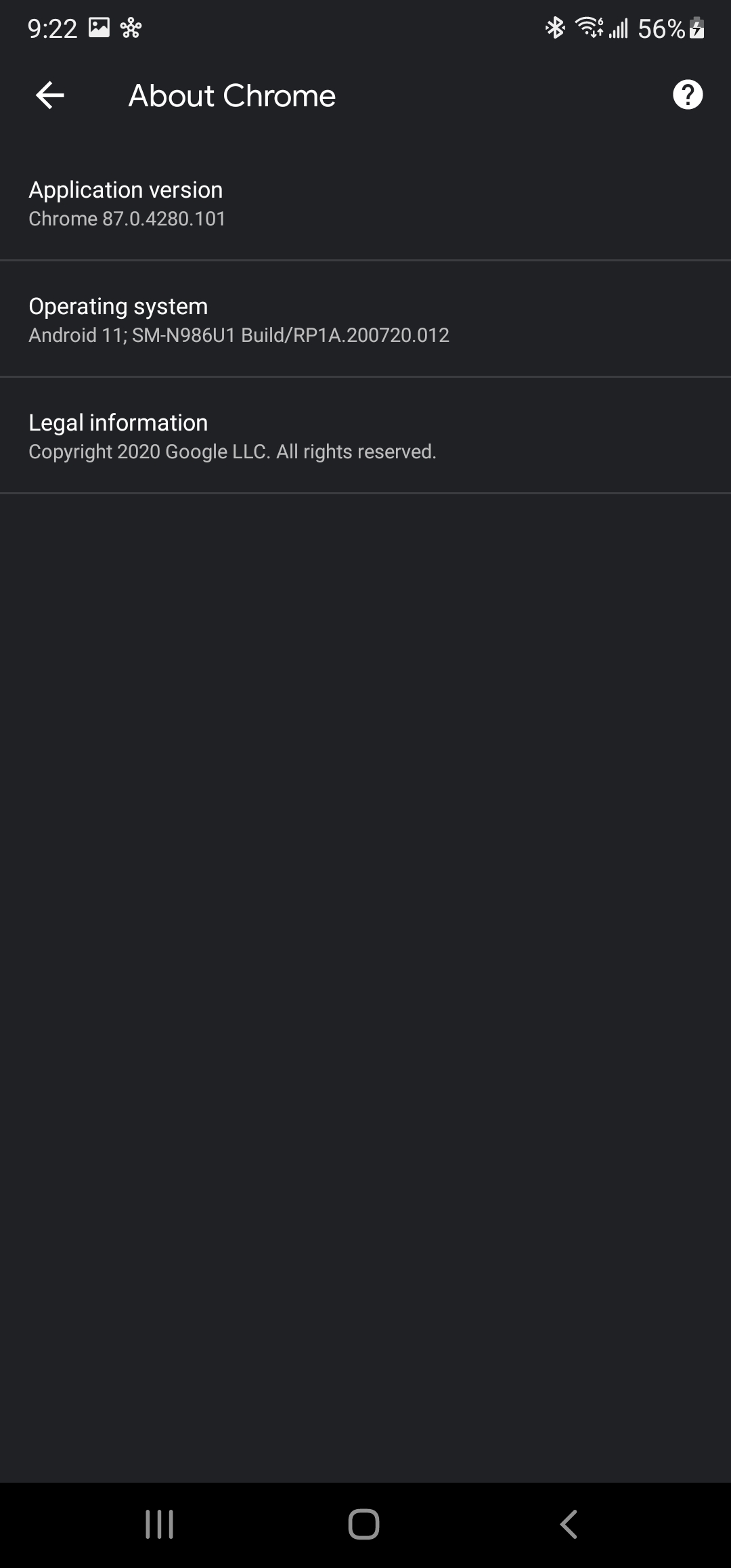
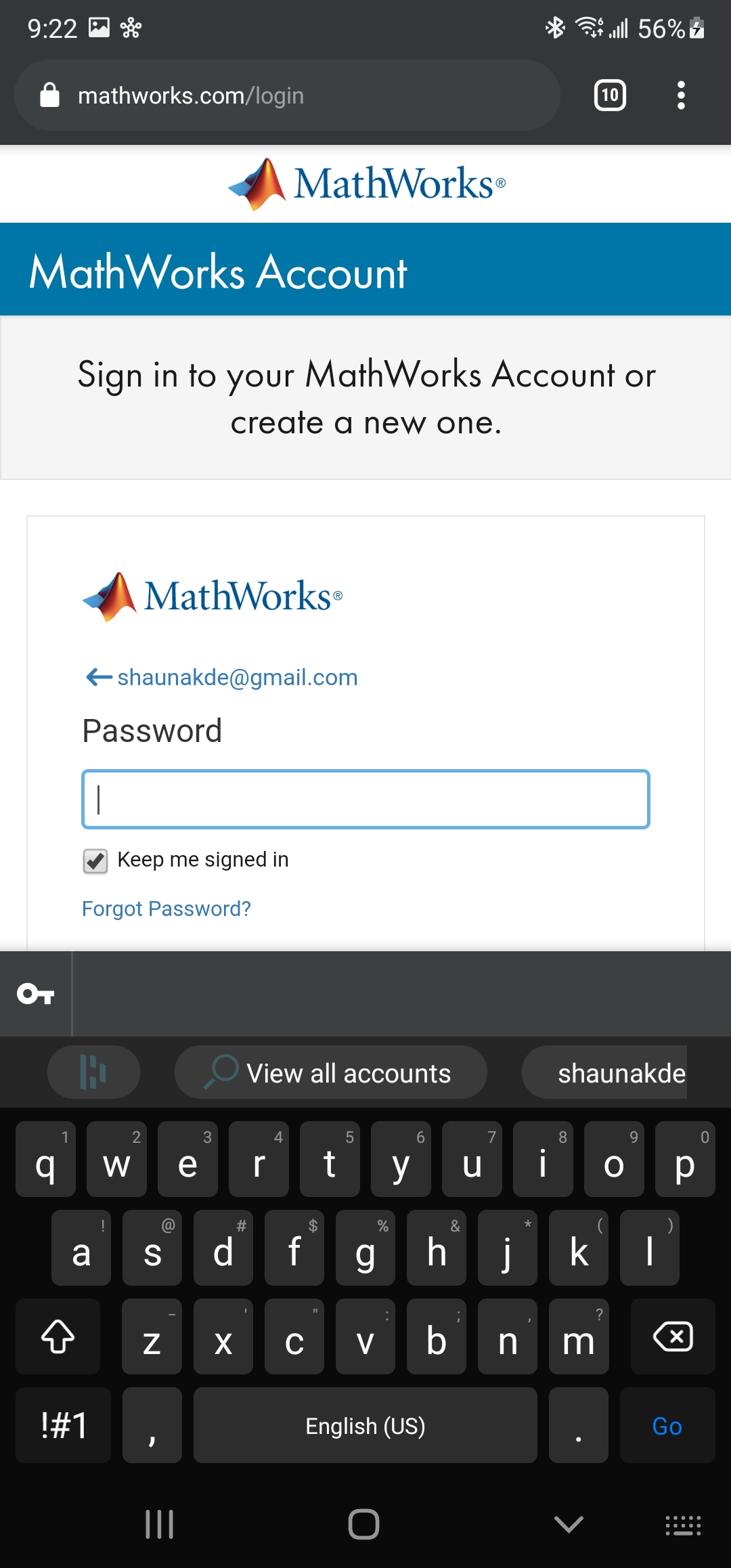
I'm on Chrome 87.0.4280.101
I recently wanted to try out Dashlane, and I migrated some passwords to it. It seems to work with Android Autofill and this version on Chrome. I've attached some screen shots to show this.

 Shaunakde
on 25 Dec 2020
Shaunakde
on 25 Dec 2020
@fmeum Do you have a link to the issue tracking the work to allow saving passwords?
johns2s
on 6 Jan 2021
@fmeum Do you have a link to the issue tracking the work to allow saving passwords?
The issue is 1151614. The associated commit will land in Chrome 89 and exposes the unmasked passwords to Autofill services as long as no Accessibility service is enabled. The exact condition can be found in WebContentsAccessibilityImpl#isCompatAutofillOnlyPossibleAccessibilityConsumer().
fmeum
on 6 Jan 2021
Related issues
 filbranden
·
11Comments
filbranden
·
11Comments
 simondemartini
·
3Comments
simondemartini
·
3Comments
 jerryn70
·
6Comments
jerryn70
·
6Comments
 Chippel
·
7Comments
Chippel
·
7Comments
 jyavenard
·
6Comments
jyavenard
·
6Comments
Most helpful comment
This issue is still outstanding. We are not receiving autofill event from Chrome anymore. I am not sure if this is an OS bug or a Chrome app bug, but from what I can tell with my testing, no password manager apps are working with Chrome (and some other apps) now.