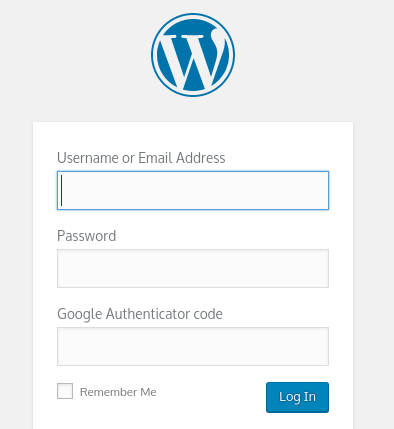
Could the app be used to generate OTP using the TOTP key stored in the vault? Maybe even auto-completing the code For example on a WordPress login form, auto complete the username, password and OTP to allow easier access?
 ghost
ghost
All 20 comments
The apps already generate TOTP codes and copy to them to the clipboard when autofilling. It requires a premium membership.
 kspearrin
on 13 Nov 2017
kspearrin
on 13 Nov 2017
I can't seem to get that feature to work. I can see the OTP on the item in my vault, and the copied code does work if copied manually. Maybe I am doing something wrong?
1) Go to the website I want to log into
2) Tap on the bitwarden icon in the event notification area
3) Tap on the item matching the website I want to log into
4) It automatically fills out the username and password, but not the OTP
ghost
on 14 Nov 2017
It does not fill the OTP. It copies to your clipboard.
kspearrin
on 14 Nov 2017
Is there a reason why it can't auto-fill this field if it has the OTP copied?
ghost
on 14 Nov 2017
OTP codes are usually collected on the page after username/password and therefore would not be part of the autofill process.
kspearrin
on 14 Nov 2017
That is a shame, this feature would be such a time saver for me :(
ghost
on 14 Nov 2017
Sorry, don't mean to be so negative. Really love the app being able to do this and not having to rely on switching to another app to get the OTP. Just having this feature would be the icing on the cake so to speak. Thanks for developing this amazing app :)
PS: Your response time is shockingly fast!! Never experienced this level of customer support!
ghost
on 14 Nov 2017
Is the website the only place that currently shows the TOTP codes? I added a code through the mobile app, but I only see the verification codes on the website. Would be nice if it was in the Chrome extension and mobile app too.
 bartimaeus
on 28 Nov 2017
bartimaeus
on 28 Nov 2017
The app and browser plugin display the OTP and copy it to the clipboard. But I feel this is not very intuitive and would be better auto-filled like the username and password are.
ghost
on 28 Nov 2017
I guess I just don't see the code showing up in the browser plugin. Maybe it takes some time to sync.
bartimaeus
on 28 Nov 2017
Have you entered the Authenticator Key (TOTP) to the entry in My Vault?
ghost
on 28 Nov 2017
Yes, I scanned a QR code on the mobile app. I am able to view the codes in My Vault, but that is almost as the same as using Google Authenticator on my phone.
bartimaeus
on 28 Nov 2017

If you Auto-fill the page with the matching entry, it copied the OTP to the clipboard which can then be pasted into the OTP field on the form.
ghost
on 28 Nov 2017
Is that your browser extension? I don't see that in either the mobile app or the browser extension. However, I do see it on vault.bitwarden.com. I wonder if it is a syncing issue and I should remove and then do the TOTP setup again.
bartimaeus
on 28 Nov 2017
@bartimaeus Log out and back in if you just purchased premium.
kspearrin
on 28 Nov 2017
Should have tried that :) Thanks @kspearrin! That did the trick.
bartimaeus
on 28 Nov 2017
Yes, that's my extension in Chrome. I am running the Google Authenticator Wordpress plugin for Two factor authentication.
NB : You need to purchase premium to use this option, which I assume you have?
ghost
on 28 Nov 2017
Thanks @CliffordD
bartimaeus
on 28 Nov 2017
Glad you got it working :) It is a great feature to have.
My wishlist/feature request is to have this field auto-completed rather than having that extra step of having to paste the code into the field manually.
ghost
on 28 Nov 2017
We are moving away from tracking Bitwarden feature requests like this one as GitHub issues. We have created a Bitwarden Community Forum which has a section for submitting, voting for, and discussing product feature requests.
Please sign up on our forums, search to see if this request already exists. If so, you can vote for it and contribute to any discussions about it. If not, you can re-create the request there so that it can be properly tracked.
This issue will now be closed. Thanks!
kspearrin
on 9 Mar 2018
Related issues
 KOT040188
·
4Comments
KOT040188
·
4Comments
 DarkArc
·
8Comments
DarkArc
·
8Comments
 fabianski7
·
3Comments
fabianski7
·
3Comments
 BobbyMcWho
·
11Comments
BobbyMcWho
·
11Comments
 luckman212
·
6Comments
luckman212
·
6Comments
Most helpful comment
@bartimaeus Log out and back in if you just purchased premium.