Mkdocs-material: Wide fenced codeblocks hide nav and toc (latest Insiders)
__I checked that...__
- [x] ... the documentation does not mention anything about my problem
- [x] ... the problem doesn't occur with the default MkDocs template
- [x] ... the problem is not in any of my customizations (CSS, JS, template)
- [x] ... there are no open or closed issues that are related to my problem
Description
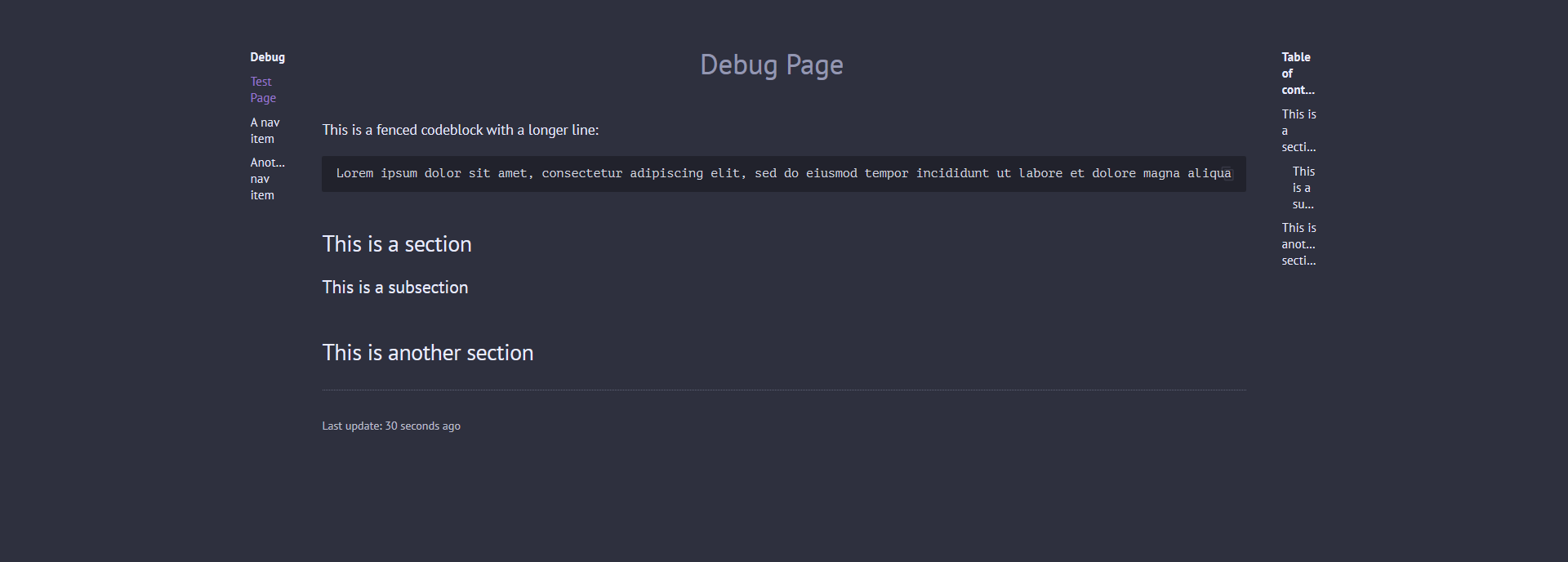
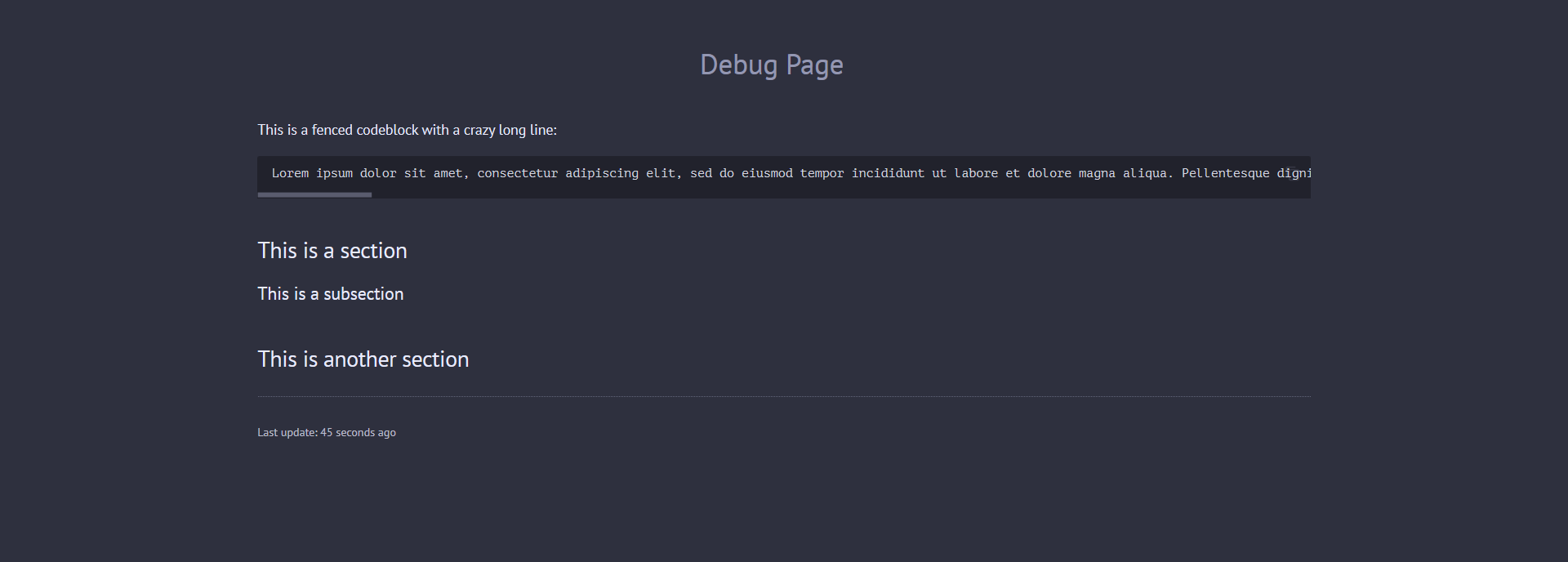
Using the latest Material Insiders version, long codeblocks are pushed towards the navigation and table of contents sections, eventually hiding them. I've tested this with regular (non-Insiders) Material, and this doesn't happen. I'm not even using the latest toc.autohide feature.
Expected behavior
Using Regular Material for MkDocs
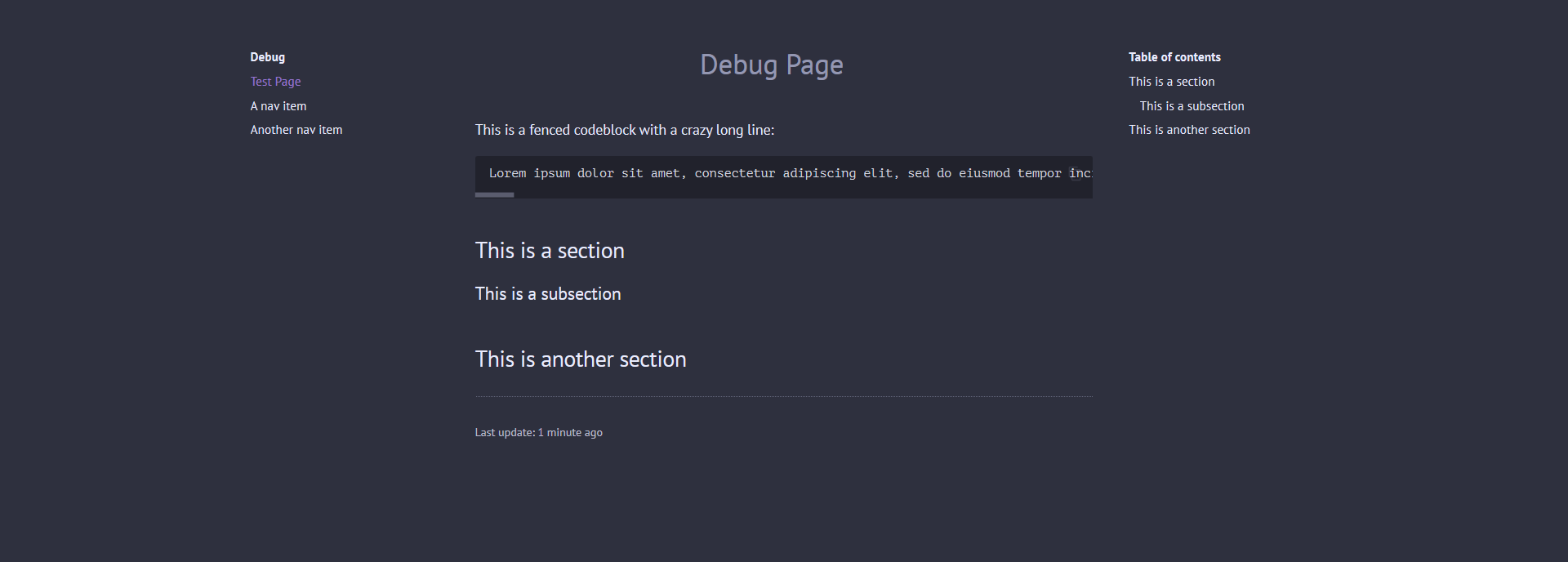
Actual behavior
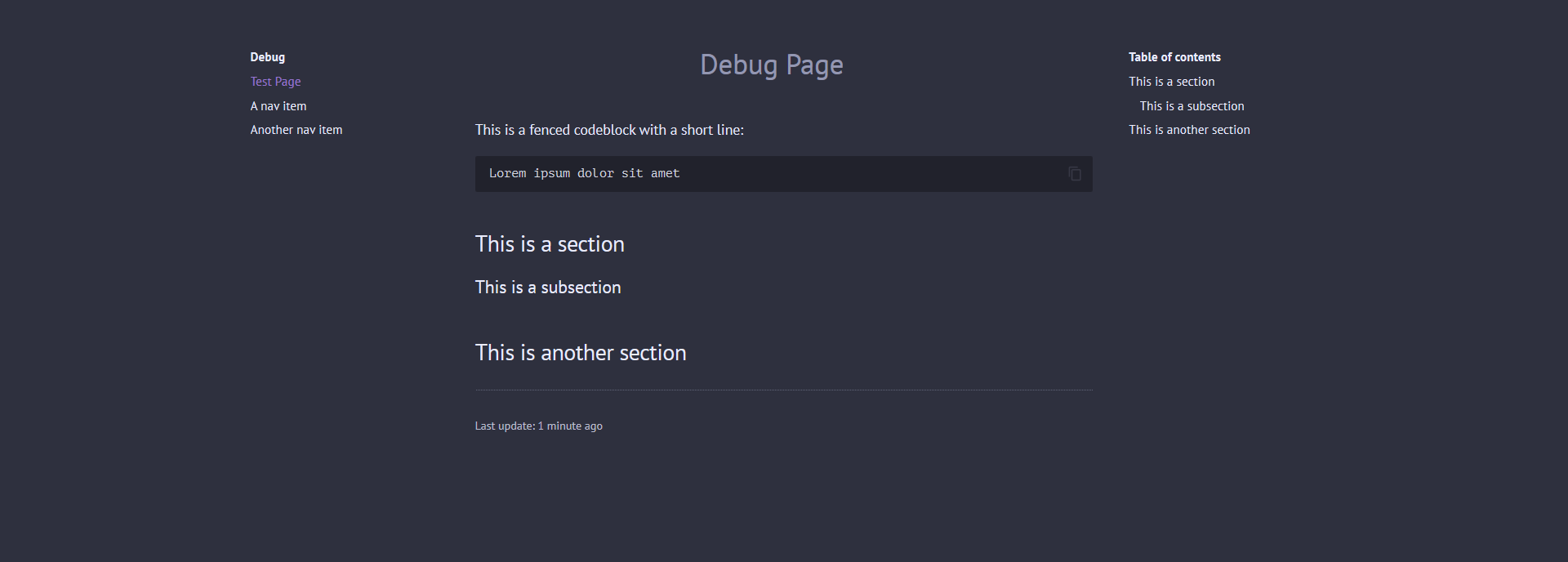
Using Material for MkDocs Insiders
The first example still behaves as expected; problems arise as you widen the codeblock
The third example has the exact same content as the expected picture above
Steps to reproduce the bug
- Install the latest Insiders build
- Create a fenced codeblock with a long line
- Preview the site
Package versions
- Python: 3.8.5
- MkDocs: 1.1.2
- Material: 5.5.13+insiders.1.4.1
(It's a bit weird, because I can use toc.autohide, even though pip says I'm on 1.4.1 instead of 1.5.0)
Project configuration
theme:
  name: material
  custom_dir: theme
  logo: assets/img/logo.png
  favicon: assets/img/favicon.png
  font:
    text: PT Sans
    code: PT Mono
  palette:
    - scheme: slate
      primary: deep purple
      accent: deep purple
      toggle:
        icon: material/weather-night
        name: Switch to dark mode
    - scheme: default
      primary: deep purple
      accent: deep purple
      toggle:
        icon: material/weather-sunny
        name: Switch to light mode
  features:
    - instant
    - tabs
    - header.hide # Insiders
    - search.highlight # Insiders
System information
- OS: Windows 10 20H1
- Browser: Firefox 80
 danierutu
All 4 comments
Thanks for reporting! I think I know where this is coming from. I’ll try to provide a fix asap!
 squidfunk
on 20 Sep 2020
squidfunk
on 20 Sep 2020
Fixed in https://github.com/squidfunk/mkdocs-material-insiders/commit/701c008de92e958be98aeb75811b0704d5763670 – could you try the latest master? Regarding the version - I forgot to increment the version in the package.json, that 's now also fixed.
squidfunk
on 20 Sep 2020
Great, it's now fixed. Thanks a lot for your efforts! ❤️
danierutu
on 20 Sep 2020
Perfect, thanks! Just released 5.5.13+insiders-1.5.1, which includes the fix.
squidfunk
on 21 Sep 2020
Related issues
 BamBalaam
·
4Comments
BamBalaam
·
4Comments
 nikramakrishnan
·
3Comments
nikramakrishnan
·
3Comments
 yannduran
·
4Comments
yannduran
·
4Comments
 yogeshbeniwal
·
4Comments
yogeshbeniwal
·
4Comments
 dbdevtop
·
4Comments
dbdevtop
·
4Comments