Mkdocs-material: Great Layout and functionality but real bad pagespeed rating
Description
Coming from HUGO I stumbled over the real impressive mkdocs-material.
Before switching over to the mkdocs world I made a quick pagespeed test (see blow) and was a bit dissapointed by the figures (73 mobile, 46 desktop).
Expected behavior
Clients nowadays demand loading times of less than 3 seconds with a pagespeed rating of at least 85.
Actual behavior
Question
Can "mkdocs-material" be improved with respect to render-blocking?
 dbdevtop
All 4 comments
Thanks for reporting. I did a pagespeed test some while ago and it had the same result. I try to explain the penalties:
- Eliminate render-blocking JavaScript and CSS in above-the-fold content: for JavaScript this could theoretically be omitted by moving
modernizr.jsto the bottom of thebodyright above theapplication.js. It's possible as Material is entirely built using progressive enhancement, but I don't know if it will greatly improve rendering. Extracting the above-the-fold CSS is not really possible, as "above the fold" can be the entire page, see:

Leverage browser caching: this is entirely attributed to the cache headers of GitHub pages. The theme can't do anything about these values. If you self-host, you can eliminate all errors by setting more appropriate cache headers.
Optimize images: that's a problem specific to the Material documentation and the large image. I may consider generating a thumbnail for this, but it's not a problem of the theme but of the content.
Same for desktop and mobile. For validation, I searched for people self-hosting their docs and found retropie.org.uk to have quite a reasonable configuration:
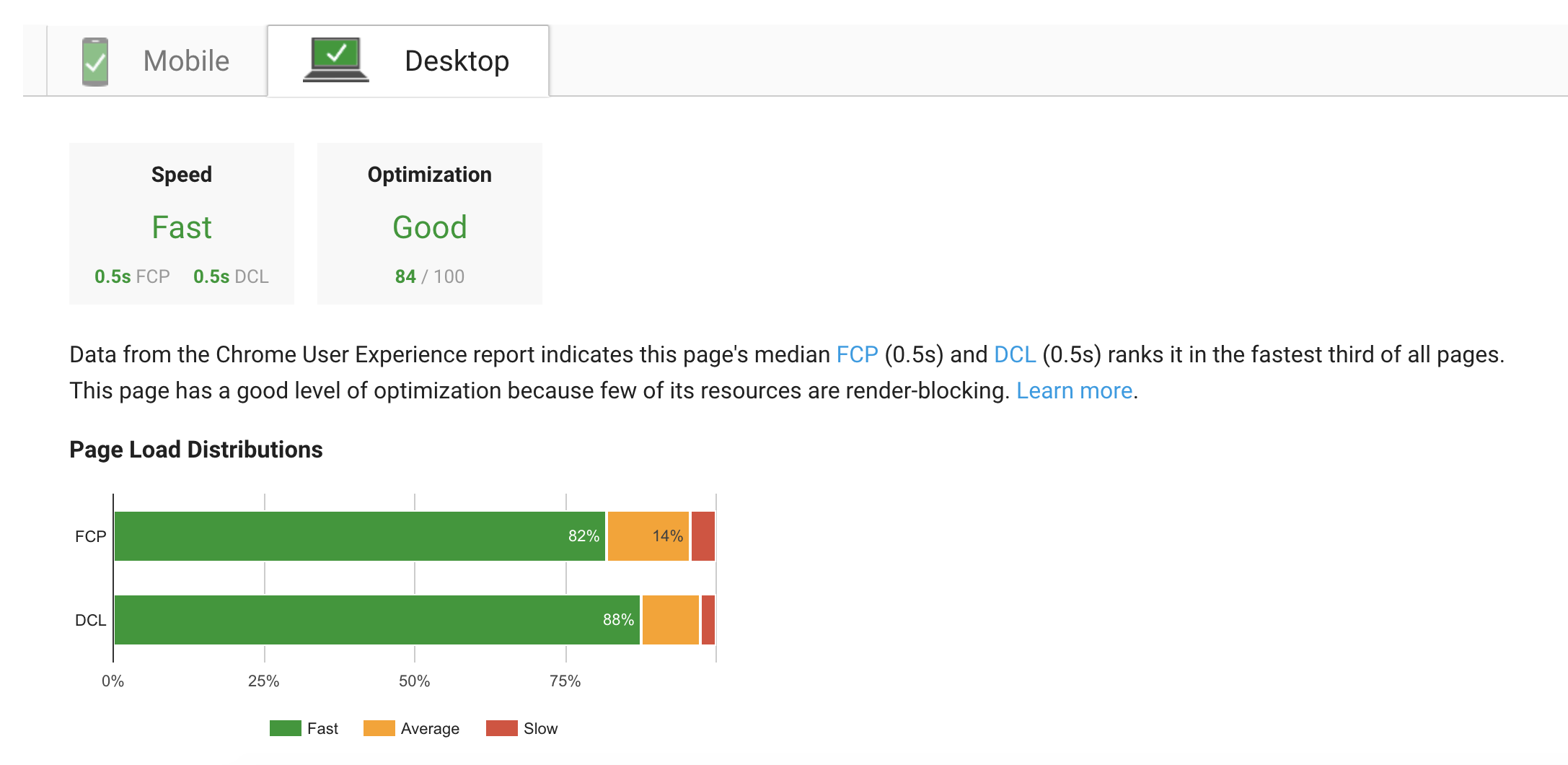
See the page speed insights. If they would optimize asset delivery, page speed ratings should be above 85 for both mobile and desktop.
 squidfunk
on 1 Mar 2018
squidfunk
on 1 Mar 2018
Oh, and the load times are also very good (in my opinion):
| Request | Payload | DomContentLoaded | Load |
| - | - | - | - |
| 1st | 219 KB | 535 ms | 809 ms |
| 2nd | < 1 KB | 384 ms | 459 ms |
Measured on https://squidfunk.github.io/mkdocs-material/getting-started/
squidfunk
on 1 Mar 2018
Closing this as answered/resolved.
squidfunk
on 2 Mar 2018
@dbdevtop I'm not a fan of this solution but you may look at this article:
 max-ci
on 2 Mar 2018
max-ci
on 2 Mar 2018
Related issues
 40huo
·
3Comments
40huo
·
3Comments
 danierutu
·
3Comments
danierutu
·
3Comments
 madrus
·
3Comments
madrus
·
3Comments
 LinusGeffarth
·
3Comments
LinusGeffarth
·
3Comments
 Timber232
·
3Comments
Timber232
·
3Comments