Mkdocs-material: Tab groups and Tab blocks ** New Feature
Description
What you guys think about the Tabs Feature?
!!! tabs "Basic use of tabs group"

    tab="Tab 1"
    This is a Text Tab

    tab="Tab 2"
    !!! info
        This is a  info Tab

    tab="Tab 3"
    This is a code tab.
    ```java
     public static void main(String a[]){
        //Hello world
     }
    ```
Expected behavior
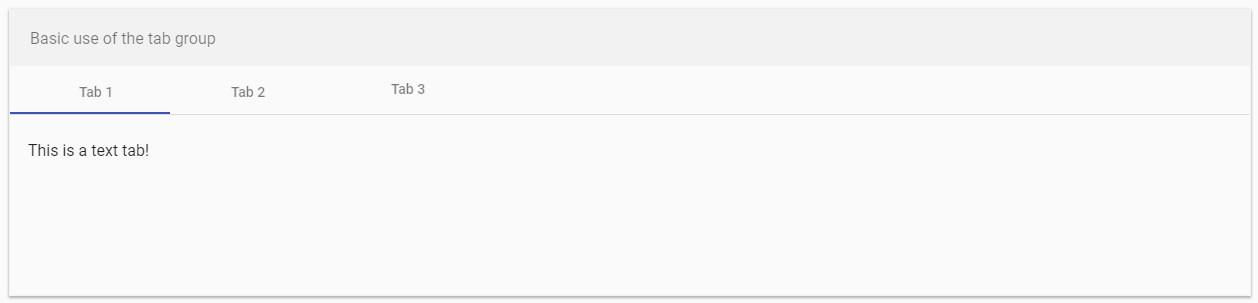
see material tabs --> https://material.angular.io/components/tabs/overview
Generated Code:
<mat-tab-group>
  <mat-tab label="Tab 1"> Content 1 </mat-tab>
  <mat-tab label="Tab 2"> Content 2 </mat-tab>
  <mat-tab label="Tab 3"> Content 3 </mat-tab>
</mat-tab-group>
Actual behavior
Does not exist yet.
 dinbtechit
All 37 comments
https://squidfunk.github.io/mkdocs-material/extensions/codehilite/#grouping-code-blocks - implemented for code blocks through Pymdown Extensions
 squidfunk
on 7 Jan 2019
squidfunk
on 7 Jan 2019
Yes I'm aware of the tabs in code blocks. The thing that I'm suggesting is more of tabs that could hold any content in them.
dinbtechit
on 7 Jan 2019
Ah sorry! disregard my last comment. Are you suggesting to implement them using Pymdown Extension? In the similar way it is done for code blocks?
dinbtechit
on 7 Jan 2019
Pymdown-extensions implemented tabbed code blocks only, not a generalize tab feature. I implemented the tab feature for code as it was a common thing done in docs, and the syntax made sense to me.
As far as a generalized implementation for tabs is concerned, I've never been against implementing generalized tabs in pymdown-extensions, only I've never had a syntax I liked for it. And I don't often have a burning need for it.
I don't like the idea of of hijacking the admonition extension syntax to create tabbed groups. I feel like tabs should have their own syntax. This of course is my personal opinion. People outside of pymdown-extensions can implement whatever they wish. And if Material wants to support it, it can.
I don't have a problem using the extrahtml extension to do this kind of stuff:
<mat-tab-group markdown="1">
<mat-tab label="Tab 1" markdown="1">
Markdown **Content** 1
</mat-tab>
<mat-tab label="Tab 2" markdown="1">
Markdown **Content** 2
</mat-tab>
<mat-tab label="Tab 3" markdown="1">
Markdown **Content** 3
</mat-tab>
</mat-tab-group>
If there was a syntax that looked good, I'd consider implementing it in pymdown-extensions.
 facelessuser
on 7 Jan 2019
facelessuser
on 7 Jan 2019
Its definitely a great feature in the code blocks. However in our docs, tabs with normal content would be a great way to display a lot of things as our content readers have multiple options on for each section.
I like your idea of using extrahtml. Looks clean and readable.
I'm starting to think this is more of a feature for admonition.
dinbtechit
on 7 Jan 2019
We had this discussion before in #434 and #776. Code tabs were implemented in #778. No satisfying solution for the syntax problem (how to define general tabs in Markdown?) was found.
However, it's a heavily requested feature, so it might be worth going down that path again. An implementation should adhere to the HTML structure which we decided on for code tabs because it degrades gracefully when JS is not available and seems to solve most of the problems people face when writing docs (released in 2.8.0, half a year ago).
Nevertheless, I would also consider it to be a very low priority issue.
squidfunk
on 8 Jan 2019
Sure I agree. It may not be a high priority. While I'm not sure who is responsible for Markdown syntax specifications.
But here is my first crack at it:
{"tab-group"}:
{"tab1"}:
# content 1
{"tab2"}:
# content 2
{"tabs3"}:
# content 3
I found this package for Sphinx https://github.com/djungelorm/sphinx-tabs. The syntax is very "restructeredtext", but the features and such seem decent. I'm not sure the syntax feels Markdownish, but we could either adapt it anyways, or adjust it to feel more Markdownish? I don't know. I guess there is nothing wrong with having a non markdown syntax feel for this. I think admonitions originally came from a restructeredtext syntax.
facelessuser
on 8 Jan 2019
If you decide to implement it - will tabbed code blocks be refactored to use the same logic? Or would we have to support two syntaxes?
squidfunk
on 8 Jan 2019
If I was going to implement it, I would implement the output HTML the same, but the class name would be different as it is associated with a different extension. As far as Material is concerned, the input syntax doesn't matter, you just care about the output, and if the output is the same, supporting it is as easy as adding another class name to be aware of.
<div class="extension-name-tabs">
<input name="__tabs_1" type="radio" id="__tab_1_0" checked="checked">
<label for="__tab_1_0">Tab 0</label>
<div class="extension-name-content">...</div>
...
<input name="__tabs_1" type="radio" id="__tab_1_X" checked="checked">
<label for="__tab_1_X">Tab X</label>
<div class="extension-name-content">...</div>
...
</div>
I would probably have a common interface for generating ids, and both extensions would call into it to avoid generating any tab id collision issues between the two. This part I'll have to work out somehow.
Now, if we implemented something like "group tabs" (like in the Sphinx Tabs project), we would need a way to toggle all similar tabbed containers. I'm not sure if that feature would get added to code tabs, I imagine you'd have to use the new tab extension to pick up that feature (if we even implement that).
I don't think I'd be adding a tab container caption, you could just put it under an admonition for that.
Keep in mind, this is open for discussion. I haven't settled on input syntax, features, or implementation yet. Right now we're just talking 🙂 .
facelessuser
on 8 Jan 2019
Keep in mind that I am not pushing for "group tabs" as I know that would be dependent on JavaScript. And even if I added that feature, Material would not have to support it, and I don't even have to implement that starting out.
facelessuser
on 8 Jan 2019
I wondering if the restructured syntax is more than we need though. Maybe something like this is sufficient. Then we just group consecutive tabs. I don't know if I'd use ... or not, just thinking out loud.
... Tab title
Content
... Tab title 2
Content
I'm not overly concerned about the "group tabs" feature, but if we wanted to possibly allow it in the future, we could require tab titles to be quoted and reserve the possibility to do something like:
... group "macOS"
Content
... group "Windows"
Content
Or I guess you could keep a similar semantic:
... tab: Tab1
Content
... tab: Tab2
Content
<!-- This would be a separate container -->
... group-tab: Tab1
Content
... group-tab: Tab2
Content
... group-tab: Tab3
Content
I don't know, I'll let the discussion begin.
facelessuser
on 8 Jan 2019
I guess people might complain that they want to have two tabbed containers following each other with no context between (ugh). Then you'd have to do the whole:
... tabs:
...tab: title 1
content
... tab: title 2
content
... tabs:
...tab: title 3
content
... tab: title 4
content
If I was going to implement it, I would implement the output HTML the same, but the class name would be different as it is associated with a different extension. As far as Material is concerned, the input syntax doesn't matter, you just care about the output, and if the output is the same, supporting it is as easy as adding another class name to be aware of.
That's perfectly fine. Just wanted to point out that we put reasonable work in the code tabs architecture and we should re-use that as much as possible.
I don't think I'd be adding a tab container caption, you could just put it under an admonition for that.
I don't understand that one completely. What do you mean by tab caption? A text below the whole container?
Keep in mind, this is open for discussion. I haven't settled on input syntax, features, or implementation yet. Right now we're just talking 🙂 .
Yep, totally agree. Just wanted to throw in a few points from my perspective, otherwise I would also like to see some thinking regarding the syntax. However, I think you (and probably very few other users) are the expert(s) here, as you probably have the deepest understanding of the inner workings of Markdown.
The admonition-like syntax should allow for proper nesting and arbitrary contents. Would it also be possible to combine that with (or better include into) details? I generally like the syntax. Reminds me of the ES6 spread operator which semantically somehow relates to tabs (multiple content blocks packed into a single structure). My only concern would be that "..." is probably too likely to be part of some body copy. However, as far as I understand it has to occur at the beginning of a line, correct?
squidfunk
on 8 Jan 2019
I guess people might complain that they want to have two tabbed containers following each other with no context between (ugh). Then you'd have to do the whole:
Wasn't that problem already solved for tabbed code blocks?
squidfunk
on 8 Jan 2019
The admonition-like syntax should allow for proper nesting and arbitrary contents. Would it also be possible to combine that with (or better include into) details? I generally like the syntax. Reminds me of the ES6 spread operator which semantically somehow relates to tabs (multiple content blocks packed into a single structure). My only concern would be that "..." is probably too likely to be part of some body copy. However, as far as I understand it has to occur at the beginning of a line, correct?
I'm open to some proposals. If you have an idea, just post some fleshed out examples here. I'm not keen on ... either.
I don't understand that one completely. What do you mean by tab caption? A text below the whole container?
I was referencing the opening post that used admontions as sort of a wrapper with a caption. A tab container would not have a native container title/caption. It would just be tabs. Like the code tabs do.
Wasn't that problem already solved for tabbed code blocks?
Tabbed code blocks are like lists. They just group consecutive ones together. It was very simplistic in its implementation. People generally preface them with at least a sentence before (or wrap them in an admonition or something). No one has complained about the behavior yet, so I assume in real world cases, this has been sufficient for people. If people ever complain I'm sure I could add a tab break option:
`
tab="tab1"
content
``` tab="tab 2" tab_end=
content
tab="new tab group"
content
````
No one has ever asked for anything like this.
facelessuser
on 8 Jan 2019
I don't know, I keep banging my head on this one. In Markdown, most good syntax is already taken. I thought about using ::: to start a tab, but CodeHilite (non fenced) code blocks use that for certain language definitions:
Maybe something like the following might work?
::tabs::
::tab:: name
content
::tab:: name 2
content
I thought about doing something weird like this:
<<:
<: Tab name
content
<: Tab name 2
<<:
<: Nested tab Name
It all feels awful to me. I kind of which I piggy backed details more off admonitions:
!!!+ class "This is an open details"
content
!!!- class "This is a closed details"
content
Then I'd have ??? free.
facelessuser
on 10 Jan 2019
As already said, I find the ... syntax to be quite natural. The ::*:: reminds me more of the emoji extension. What I personally dislike is the first ...tabs line to group them by block. From my experience the use case of consecutive tab groups is rather rare (haven't seen it on docs so far), so maybe we could add another parameter and group them explicitly, if necessary. This would make the regular use case more comfortable, e.g.:
... title: Tab1X group: X
Content
... title: Tab2X group: X
Content
... title: Tab1Y group: Y
Content
... title: Tab2Y group: Y
Content
... title: Tab3Y group: Y
Content
This would render one tab container with two tabs, one with three.
The nested syntax would also feel more natural (however questionable the resulting UX will feel):
... title: Tab1X
Content
... title: Tab2X
... title: Tab1Y
Content
... title: Tab2Y
Content
... title: Tab3Y
Content
Even better - we could define a shorthand for when the title (I renamed tab to title, maybe that's more natural?) is the only parameter:
... Tab1X
Content
... Tab2X
... Tab1Y
Content
... Tab2Y
Content
... Tab3Y
Content
I must have misread, I thought you didn't like ....
I'd love to simplify and just have a line for tabs. The group seems almost unnecessary, or maybe not intuitive...If a tab specifies a group, but has a different group between it, we wouldn't link them together.
... tab1: group1
... tab2: group2
... tab3: group1
I feel like instead you could just declare an explicit start somehow (not sure exactly what would look sensible though). For the sake of conversation, I'll use !.
... Tab1X
Content
... Tab2X
... Tab1Y
Content
... Tab2Y
Content
... Tab3Y
Content
...! New tab group
I must have misread, I thought you didn't like ....
I tried to point out some up- and downsides, but I do like it.
I feel like instead you could just declare an explicit start somehow (not sure exactly what would look sensible though). For the sake of conversation, I'll use !.
Works for me! Could we add another operator to denote the tab that should be active by default? I'm thinking about + and of the details extension.
squidfunk
on 10 Jan 2019
That makes sense we could probably do that. I'll probably code up a prototype at some point and see how it feels to use it. Not sure yet when.
facelessuser
on 10 Jan 2019
... as another alternative: we could use ,,, instead of ... because it should be far less common in body copy. ,,, could signal "alternate content" like the ??? signals "optional content" and !!! "important content". The commas can be thought of as the separators of the alternate content. Also we could use ,,; as a "start next tab group` separator.
squidfunk
on 10 Jan 2019
... as another alternative: we could use ,,,
alternatively we can use ~~~
~~~ "Tab Group Name" //Have them in Double Quotes
Content
~~~ "Tab2X"
~~~ "Tab1Y"
Content
~~~ "Tab2Y"
Content
~~~ "Tab3Y"
Content
~~~! //indicating end of tab group.
dinbtechit
on 10 Jan 2019
~ "Tab Group Name" //Have them in Double Quotes "Tab2X"
Content
~
~ "Tab1Y" "Tab2Y"
Content
~
Content
~ "Tab3Y"! //indicating end of tab group
Content
~
I don't know, I keep banging my head on this one. In Markdown, most good syntax is already taken. I thought about using
:::to start a tab, but CodeHilite (non fenced) code blocks use that for certain language definitions:Maybe something like the following might work?
::tabs:: ::tab:: name content ::tab:: name 2 contentI thought about doing something weird like this:
<<: <: Tab name content <: Tab name 2 <<: <: Nested tab NameIt all feels awful to me. I kind of which I piggy backed
detailsmore off admonitions:!!!+ class "This is an open details" content !!!- class "This is a closed details" contentThen I'd have
???free.
dinbtechit
on 10 Jan 2019
@dinbtechit, I would probably shy away from using ~~~ as it conflicts with the start of fenced code blocks (they can be done with ~~~ or ```, try it in GitHub to see) and doing fences is more difficult than it may seem in Python Markdown. If you look at the source for pymdown-extensions's SuperFences, you'll see it isn't straight forward. I personally shy away from fenced content that doesn't make sense to plugin directly in SuperFences.
Doing something like this would be fine though:
--- tab 1
content
---+ selected tab
content
---! explicit start (or mabye end?)
content
Ideally I want to take advantage of indentation syntax like Details and Admontion use as it is easiest to work with. Whether I use ..., ---, or something else entirely is still up in the air, but hey keep the ideas coming 🙂 .
facelessuser
on 10 Jan 2019
I would probably shy away from using ~~~ as it conflicts with the start of fenced code blocks
Right! totally forgot about that.
Doing something like this would be fine though:
--- tab 1 content ---+ selected tab content ---! explicit start (or mabye end?) content
I like this. (Selected Tab is a great idea!!)
dinbtechit
on 10 Jan 2019
I like this. (Selected Tab is a great idea!!)
You can thank @squidfunk for that idea. It kind of piggy backs off what I do in pymdownx.details. I'm glad we're talking about this though, because coming up with decent syntax isn't always easy. It helps to bounce this stuff off people. I normally like to adapt existing conventions, but that isn't always possible.
I am definitely liking the idea of ditching the tab group container though. The simpler the syntax the better.
The question is do we allow custom classes like admontions and details use? If so, we would require quoting the title:
--- class "tab 1"
content
---+ class "selected tab"
content
---! class "explicit start (or mabye end?)"
content
Would we even need to do such a thing? I guess I could always expose a global class name to use, but I don't know if we need special classes for a specific set of tabs...I just need to make sure I have a decision made before I release it.
facelessuser
on 10 Jan 2019
I would say we won’t need custom classes. There should be a specific class set like in the other extensions for styling. In my opinion we shouldn’t adhere too close to details and admonition as those are completely different use cases than tabs.
squidfunk
on 10 Jan 2019
Closing this for house-keeping purposes. We can re-open it, if there's progress on pymdown-extensions :-)
squidfunk
on 9 Mar 2019
Hello! What exactly needs doing to make this happen?
 ofek
on 10 Feb 2020
ofek
on 10 Feb 2020
For me to get around to more seriously looking into getting the implementation done. I manage a number of open source projects, so I often balance the priorities of different things based on how important I feel they are. This one has been a little lower on the priority for me. With family and other things, I just haven't gotten around this. It's a nice to have for sure, but it isn't a huge blocker for me. I haven't forgotten about it though.
facelessuser
on 10 Feb 2020
Can I help?
ofek
on 10 Feb 2020
Alternatively, is this supposed to work OOTB when enabling pymdownx.extrarawhtml/markdown.extensions.md_in_html? I couldn't get it to https://github.com/squidfunk/mkdocs-material/issues/955#issuecomment-452100706
ofek
on 10 Feb 2020
Alternatively, is this supposed to work OOTB when enabling pymdownx.extrarawhtml/markdown.extensions.md_in_html? I couldn't get it to #955 (comment)
No, it was just a mockup. It probably wouldn't work as mat-tab-group and mat-tab are not recognized as block level elements. You'd probably need to use div or something. There is no styling in Material to handle that anyways. I don't remember what I was thinking at the the time, but the idea is that you could define tabs with block elements that get styled, and you just allow markdown content to be scanned inside. You'd have to provide the styling.
Unrecognized elements are probably treated as inline in Python Markdown and would probably scan the Markdown content anyways.
Can I help?
I still have some things to figure out. The actual logic to create tabs isn't too complicated, but I do need to come up with a way to handle the existing tabbed code functionality side by side with this new tabbed interface functionality. I need a common way to unite the two. This part will help with us with not creating duplicate ids and such. Maybe in the future we'll just deprecate the old code tab interface for the general purpose tab interface.
Anyways, I'm not against someone throwing up a pull request, but I'd have to evaluate the approach and see if it was going to work long term. At the very least, once I sit down to do this, people testing it would be beneficial. I've created an official issue over at pymdown-extensions. Future progress and will be posted over there. You can subscribe to that issue. Suggest ideas or be available for testing if requested, etc.
facelessuser
on 10 Feb 2020
Thanks! Quick question: do you know why this is not working?
<div class="superfences-tabs" markdown="span">
<input name="__tabs_1" type="radio" id="__tab_1_0" checked="checked" />
<label for="__tab_1_0">Windows</label>
<div class="superfences-content" markdown="1">
1. Install [Docker Desktop for Windows](https://docs.docker.com/docker-for-windows/install).
1. Right-click the Docker taskbar item and update **Settings > Shared Drives** with any locations you need to open e.g. `C:\`.
</div>
</div>
The parser is a bit funny. So, you need to add a closing input (I know that webbrowsers don't require it, but Python Markdown's internal parser doesn't like when you don't have a closing, it's not ideal, but it is what is).
<div class="superfences-tabs" markdown="1">
<input name="__tabs_1" type="radio" id="__tab_1_0" checked="checked"></input>
<label for="__tab_1_0">Bash</label>
<div class="superfences-content" markdown="1">
1. Install [Docker Desktop for Windows](https://docs.docker.com/docker-for-windows/install).
1. Right-click the Docker taskbar item and update **Settings > Shared Drives** with any locations you need to open e.g. `C:\`.
</div>
</div>
So this actually goes through proper, but Markdown wraps the input and label tag with p tag which Material's CSS isn't prepared for. This is because both input and label read as inline tags which are allowed in paragraphs. If Material's CSS expected the p tag, it would probably be fine.
SuperFences avoids this because it injects all of that in the post process event, so Markdown never has a chance of wrapping it. When I get around to it, the generalized tab extension will do things similar to what SuperFences does with tabbed code blocks.
facelessuser
on 11 Feb 2020
Ah makes sense, thanks!
ofek
on 11 Feb 2020
Related issues
 atmarx
·
4Comments
atmarx
·
4Comments
 ghost
·
3Comments
ghost
·
3Comments
 oliverschwendener
·
4Comments
oliverschwendener
·
4Comments
 nikramakrishnan
·
3Comments
nikramakrishnan
·
3Comments
 yogeshbeniwal
·
4Comments
yogeshbeniwal
·
4Comments
Most helpful comment
I'm open to some proposals. If you have an idea, just post some fleshed out examples here. I'm not keen on
...either.I was referencing the opening post that used admontions as sort of a wrapper with a caption. A tab container would not have a native container title/caption. It would just be tabs. Like the code tabs do.
Tabbed code blocks are like lists. They just group consecutive ones together. It was very simplistic in its implementation. People generally preface them with at least a sentence before (or wrap them in an admonition or something). No one has complained about the behavior yet, so I assume in real world cases, this has been sufficient for people. If people ever complain I'm sure I could add a tab break option:
`
content
tab="new tab group"
content
````
No one has ever asked for anything like this.