Mjml: Create button with icon as standard body component
I often use buttons with icons into my emails. Here the outcome:

Right now, I am creating basic table to achieve it. An example of the code:
<mj-column width="270px" background-color="#78B927">
        <mj-table>
          <tr style="background-color=#78B927">
            <td style="width:20px">
              <img src="img/left-corner.png" style="display:block;">
            </td>
            <td style="width:23px">
              <img src="img/email-icon.png" style="display:block;width:23px">
            </td>
            <td bgcolor="#78B927" style="font-family:Verdana, Geneva, sans-serif; color:#FFFFFF; font-size:16px; text-align:center; vertical-align:middle;width:207px">
              <strong>
                <a style="text-decoration:none; color:#FFFFFF;" href="#" target="_blank">
                  Contact
                </a>
              </strong>
            </td>
            <td style="width:20px">
              <img src=" img/right-corner.png" style="display:block;" border="0" align="right">
            </td>
          </tr>
        </mj-table>
      </mj-column>
Do you think you can create a standard body component to make it smoother?
 yvan-castanie
All 7 comments
You can already embed an img inside mj-button as you can paste any HTML inside it. ex : https://mjml.io/try-it-live/HJ98AlUMS
For a left/right icon inside the button I think you should do a custom component for that.
 iRyusa
on 24 Jul 2019
iRyusa
on 24 Jul 2019
FYI won't work in many clients. icon has offset or text is missing. tested it with litmus.
 nicmare
on 8 Jun 2021
nicmare
on 8 Jun 2021
Just tested and it works fine, the logo overflow in Outlook but this can be solved by adjusting the natural width of the image tho. You can still wrap the content in a table with 2 td one for the image one for the text it would work just fines
iRyusa
on 8 Jun 2021
some proofs.
code:
<mj-button padding="0 10px 10px" css-class="region region-link" align="left" href="#" inner-padding="10px 0" background-color="#efefef" mj-class="webfont-sm" color="#af3393"><img src="https://pardot.salanje.de/l/894941/2021-06-08/2g2fs/894941/1623144870zV6yv9Cs/arrow_right_primary.png
" style="width:20px; vertical-align:middle;" /> Button Link</mj-button>
outlook2019:
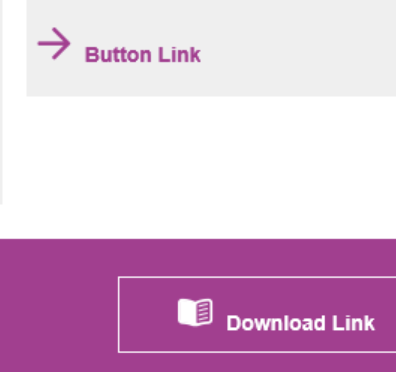
office 365 windows:
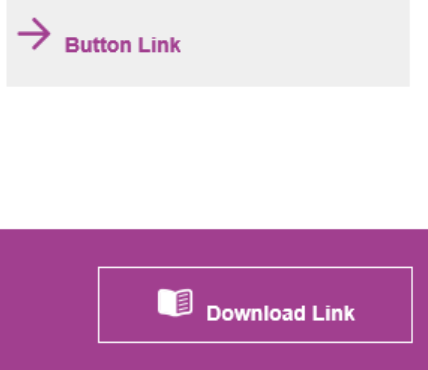
office 365 chrome:
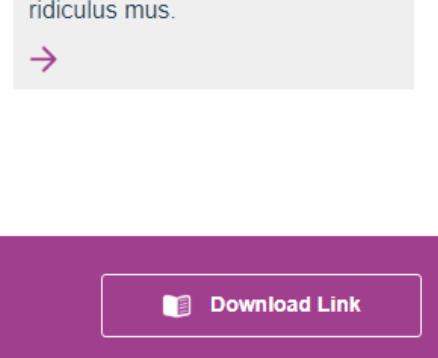
nicmare
on 8 Jun 2021
Text could disappear because of non valid href for some clients try to remove href="#" or use a valid temporary like href="https://google.com"
For the vertical align issue you can just try to apply veritcal-align:middle on img tag that should work
iRyusa
on 8 Jun 2021
veritcal-align:middle is already assigned. see code above will text the href attribute. thank you ryusa!
nicmare
on 8 Jun 2021
Text could disappear because of non valid href for some clients try to remove
href="#"or use a valid temporary likehref="https://google.com"For the vertical align issue you can just try to apply veritcal-align:middle on img tag that should work
did not know that makes the difference. thank you!! label is there now. but vertical offset remains
nicmare
on 8 Jun 2021
Related issues
 jitendravyas
·
18Comments
jitendravyas
·
18Comments
 jaypeedevlin
·
51Comments
jaypeedevlin
·
51Comments
 dalefish
·
89Comments
dalefish
·
89Comments
 arnaudbreton
·
23Comments
arnaudbreton
·
23Comments
arnaudbreton
·
23Comments
arnaudbreton
·
23Comments
Most helpful comment
You can already embed an img inside
mj-buttonas you can paste any HTML inside it. ex : https://mjml.io/try-it-live/HJ98AlUMSFor a left/right icon inside the button I think you should do a custom component for that.