Mixedrealitytoolkit-unity: Hololens2 not detected correctly
Describe the bug
An app built using MRTK 2.4 on Hololens2 (19041.1117.arm64fre.vb_release_svc_sydney_rel_prod.200903-1632) is not detecting correctly the device.
To reproduce
Steps to reproduce the behavior:
- Download sample app - https://1drv.ms/u/s!Aq1jgNgVNaunk2lysu7PJQEZO2Dh?e=HavpHL
- Switch platform to UWP
- Build
- Open built project - Release & ARM64 - and deploy on HL2.
=> app starts but with errors and the objects follow the camera.
Expected behavior
Application starts and objects stay put.
Log:
[Log] Hand - Right does not have a defined controller type, falling back to generic controller type
[Warning] No controller interaction mappings found for Microsoft.MixedReality.Toolkit.Input.UnityInput.GenericJoystickController.
[Error] Failed to create GenericJoystickController controller
UnityEngine.Debug:LogError(Object)
Microsoft.MixedReality.Toolkit.Input.UnityInput.UnityJoystickManager:GetOrAddController(String)
Microsoft.MixedReality.Toolkit.Input.UnityInput.UnityJoystickManager:RefreshDevices()
Microsoft.MixedReality.Toolkit.Input.UnityInput.UnityJoystickManager:Update()
Microsoft.MixedReality.Toolkit.BaseDataProviderAccessCoreSystem:Update()
Microsoft.MixedReality.Toolkit.<>c:
System.Action1:Invoke(T)
Microsoft.MixedReality.Toolkit.MixedRealityToolkit:ExecuteOnAllServicesInOrder(Action1)
Microsoft.MixedReality.Toolkit.MixedRealityToolkit:UpdateAllServices()
Microsoft.MixedReality.Toolkit.MixedRealityToolkit:Update()
Screenshots
See video
Your setup
- Unity Version 2020.1.3f1, 2019.4.11f1
- MRTK Version 2.4.0
Target platform
- HoloLens 2
 eusebiu
All 6 comments
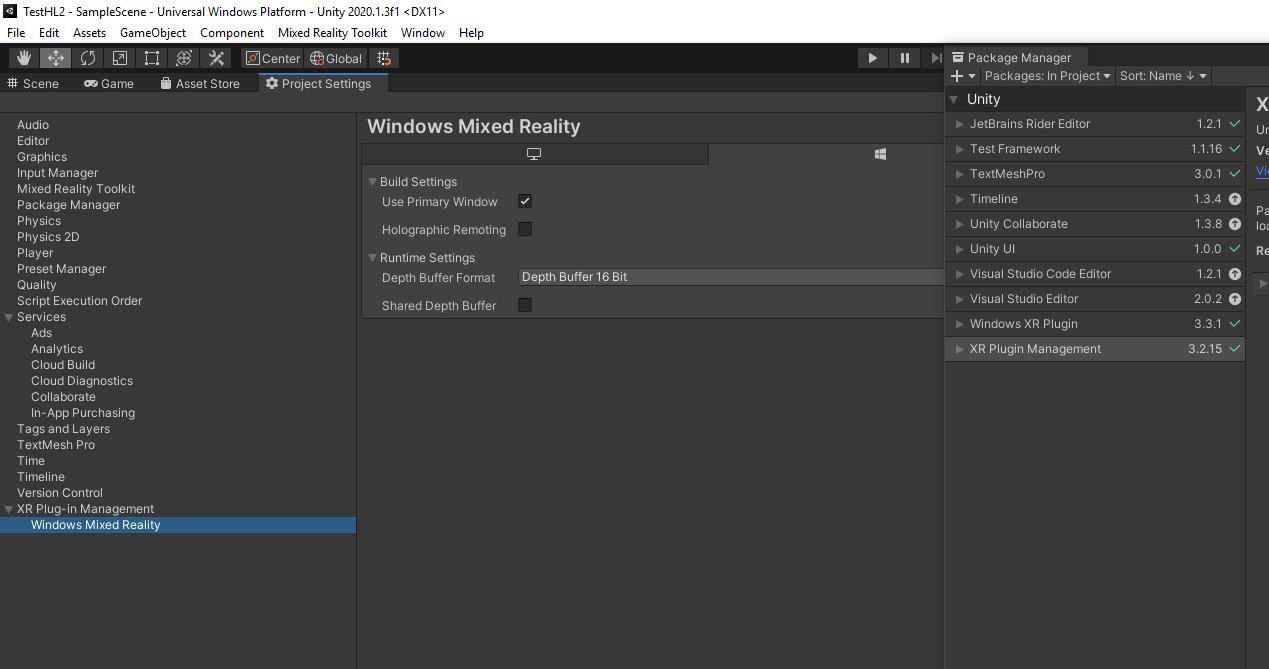
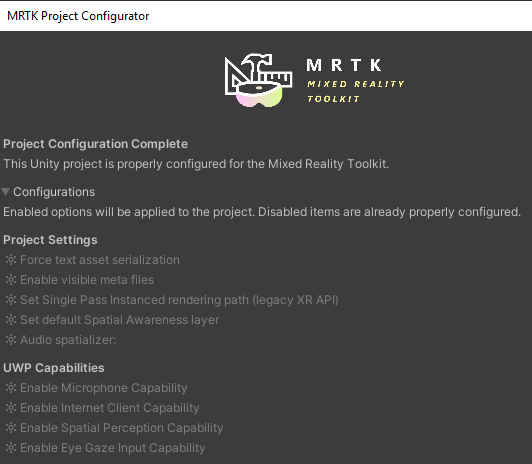
This behavior sounds as if the XR settings are not configured. Is the project using XRSDK or the legacy XR API?
 davidkline-ms
on 25 Sep 2020
davidkline-ms
on 25 Sep 2020
This behavior sounds as if the XR settings are not configured. Is the project using XRSDK or the legacy XR API?
It is using the XRSDK (Unity 2020 removed the legacy XR, I think).
Is there a way to debug the project running on the device?
eusebiu
on 25 Sep 2020
Yep, that looks like XR SDK! You'll want to make sure you're using the DefaultXRSDKConfigurationProfile, if you're using MRTK defaults. Otherwise, more info can be found at https://microsoft.github.io/MixedRealityToolkit-Unity/version/releases/2.4.0/Documentation/GettingStartedWithMRTKAndXRSDK.html#required-in-mrtk for updating your custom profile.
 keveleigh
on 25 Sep 2020
keveleigh
on 25 Sep 2020
Indeed, that was it! Then what is with the DefaultHololens2ConfigurationProfile? Which one is recommended for Hololens2?
eusebiu
on 25 Sep 2020
Which one is recommended for Hololens2?
Sorry about the confusion here. We're in a bit of a transition between Unity's original XR pipeline and their new XR SDK APIs. Most of our profiles are still on the old pipeline at the moment, other than the explicit XR SDK one mentioned in that doc.
keveleigh
on 25 Sep 2020
Oh, ok. That makes sense! Thanks for the support! Much appreciated!
eusebiu
on 25 Sep 2020
Related issues
 overedge
·
3Comments
overedge
·
3Comments
 MatteoFantasy
·
3Comments
MatteoFantasy
·
3Comments
 amfdeluca
·
3Comments
amfdeluca
·
3Comments
 reillydonovan
·
3Comments
reillydonovan
·
3Comments
 Alexees
·
3Comments
Alexees
·
3Comments