Mixedrealitytoolkit-unity: Far manipulation should allow constraining depth/z movement
Describe the problem
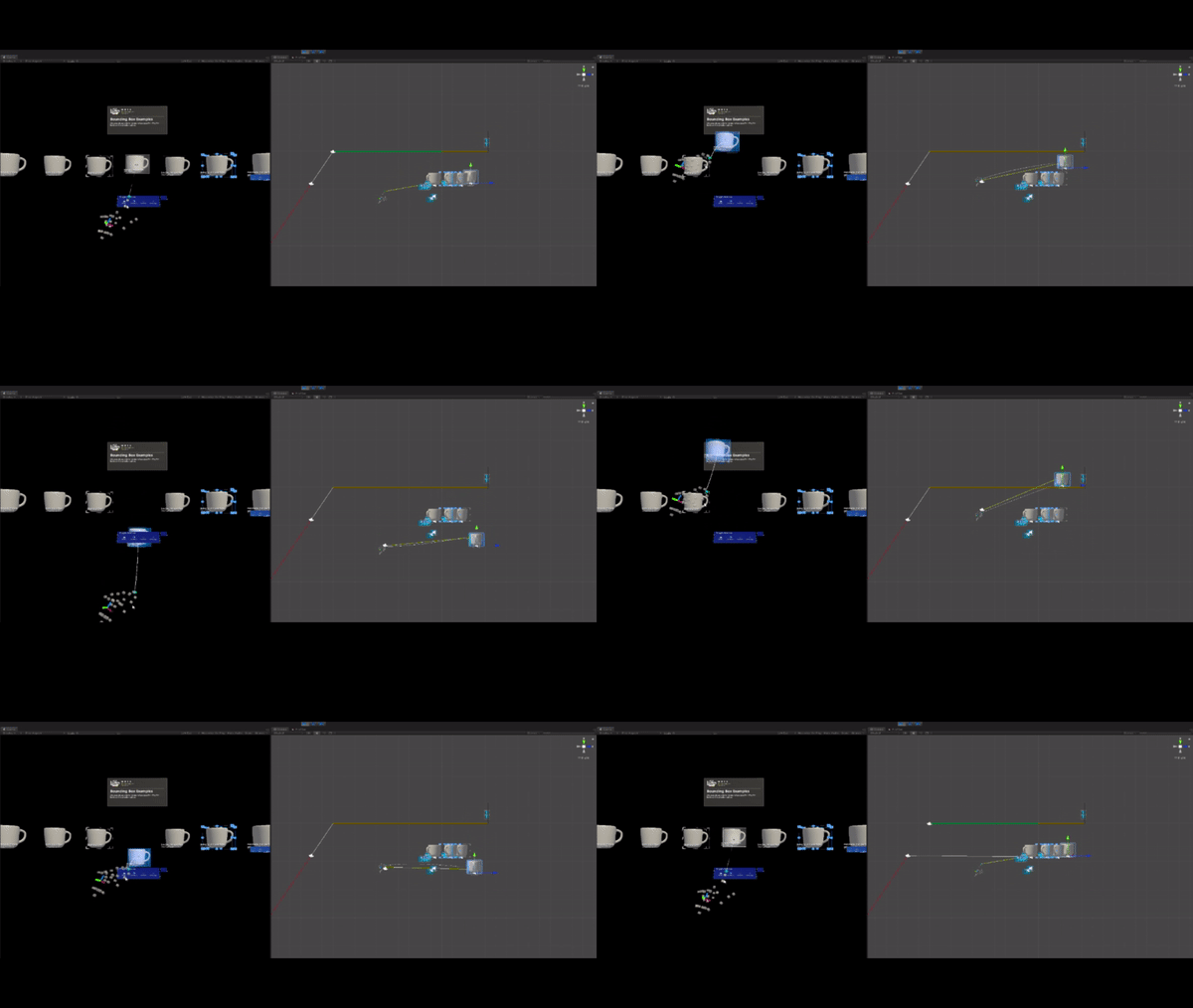
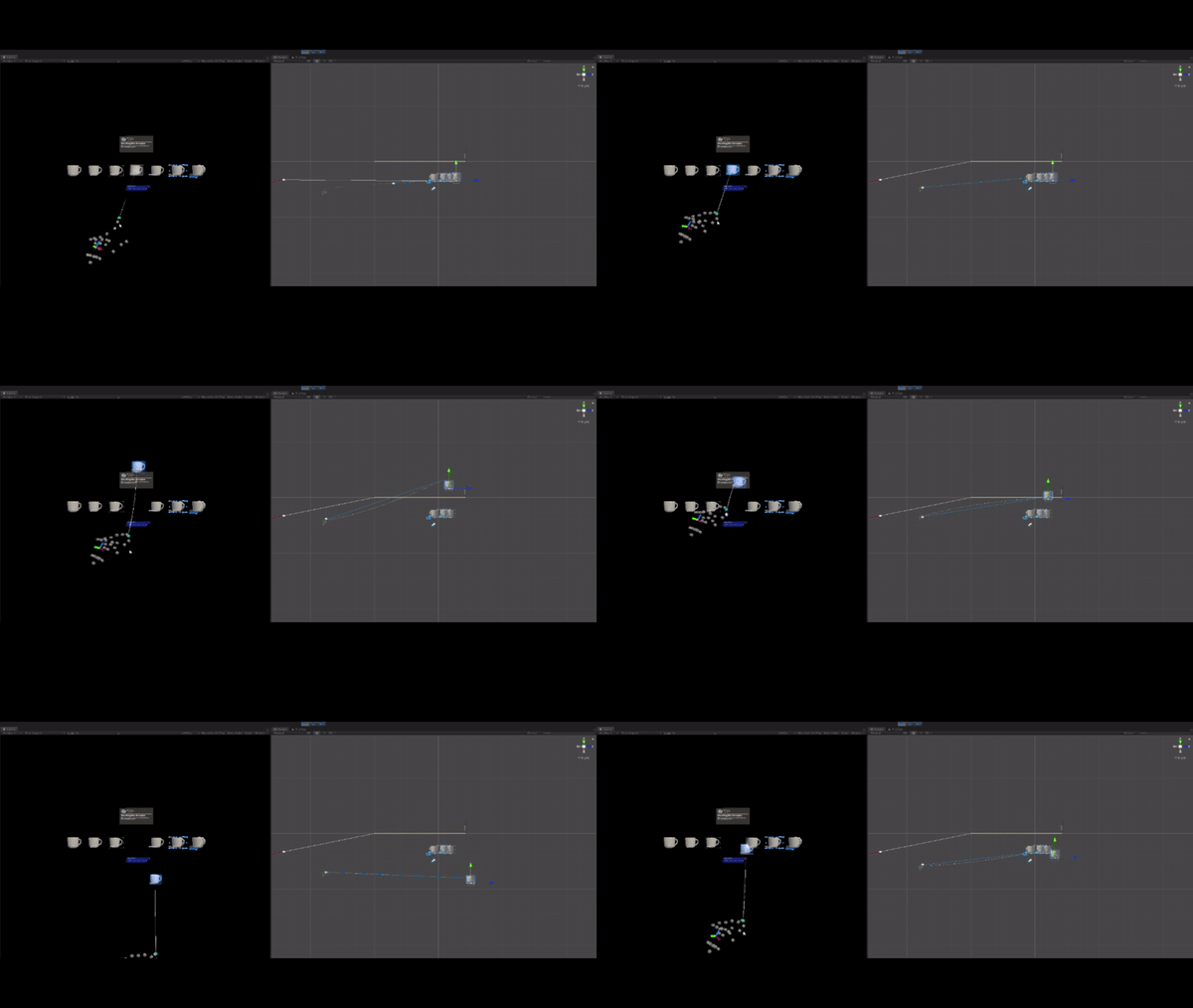
For (at least Bounding Box) far manipulation, when you move your hand up & down, the object you're manipulating gets moved also closer & farther away from you. On some objects, it doesn't feel intuitive anymore. I was expecting moving my hand directly down would simply move the object directly down, not further away from me.
It feels like the assumption with this current far manipulation approach is that users really care about moving objects closer or farther away and that moving one's hand up/down is a good way to do it. But this assumption might not be true all the time.
I've tested this both in the Unity Editor as well as on HoloLens 1. It's more noticeable at farther distances (and thus with bigger objects), see the gifs below.
Describe the solution you'd like
It would be great to have a "Constraints on Movement" option to disable this (or enable it, depending on what everyone thinks the default should be). Perhaps it could be called something like NoForwardsBackwardMovement (or inversely, something like AllowForwardsBackwardsMovement). I don't think the proposed additional constraints in https://github.com/microsoft/MixedRealityToolkit-Unity/issues/4154 includes this. I'm guessing the TwoHandMoveLogic code would need updating to support this https://github.com/microsoft/MixedRealityToolkit-Unity/blob/mrtk_release/Assets/MixedRealityToolkit/Utilities/Physics/TwoHandMoveLogic.cs#L51.
Describe alternatives you've considered
I guess a step further would be enabling configuration of additional "helper" manipulation movement. It feels like the current far manipulation behavior is trying to "help" the user be able to move objects closer/farther away intentionally, so perhaps there's other "helper" behaviors that no one's thought about here.
Additional context
You'll notice from this side view that the hand in the Unity Editor is only moving up & down, but the object moves also backwards & forwards.
Closer to object:
Further from object:
 nuernber
All 3 comments
We recently had 7 people try out this MRTK interface compared to one that directly followed one's hand movement (i.e., when you move up, the object moves up and not forward/backwards, etc.). All 7 people said the MRTK up/down movement was strange.
nuernber
on 21 Nov 2019
So the issue is that we're currently using hand distance from the head to scale the object's distance from the hand.
A simple fix for this would be to only use xz distance (ignore y) to emulate hand distance from the body. That way, moving your hand down, wouldn't be moving it further away, and so the object too wouldn't move away.
@thalbern @julenka what do you think about this as a solution?
 MenelvagorMilsom
on 22 Nov 2019
MenelvagorMilsom
on 22 Nov 2019
A simple fix for this would be to only use xz distance (ignore y) to emulate hand distance from the body. That way, moving your hand down, wouldn't be moving it further away, and so the object too wouldn't move away.
@thalbern @julenka what do you think about this as a solution?
Ah great idea! Let's try it, I'm happy to test and give feedback. I'm guessing @nuernber would be happy to give feedback as well on the PR to see if it feels expected.
 julenka
on 22 Nov 2019
julenka
on 22 Nov 2019
Related issues
 chrisfromwork
·
3Comments
chrisfromwork
·
3Comments
 StephenHodgson
·
3Comments
StephenHodgson
·
3Comments
 jimstack
·
3Comments
StephenHodgson
·
3Comments
jimstack
·
3Comments
StephenHodgson
·
3Comments
 matatabi-ux
·
3Comments
matatabi-ux
·
3Comments
Most helpful comment
Ah great idea! Let's try it, I'm happy to test and give feedback. I'm guessing @nuernber would be happy to give feedback as well on the PR to see if it feels expected.