Mixedrealitytoolkit-unity: Cannot Delete text in MixedRealityKeyboard
Describe the bug
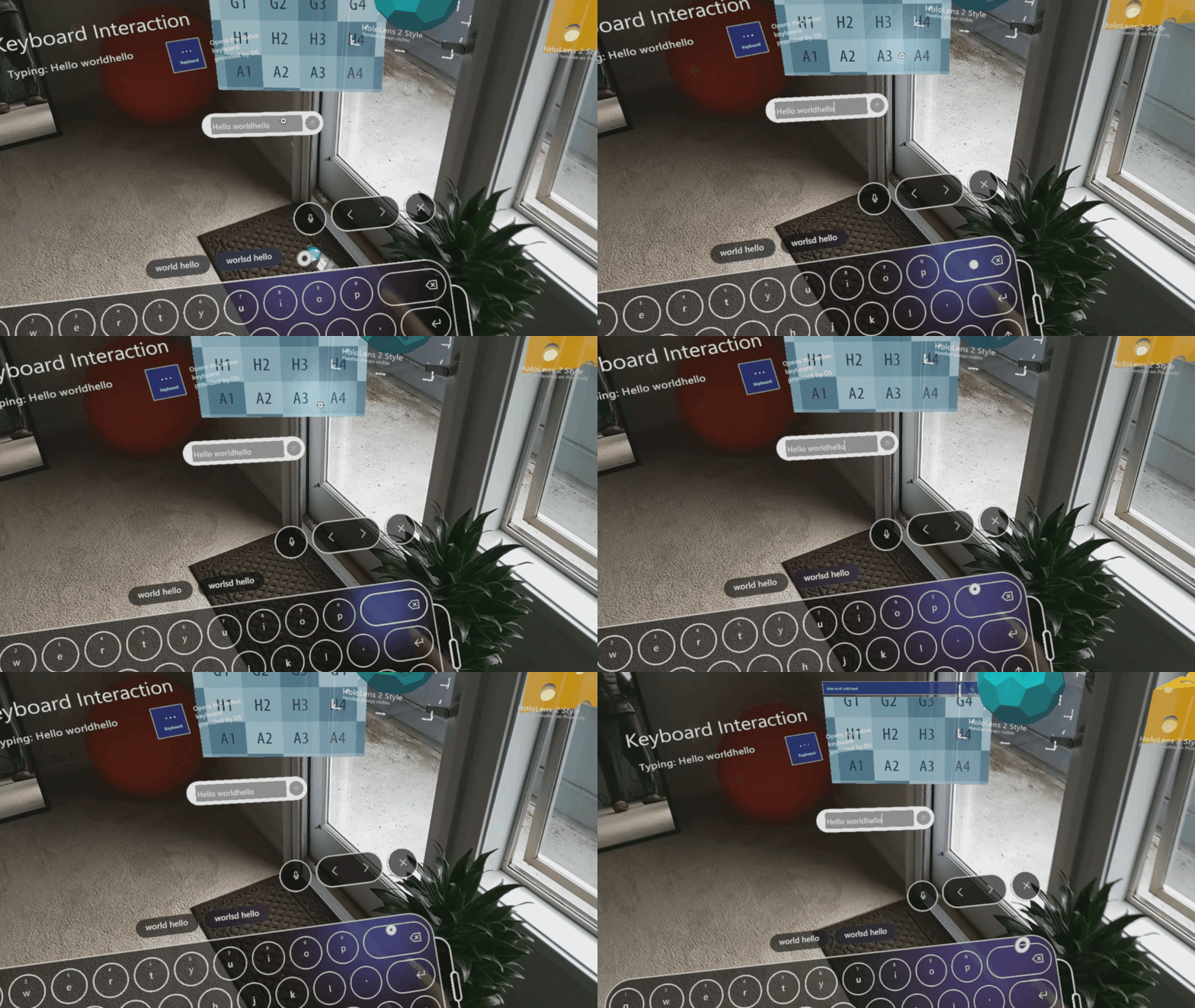
When pressing the delete key using the system keyboard invoked by MixedRealityKeyboard.cs, text does not get deleted, neither in the keyboard preview window, nor in the entered text.
To reproduce
Steps to reproduce the behavior:
- Build HandInteractionExample scene for HoloLens or HoloLens 2 in Unity 2019
- Click the open keyboard button on the right side.
- Type some text, and try to delete it
Expected behavior
The delete key deletes any text typed, both in keyboard preview and in the "typed" text indicator
Screenshots
Your setup (please complete the following information)
- Unity Version 2019.3.3f1
Target platform (please complete the following information)
- HoloLens 2
 julenka
All 7 comments
This sounds like a known Unity issue that they're investigating. Paired reports of needing to hit backspace twice for it to register and reports of it not working at all (like you're seeing). The reports are specific to Unity 2019, saying that it works in 2018.
 keveleigh
on 6 May 2020
keveleigh
on 6 May 2020
This is still extant in Unity 2019.4.7, however, we've not encountered an instance where hitting the button twice works, it simply does nothing.
Additionally, despite setting the secure flag on TouchScreenKeyboard, our passwords and usernames are showing up on the keyboard's automatic suggestions. For example, if I were to type the password 'keyboard', this would be the first suggestion the keyboard shows on a subsequent showing if I were to hit the K key first. This is a data security concern and also shows people's email addresses.
 gigxr
on 23 Sep 2020
gigxr
on 23 Sep 2020
I had set the keyboard set to:
keyboard = TouchScreenKeyboard.Open("", TouchScreenKeyboardType.Default, false, this.multiLine, true, false);
on MixedRealityKeyboardBase to 'forget' entries. According to Unity docs found here, the second to last input is what sets the secure flag.
gigxr
on 23 Sep 2020
The backspace we are using is the same as the above video submitted by Julia.
gigxr
on 23 Sep 2020
Adding @davidkline-ms since I seen you've contributed a lot to the keyboard scripts and docs. Also adding @wiwei for visibility.
I'm working with @gigxr and this one is a pain point for them. I've not been able to duplicate the back button issue on my HoloLens. Not in the address bar in the browser, and also not in the MRTK Examples app available in the store, which was obviously built with MRTK.
@gigxr can you confirm that the back button works for you in the browser and in the "Hand Interaction" example scene in the MRTK Examples app _as downloaded from the store_?
MRTK team: Does anyone know what version of Unity the store app is built with? Or, better yet, do we know which versions of Unity are _not_ affected by this bug? Finally, do we know of an open Unity issue number that tracks this bug?
@gigxr can you please open a separate ticket for the automatic suggestions issue? This issue is specifically about the back button and not being able to delete text. It would be great if you could attach video to that new issue similar to what @julenka did above. I don't want to mix the two as I believe they are separate issues that may need two separate owners.
 jbienzms
on 23 Sep 2020
jbienzms
on 23 Sep 2020
@polar-kev @jbienzms This is an issue for one of our commercialization partners as well. They have found a workaround, but are noting that this is something they have heard other customers run into too.
 BillingsAm3
on 6 Oct 2020
BillingsAm3
on 6 Oct 2020
@jbienzms According to Unity this issue is fixed in Unity 2019.4.9f1, 2020.1.3f1 and 2020.2.0a20.
@gigxr can you please let us know if you see otherwise.
 polar-kev
on 7 Oct 2020
polar-kev
on 7 Oct 2020
Related issues
 matatabi-ux
·
3Comments
matatabi-ux
·
3Comments
 markgrossnickle
·
3Comments
markgrossnickle
·
3Comments
 nrchuanqi
·
3Comments
nrchuanqi
·
3Comments
 StephenHodgson
·
3Comments
StephenHodgson
·
3Comments
 chrisfromwork
·
3Comments
chrisfromwork
·
3Comments
Most helpful comment
This sounds like a known Unity issue that they're investigating. Paired reports of needing to hit backspace twice for it to register and reports of it not working at all (like you're seeing). The reports are specific to Unity 2019, saying that it works in 2018.