Mixedrealitytoolkit-unity: MRTK Configurator Utility interrupts and staggers loading the editor, building, and changing scenes
Describe the bug
The MRTK Configurator seems pretty intrusive. It pops up when loading our updated project through script or through the hub, and seems to cause a state where Unity won't actually fully load (pausing the loading step) and takes a few minutes to unblock itself. It pops up repeatedly for projects where I have previously configured it through that utility, whether it's opening Unity, changing the scene, or changing to target platform.
There should be a way to tell the configurator to stop doing those checks automatically; as it will cause issues for projects with well-established build pipelines.
On a more personal note, this seems to be a bit much and if it can't be turned off I don't think it's something I could integrate since my coworkers would hate me as a result.
To reproduce
Different steps to reproduce the behavior:
- Open a project with MRTK already integrated through the Unity Hub; it will appear before the Unity editor does
- Open a project with MRTK already integrated through a script command; it will appear before the Unity editor does
- With a project that has MRTK already integrated already open; switch the scene
- With a project that has MRTK already integrated already open; switch the build target
- Build a project that has MRTK integrated through a script; it will pop up and stagger the build until it resolves
All of these repro for the above steps even after the project has previously been configured through the configurator, or if you pressed ignore.
Expected behavior
For it to pop up once when integrating MRTK for the first time, and then only again if access through editor UI.
Your setup (please complete the following information)
- Unity Version 2018.4.8f1 (and repros on others as well)
MRTK Version 2.3.0-20200115v2,
Target platform (please complete the following information)
HoloLens
- HoloLens 2
Additional context
Add any other context about the problem here.
 Kjakubzak
All 13 comments
@Kjakubzak thanks for filing this. The issues you are running into are not by design.
You should never see the configurator again if you click "ignore" unless you wipe Unity/re-install or click through the menu bar.
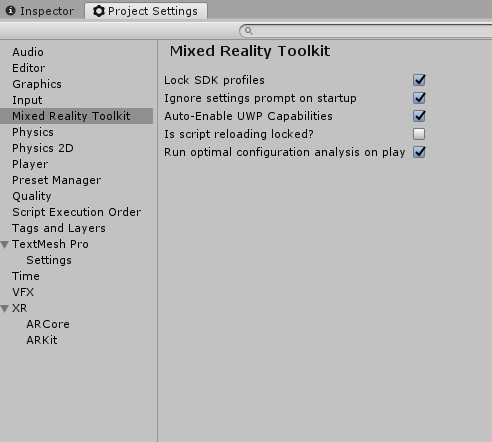
After clicking "Ignore", can you confirm the following looks the same? This is another way to force ignore the configurator under project settings.
The Ignore settings prompt on startup should be true.
I unfortunately cannot repo with 2.3 stabilization. Furthermore, the configurator does not re-appear between switching scenes for me even if I don't ignore the configurator
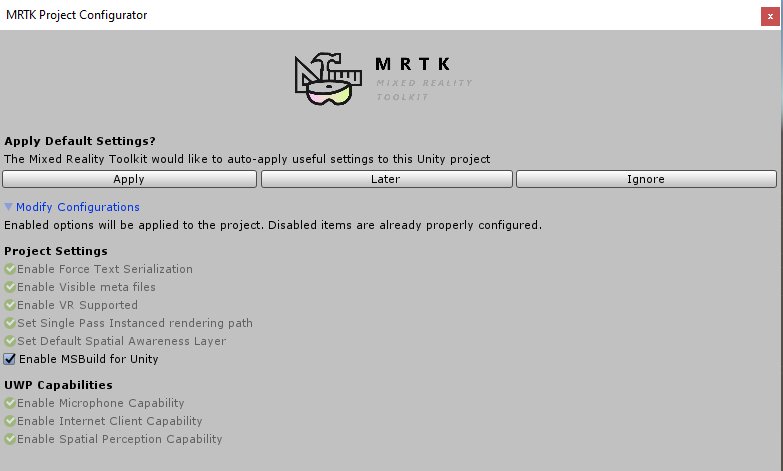
Also, if you hit "apply" and when the configurator keeps re-appearing, are all settings checked green?
 Troy-Ferrell
on 22 Jan 2020
Troy-Ferrell
on 22 Jan 2020
@Troy-Ferrell are you investigating this? If so we should assign you. All mrtk 2.3 bugs should have assignees :-)
 julenka
on 22 Jan 2020
julenka
on 22 Jan 2020
Hi,
I reverted the repo back to using 2.2.0; let me bring it back to the version of 2.3 we were using and check this out to ensure I see what is expected
I know that all of those settings were green prior to hitting any of those buttons, and clicking ignore didn't (from my experience) prevent it from popping up again as I kept clicking ignore in the hopes it would.
Kjakubzak
on 22 Jan 2020
Just opened it up using the script and saw this:
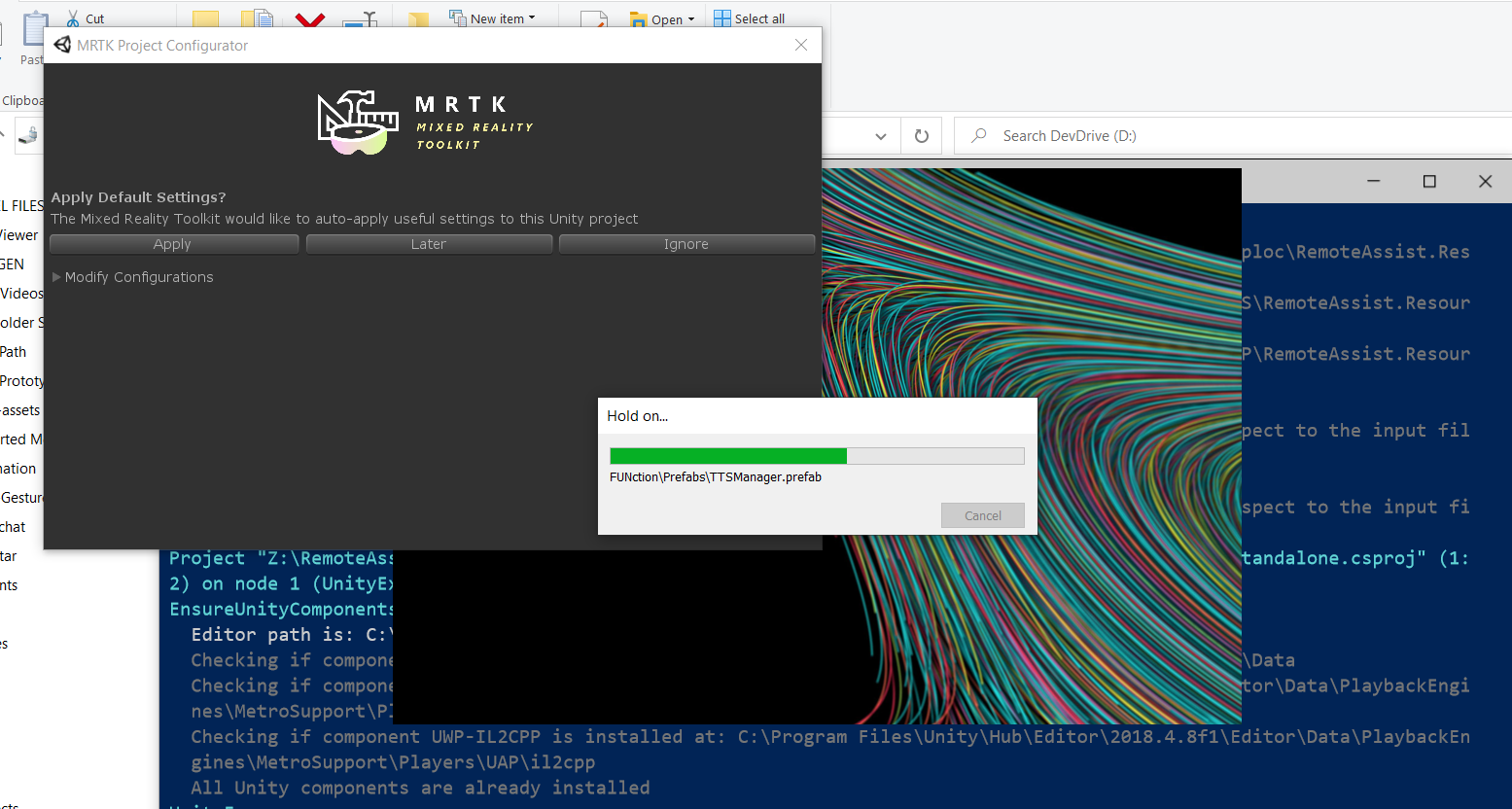
It disappeared once the editor loaded and then appeared again (all green). Clicked ignore and then this is what I see in the settings.
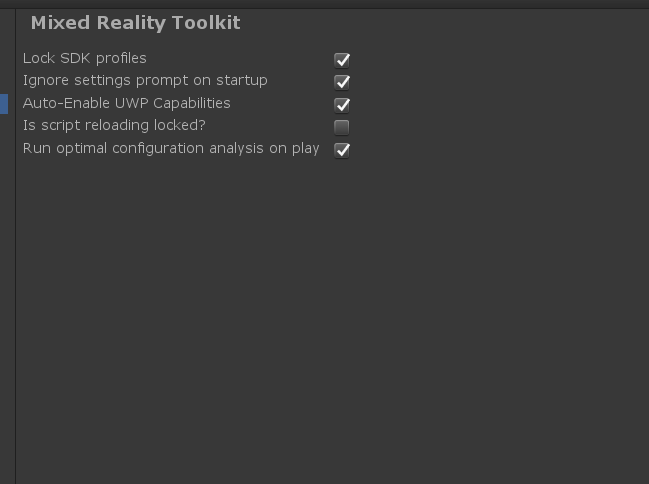
Which is expected based on what you said.
Let me try to repro by building it/switching the scene.
Kjakubzak
on 22 Jan 2020
Interesting; I actually got an exception when switching scenes:
'NullReferenceException: Object reference not set to an instance of an object
UnityEditor.SceneHierarchy.Init () (at C:/buildslave/unity/build/Editor/Mono/SceneHierarchy.cs:259)
UnityEditor.SceneHierarchy.get_treeView () (at C:/buildslave/unity/build/Editor/Mono/SceneHierarchy.cs:204)
UnityEditor.SceneHierarchy.OnLostFocus () (at C:/buildslave/unity/build/Editor/Mono/SceneHierarchy.cs:469)
UnityEditor.SceneHierarchyWindow.OnLostFocus () (at C:/buildslave/unity/build/Editor/Mono/SceneHierarchyWindow.cs:100)
System.Reflection.MonoMethod.Invoke (System.Object obj, System.Reflection.BindingFlags invokeAttr, System.Reflection.Binder binder, System.Object[] parameters, System.Globalization.CultureInfo culture) (at
Rethrow as TargetInvocationException: Exception has been thrown by the target of an invocation.
System.Reflection.MonoMethod.Invoke (System.Object obj, System.Reflection.BindingFlags invokeAttr, System.Reflection.Binder binder, System.Object[] parameters, System.Globalization.CultureInfo culture) (at
System.Reflection.MethodBase.Invoke (System.Object obj, System.Object[] parameters) (at
UnityEditor.HostView.Invoke (System.String methodName, System.Object obj) (at C:/buildslave/unity/build/Editor/Mono/HostView.cs:342)
UnityEditor.HostView.Invoke (System.String methodName) (at C:/buildslave/unity/build/Editor/Mono/HostView.cs:336)
UnityEditor.HostView.OnLostFocus () (at C:/buildslave/unity/build/Editor/Mono/HostView.cs:159)
UnityEditor.EditorWindow:ShowUtility()
Microsoft.MixedReality.Toolkit.Utilities.Editor.MixedRealityProjectConfiguratorWindow:ShowWindow() (at F:/agent_work/68/s/Assets/MixedRealityToolkit/Inspectors/Setup/MixedRealityProjectConfiguratorWindow.cs:67)
Microsoft.MixedReality.Toolkit.Utilities.Editor.MixedRealityEditorSettings:ShowProjectConfigurationDialog() (at F:/agent_work/68/s/Assets/MixedRealityToolkit/Inspectors/Setup/MixedRealityEditorSettings.cs:66)
Microsoft.MixedReality.Toolkit.Utilities.Editor.MixedRealityEditorSettings:.cctor() (at F:/agent_work/68/s/Assets/MixedRealityToolkit/Inspectors/Setup/MixedRealityEditorSettings.cs:30)
UnityEditor.EditorAssemblies:ProcessInitializeOnLoadAttributes()
'
Kjakubzak
on 22 Jan 2020
I am hitting this as well, on Mac. On a Mac, it is not possible to get the window to dismiss at all. Hitting "ignore" does nothing. Window always pops up.
julenka
on 22 Jan 2020
I only hearted that because I thought I was going crazy
Kjakubzak
on 22 Jan 2020
With the PR I still see the issue on a Mac :-(
julenka
on 23 Jan 2020
@Troy-Ferrell / @julenka, i propose we merge this change as it fixes a key part of the original issue and #7131 fixes the mac pathing error
 davidkline-ms
on 23 Jan 2020
davidkline-ms
on 23 Jan 2020
resolved by #7122 and #7131
davidkline-ms
on 24 Jan 2020
Merging into dev via #7136
 keveleigh
on 24 Jan 2020
keveleigh
on 24 Jan 2020
Reopening, as project configurator still shows up every time Unity opens on a Mac, even after pressing "ignore". Good news is after #7131 I no longer get error "System.IO.DirectoryNotFoundException: Could not find a part of the path '/Users/julenka/devel/mrtk/Library\PackageCache'."
julenka
on 24 Jan 2020
re-resolved with #7138
davidkline-ms
on 24 Jan 2020
Related issues
 matatabi-ux
·
3Comments
matatabi-ux
·
3Comments
 nrchuanqi
·
3Comments
nrchuanqi
·
3Comments
 chrisfromwork
·
3Comments
chrisfromwork
·
3Comments
 amfdeluca
·
3Comments
amfdeluca
·
3Comments
 jimstack
·
3Comments
jimstack
·
3Comments