Mixedrealitytoolkit-unity: Thoughts on the Input system for MRToolkit
Hello!
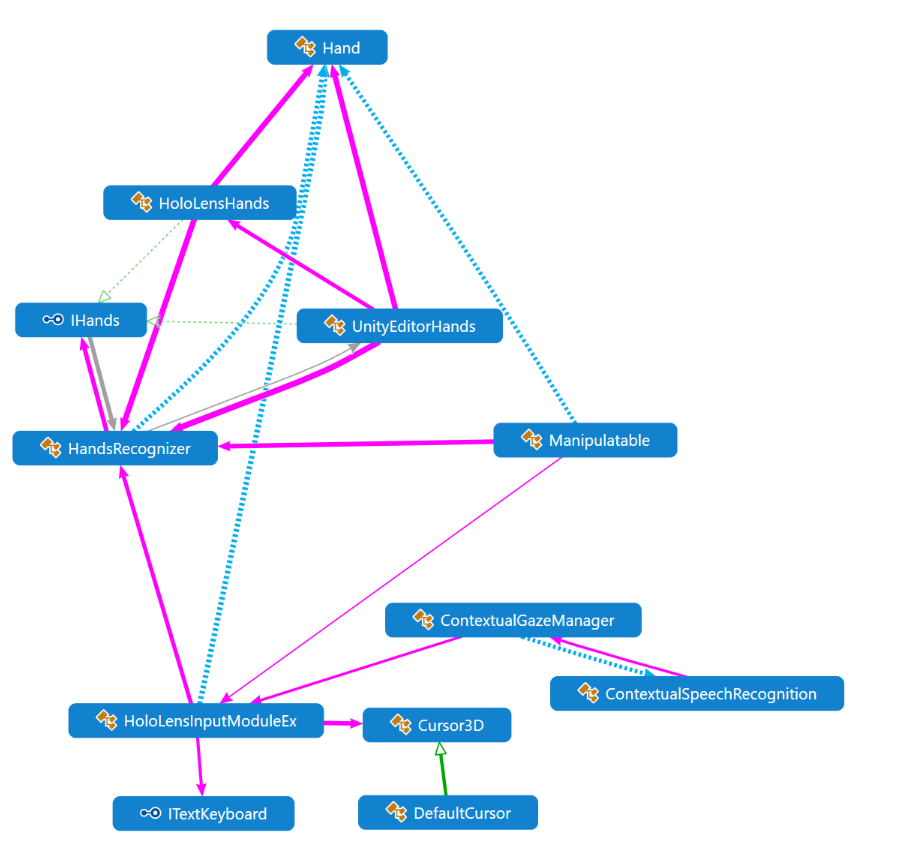
I'm from the Horizon team in London (Microsoft) and I've recently joined this repo as a contributor. :) We (Horizon) had developed an Input module for Unity over a year ago that is simple yet elegant. However, in order to avoid duplicating systems we've decided to start using the MRToolkit's input system. We would encourage you to have a look at it (attached) if you are interested. We've taken the approach to make input work "out-of-the-box" keeping inline with Unity's style of input. Simply add "HoloLensInputModuleEx" (bad name, I know...) to your EventSystem, set your cursor, and you're done! Uses IPointerHandlers for the gaze handlers. Doing this enables you to take advantage of using built in systems in Unity without adding additional scripts on your objects. It also simplifies input interaction. Note that you can click on the "Help" field in the component in the Inspector to see how to use the in-Editor simulation.
Documentation:
- Docs/Input/html/index.html
Samples:
- Gaze Input: Assets/Longbow/Input/Gaze/Samples
- Hand Input: Assets/Longbow/Input/Hands/Samples
- Speech Input: Assets/Longbow/Input/Speech/Samples
A few good takeaways would be a few extra features we have in the input module:
- When running in the editor you can tilt the camera left and right using "q" and "e" (You need to press "shift+cntrl" first to initiate camera movement).
- You can change the depth of the hand positions in the Editor by using the scroll wheel on your mouse.
- You can do two-hand simulations by pressing '1' (left hand) + '2' (right hand) or simply '3'.
- Input Module doesn't require special handlers. Works with the Canvas without adding any extra handlers or listeners to UI components.
- HandRecognizer can run independently from the input module. It also will allow simulation when running in the editor.
- Speech Recognition is simple. Just attach the "Contextual Speech Recognition" component to any object in your scene and you get instant speech reco! It also understand gaze context.
Cheers,
William
 witian
All 28 comments
BTW, the attached unity project was built for Unity 5.5.4
witian
on 18 Aug 2017
Any plans for support with the new Gaze and point / Gaze and Commit APIs that are coming out with XR namespace changes?
 StephenHodgson
on 18 Aug 2017
StephenHodgson
on 18 Aug 2017
I had planned on supporting them in our input system (Longbow), but we stopped development on it in favor to contribute to the MixedRealityToolkit (HoloToolkit). Was hoping to get thoughts on the input system we developed a while back to see if any contributors here would be in favor of it or if they would prefer to stick to the current system that is already in place in HoloToolkit.
witian
on 18 Aug 2017
We have a newer code base that supports 2017.2 B but it's unfinished. It is setup to support Windows VR/MR devices.
witian
on 18 Aug 2017
Thank you for sharing. Just a few comments.
We've taken the approach to make input work "out-of-the-box".
There's always a setup process even for native input with Unity. Usually the input mappings can be quite cryptic, and there's almost always a GameObject or EventSystem to add into your scene. Unsure how this is much different from the current approach.
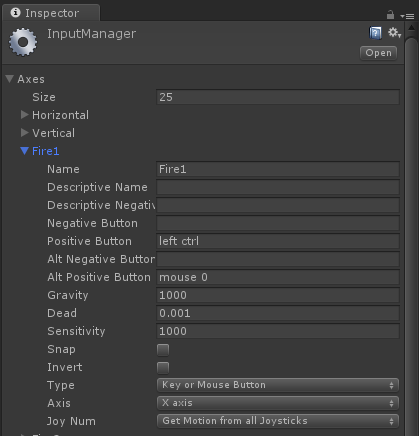
Doing this enables you to take advantage of using built in systems in Unity without adding additional scripts on your objects.
The current Input System also enables you to do just this by adding a EventTrigger component.

The biggest problem I have with using Unity's event system in the Inspector like this, is that references can be easily broken and lost, which in turn creates _silent_ failures and bugs that are often uncaught at first. Where as the current Input system requires you to implement the appropriate interfaces and be written in code, which causes a compile error.
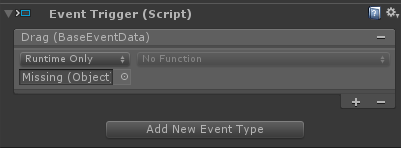
The other problem I have with assigning events using the inspector only supports a single parameter, and currently there's no easy (built in) way to assign events w/multiple parameters.
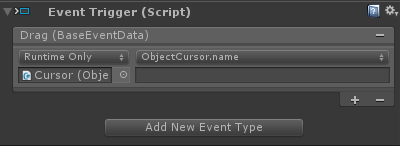
Don't get me wrong, assigning events in the inspector using the EventTrigger or similar feature is an invaluable tool for quick prototyping, but when you get down to business, it's important to sit down and put in the work to write it in code.
StephenHodgson
on 18 Aug 2017
Thanks for sharing. I'm not familiar with all tradeoffs of different approaches, but the idea of HoloToolkit input working in a similar fashion to Unity's input modules does sound appealing. This could make it easier for new mixed reality developers to learn to use the input system or to fit it in with existing code from other platforms. I haven't found Unity's system to be perfectly clear and easy to follow, but presumably it's a known quantity and it seems likely that future Unity support will be based on this approach.
 ForrestTrepte
on 19 Aug 2017
ForrestTrepte
on 19 Aug 2017
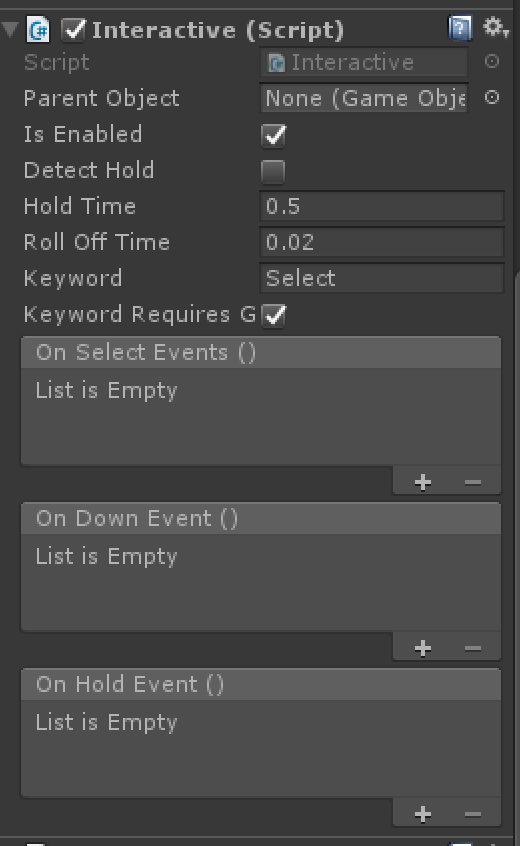
By the way, the Interactive scripts in HoloToolkit-Examples allow you to hook up UnityEvent triggers for HoloToolkit's events. Personally, I like using these sorts of events so that content creators can hook up audio/visual state changes and effects without requiring code changes, although for the reasons that @StephenHodgson mentions I try to avoid driving the core application logic via such events.
ForrestTrepte
on 19 Aug 2017
Thank you, Forest and Stephen for your thoughts and input! Stephen, I totally agree on this point:
"Don't get me wrong, assigning events in the inspector using the EventTrigger or similar feature is an invaluable tool for quick prototyping, but when you get down to business, it's important to sit down and put in the work to write it in code."
In terms of "out-of-the-box" I should've been more clear. What I mean to say is that Longbow's input system doesn't invent new input handlers (although there certainly isn't anything wrong with that). It uses events that already exist, namely "IPointer" events. This means that some things will just work "out-of-the-box" without creating additional scripts to support custom events (for the Canvas as an example). However, I understand the importance of having custom events, as you mentioned, will give you the power to pass additional parameters where IPointer event data would potentially fall short.
The purpose of this discussion was more to say "here's something different, is there anything useful here that the MRTK can take advantage of" rather than "here's something better, let's do this instead." I really appreciate the fact you guys came back with thoughtful answers and why you like the current input system in the MRTK.
I do think that it would still be nice to add depth to the hand cursors like Longbow's input system simulation has. Also being able to spring-tilt the camera left or right can really be useful to make sure billboarding on certain objects is behaving the way we expected it too. If you are not opposed to it, I would love to add those features to the MRTK in-editor simulation if you think it will be useful.
witian
on 21 Aug 2017
@witian I would love to see a PR adding the changes you mention. =)
 jwittner
on 21 Aug 2017
jwittner
on 21 Aug 2017
@jwittner I concur.
@witian No worries, I have not exactly taken a look at longbow or what is has to offer. I just wanted to discuss the current technology implemented and how you'd like to go from there.
StephenHodgson
on 22 Aug 2017
I do have a few additional thoughts I would like to add to stimulate conversation:
- I tried to use the existing input system to evaluate it and couldn't exactly figure out how to use it correctly. There are no scenes in the Example folder (in master) I can run to see an example of the input system manipulation. I looked at the ReadMe for Input but that was more of a reference than it was instructions on how to use the Input system. I went to the HoloLens Academy website but it seems their documentation for their examples uses an older version of the HoloToolkit that doesn't fully match the current system. Can you point me to some up-to-date instructions on how to use HoloToolkit's input system?
- Couldn't figure out how to get the HoloToolkit's input system to work with Canvases.
- We (Horizon) regularly work with other external partners and companies to help them create high quality MR experiences. I've had some of them tell me that they tried to use HoloToolkit but found the input system overly complex. They ended up writing their own system in the end (note that Longbow was not made available to them). Another team here in London prefers Longbow over HoloToolkit because it was well documented in terms of how to use it as well as being extremely simple to use.
- Why doesn't the HoloToolkit use Input Modules? According to Unity's documentation that seems to be the proper way to use input.
For someone who is familiar with Unity but not familiar with MR development, they will probably expect some kind of Input Module. Even Unity provides a HoloLensInputModule, although it's not great it does illustrate that the Input Module is the right place to start for Input Systems.
In Summary:
I think mostly what's missing here is good documented instructions on how to use HoloToolkit.
It seems that "more the same than different" would be ideal. People who are familiar with Unity should feel at home when using the toolkit. If not, at least simple example scenes and instructions should accompany them to clarify their use.
Thoughts?
witian
on 22 Aug 2017
I tried to use the existing input system to evaluate it and couldn't exactly figure out how to use it correctly.
Yeah this is definitely one of the things I've been wanting to tackle w/ a good YouTube series, but can't find the time outside of work hours.
The closest thing I have to a tutorial for the MRTK is the Preparing Your Scene for Content section of the Getting Started page.
This should be the bare minimum needed to get input and working correctly in your scenes.
There are no scenes in the Example folder (in master) I can run to see an example of the input system manipulation.
They are in the HoloToolkit-Tests/Input/Scenes Folder . I actually have an issue open to merge these two folders to make things easier to find.
Couldn't figure out how to get the HoloToolkit's input system to work with Canvases.
Sounds like you were missing the EventSystem object in your scene.
Why doesn't the HoloToolkit use Input Modules?
It does. It uses the regular old Standard Input Module for cross platform support.
they tried to use HoloToolkit but found the input system overly complex.
Yeah I agree there are some parts are could be more elegant, and straight forward.
People who are familiar with Unity should feel at home when using the toolkit.
Even after 10+ years of developing in Unity, I still find its Input System lacking (I've got a good "Back in my day" Joke, but I'll save it for later 😆). In fact they've got an entire overhaul on their road map scheduled for 2017.2, and it's at risk for getting pushed back as it is.
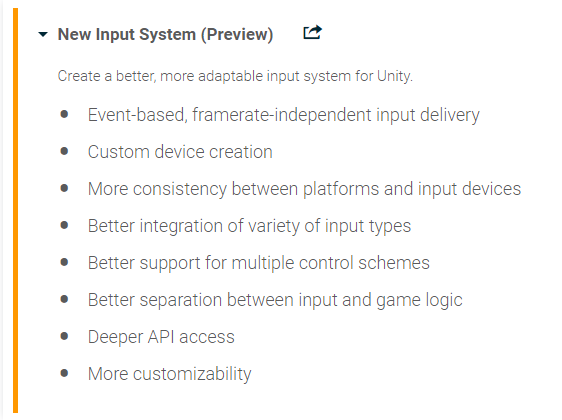
If we do decide to pull the trigger and update the MRTK's input system again, we need to make sure we do it after the new Unity Input System update.
StephenHodgson
on 22 Aug 2017
@StephenHodgson Thanks for the detailed response! I'll give it another go tomorrow and play around with it more.
I'm looking forward to see what they do with the new Input System. You can switch over to the preview in Unity's Player settings. I certainly agree that if any changes are made it should be after the release of the new system.
witian
on 22 Aug 2017
The preview does not currently support Windows Mixed Reality or HoloLens, so unfortunately, it's hard for us to see how it's going to work for this project. But I am very anxious for them to iron it out. :)
 jessemcculloch
on 25 Aug 2017
jessemcculloch
on 25 Aug 2017
I just read the roadmap for vNext and wanted to ask if there is any plan to use Unity's "new" input system in the future?
 Holo-Krzysztof
on 20 Mar 2018
Holo-Krzysztof
on 20 Mar 2018
So far, as Unity's new input system doesn't really support Windows platforms, we haven't planned for it.
However, the system @StephenHodgson is building for vNext closely mimics what Unity are doing in their plans.
Key for the vNext strategy, is that you can swap out the MRTK input system and replace it with your own if you wish, so long as it adhere's to the Input / output interfaces defined by MRTK (WIP)
 SimonDarksideJ
on 20 Mar 2018
SimonDarksideJ
on 20 Mar 2018
Where do you have the information from that it doesn't support Windows platforms? Or are you talking explicitly about UWP APIs for mixed reality as of the current InputSystem build?
Holo-Krzysztof
on 20 Mar 2018
I haven't looked at it for a while, @jessemcculloch and @StephenHodgson have more details on it (as they are closer) they tell me it's not and I trust them :D
SimonDarksideJ
on 20 Mar 2018
P.S. the EVENTTRIGGER component should NEVER be used in a production project, it is definitely only a quick and dirty prototype tool. IMHO, it shouldn't be used due to it's heavy performance overheads. Better to just write a simple script to handle only the events you intend to use.
SimonDarksideJ
on 20 Mar 2018
@StephenHodgson @jessemcculloch Can you provide some more insight?
Holo-Krzysztof
on 20 Mar 2018
I've been following the Unity's new input system GitHub. It looks like it's got quite since time before it'll be ready.
StephenHodgson
on 20 Mar 2018
That's true, they don't have officially committed to a release date/feature set yet but I think it would be beneficial to somehow unify efforts in this case.
There's benefits for both parties involved, Unity's new input system gets Windows MR support and on the MRTK side it would probably simplify the implementation of vNext because there's less duplication of effort.
Then again, it's just wishful thinking from my side. It would require proper collaboration between Microsoft and Unity Technologies and that would surely mean that vNext would not be available before 2018.2 (maybe even later), which I suppose you might not be willing to do.
Holo-Krzysztof
on 20 Mar 2018
Agreed, I've already tried opening that dialogue with Unity.
StephenHodgson
on 20 Mar 2018
Yeah, I've also opened an issue here.
Let's see if it starts some kind of discussion.
Holo-Krzysztof
on 20 Mar 2018
Quick heads-up for you guys: the Unity 2018.2 beta has been released yesterday and according to the forum it supports the new input system package available on GitHub (develop branch).
It's still early days and probably nothing for the next MRTK release, but keeping it in mind might be beneficial.
Holo-Krzysztof
on 19 Apr 2018
Thanks @Holo-Krzysztof , we are aware and @StephenHodgson has been working "closely" with Unity and following their input system plans.
SimonDarksideJ
on 19 Apr 2018
has been working "closely" with Unity
Not exactly haha, but I have been following them closely and asking important questions as they come up.
StephenHodgson
on 23 Apr 2018
MRTK v2 updated input system. Please review and file feedback if you still have suggestions!
Thanks!
 Yoyozilla
on 11 Apr 2019
Yoyozilla
on 11 Apr 2019
Related issues
 dustin2711
·
3Comments
dustin2711
·
3Comments
 chrisfromwork
·
3Comments
chrisfromwork
·
3Comments
 DanAndersen
·
3Comments
DanAndersen
·
3Comments
 matatabi-ux
·
3Comments
matatabi-ux
·
3Comments
 jimstack
·
3Comments
jimstack
·
3Comments
Most helpful comment
Yeah, I've also opened an issue here.
Let's see if it starts some kind of discussion.